Client Reminders via Salesbot
Are you struggling with late payments from clients? Are your managers spending valuable time chasing them? Set up automated payment reminders with Salesbot. It will automatically send a message when payment is due.
Step 1. App Configuration
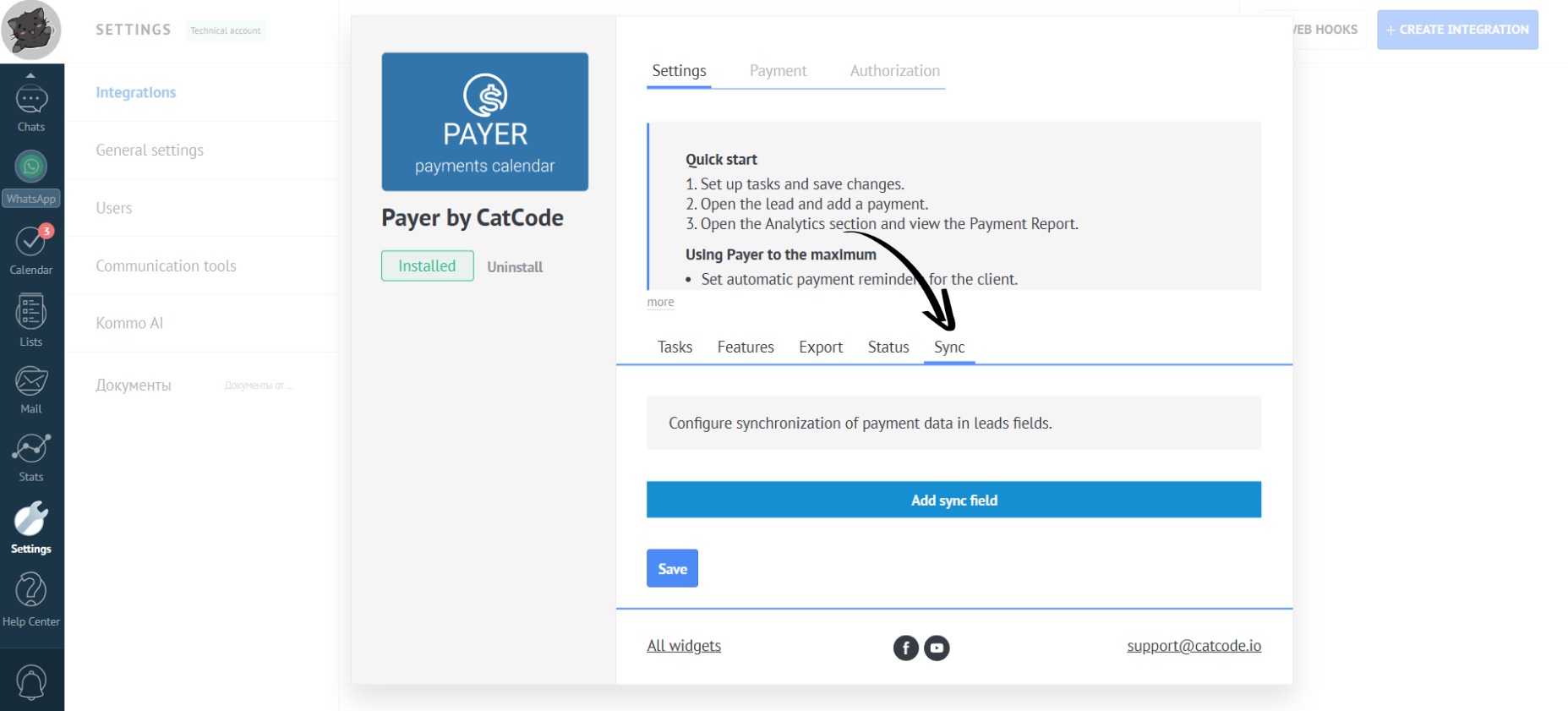
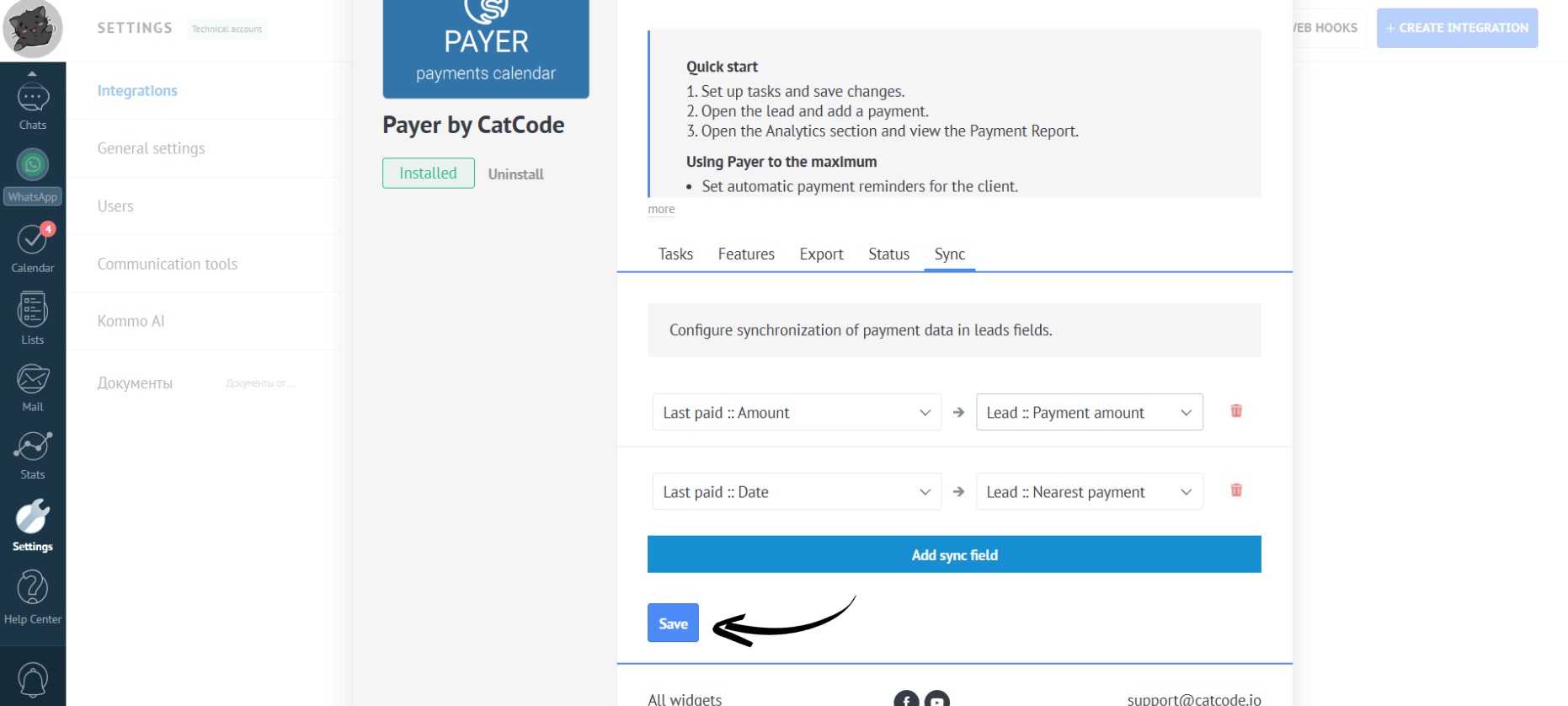
- To notify not only managers but also clients, you need to synchronize lead fields. To do this, go to the “Sync” tab in the app settings:
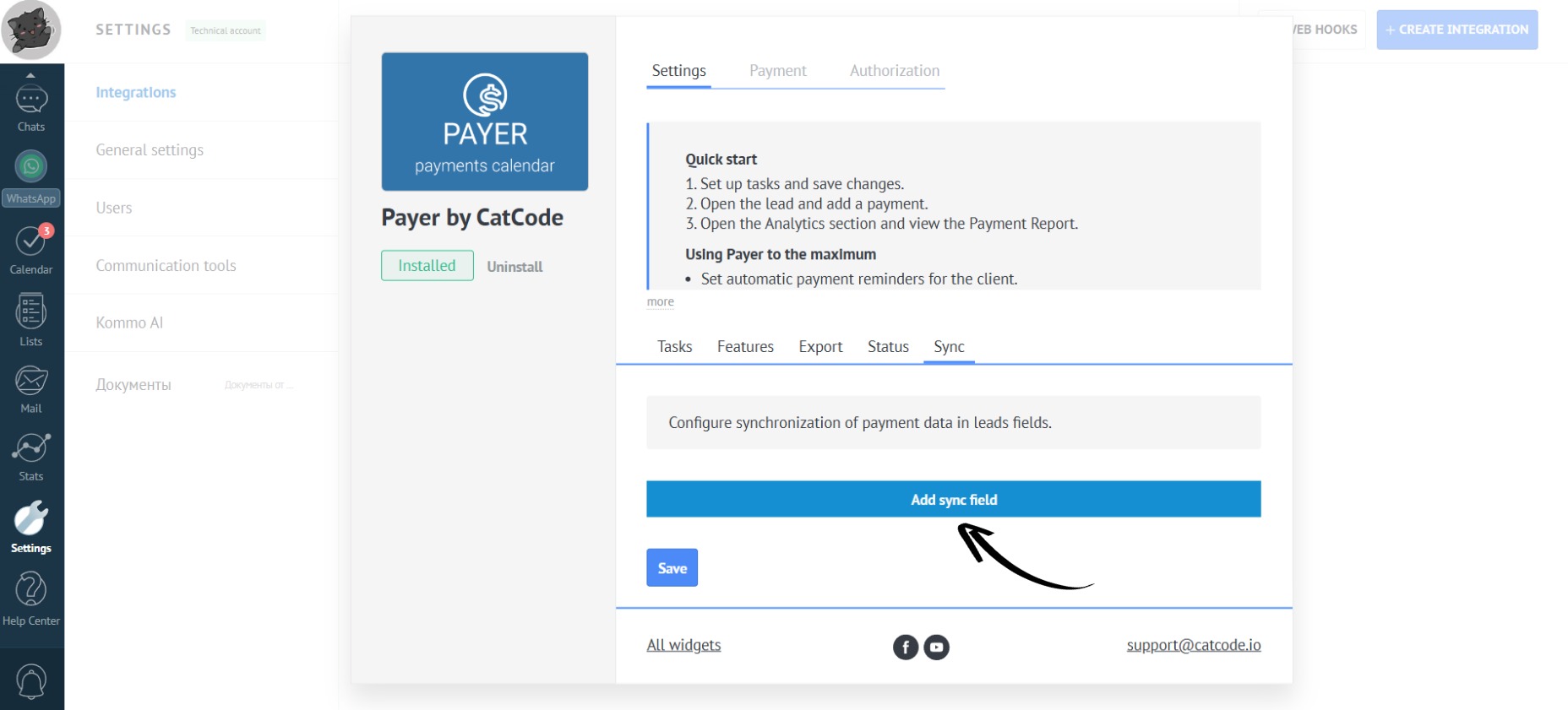
- Click the “Add sync field” button:
- Configure the synchronization with lead fields (date, amount, and amount of the next payment). For this, you need to create 2 fields in the lead, of the “Date” and “Amount” types:
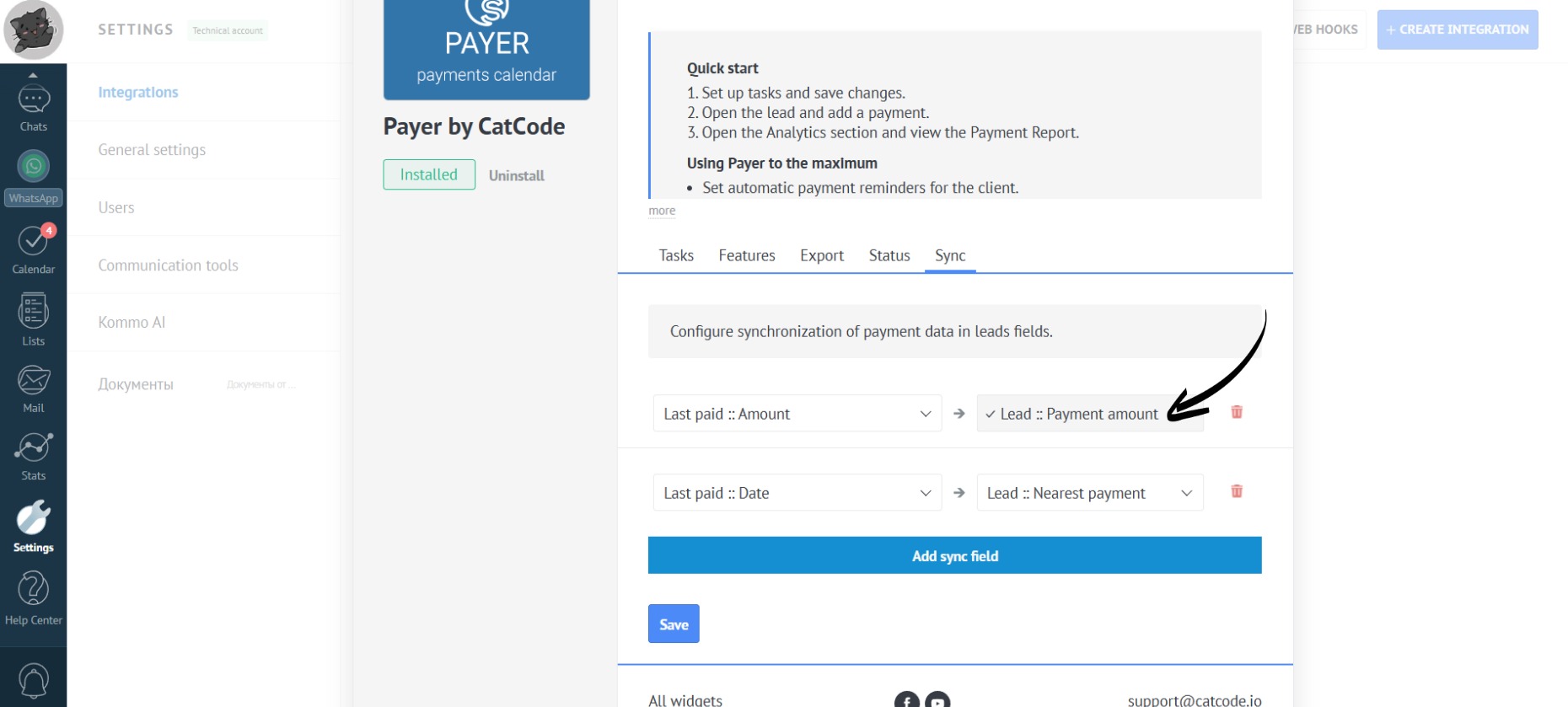
“Last Paid :: Amount” and “Last Paid :: Date” are the fields for notifying clients about paid payments.
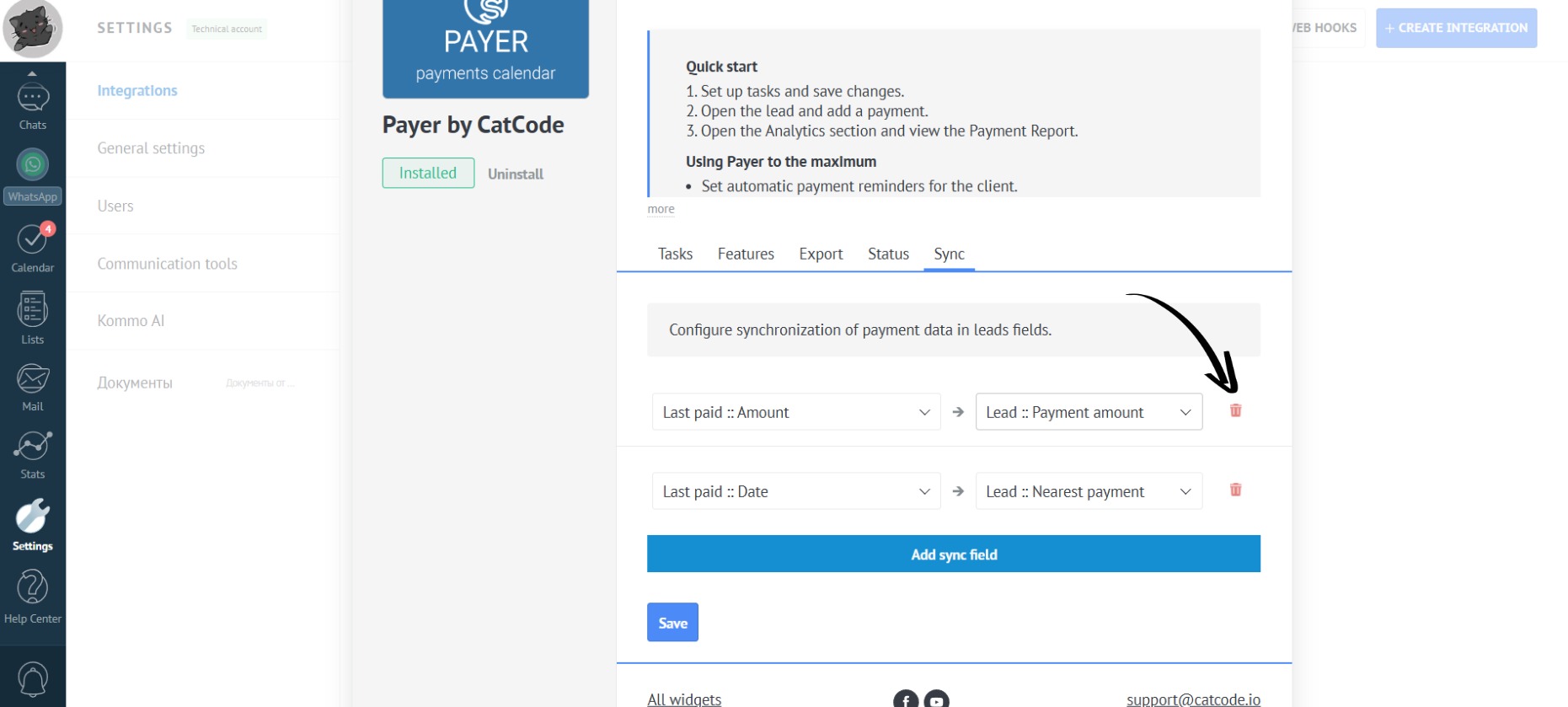
- To delete a field, click the trash can icon:
- If necessary, you can add more fields, then click the “Save” button:
Step 2. Salesbot Configuration
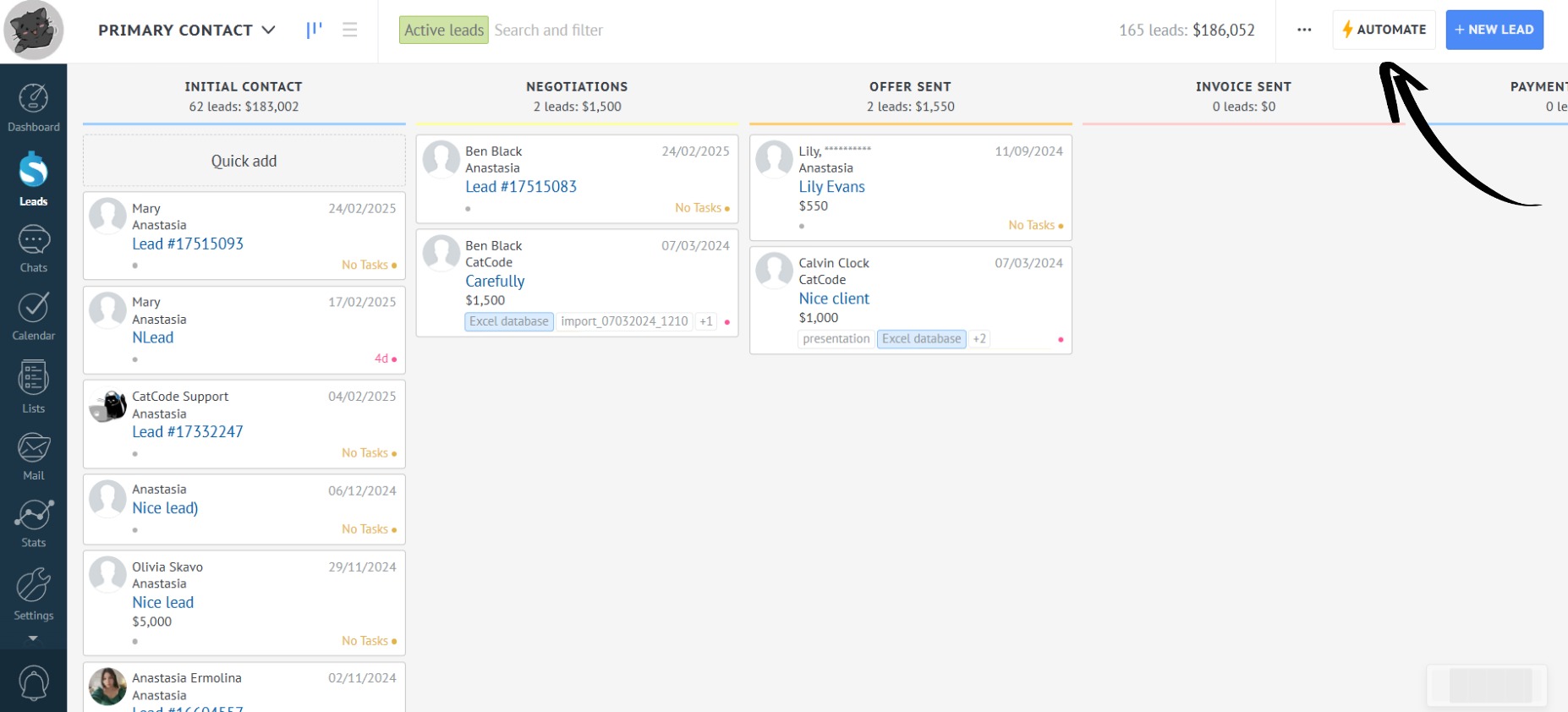
- After filling in the necessary fields, proceed to Salesbot configuration. To add a Salesbot, go to the “Leads” section and click “Automate”:
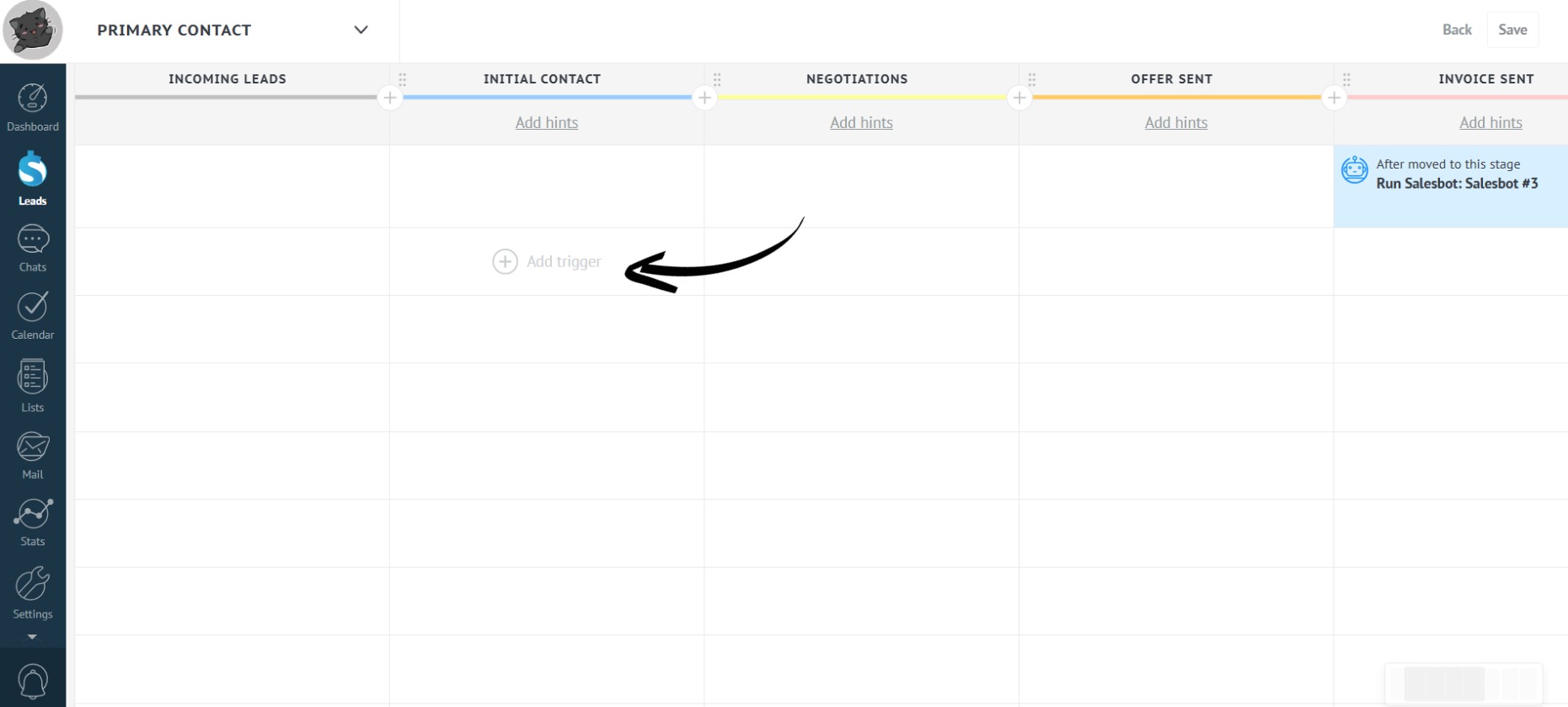
- Select the desired stage in the pipeline and click “Add trigger”:
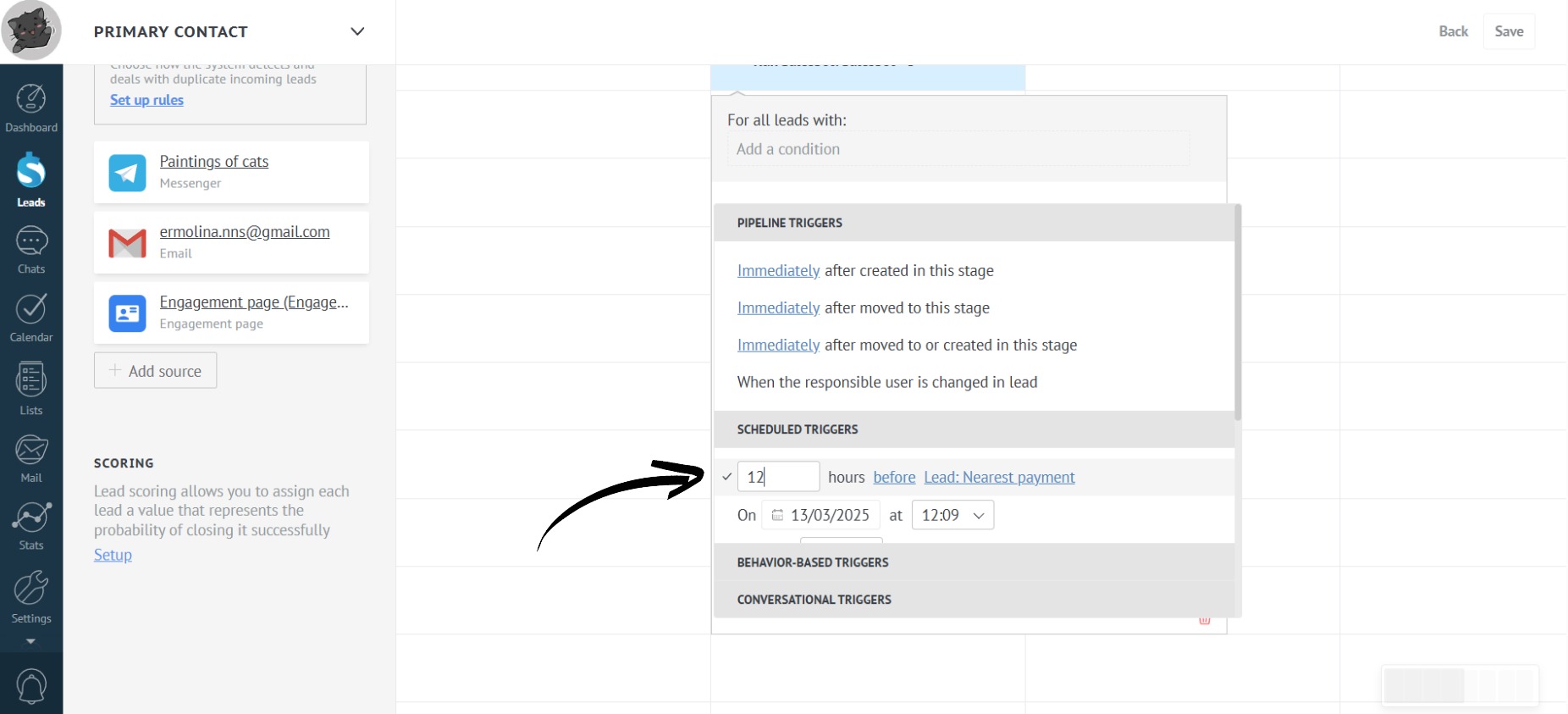
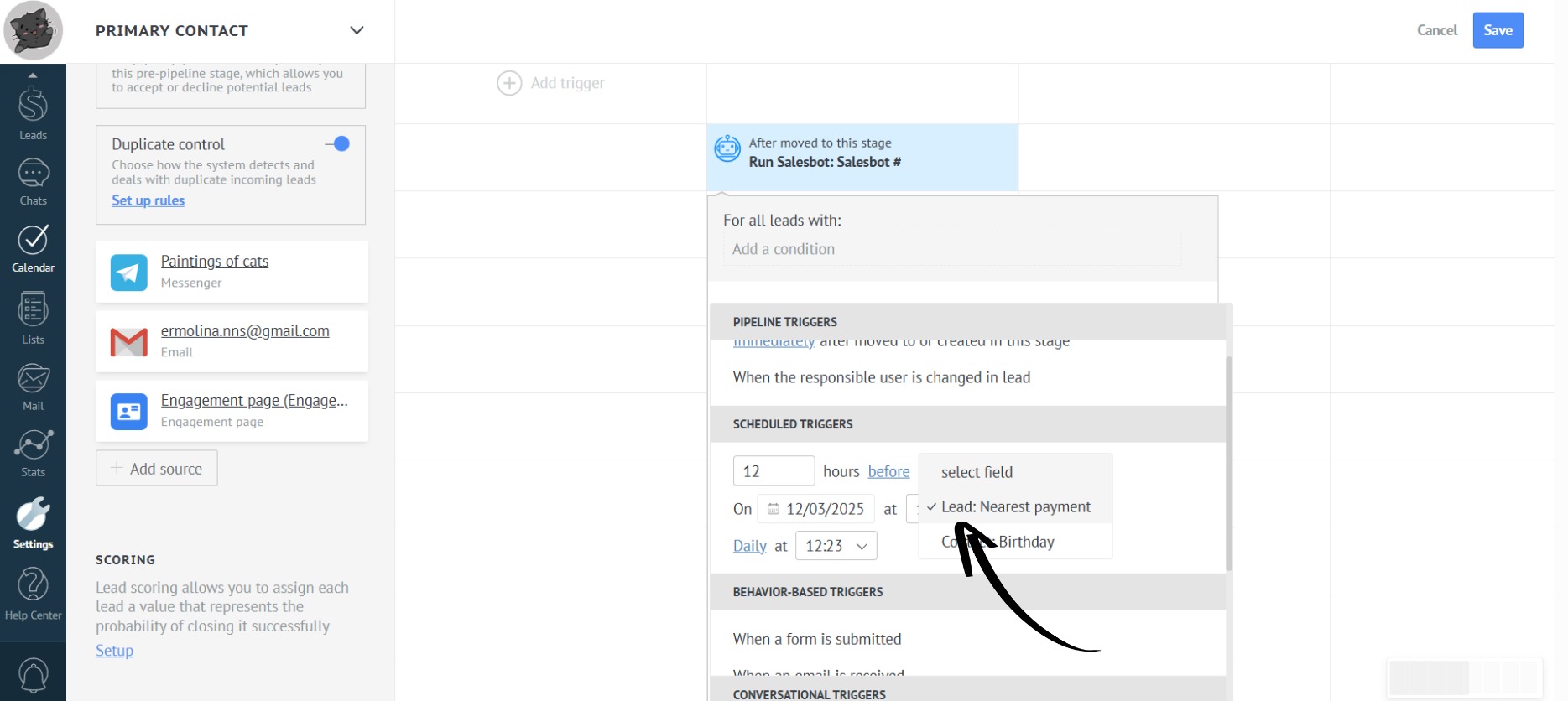
- To set the time, in the “Scheduled Triggers” block, select how many hours before in advance the notification will be sent and the appropriate field where the date of the next payment will be passed:
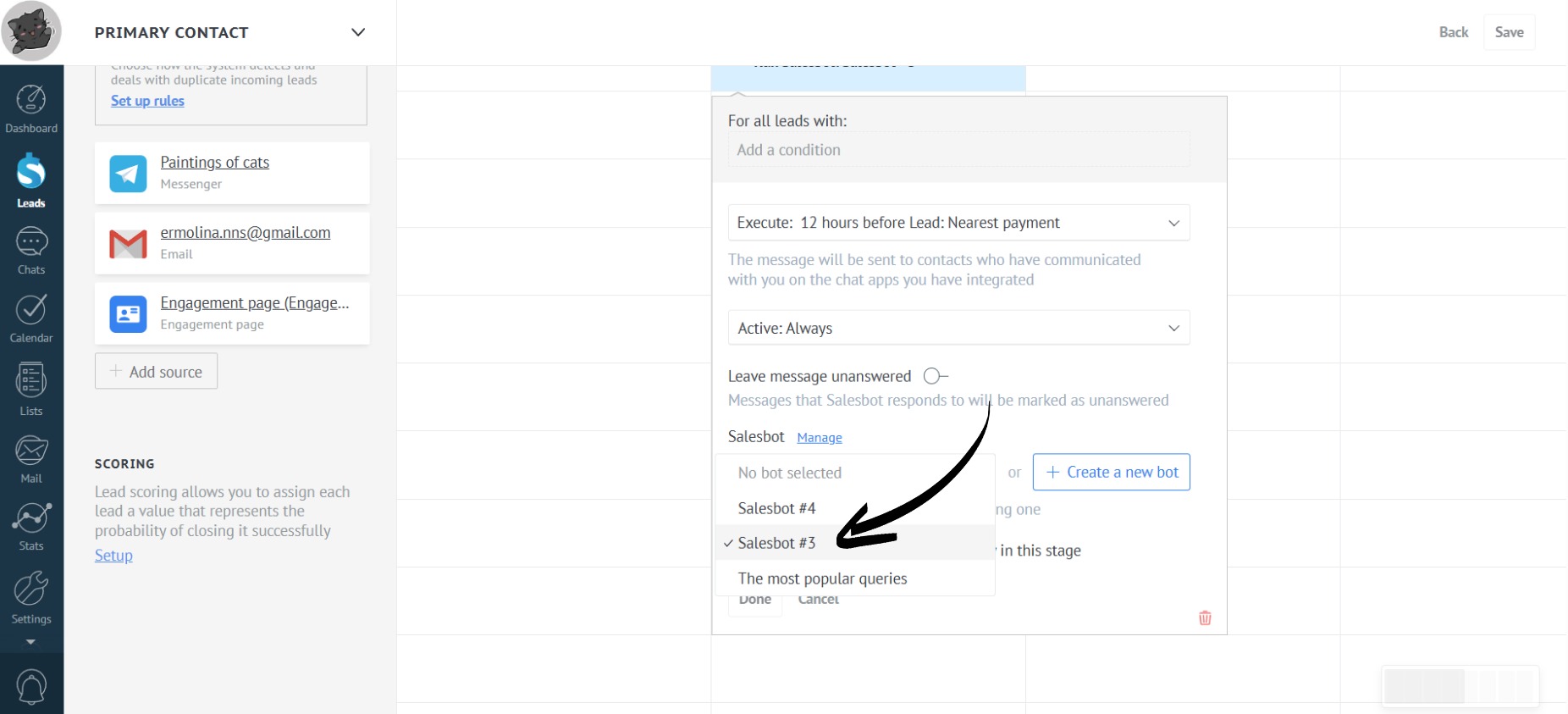
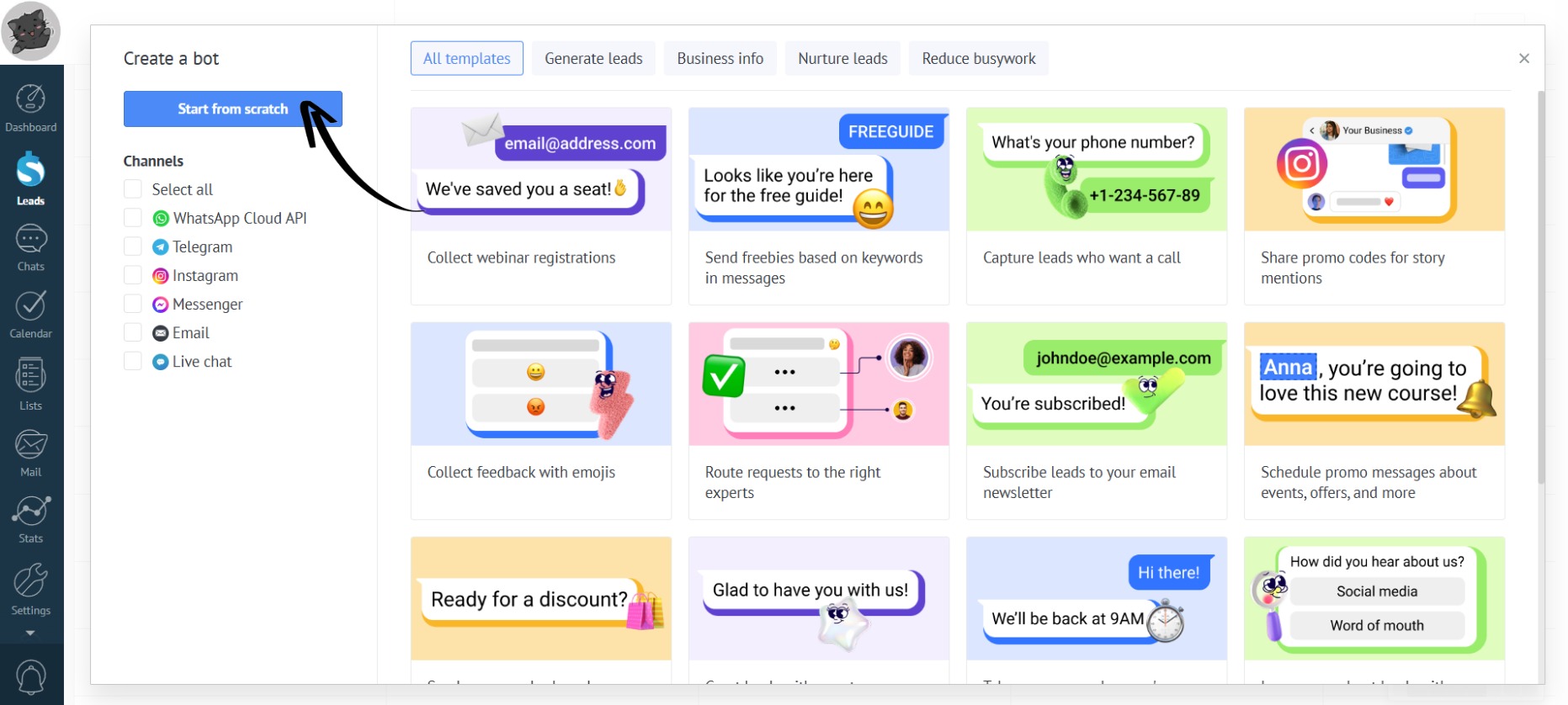
- Then, select a bot from the dropdown list or create your own:
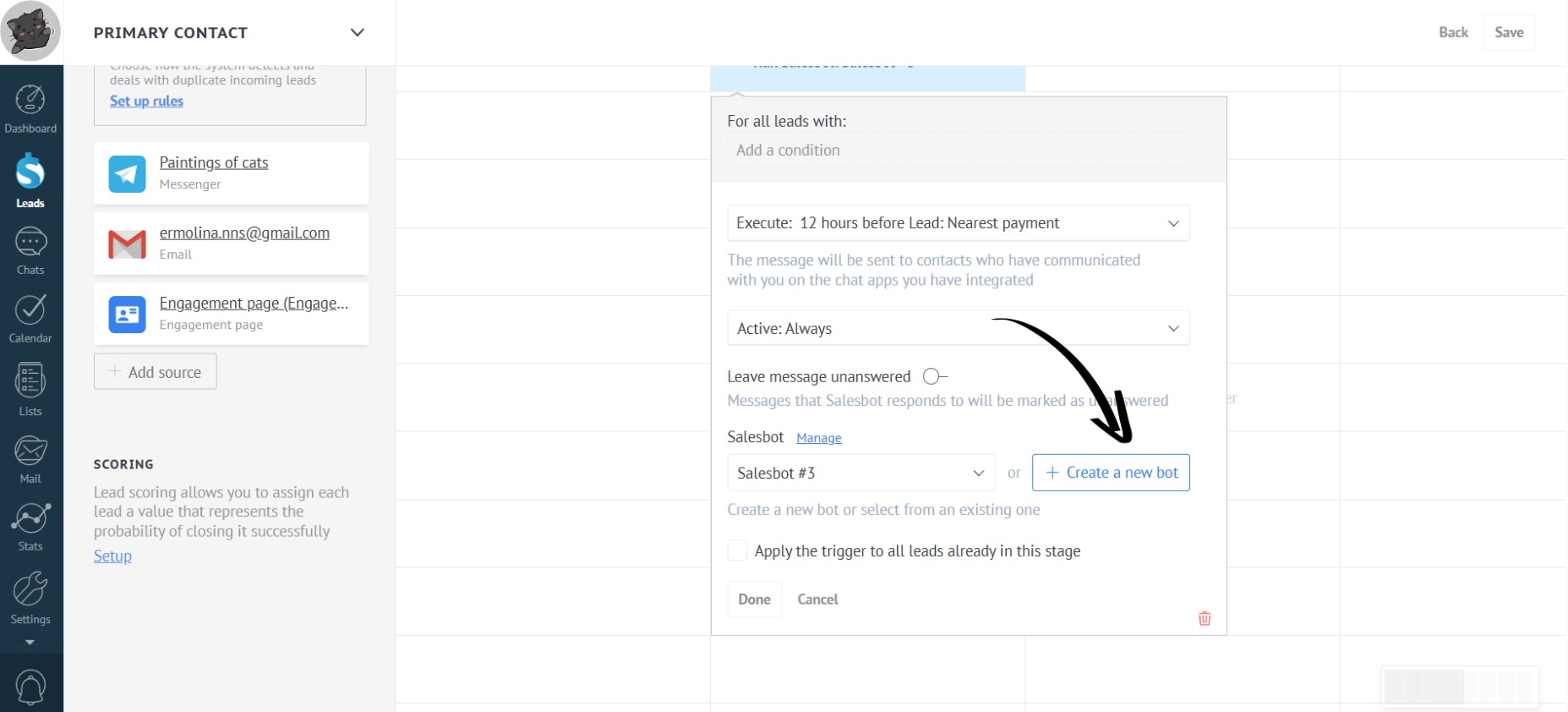
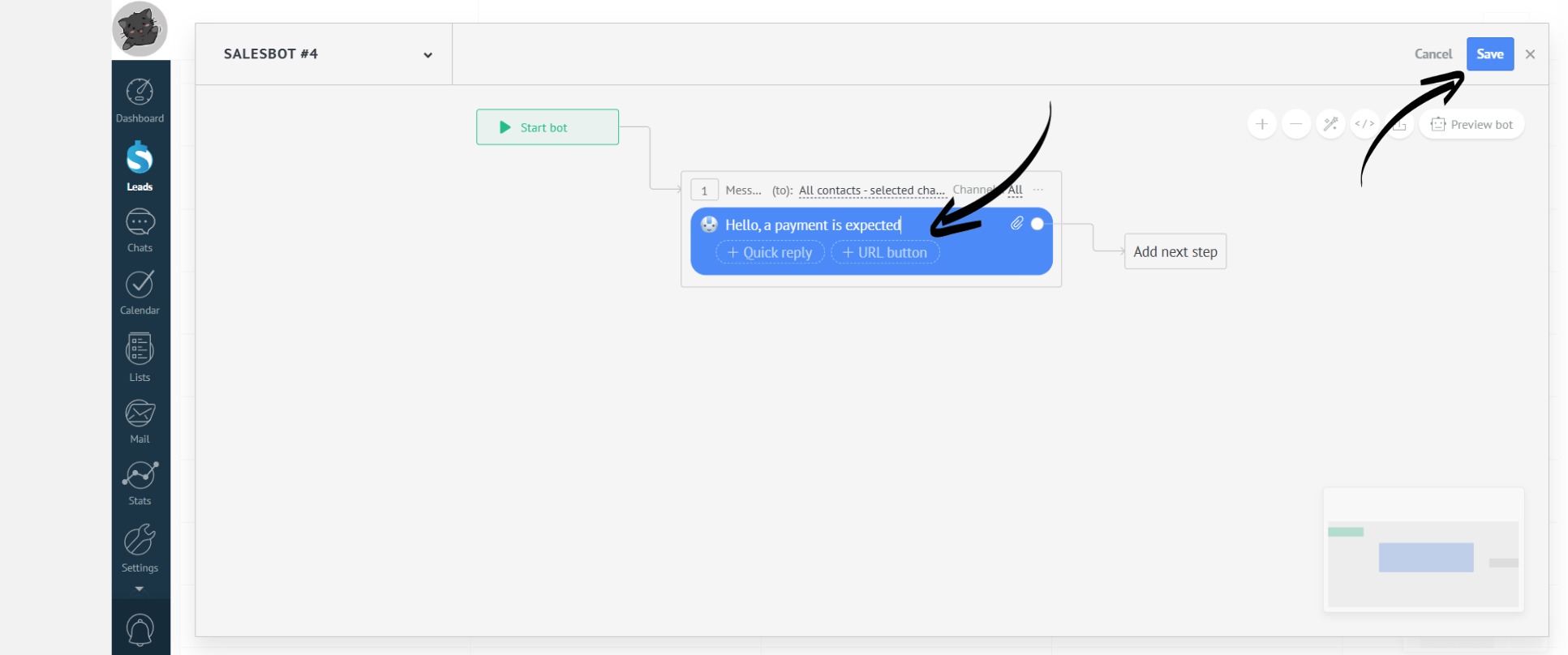
- After entering all the necessary information, click “Done”:
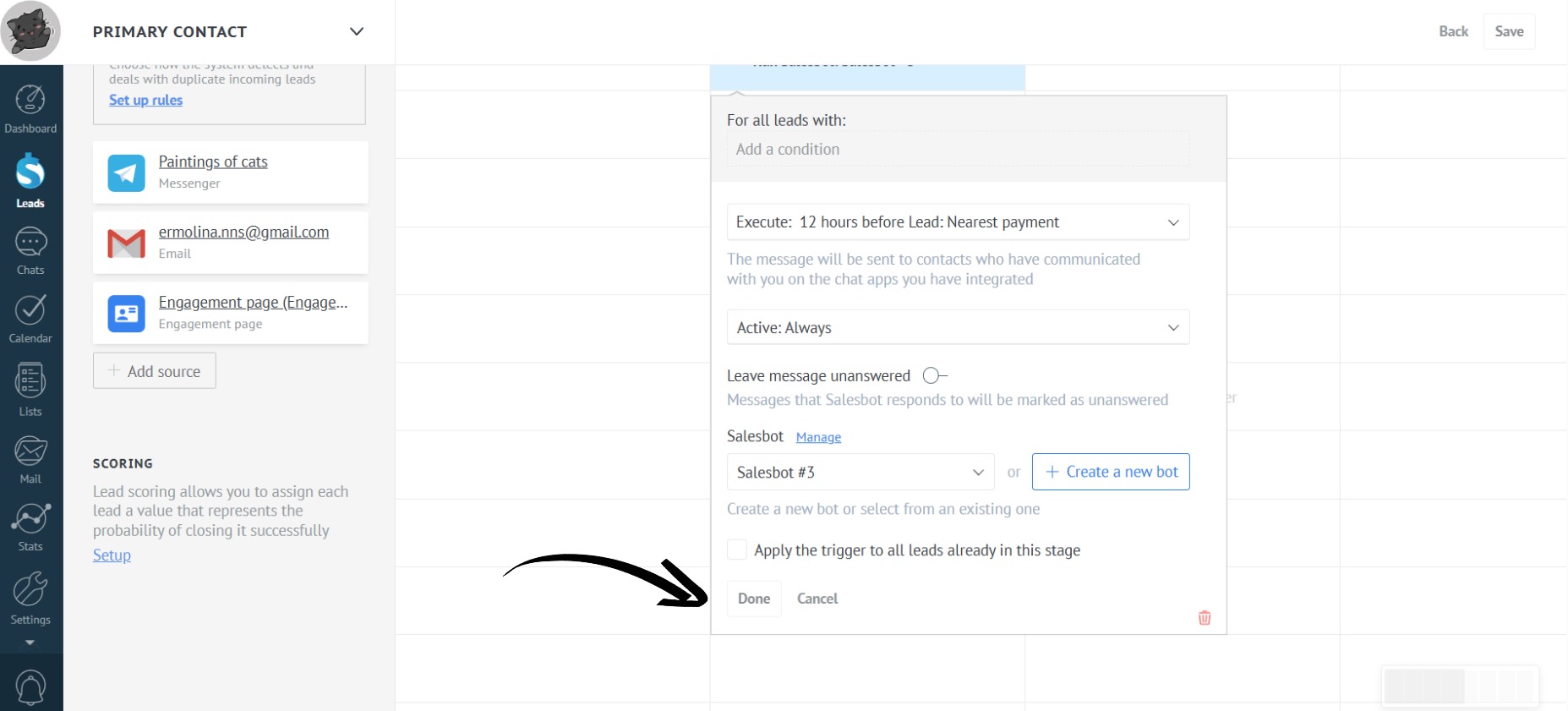
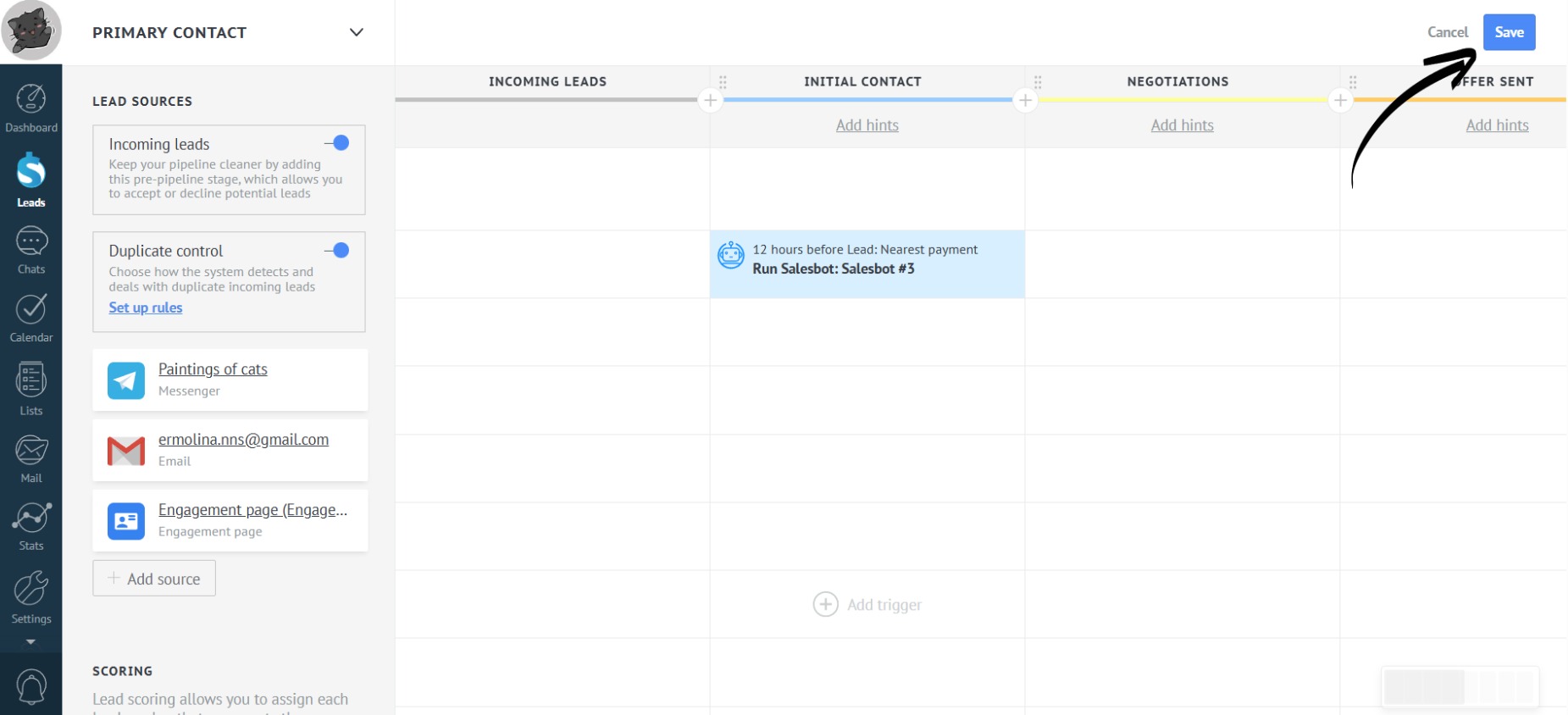
- Don’t forget to save the pipeline. Done! After clicking the “Save” button, the Salesbot will begin its work according to the selected triggers. For example, it will send notifications about an upcoming payment 12 hours in advance:
How does it work?
- Information about all payments is stored in Payer. The app automatically identifies the next payment date and fills in the amount and date fields in the lead. The Salesbot also automatically reads information from these fields and sends messages to clients:
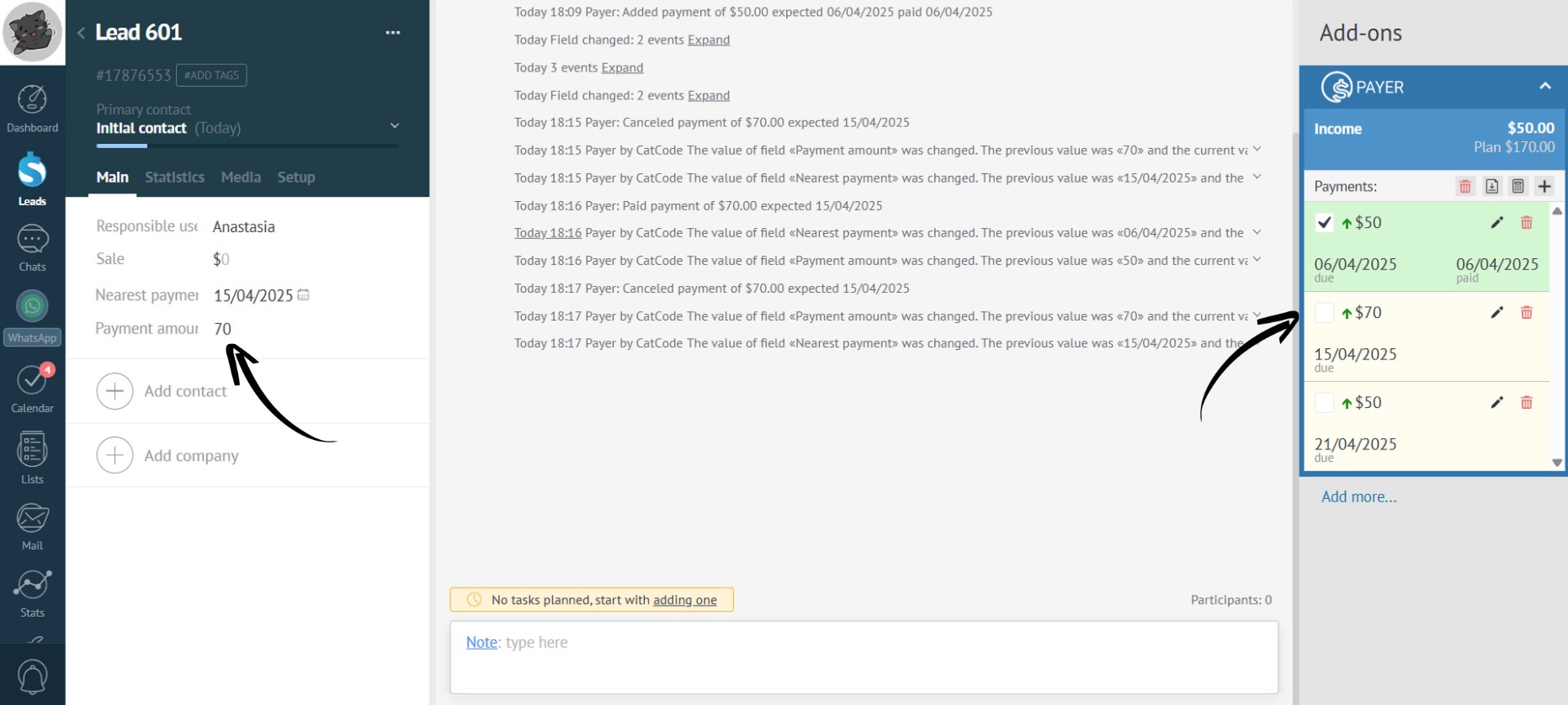
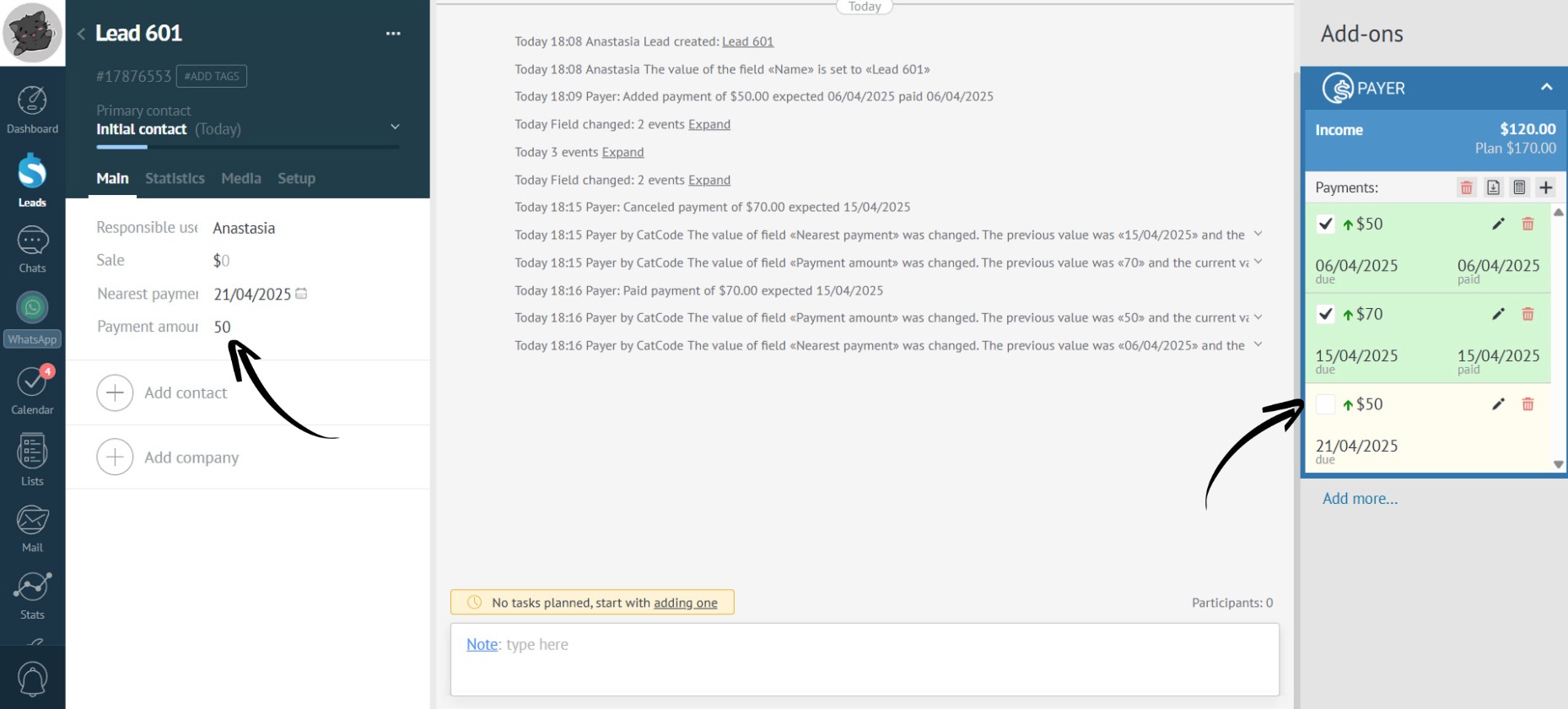
- As soon as the manager marks the payment receipt, the data in the deal fields automatically changes to the next payment date. And so on the circle:
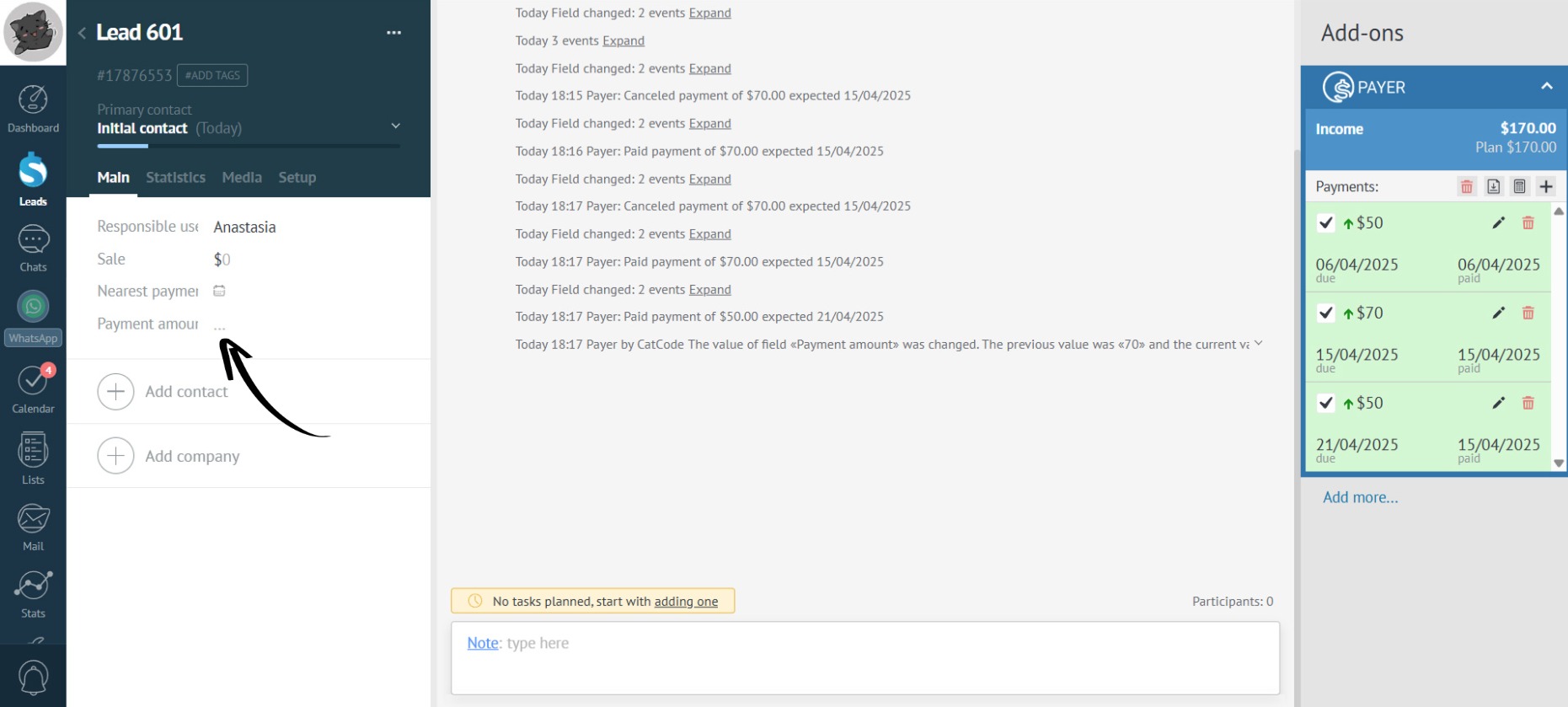
- Once the payment for the final installment is received, the app will erase all information from the additional fields:
- Thus, with the app’s two sync fields, you can easily add multiple payments without cluttering the lead with extra fields.