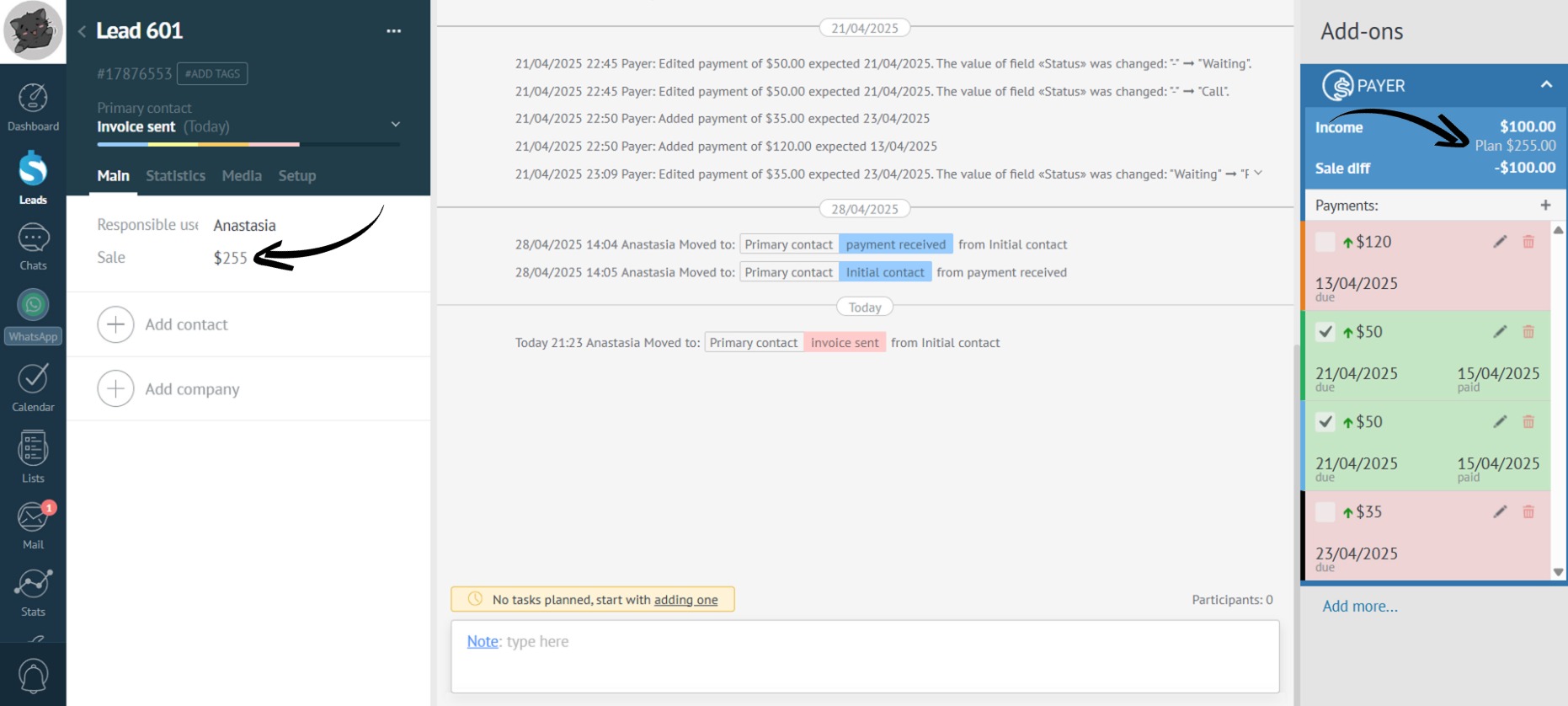
Budget Synchronization
Tired of mistakes from manual entry? Set up automatic budget recalculation to see how much a lead should bring in.
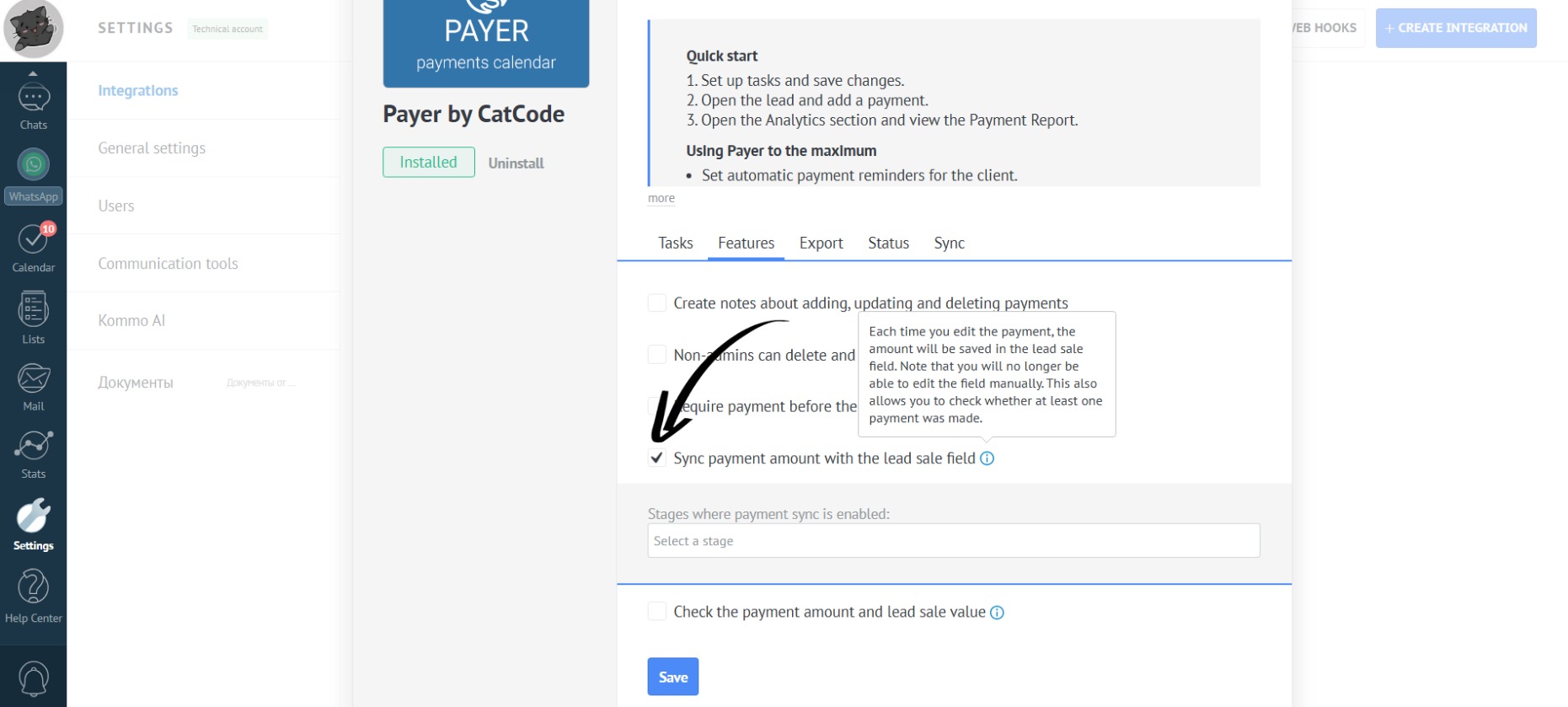
- In the app settings, go to the “Features” section. If you check the box “Sync payment amount with the lead sale field”, then the lead budget will be synchronized with the planned income field at the selected stage:
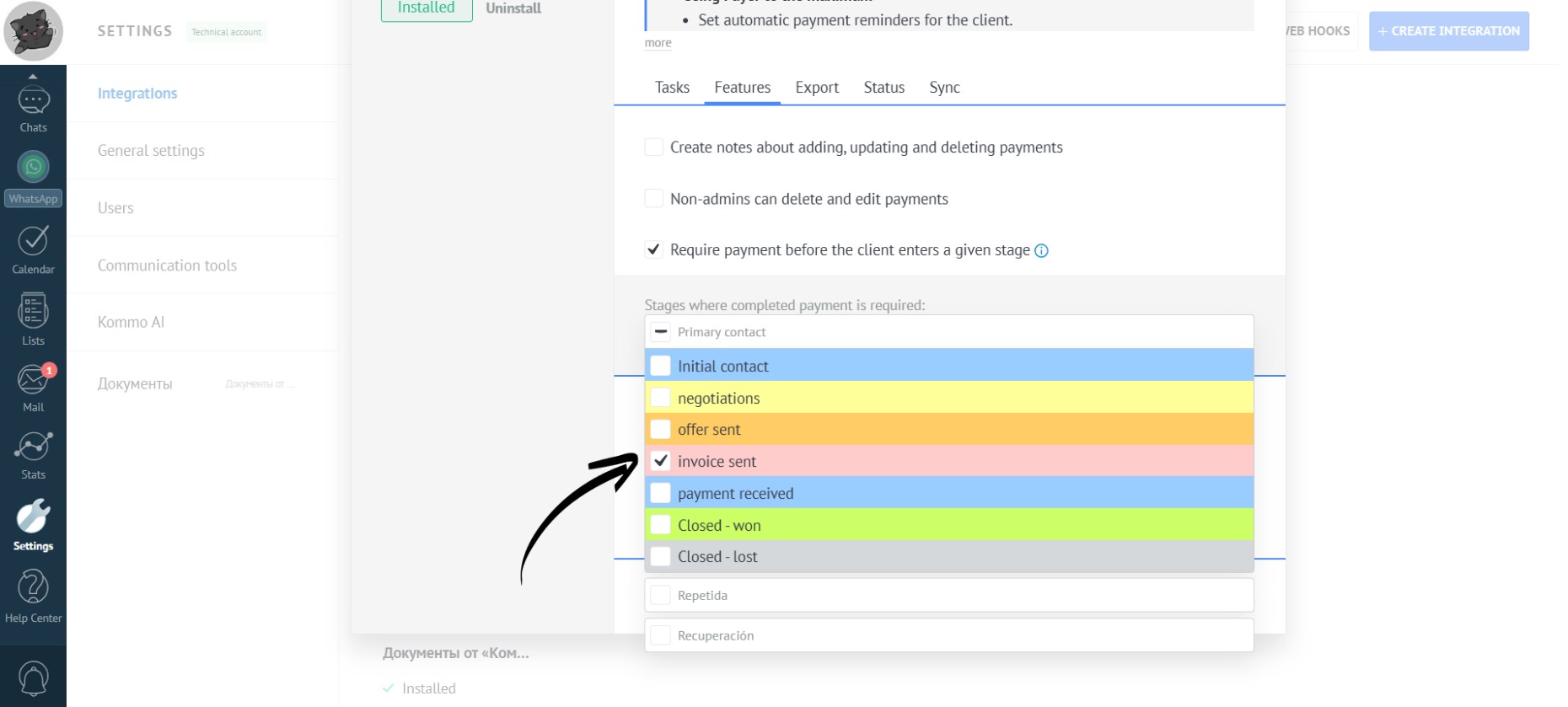
- If you check the boxes, for example, for the status “Invoice sent”, then the lead’s potential revenue will automatically be reflected in the budget. This means that when the lead status is changed to the selected one, the budget will be automatically recalculated:
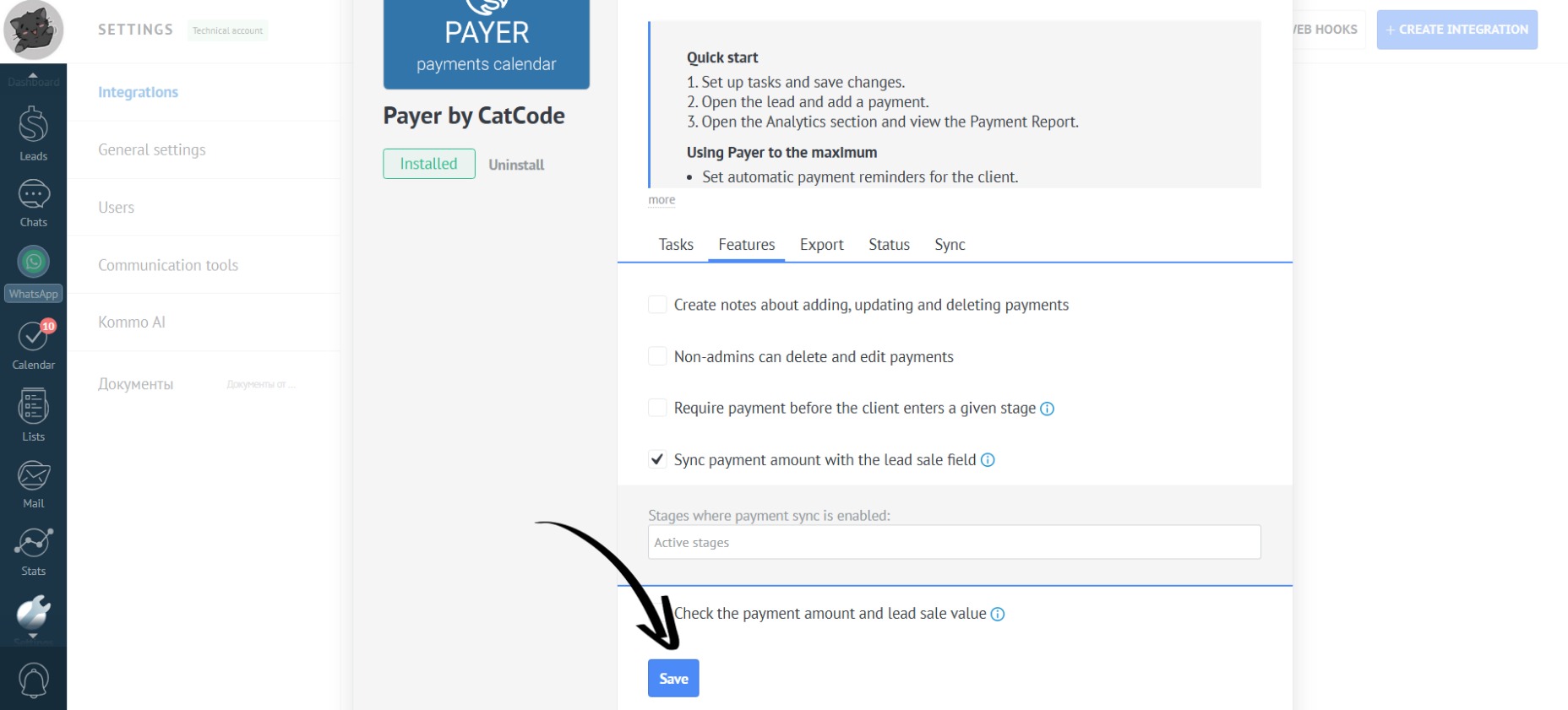
- Don’t forget to click the “Save” button:
- Go to the lead, which is currently in the “Initial Contact” status:
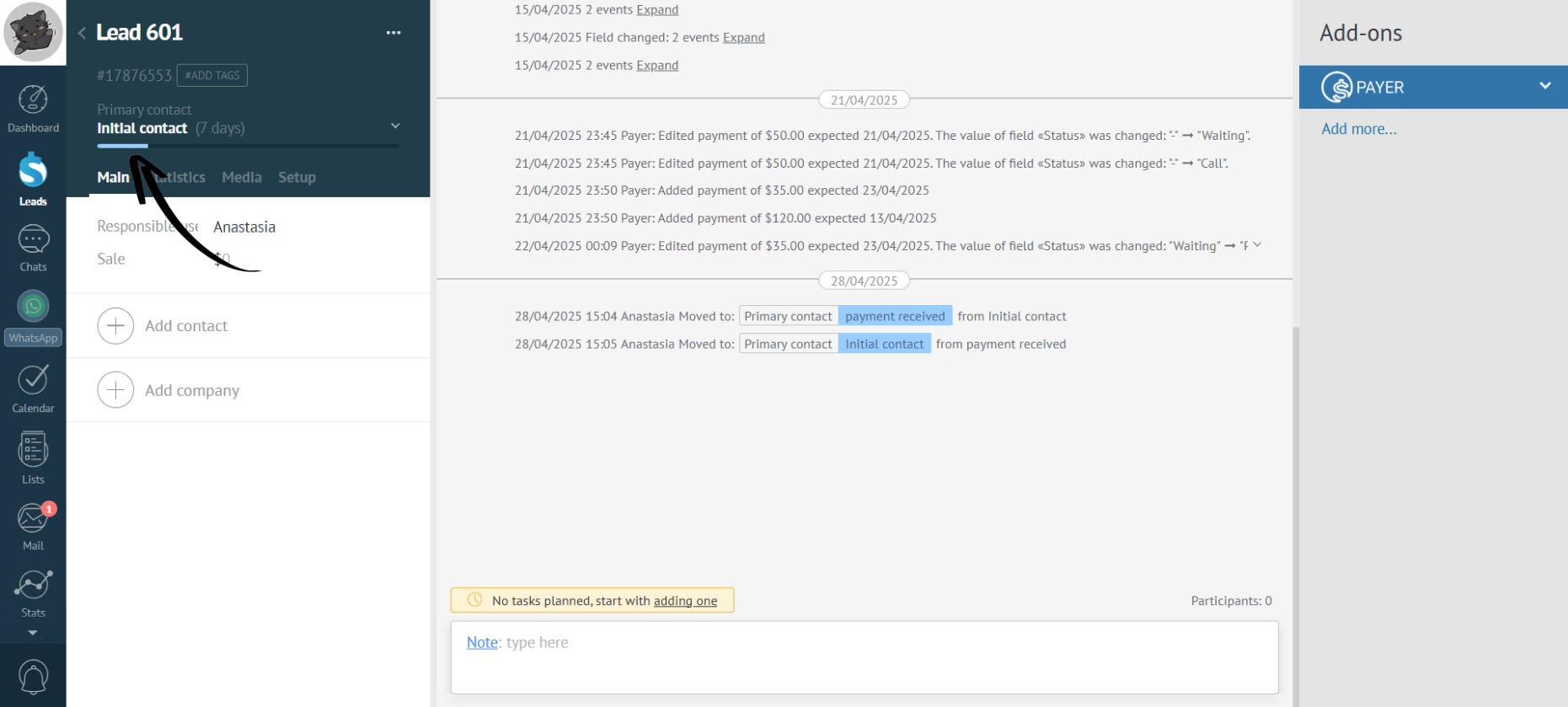
- If you change it to the status we selected, “Payment received”, the budget field will be recalculated. You’ll see the lead’s projected revenue: