Budget Matching Check
Seeing budget discrepancies after the last payment is made? Set up automatic reconciliation and track the difference between current payments and the lead budget directly within the app.
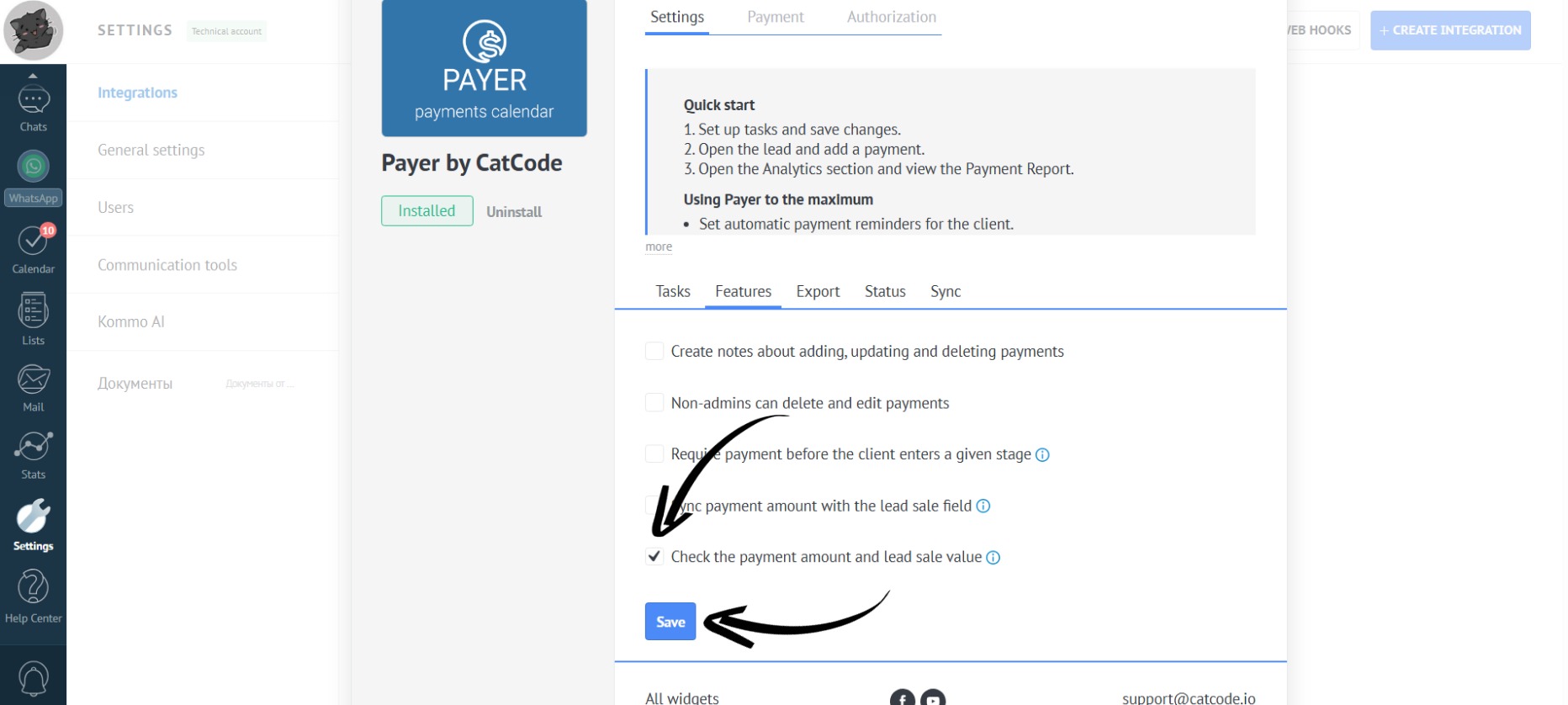
- In the app settings, go to the “Features” section. If you check the box “Check the payment amount and lead sale value”, then the system will automatically verify the total payment amount against the lead’s budget when you mark the final payment as received. Don’t forget to click the “Save” button:
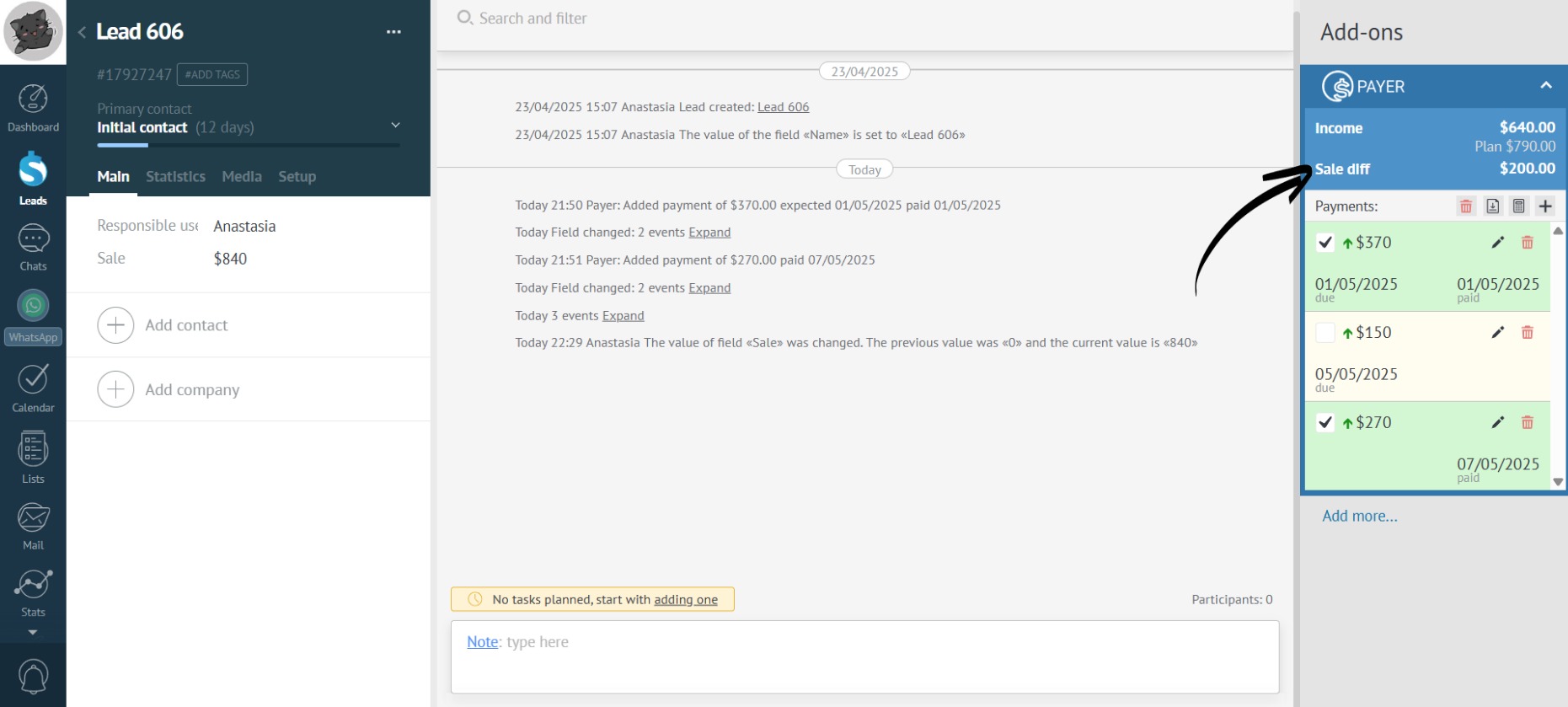
- In the lead card of the app, there will be a “Sale diff” field displayed – the difference between the current payments and the lead’s budget:
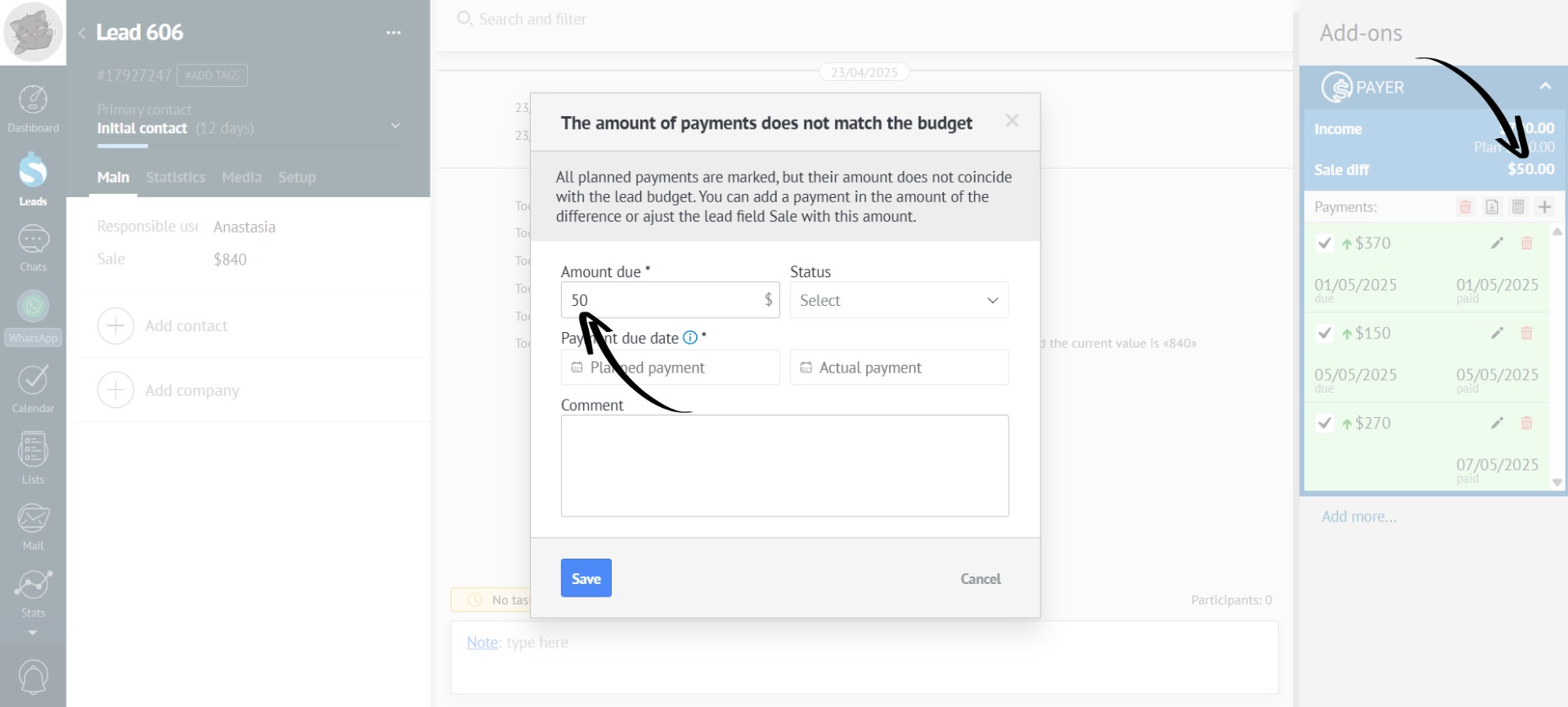
- When marking the final payment as received, if the sum of the paid payments in the lead doesn’t match the budget, a pop-up window will appear to add a new payment for the difference: