Edit Payment
Need to update a payment date, amount, or add a comment? Edit a payment with a single click.
- You can edit a payment by clicking on the pencil icon next to the desired payment:
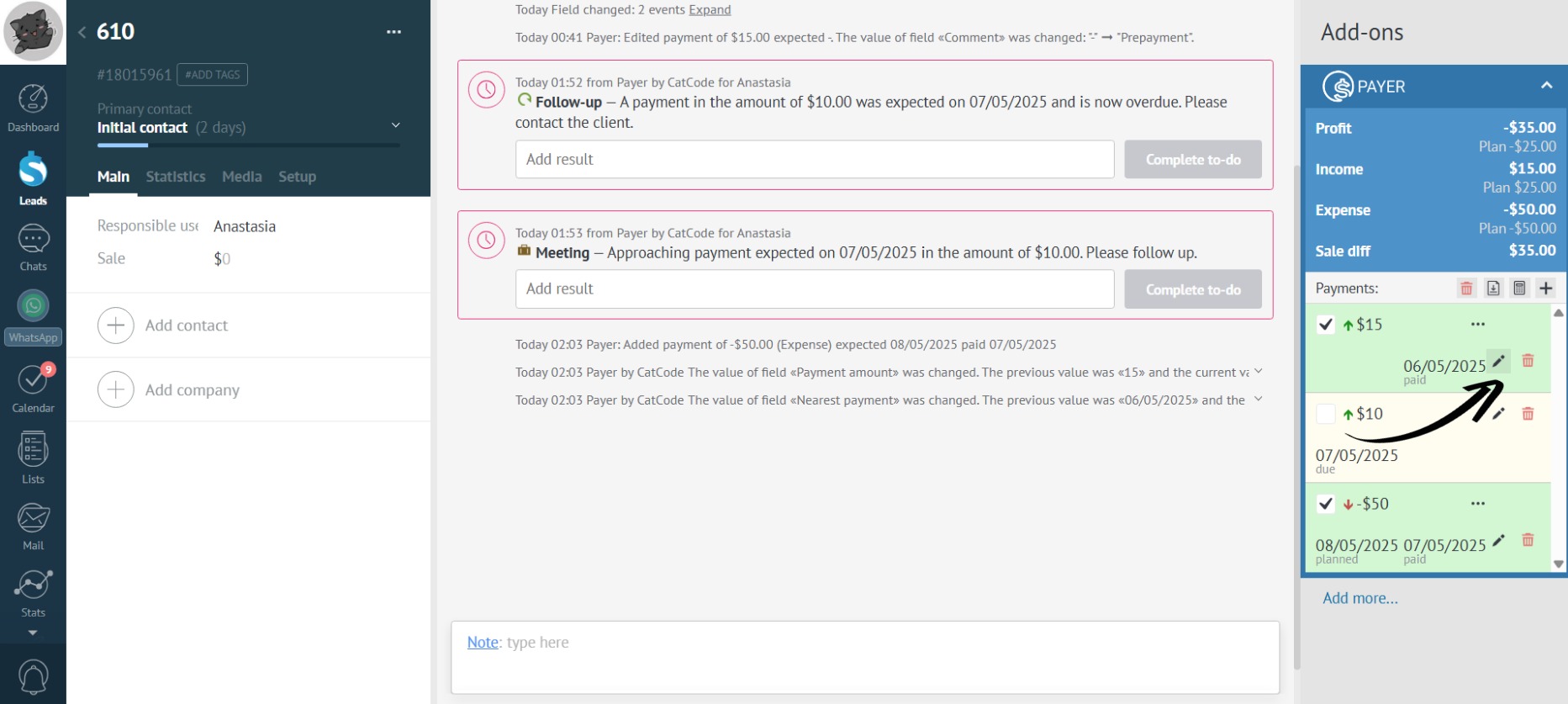
Editing a payment is necessary to reflect changes such as a new payment date, a modified amount, or the addition of a comment.
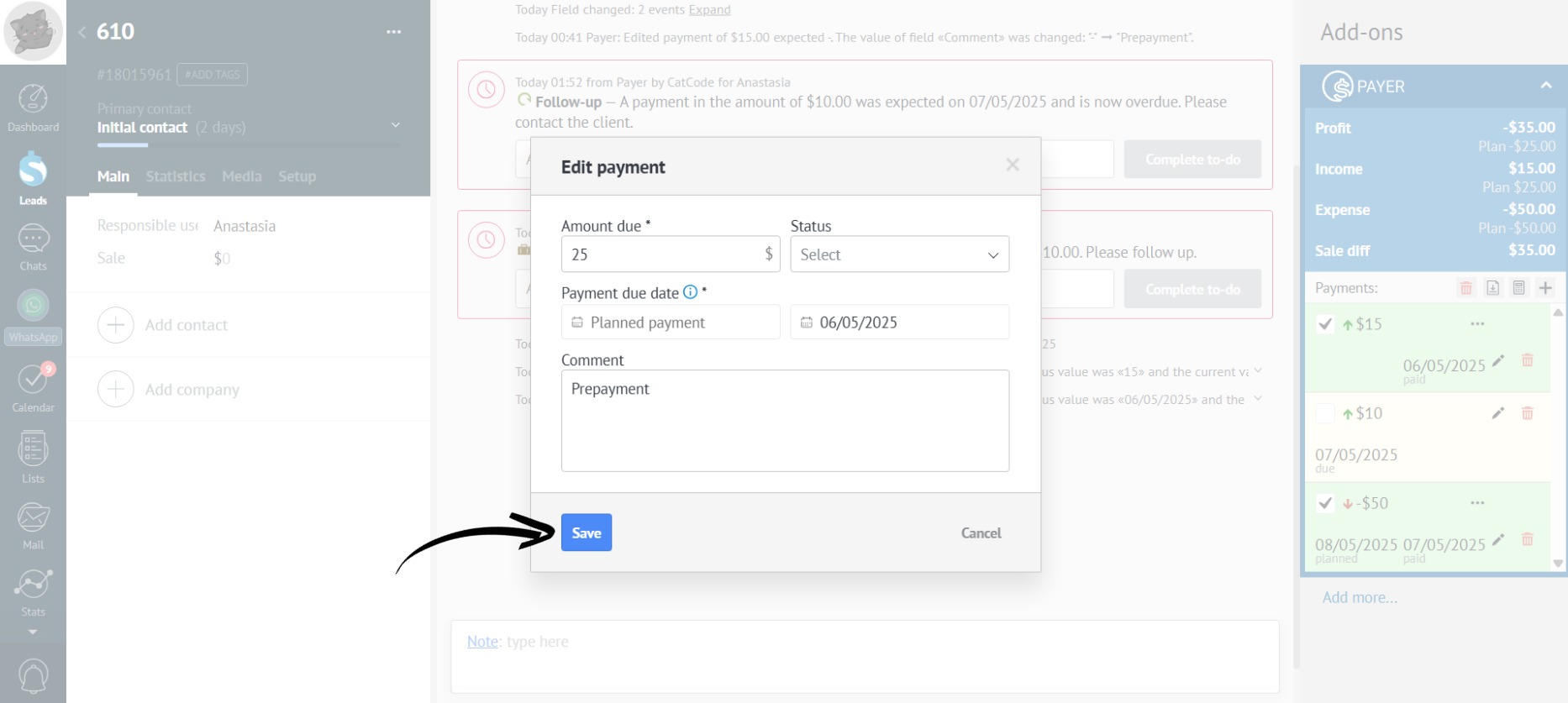
- You can change the payment date, the payment amount, or add a comment. After making the necessary changes, click the “Save” button:
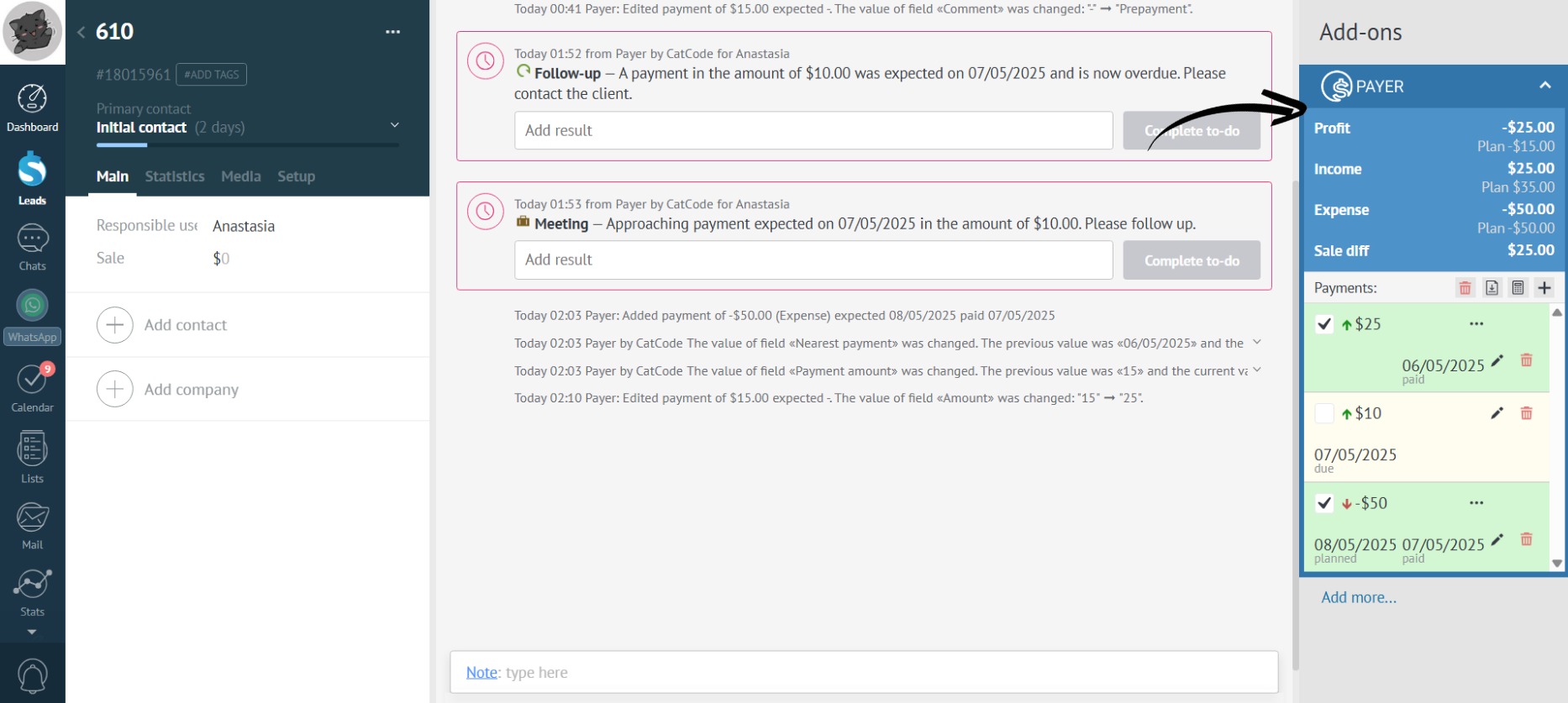
- Payer will automatically recalculate the key indicators: