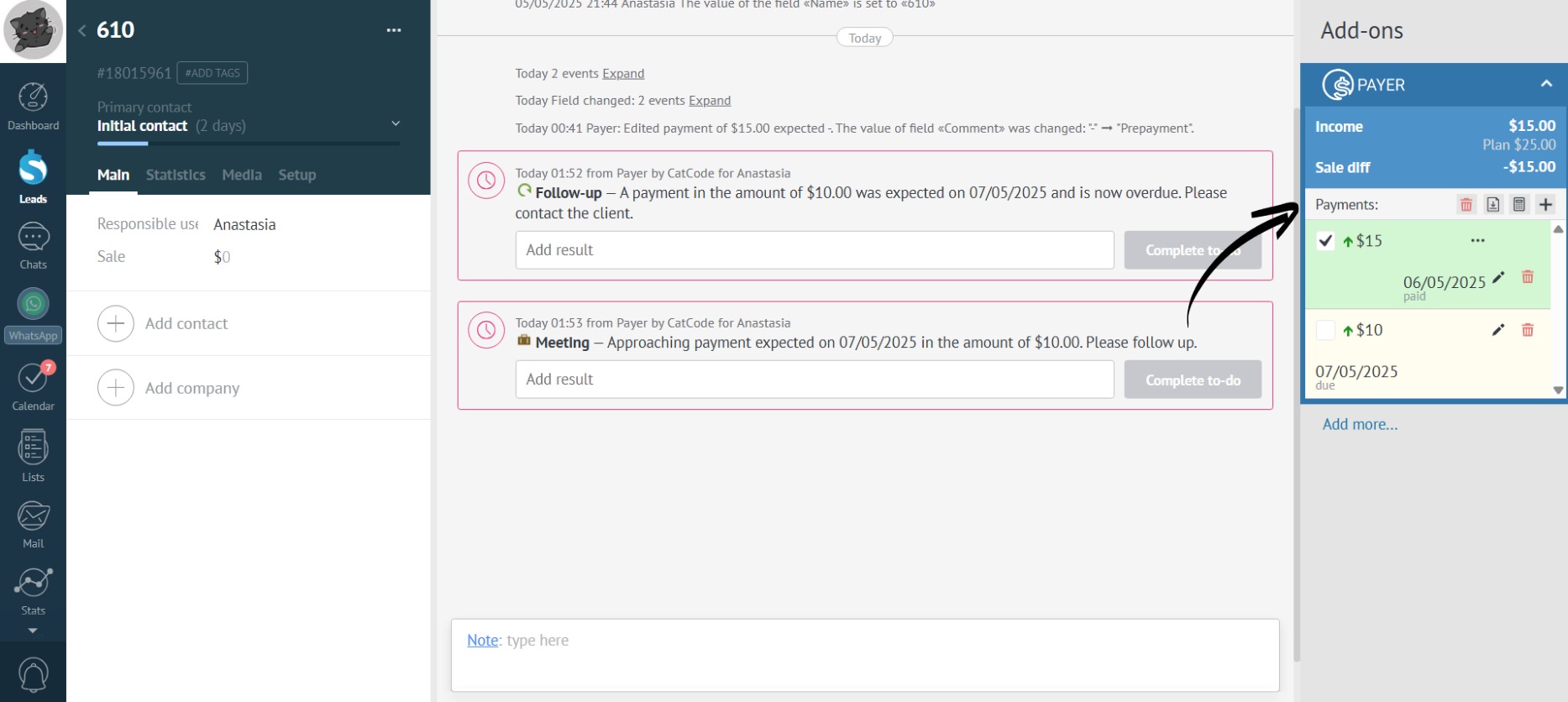
Add Income
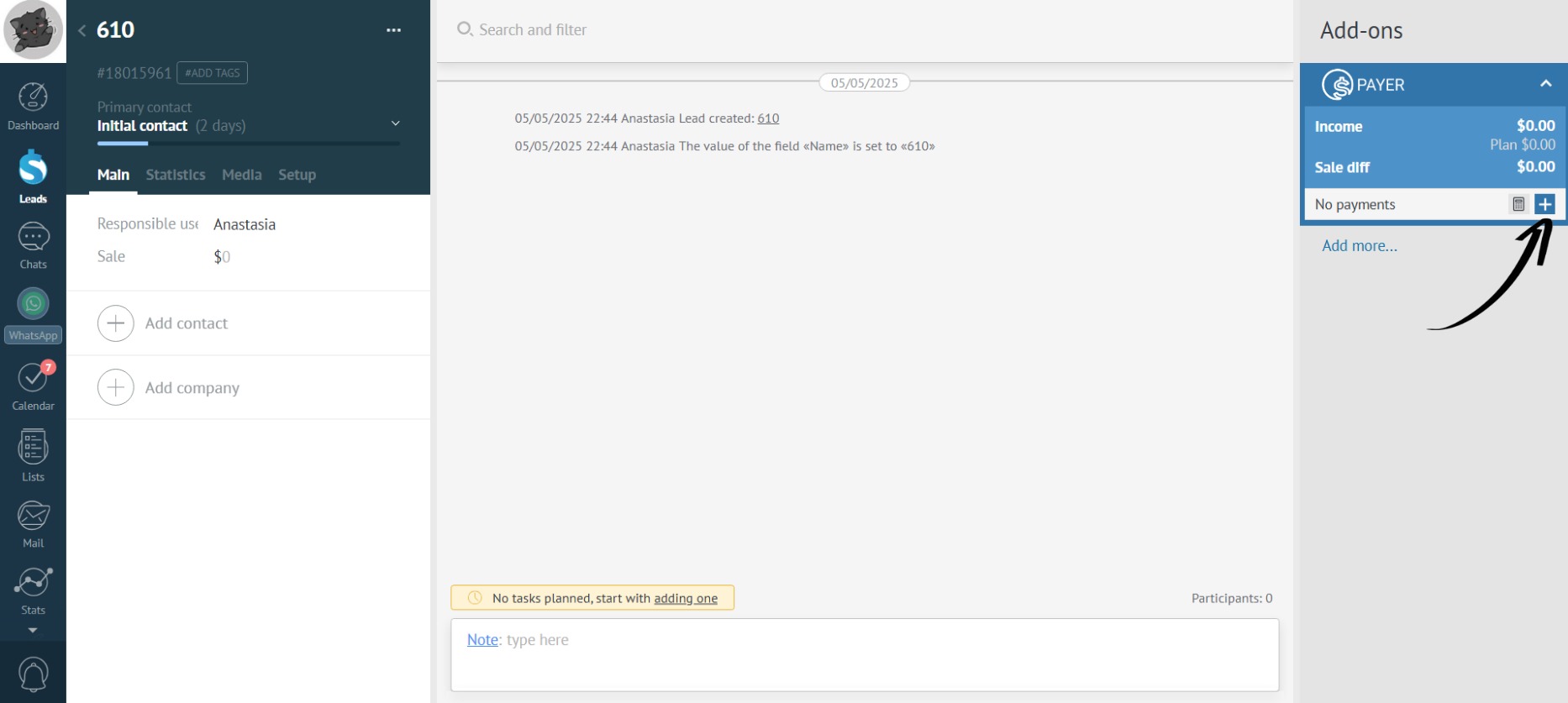
- Click the plus icon:
- Required fields, denoted by an asterisk, include “Payment Amount” and the planned “Payment Date”:
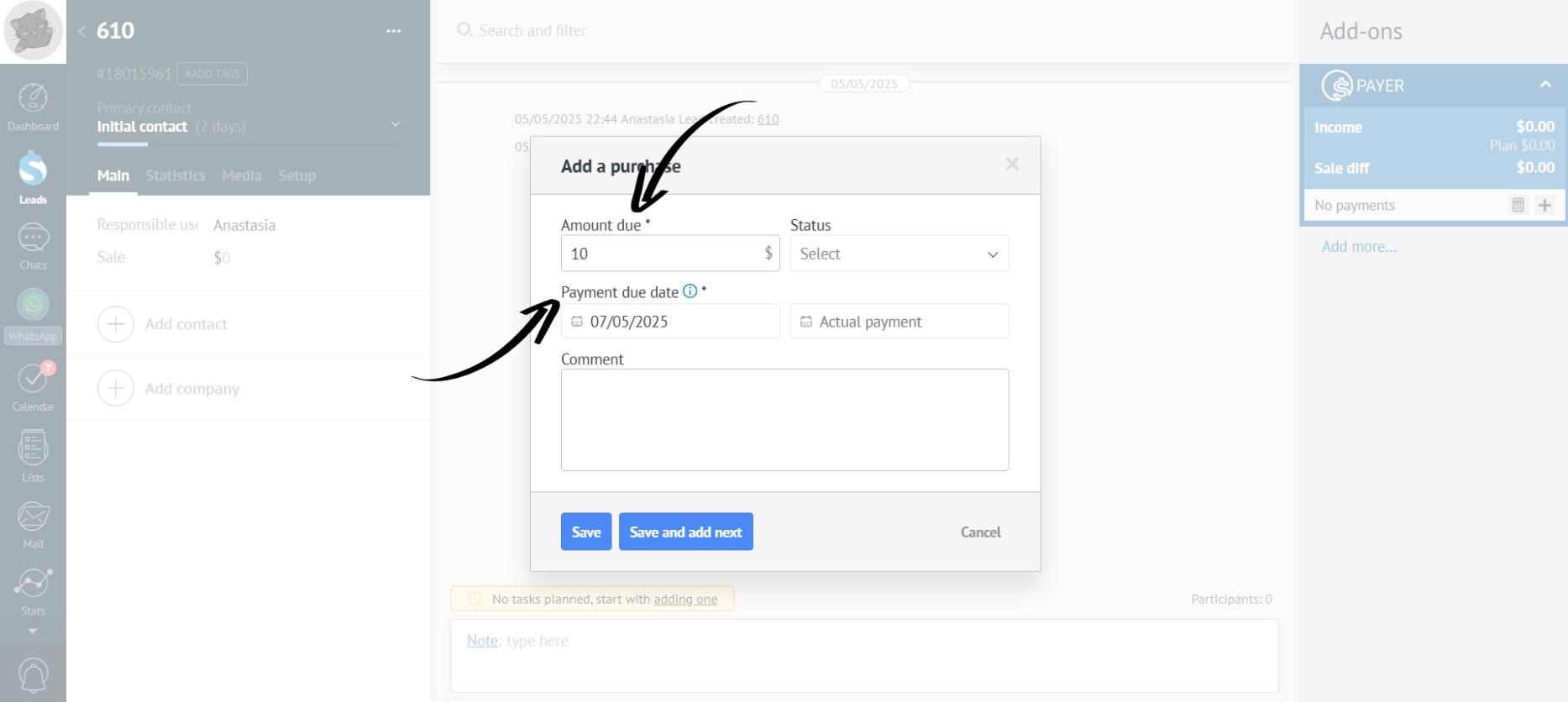
You can enter the payment amount with cents.
- Beyond the required fields,you can fill in the “Actual Payment Date” and “Comment” fields:
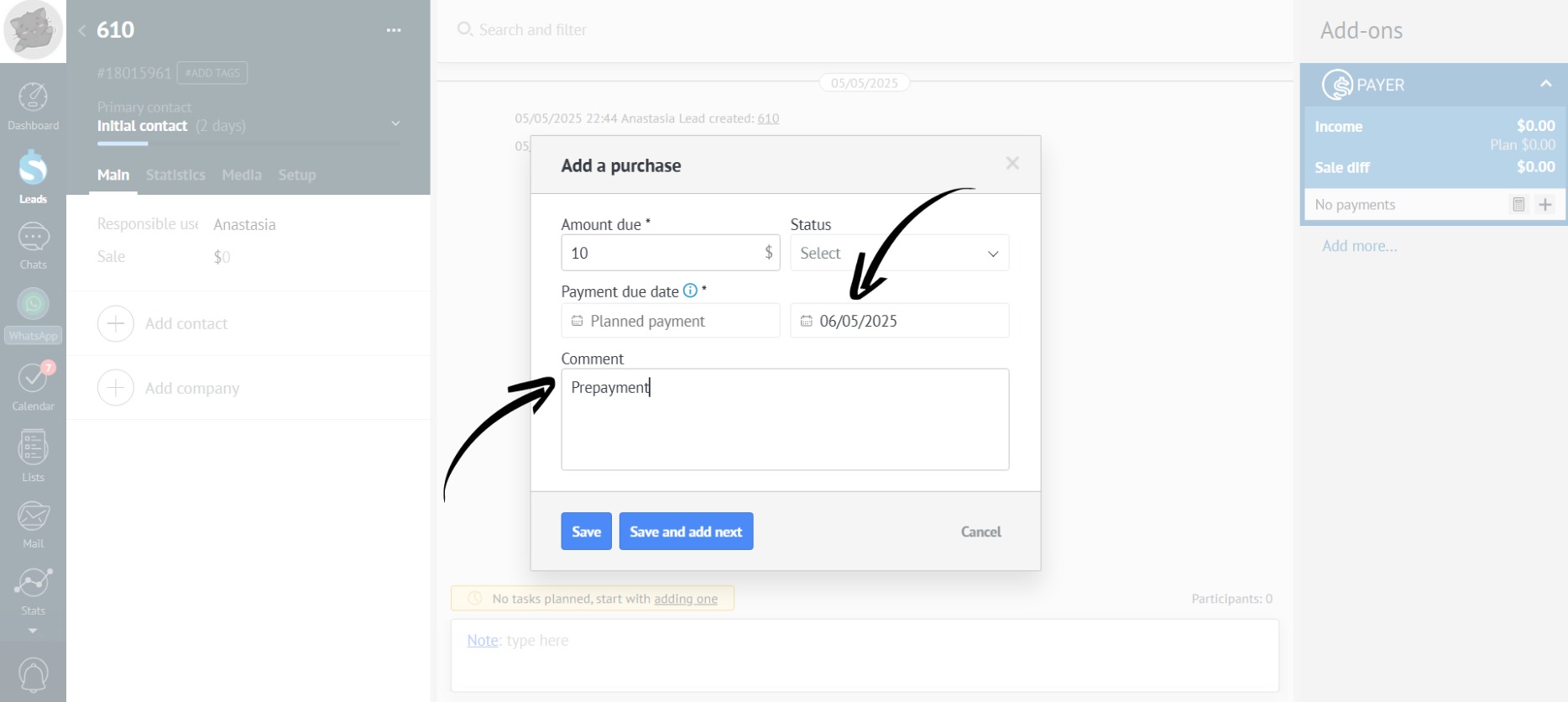
If you enter the actual payment date, you don’t need to fill in the planned payment date.
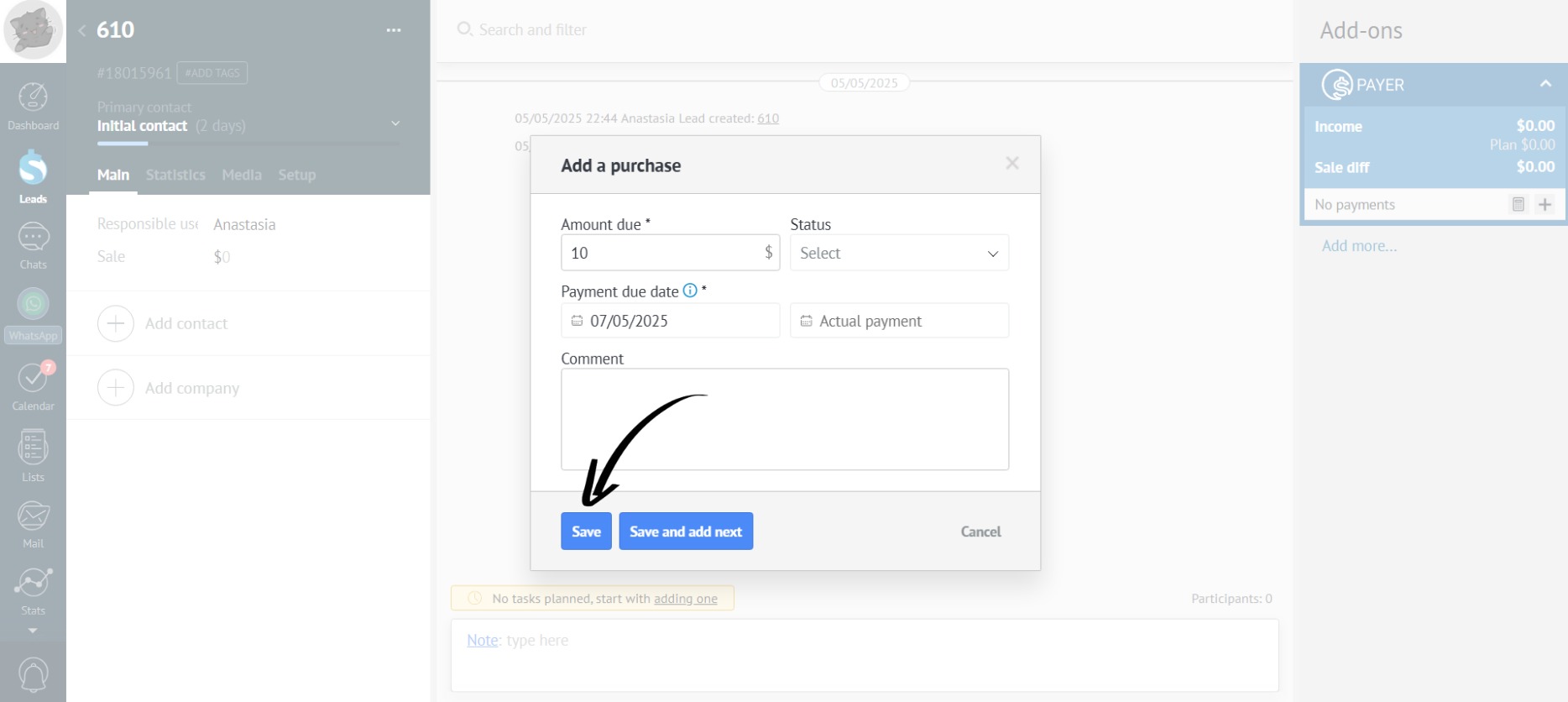
- Click “Save” to close the form and display the payment in the app:
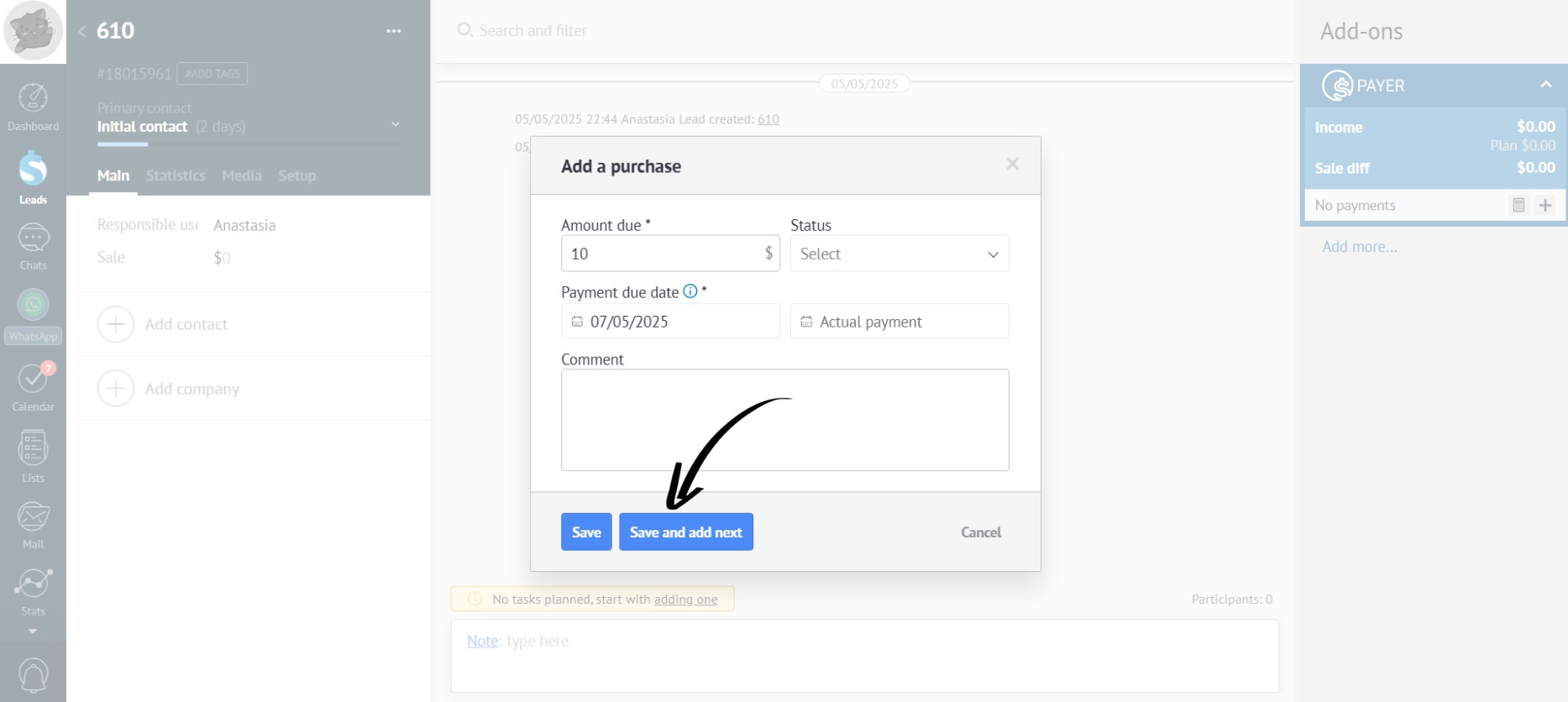
- If you need to add multiple payments, click “Save and Add Next”:
- All added payments are displayed on the right side of the app: