Add Expense
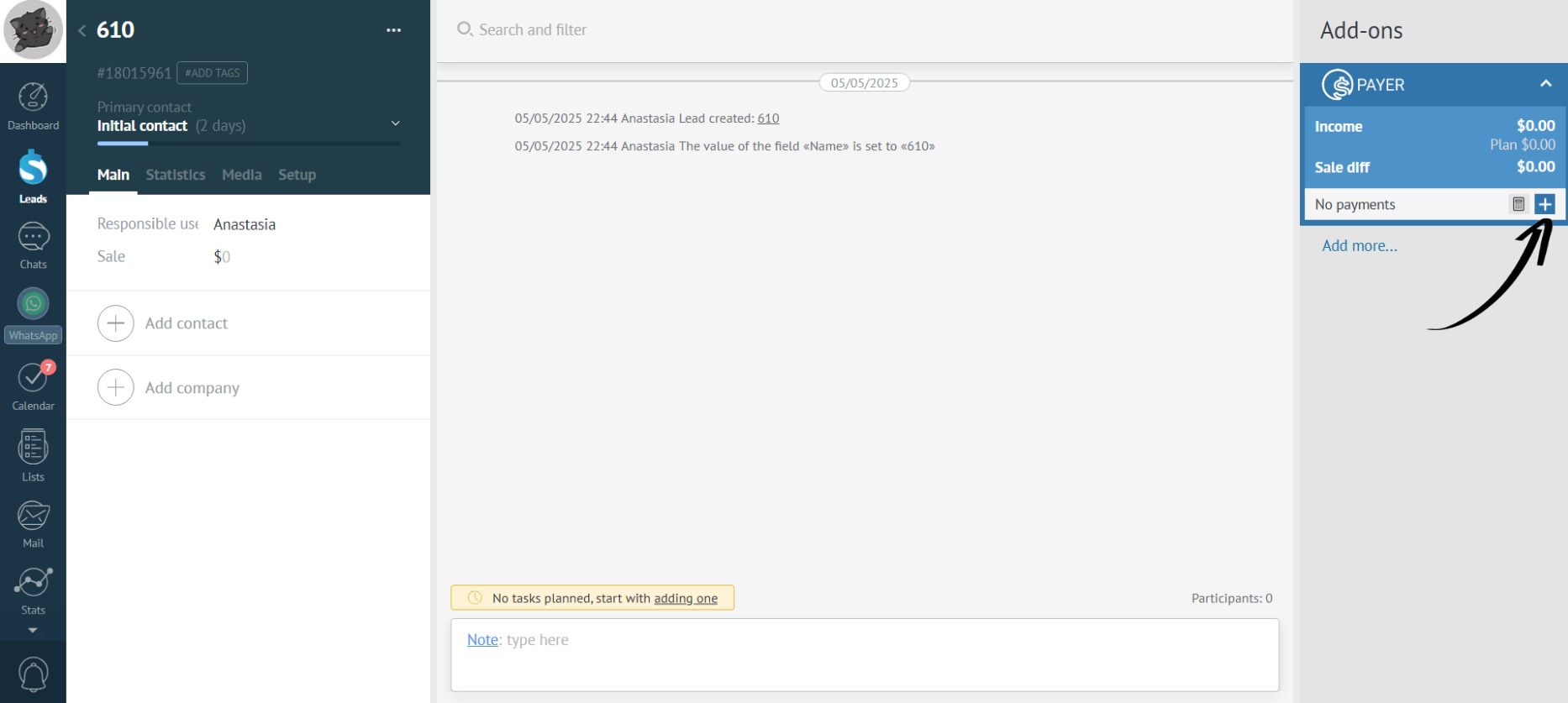
- Click the plus icon:
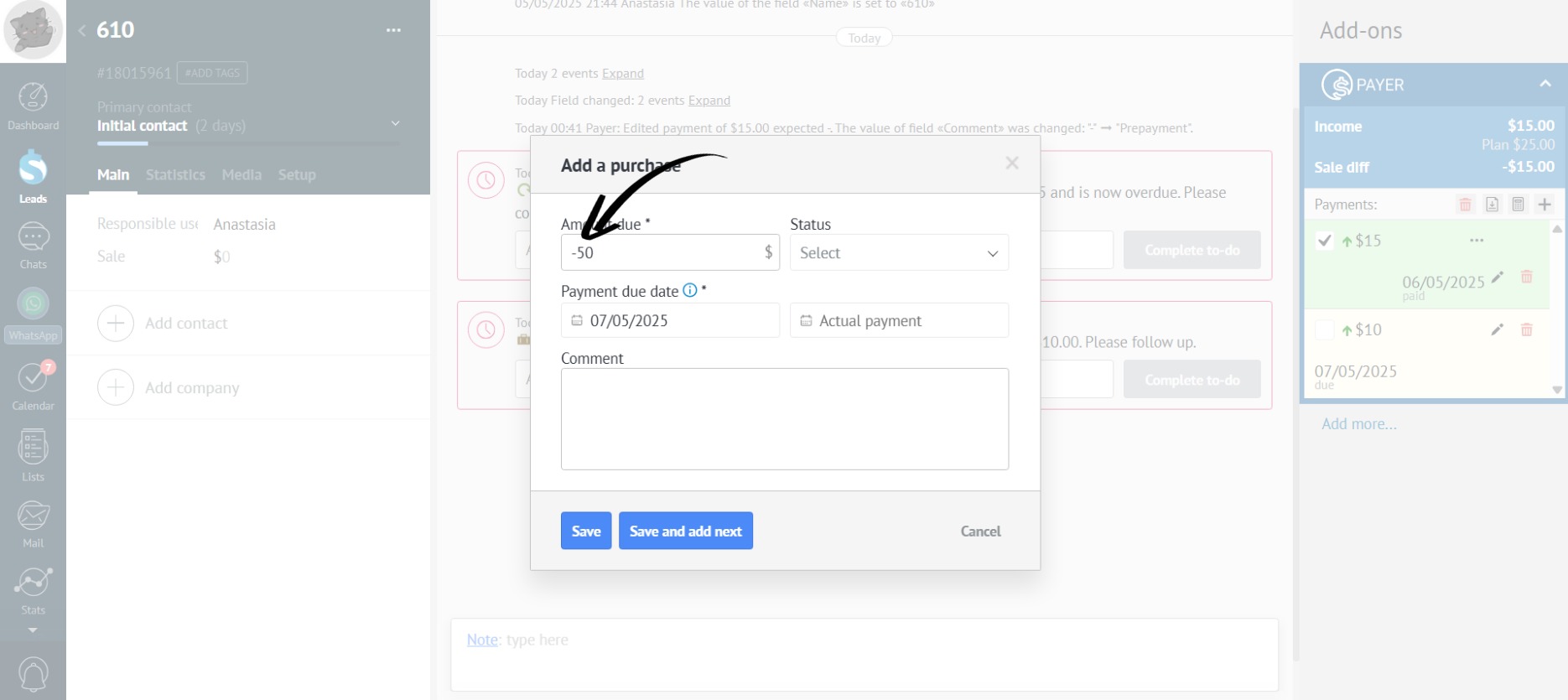
- To add an expense, put a minus sign (-) before the payment amount:
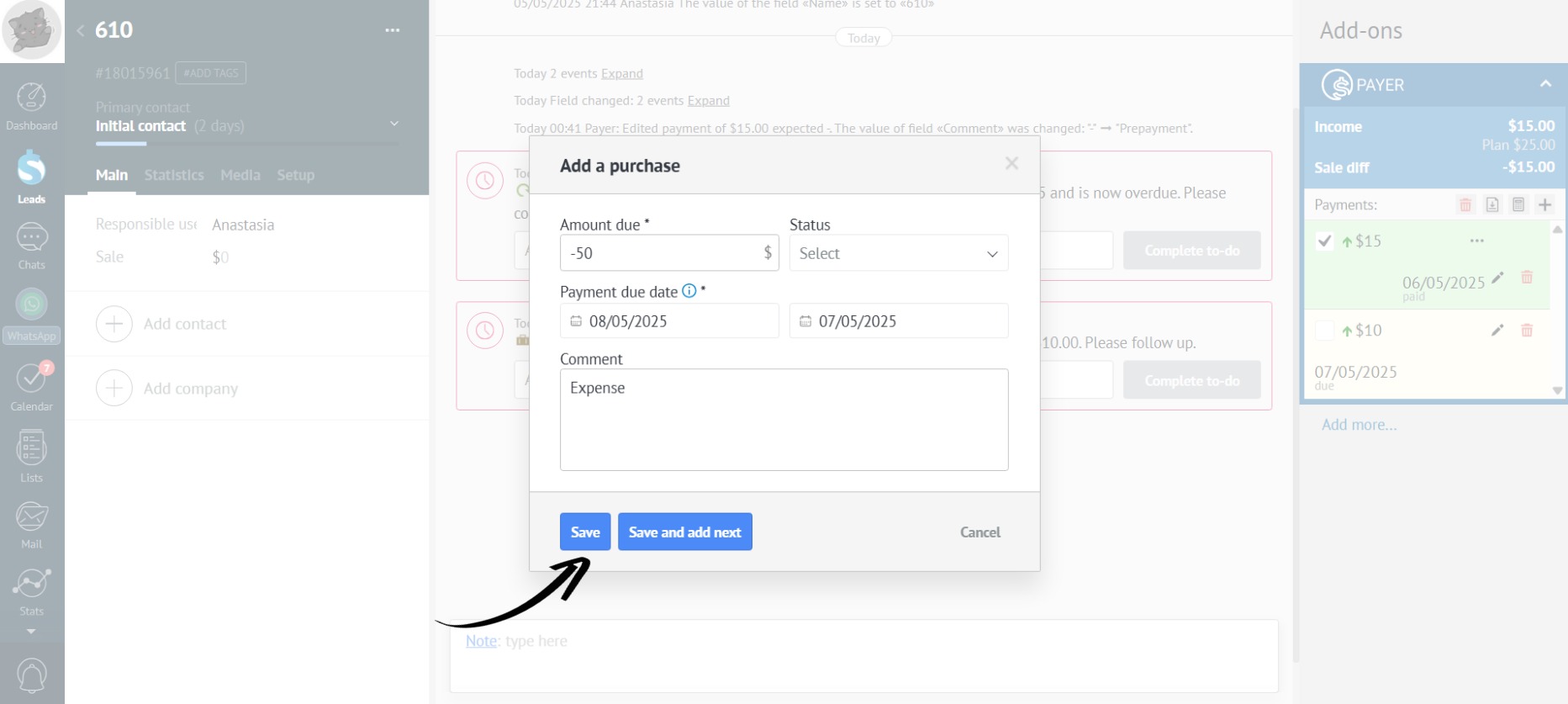
- Fill in the required fields (“Payment Amount” and “Payment Date”) and optional “Comment” field, then click “Save” (see “Add Income”):
- After adding an expense, Payer automatically calculates expenses, income, and profit:
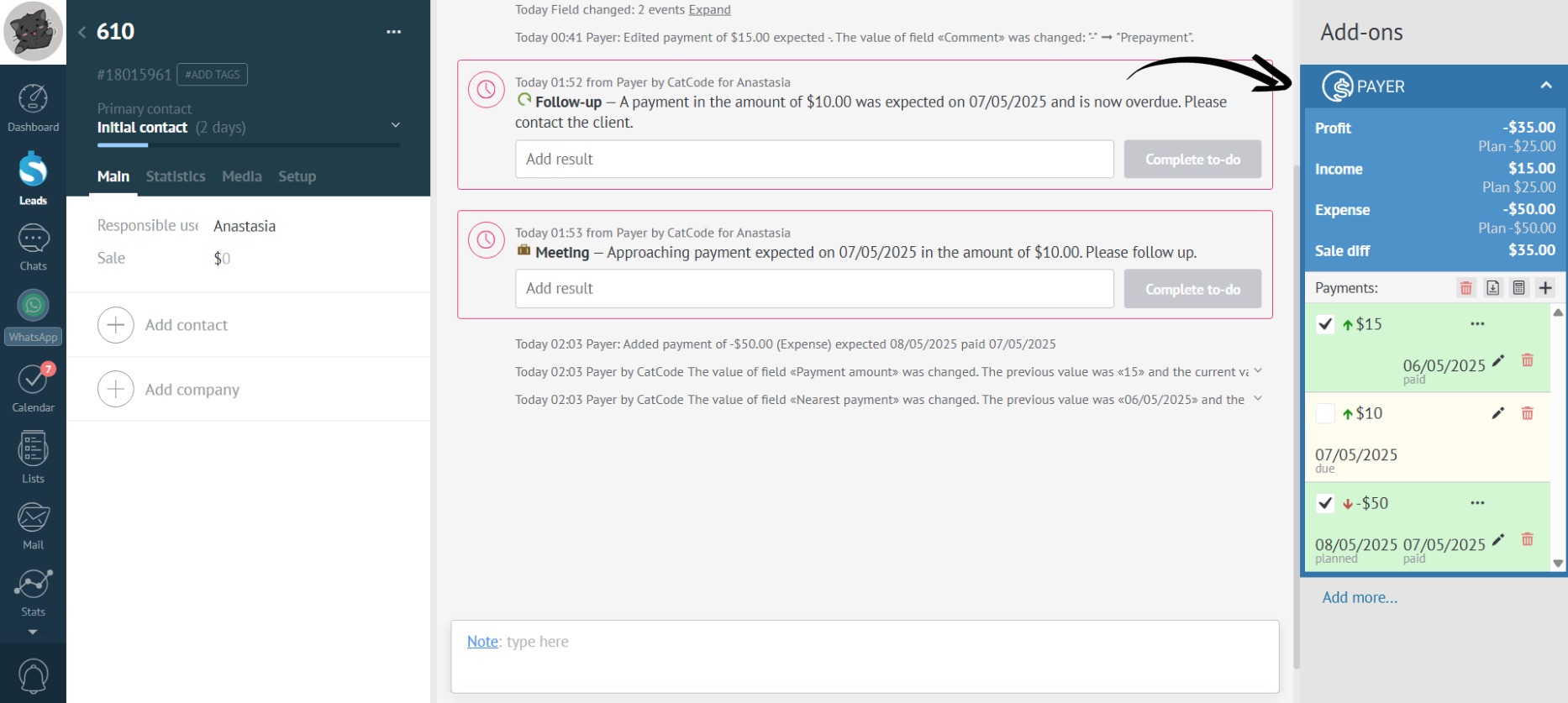
Actual payments are in bold, while “Plan” shows the scheduled payments.
A checkmark next to a payment indicates that the payment has been made, and if there’s no checkmark, the payment is only planned.