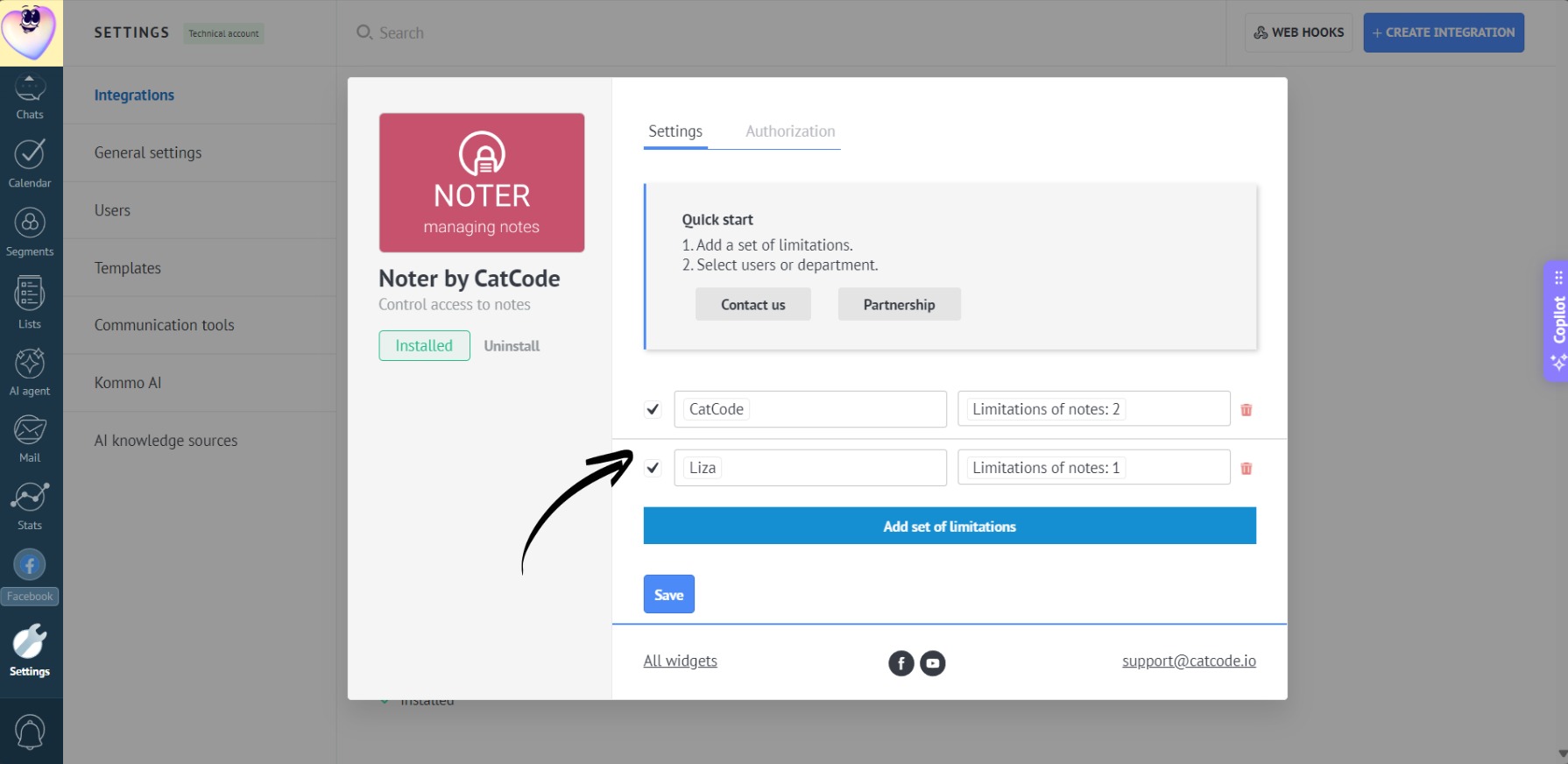
App Configuration
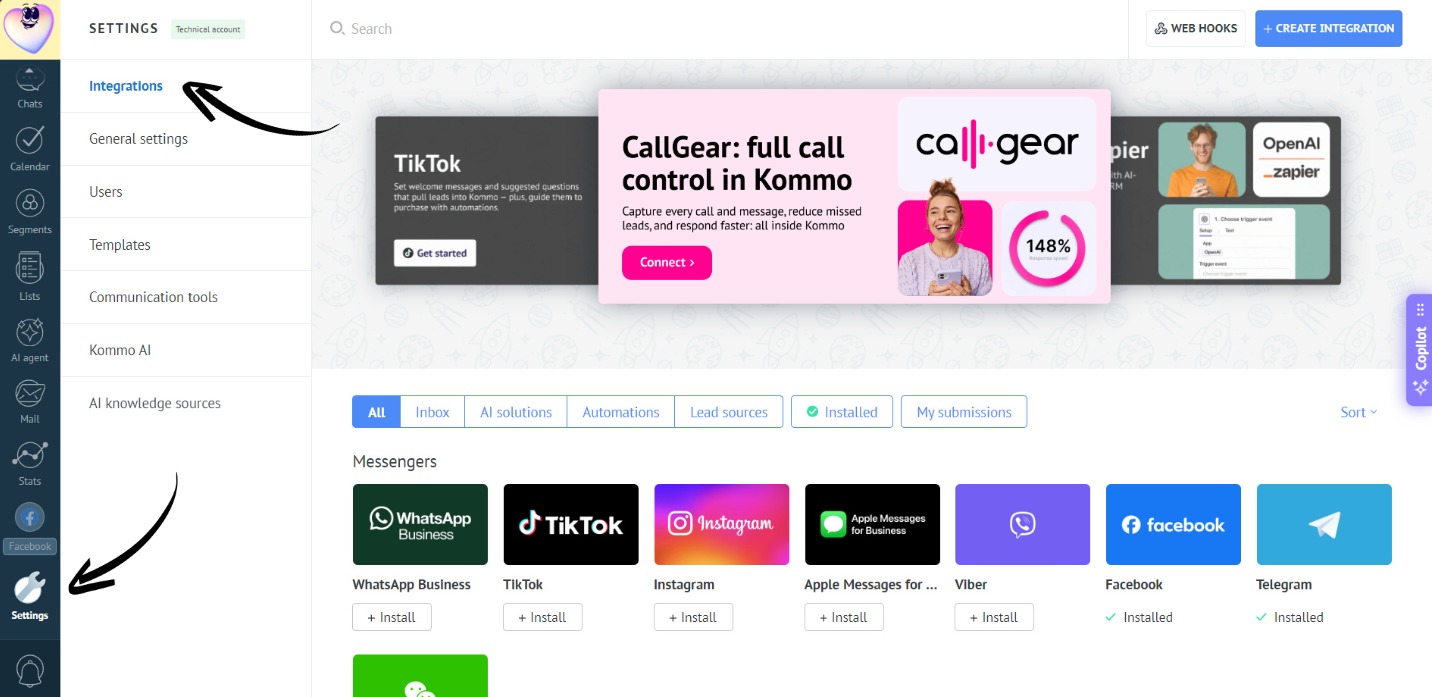
- Go to the “Settings” section. Open the “Integrations” tab:
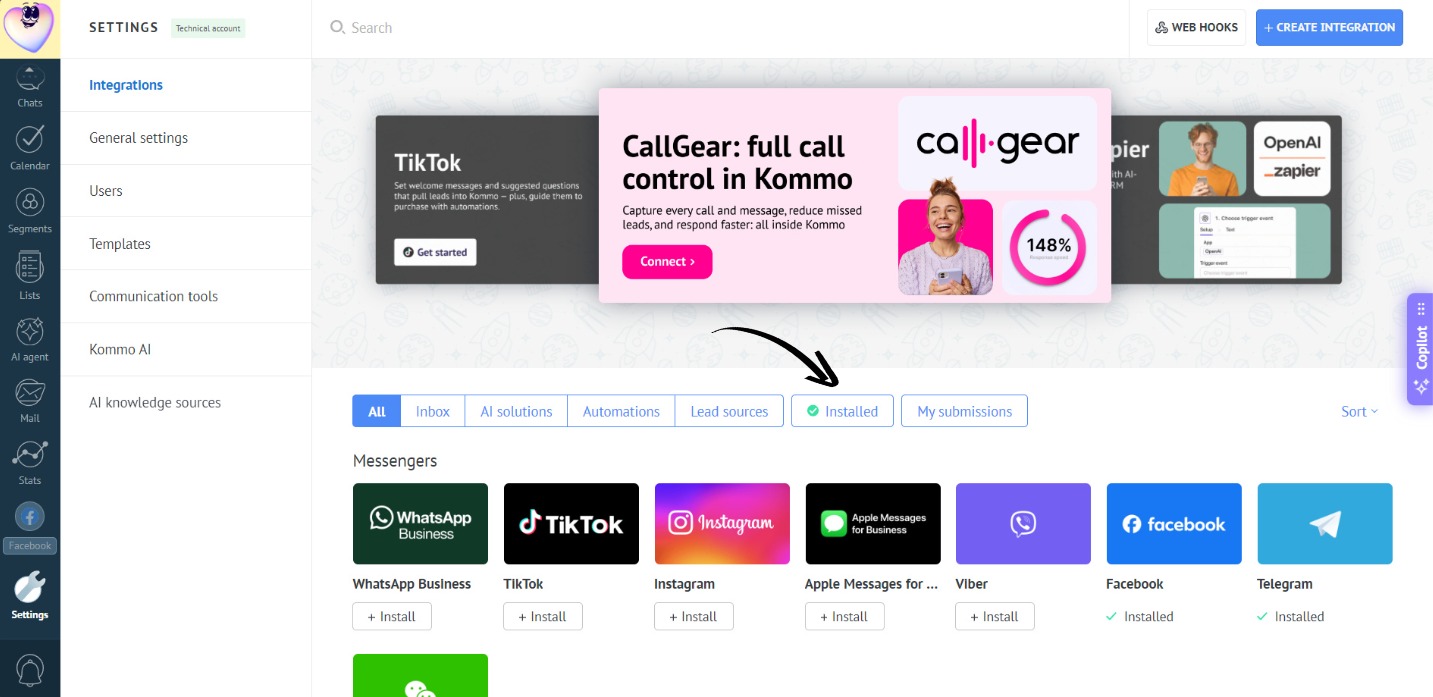
- Go to the “Installed” section:
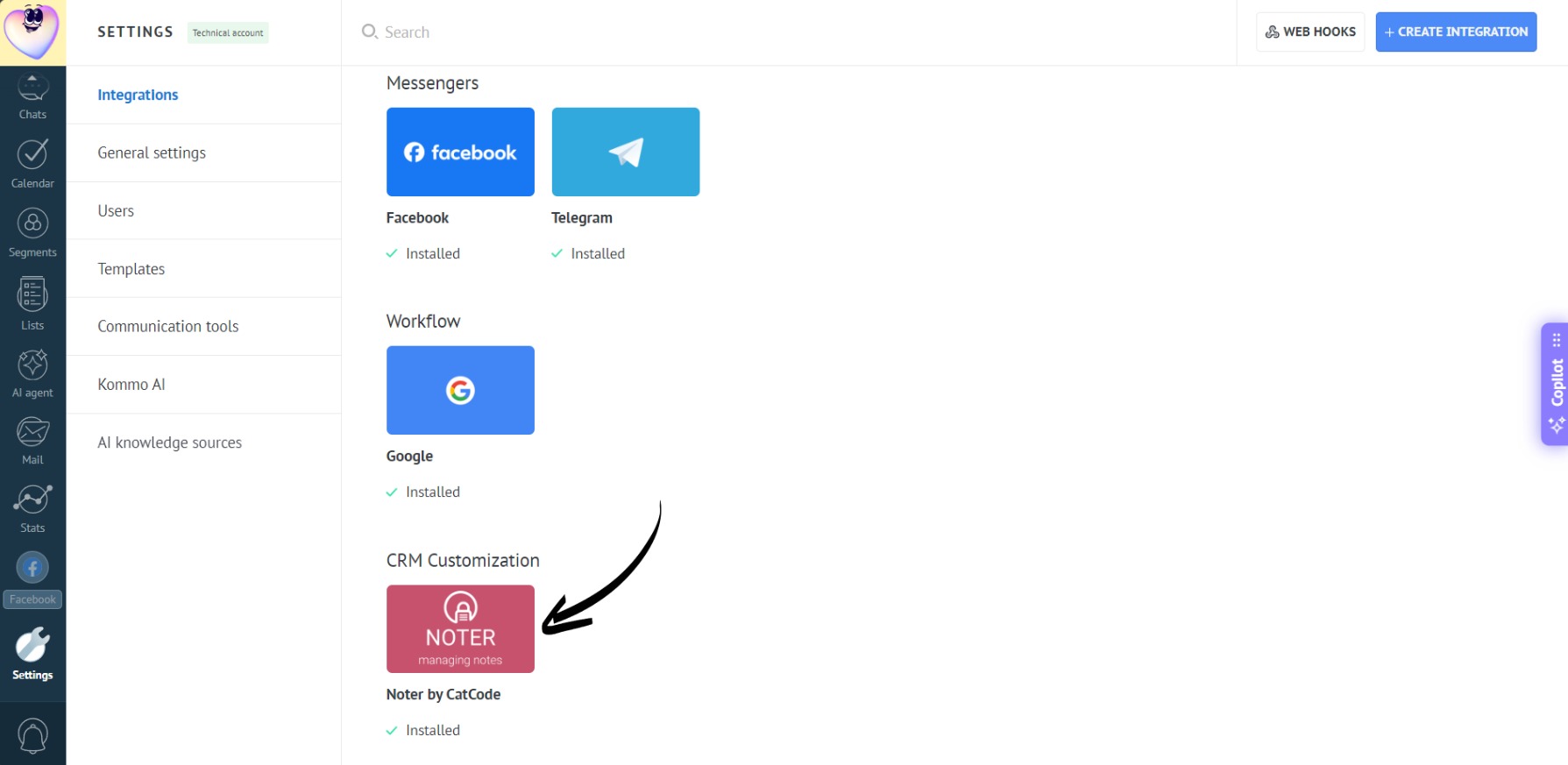
- Open the app:
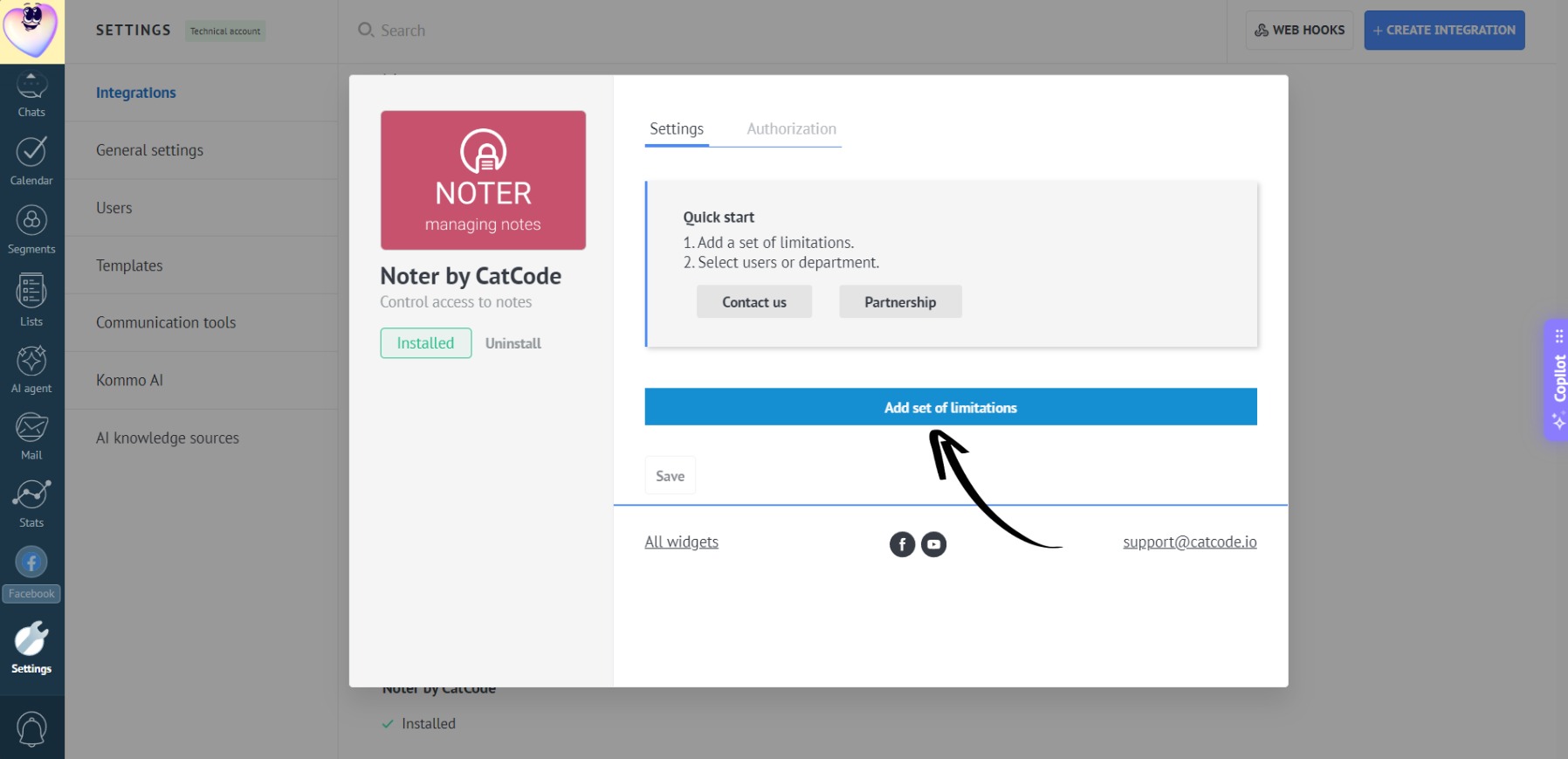
- Click “Add set of limitations”:
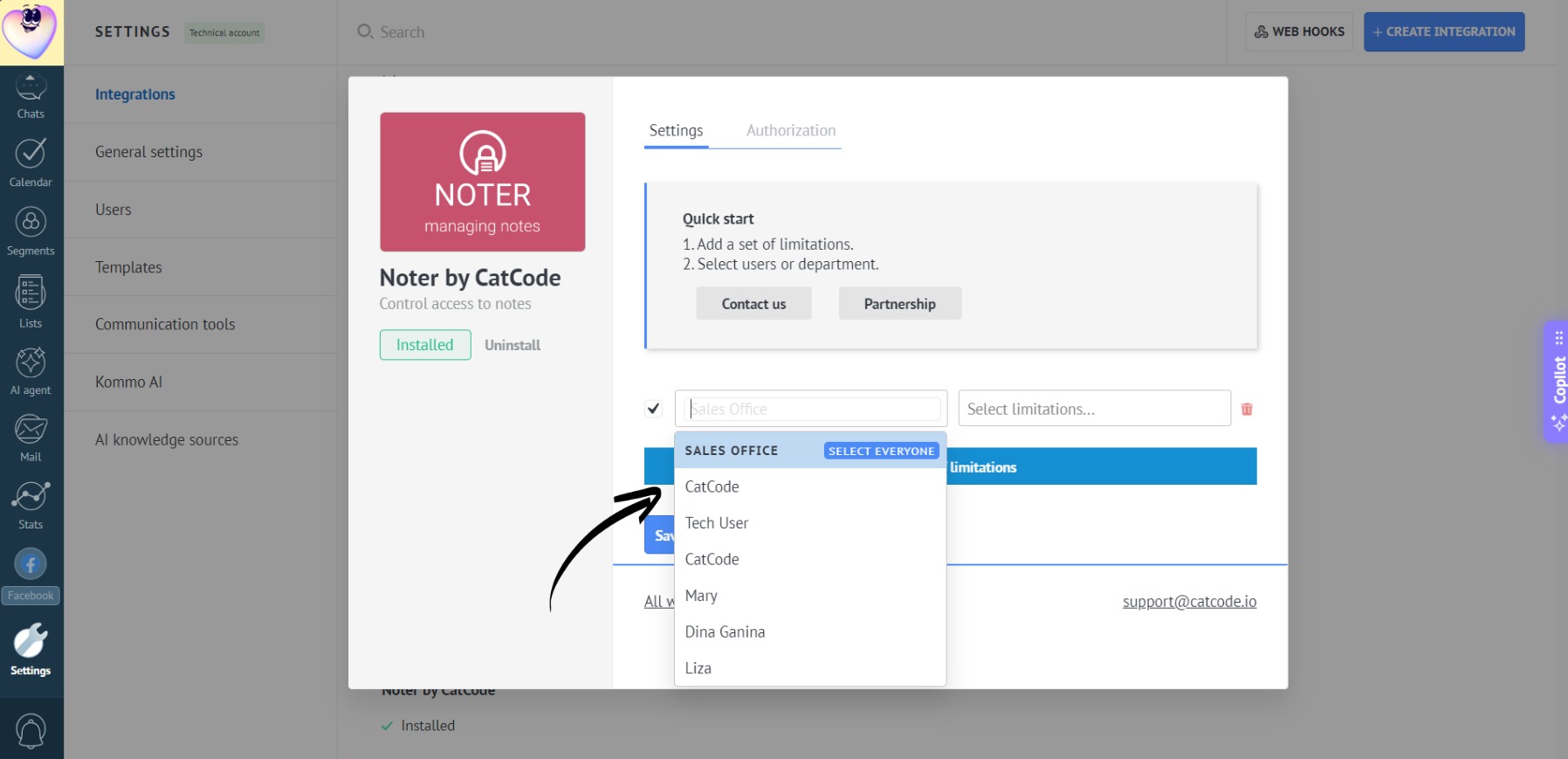
- Choose one or more employees (or an entire department) to apply restrictions to:
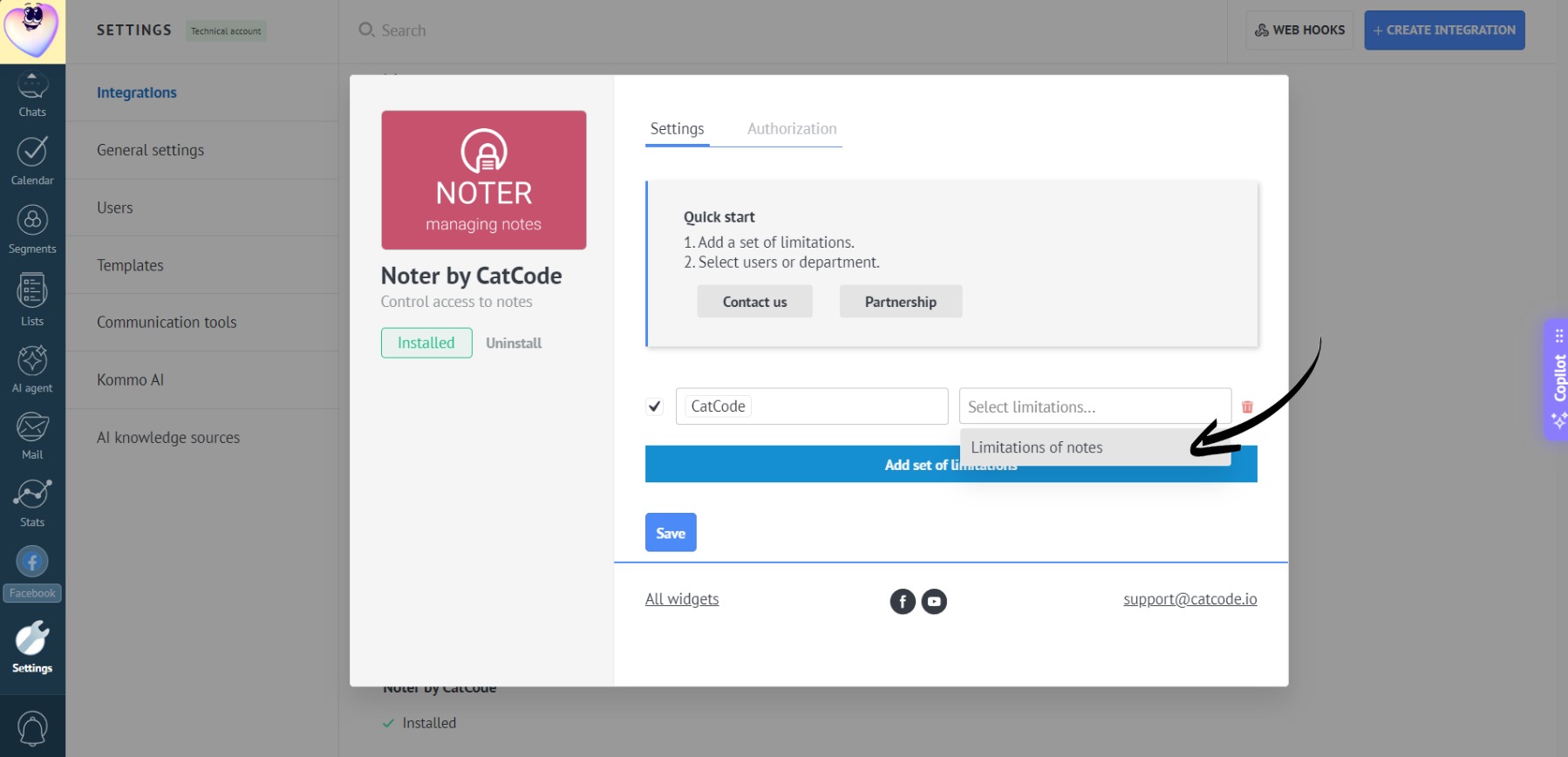
- Click on “Limitation of notes”:
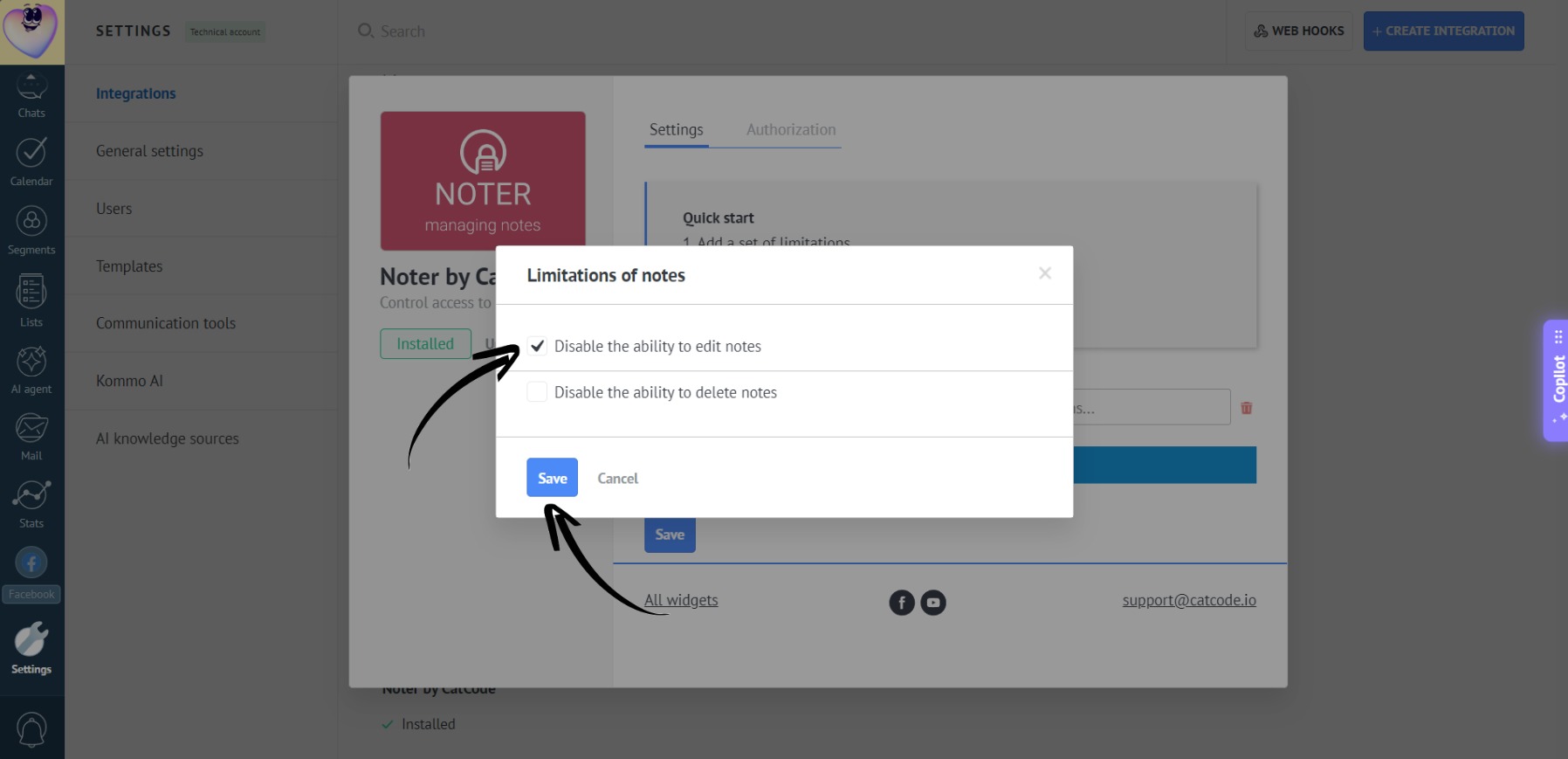
- Check “Disable the ability to edit notes” and click “Save”:
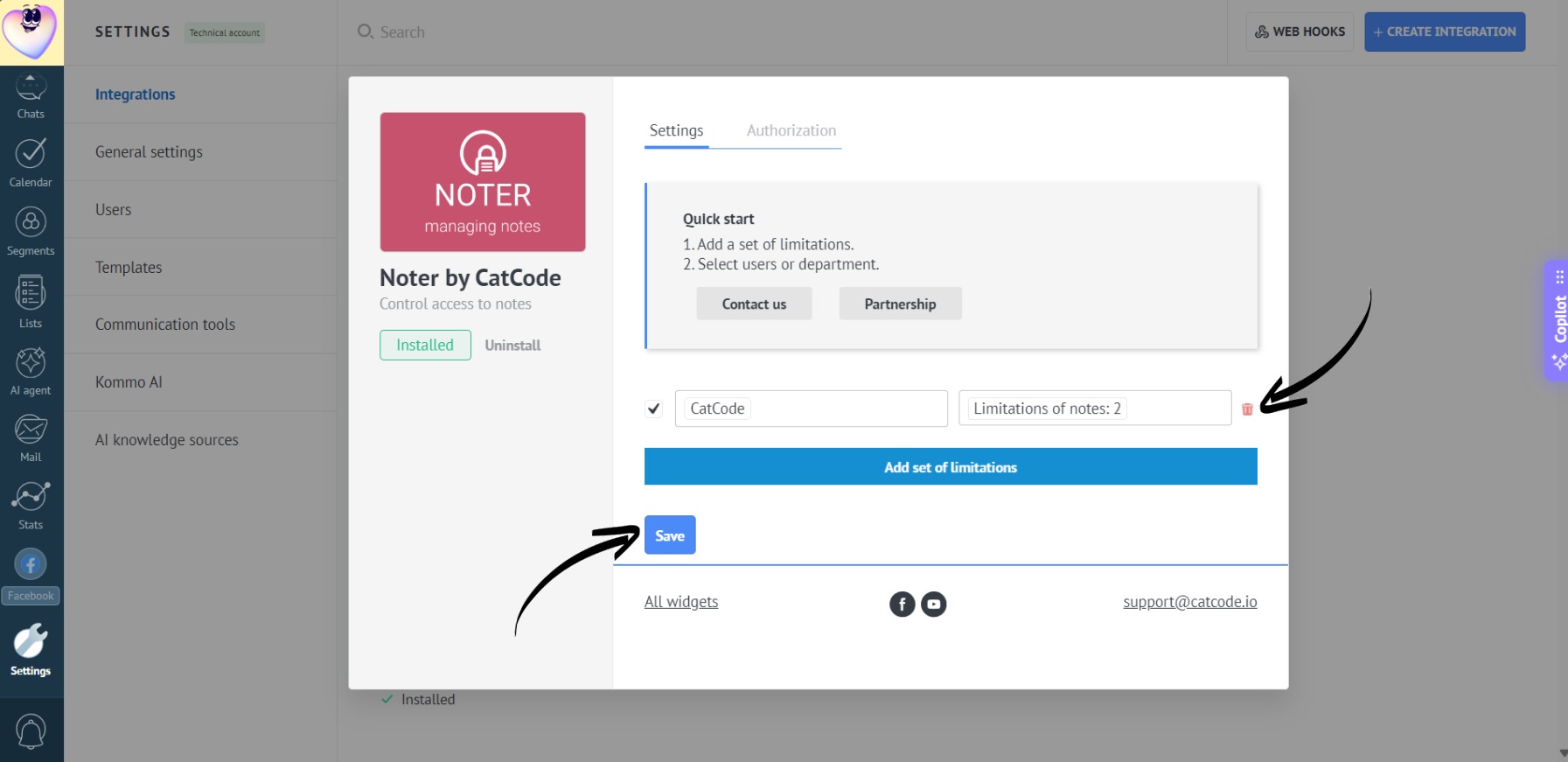
- Don’t forget to click “Save” in the app settings:
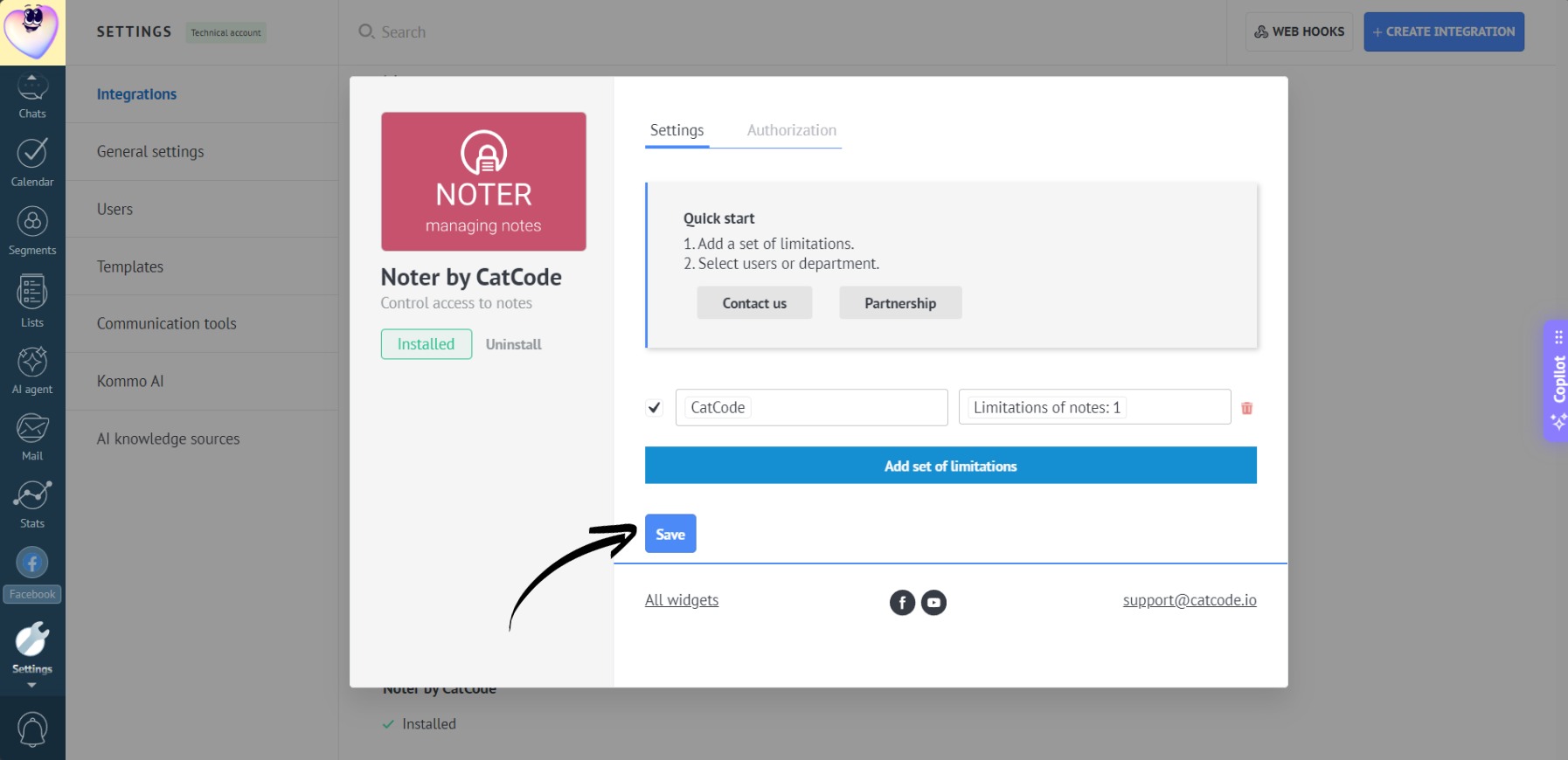
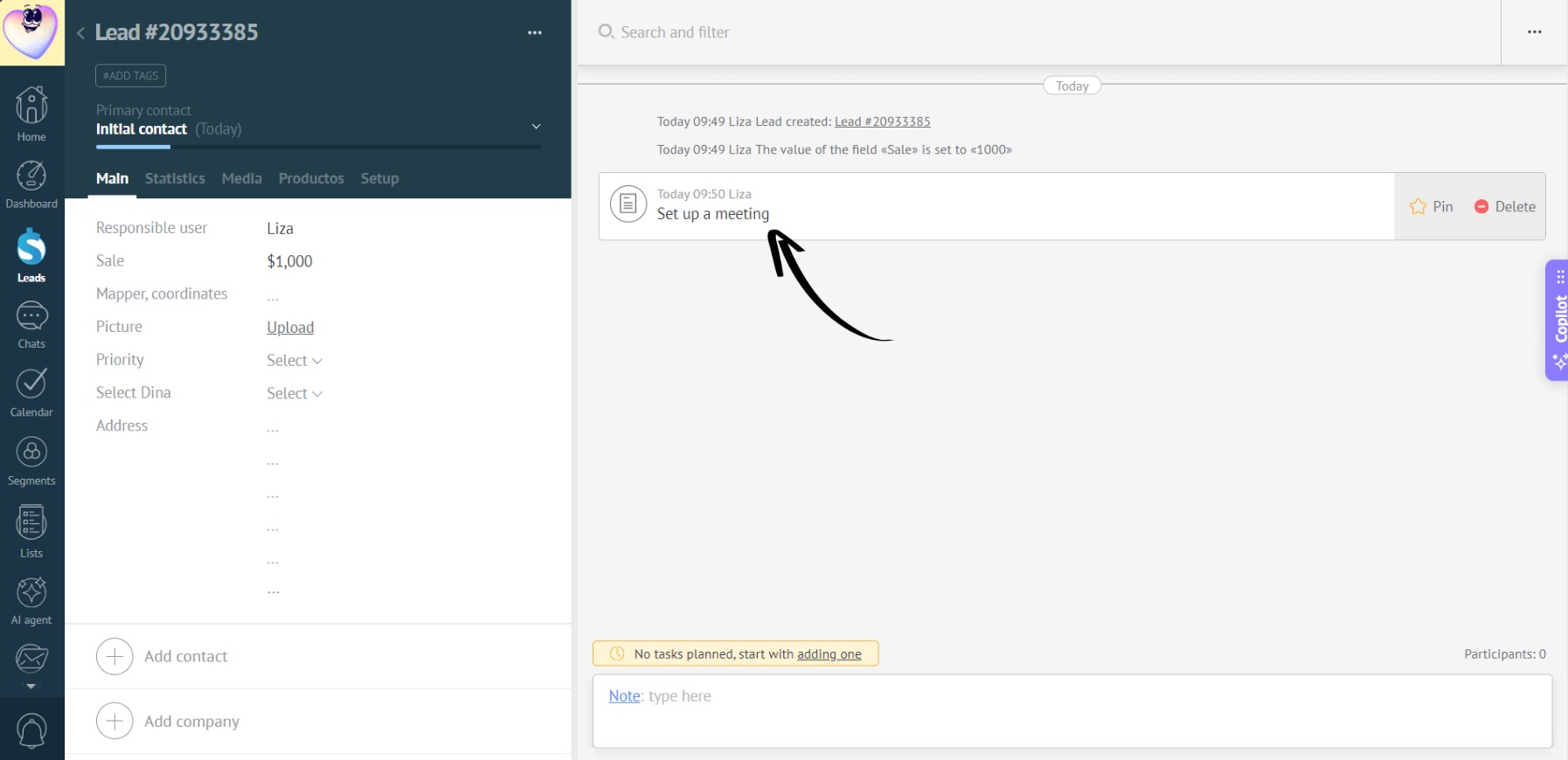
- Now, the manager can create new notes and delete old ones, but won’t be able to edit the text of existing ones:
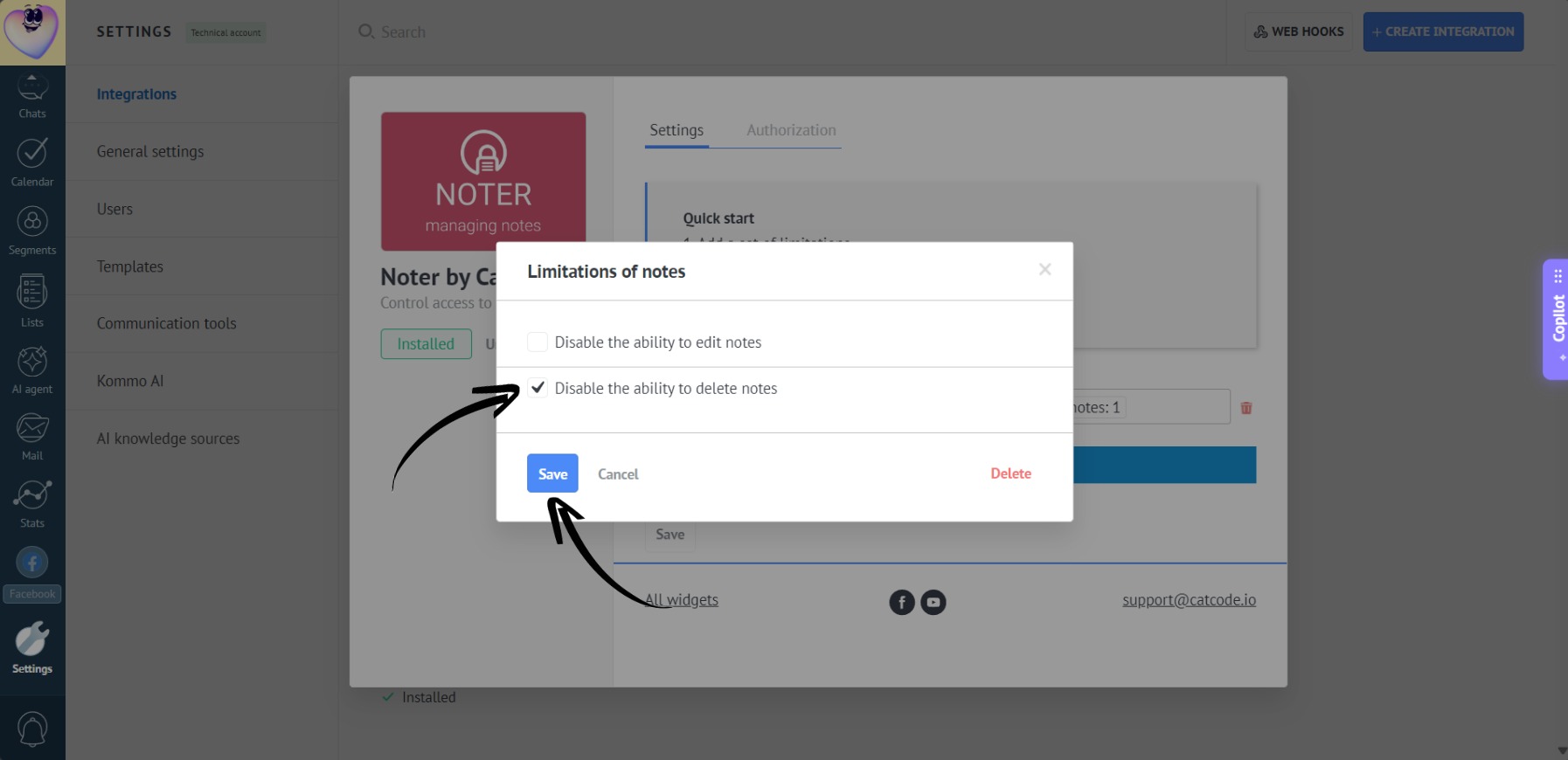
- To block the deletion of existing notes, check the “Disable the ability to delete notes” box in the app settings and click “Save”:
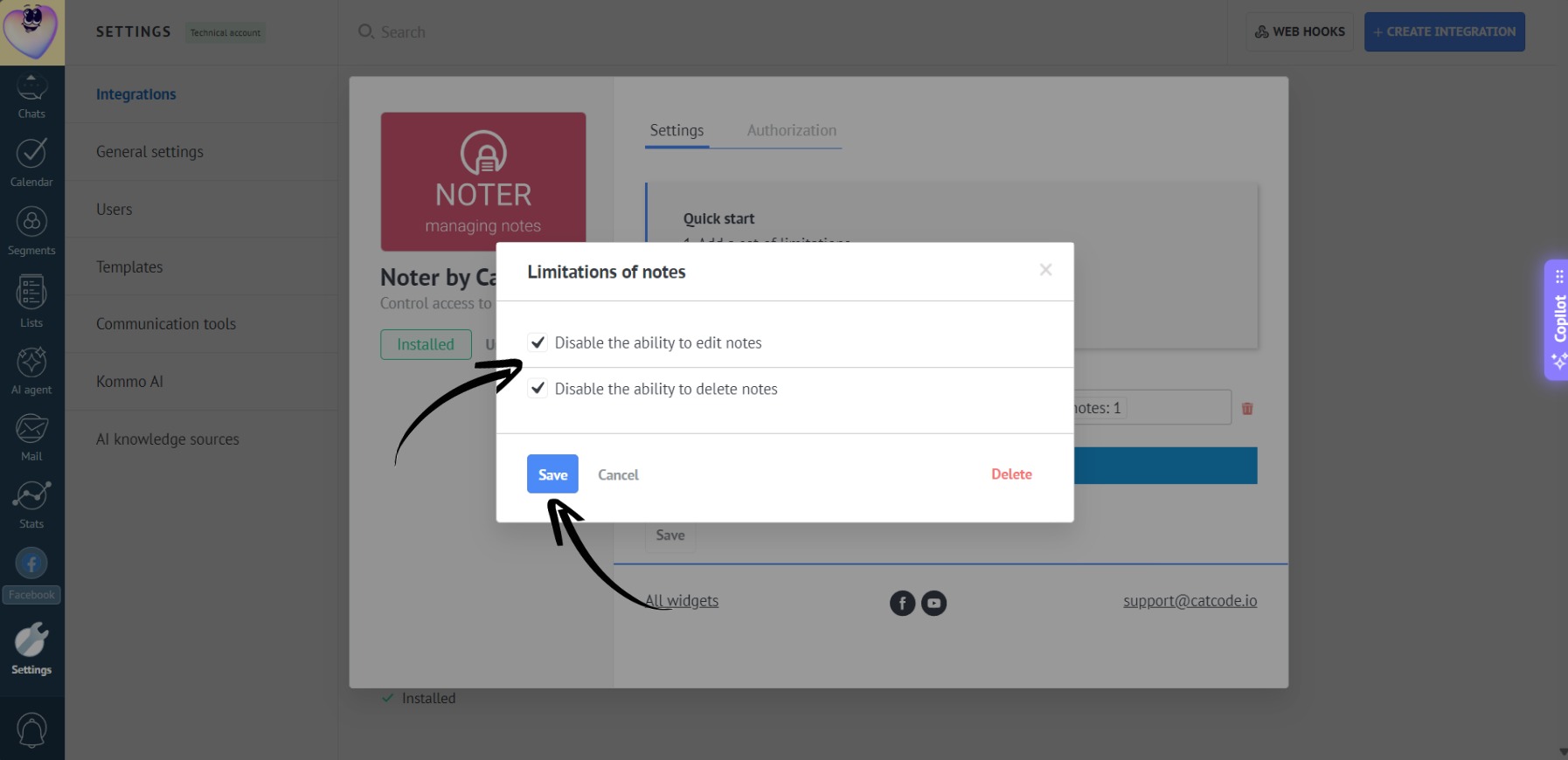
- To disable both editing and deleting, check both boxes and click “Save”:
- To remove these restrictions, click the trash icon in the app settings or simply uncheck the box next to the specific user, and click “Save”:
- Different note restrictions can be applied to different users: