All addresses on one map
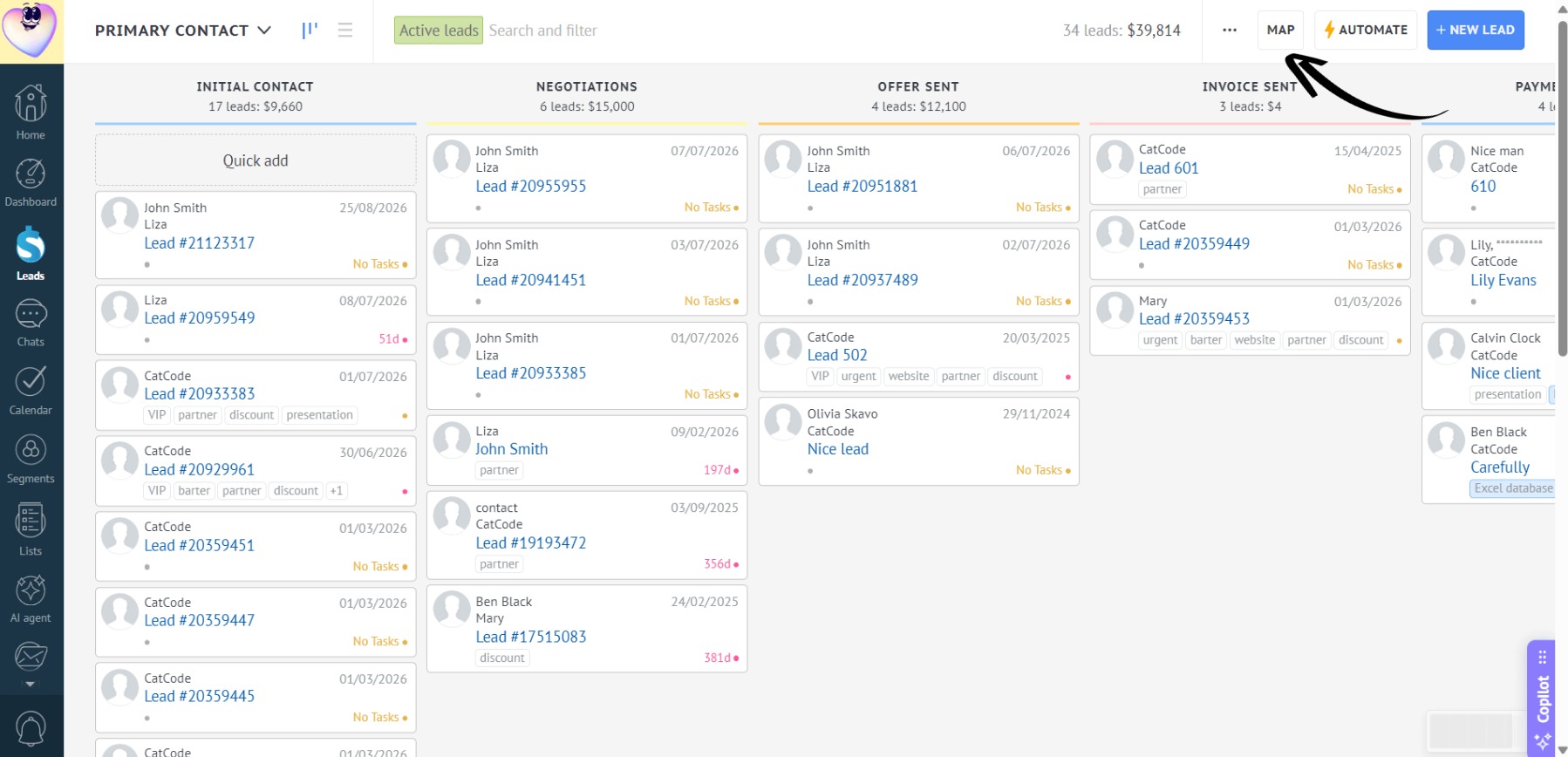
- To view the locations of all leads on a single map, click “Map” in the “Leads” section:
- A map with all lead addresses will open:
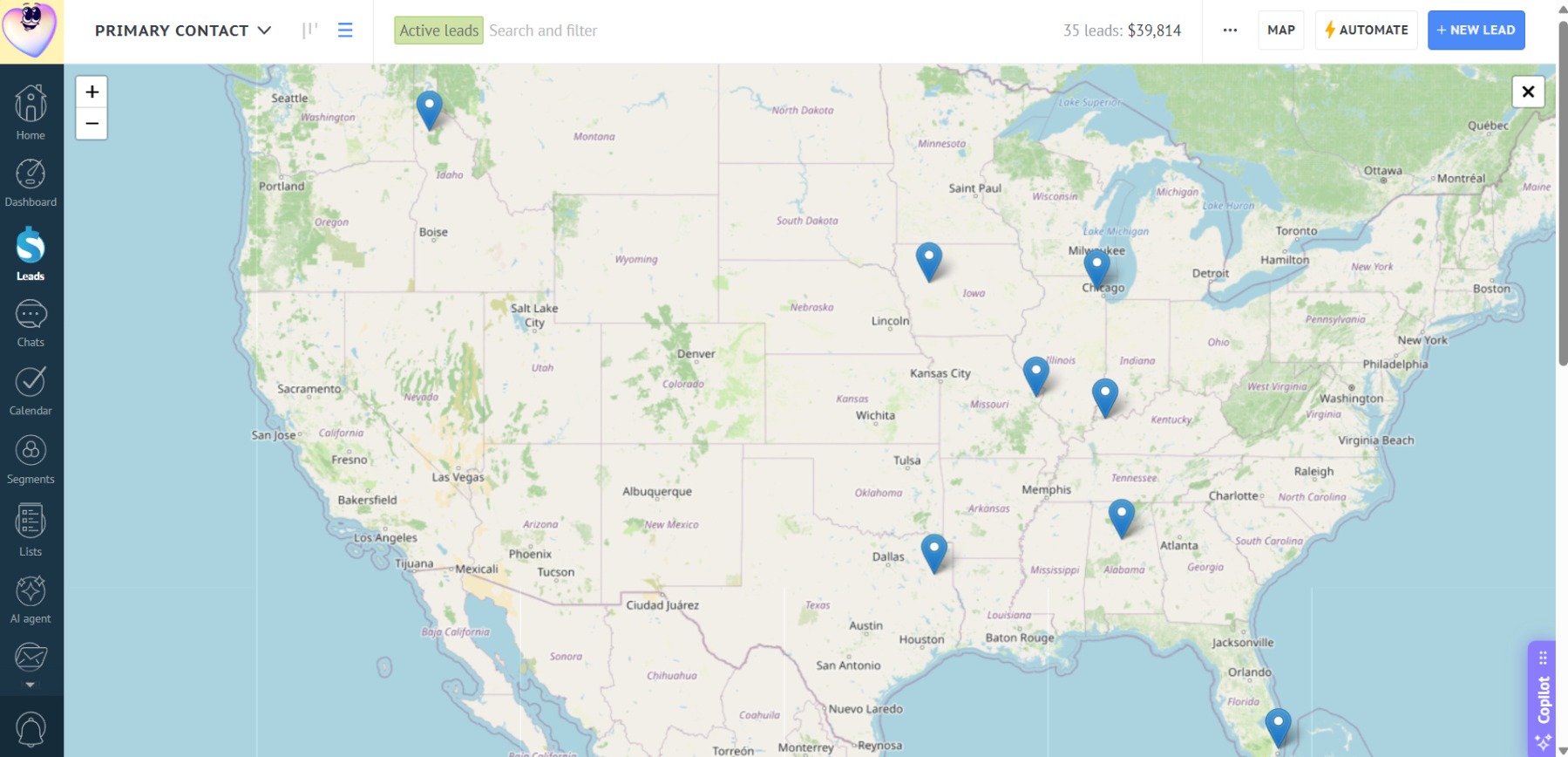
The map only shows addresses from lead custom fields — addresses from contact or company custom fields are not included.
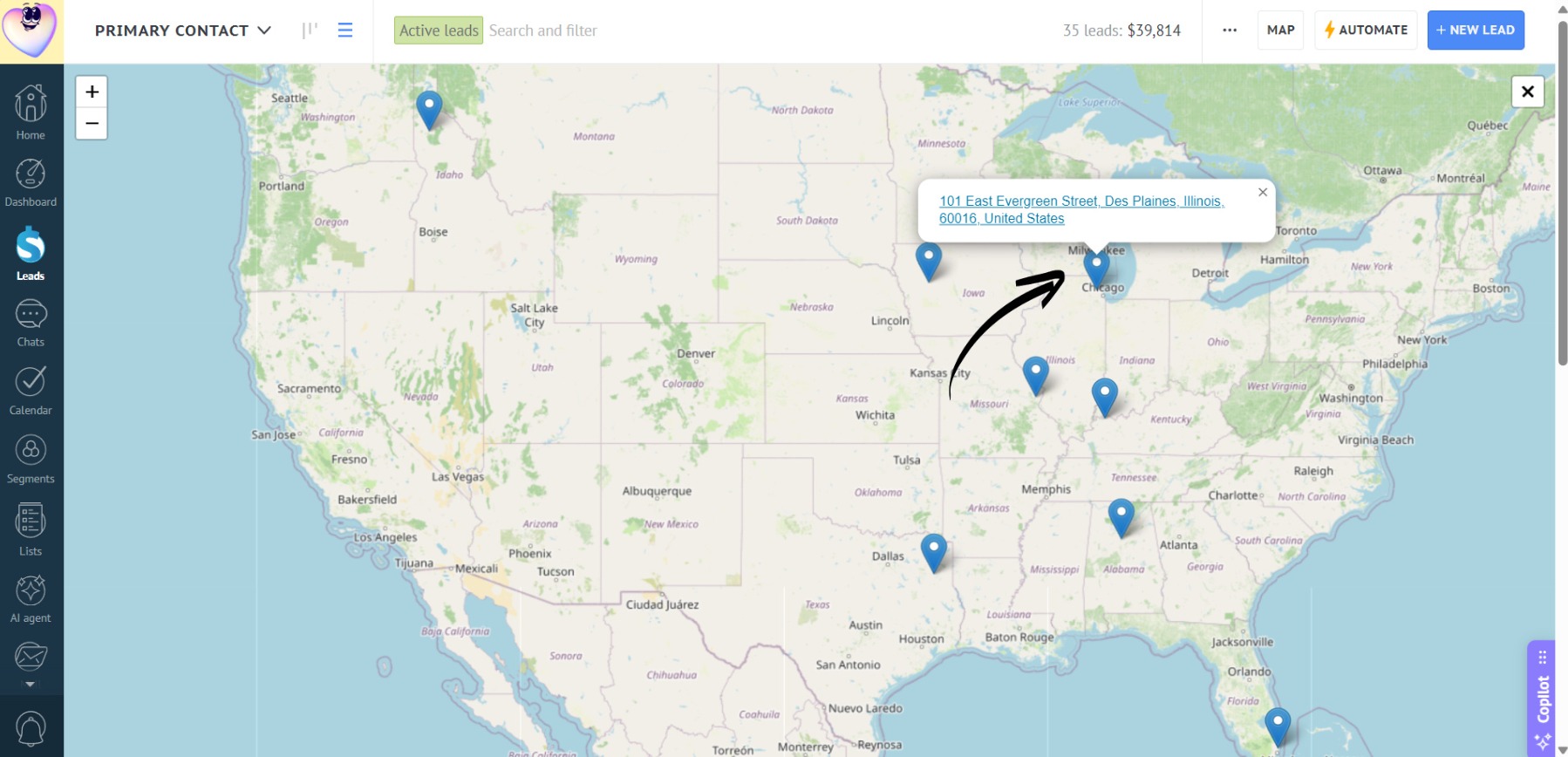
- Click a marker to view the lead name and go directly to it:
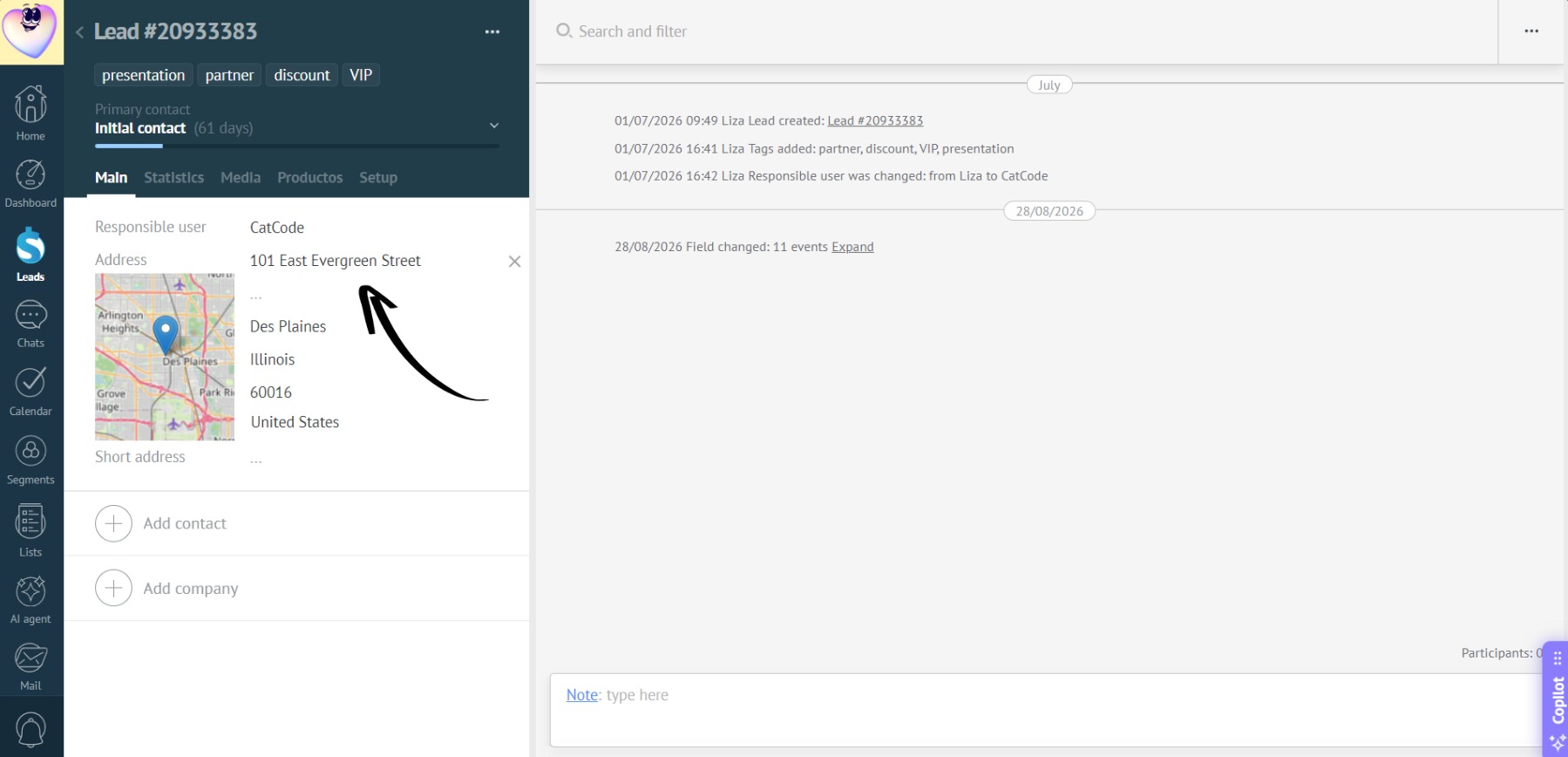
If both the “Address” and “Short address” fields are filled in for a single lead, two markers for that lead will be displayed on the map.