Adding Links
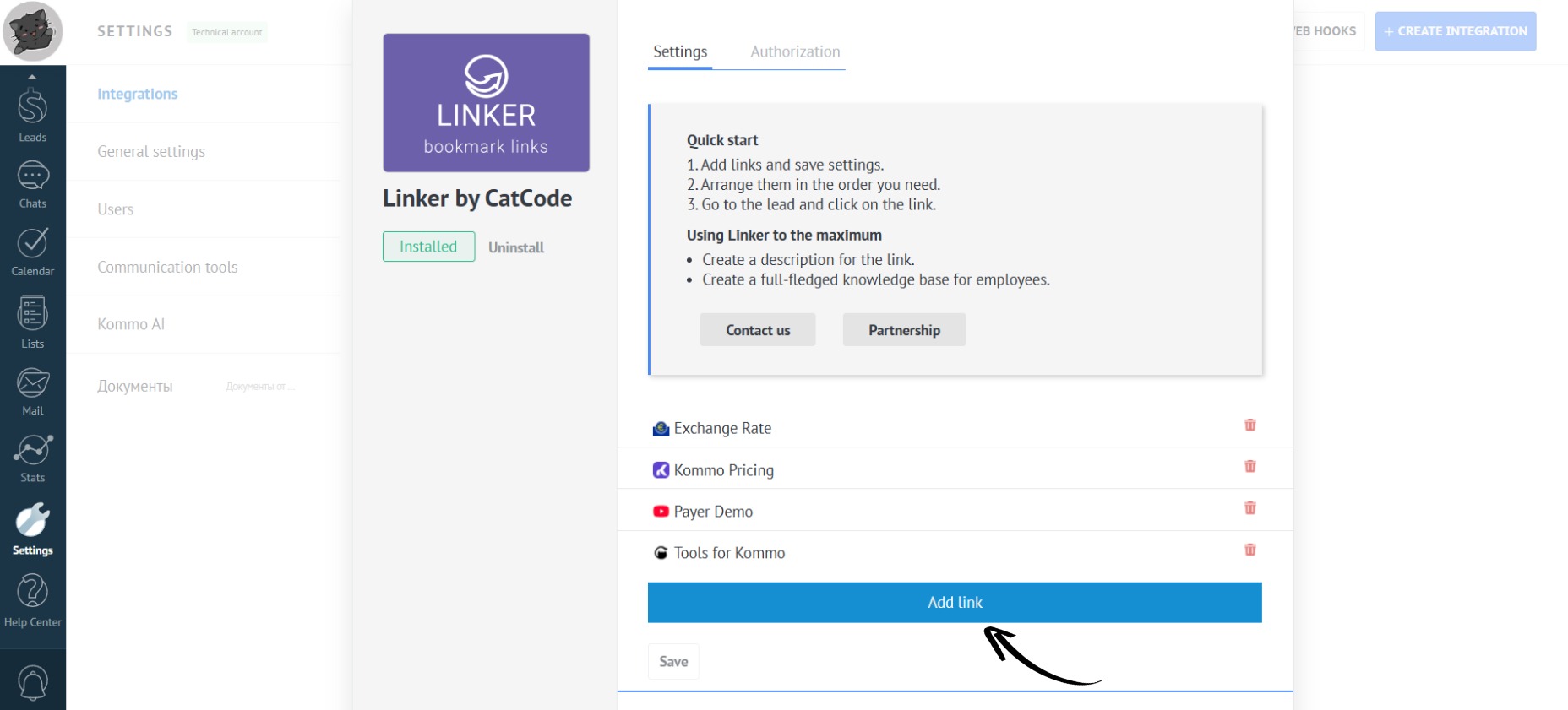
- Click on the “Add Link” button:
- Paste the link into the appropriate field:
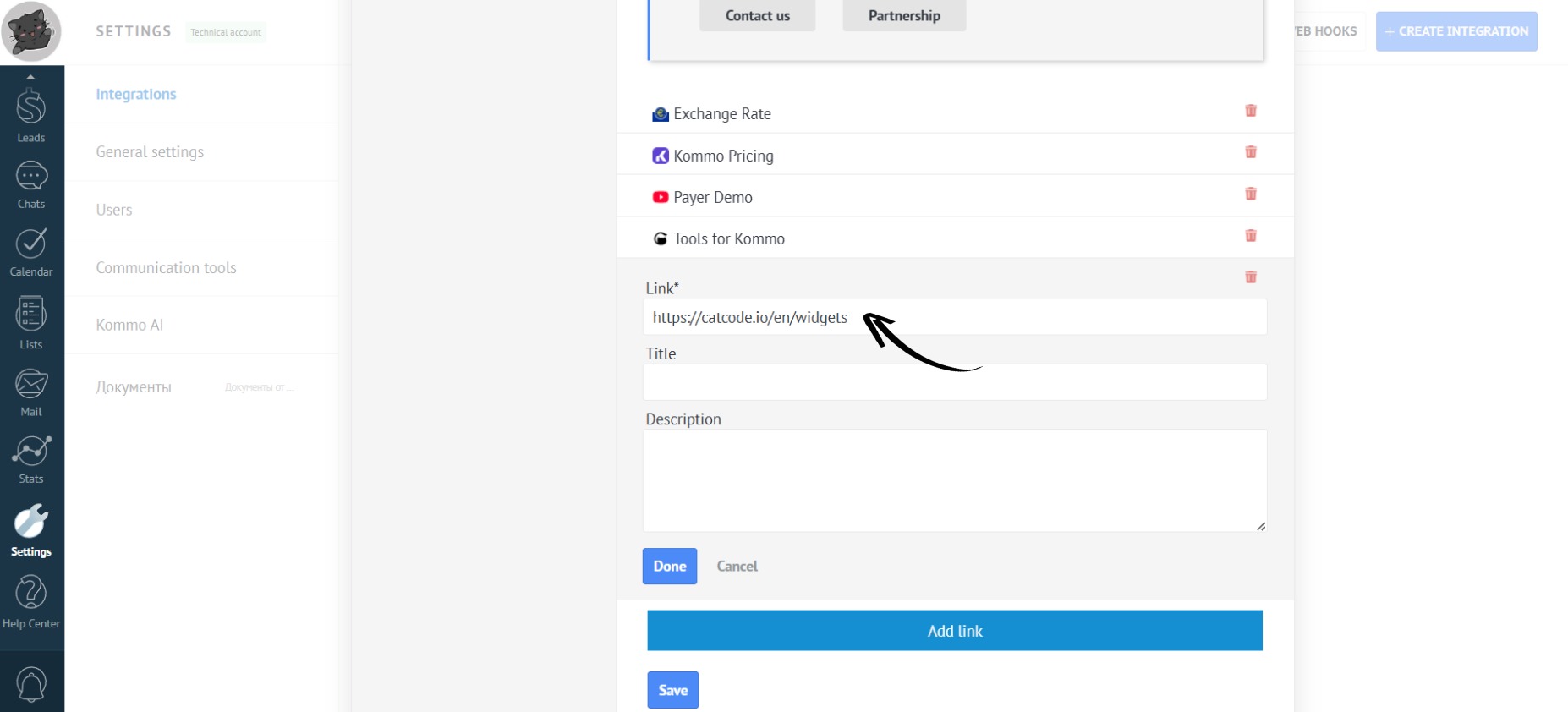
You can use UTM tags.
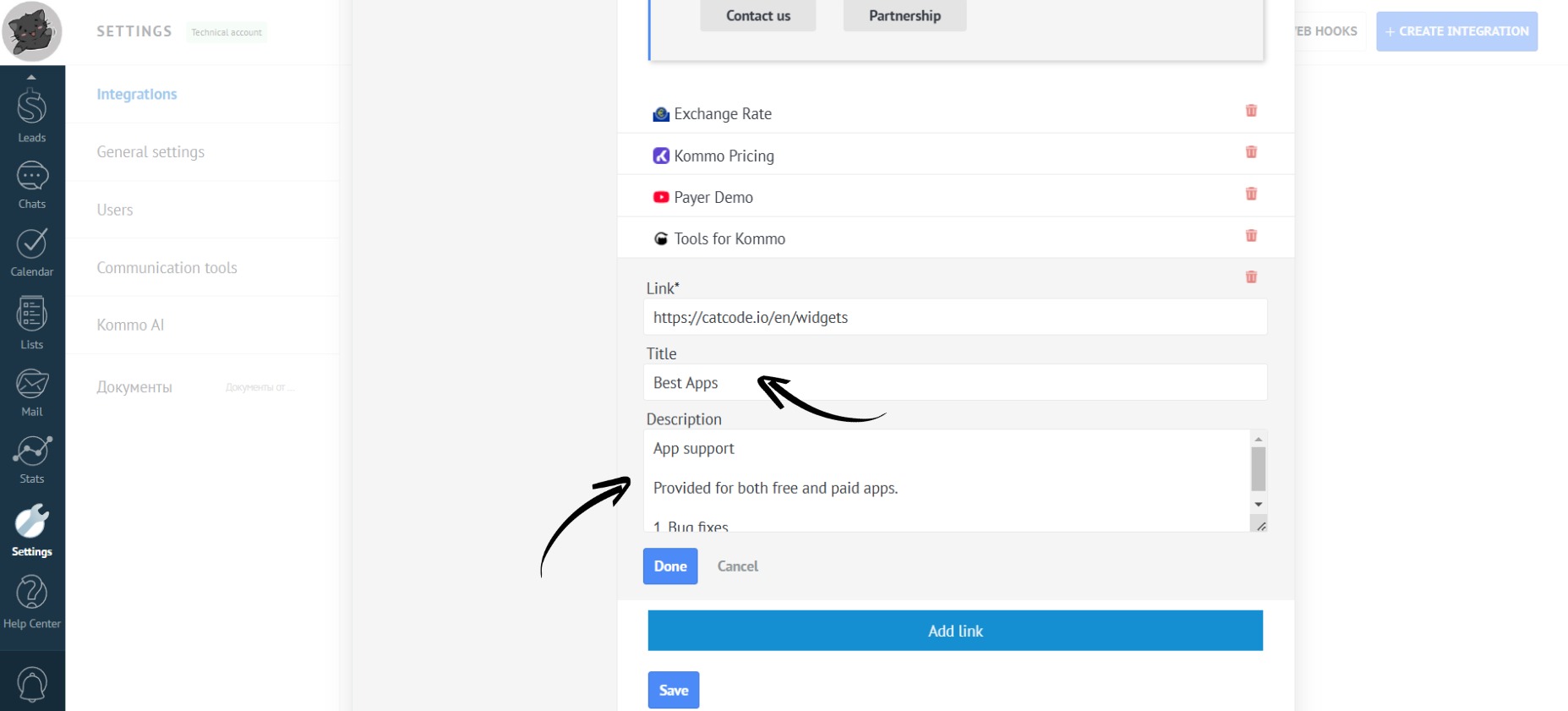
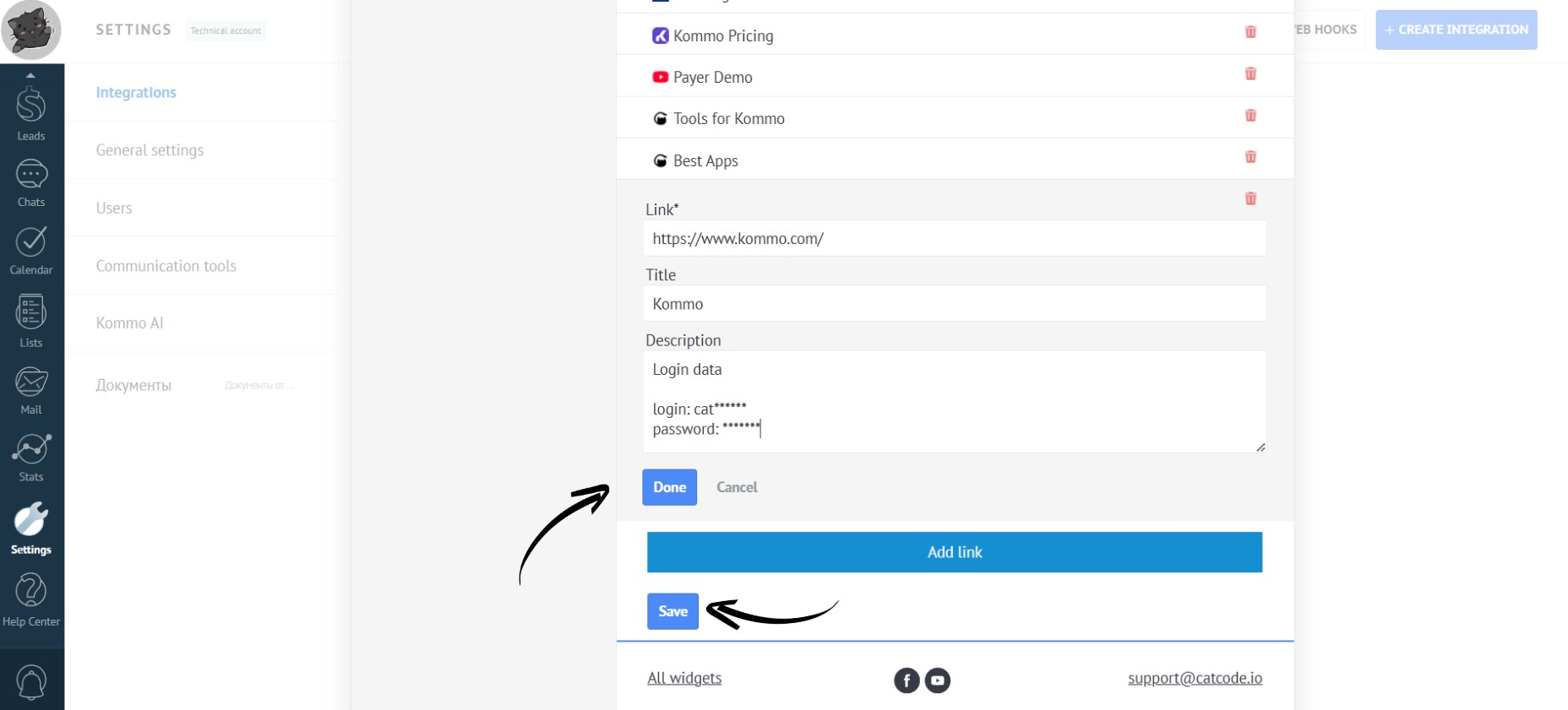
- You can also fill in the “Title” and “Description” fields (these are optional):
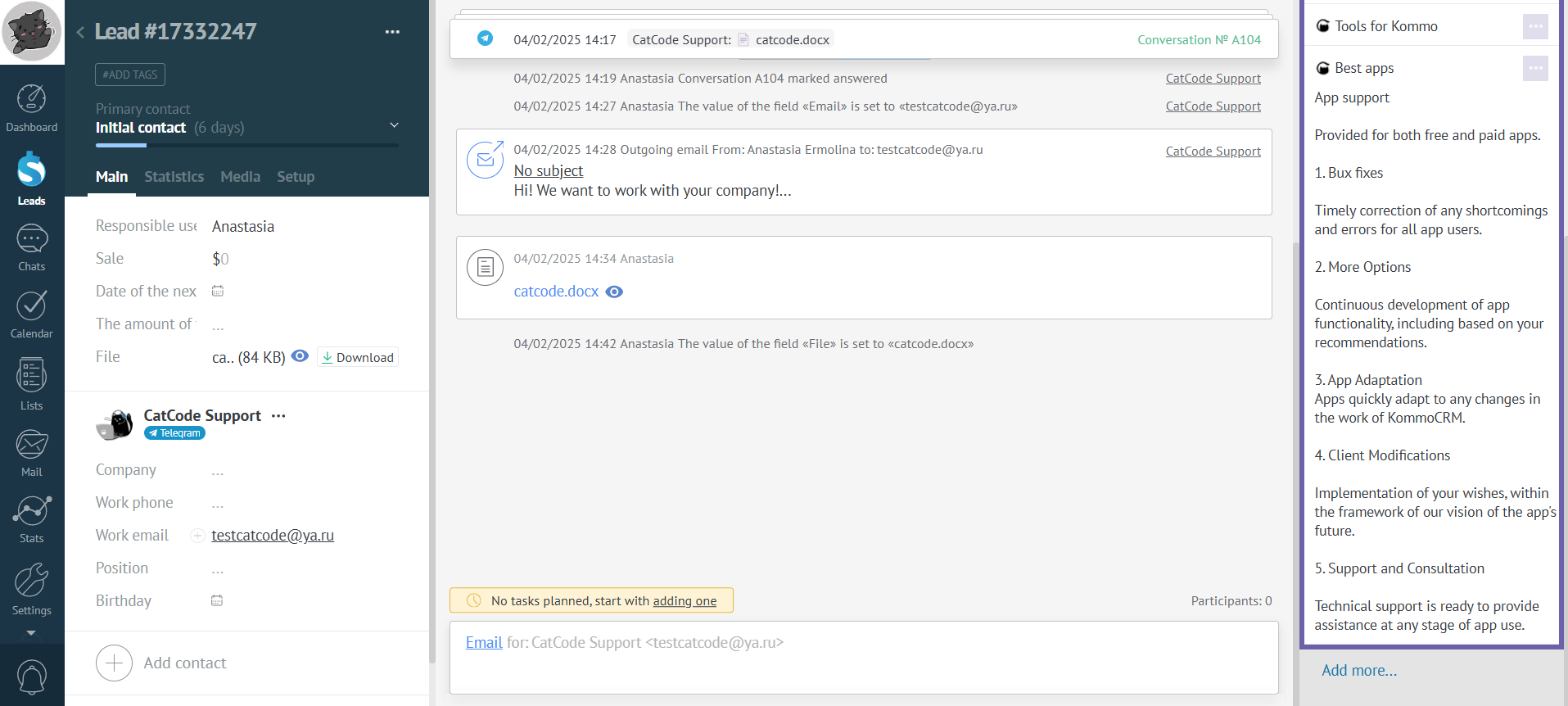
- Now click on the “Done” button, and then click “Save”:
- Done! The link has been added!