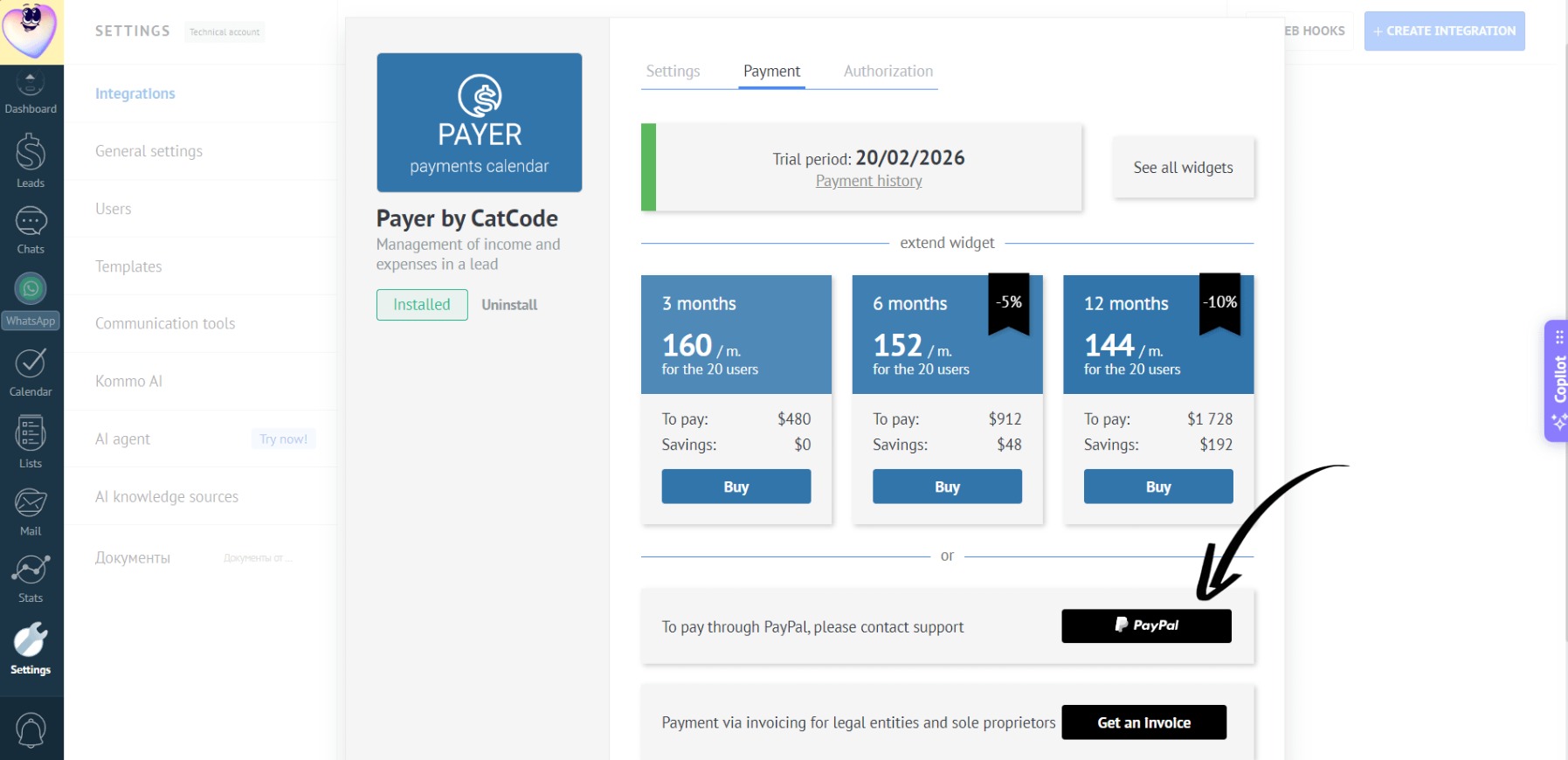
How to Pay?
Payment is possible in three ways:
By card
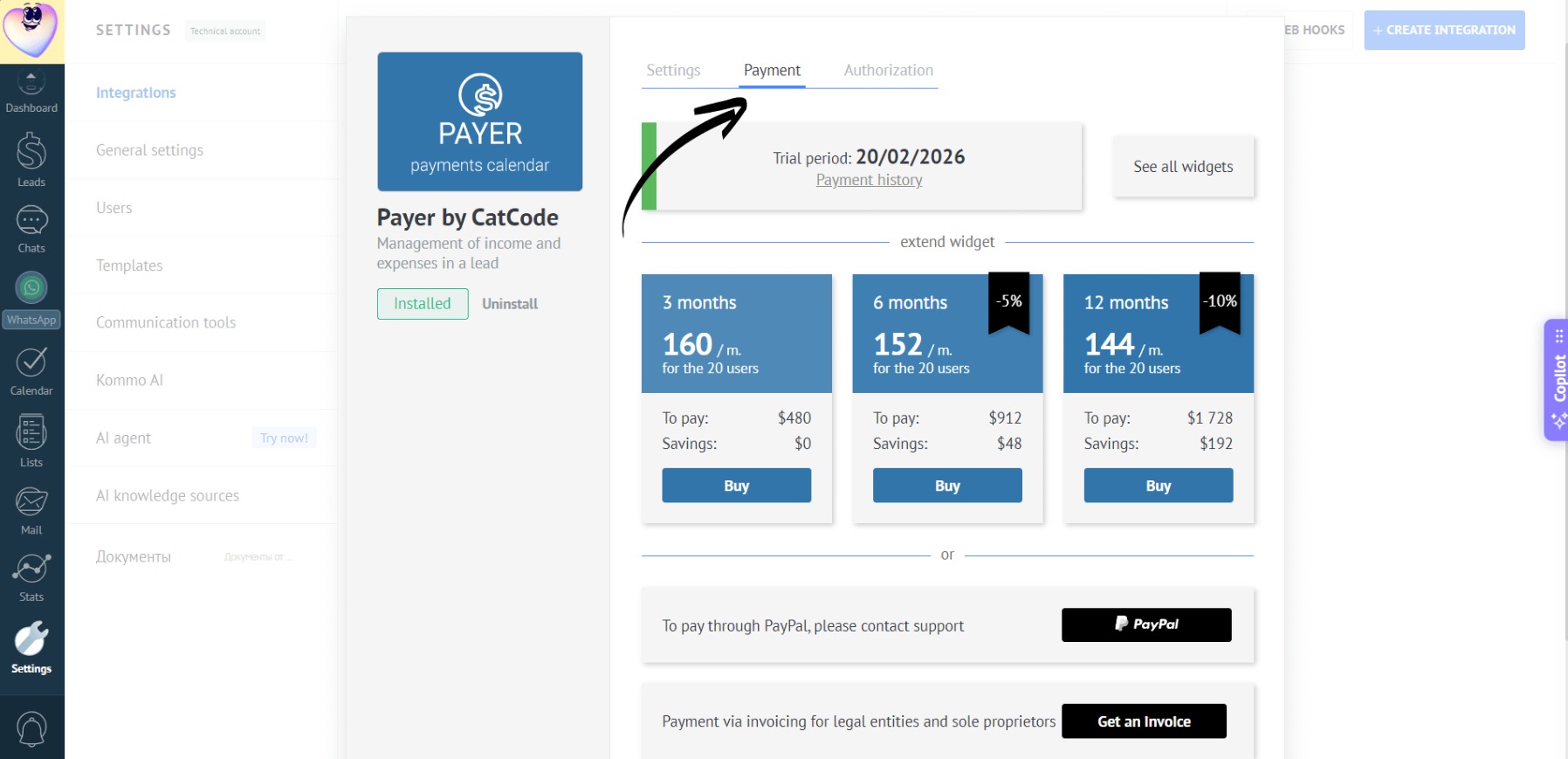
- In the app settings, go to the “Payment” section:
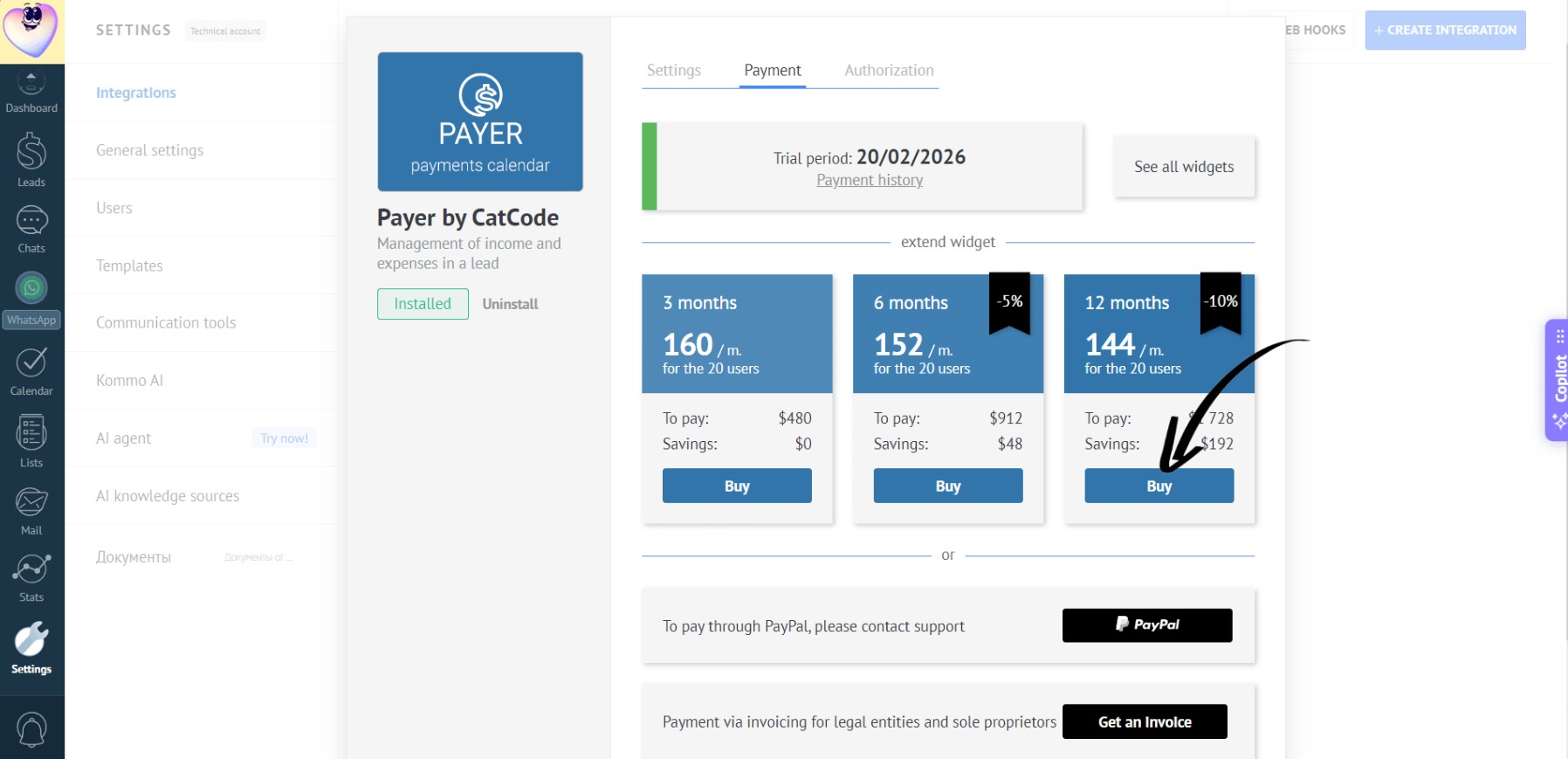
- Select a plan (e.g., for 3 months or a year) and click the corresponding “Buy” button:
- A payment window will appear:
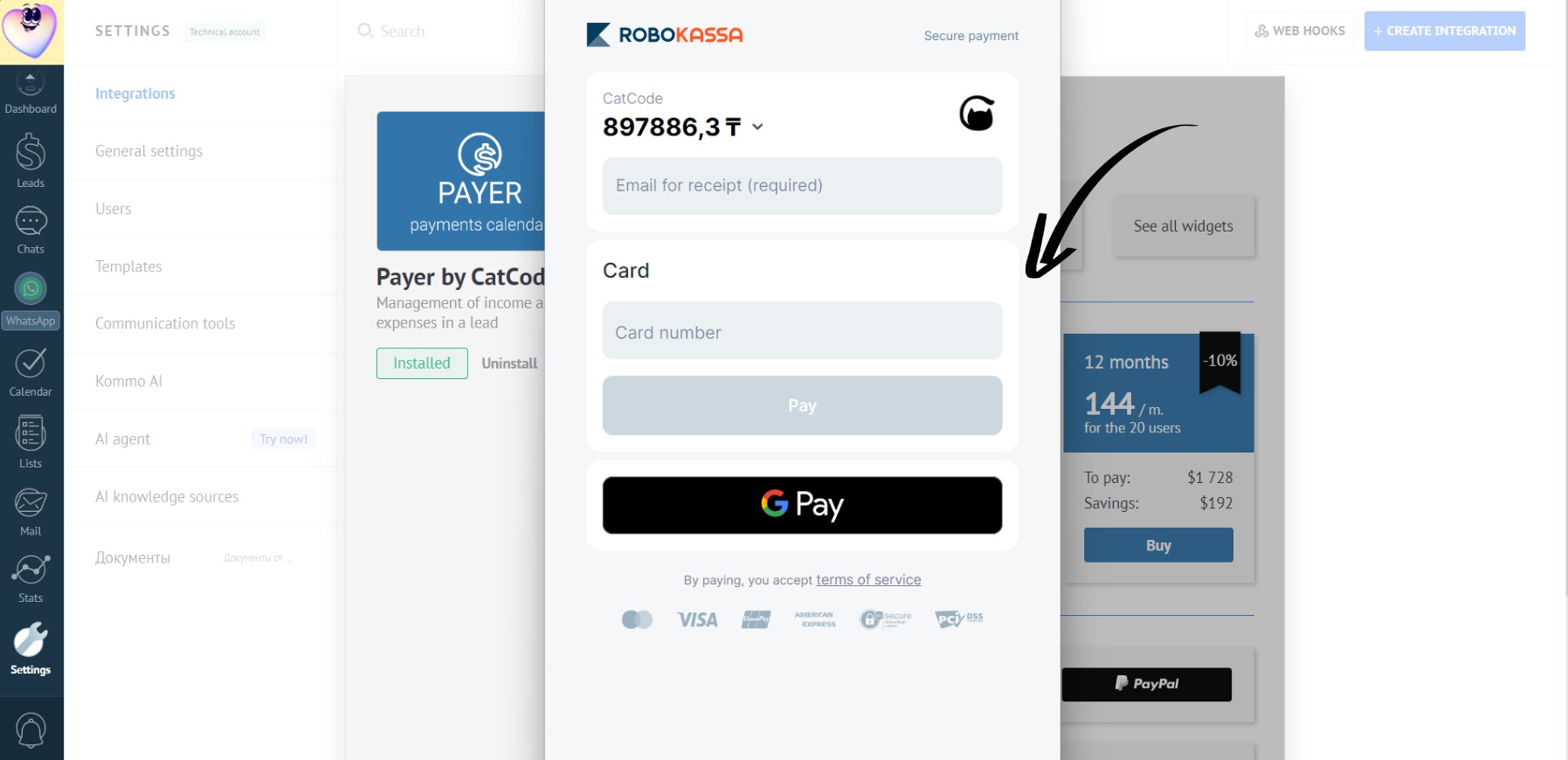
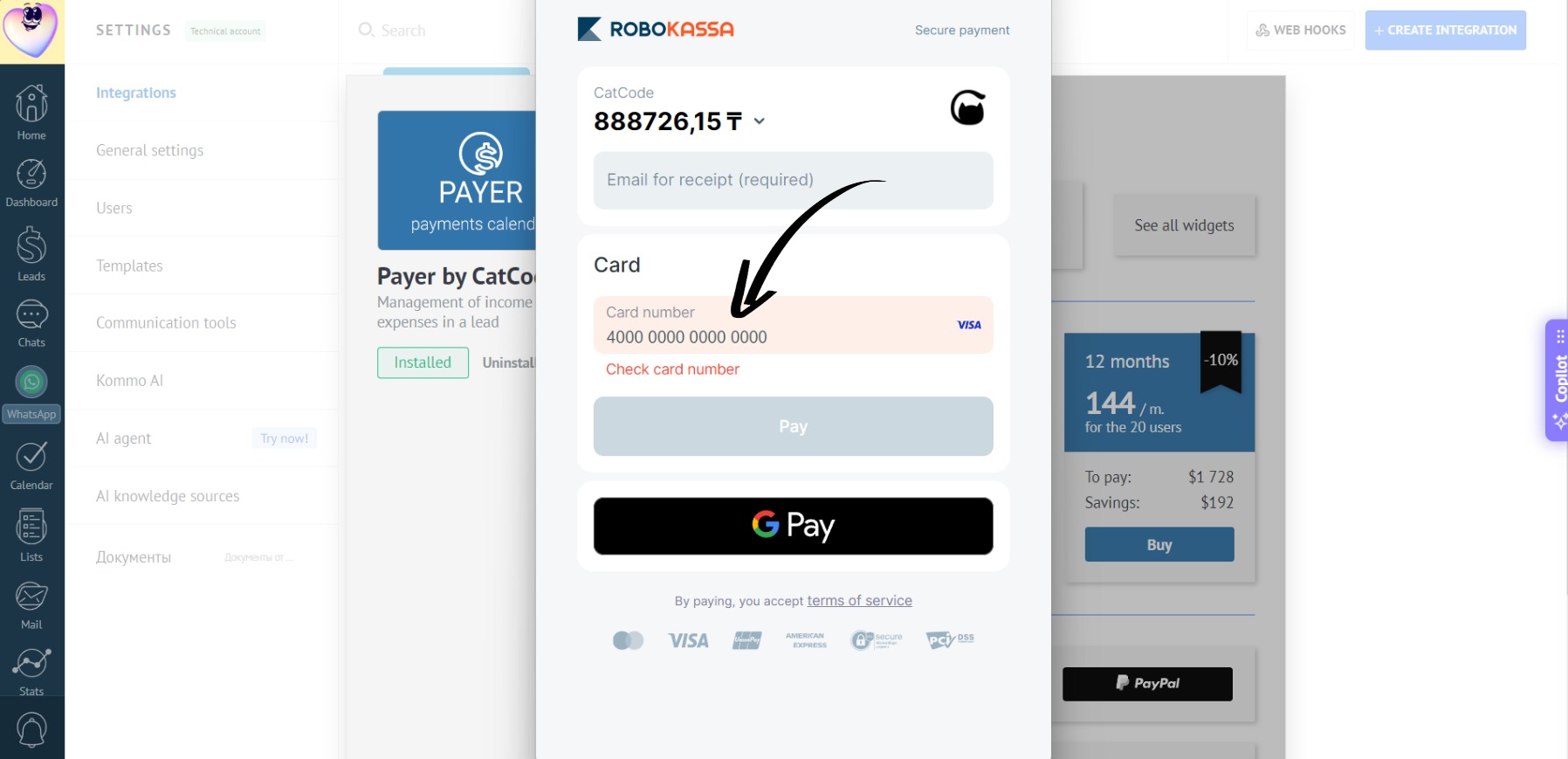
- Choose your method - fast payment via Google Pay or card payment. To pay by card, enter your card number:
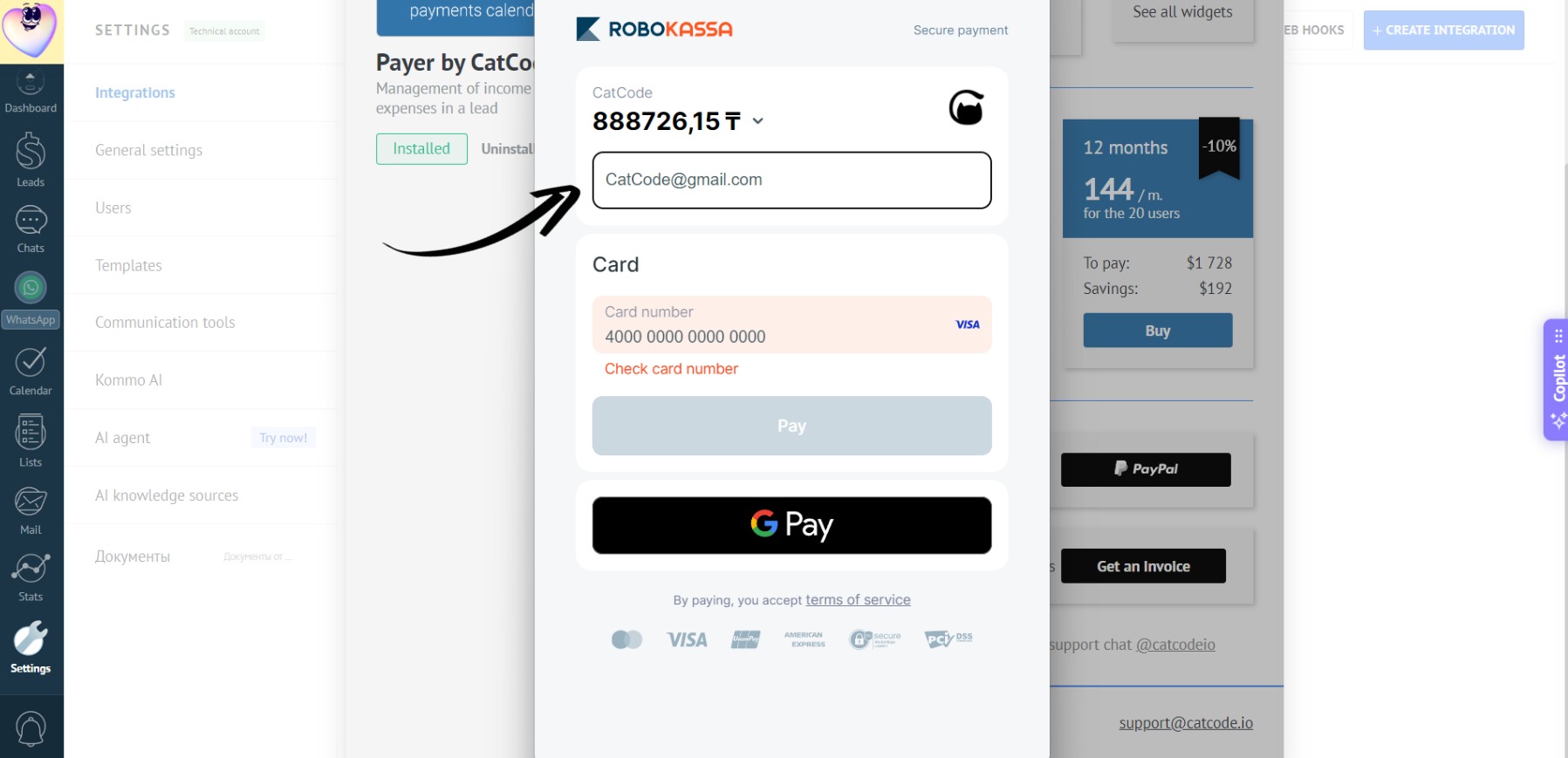
- Then, enter your email to receive the payment receipt:
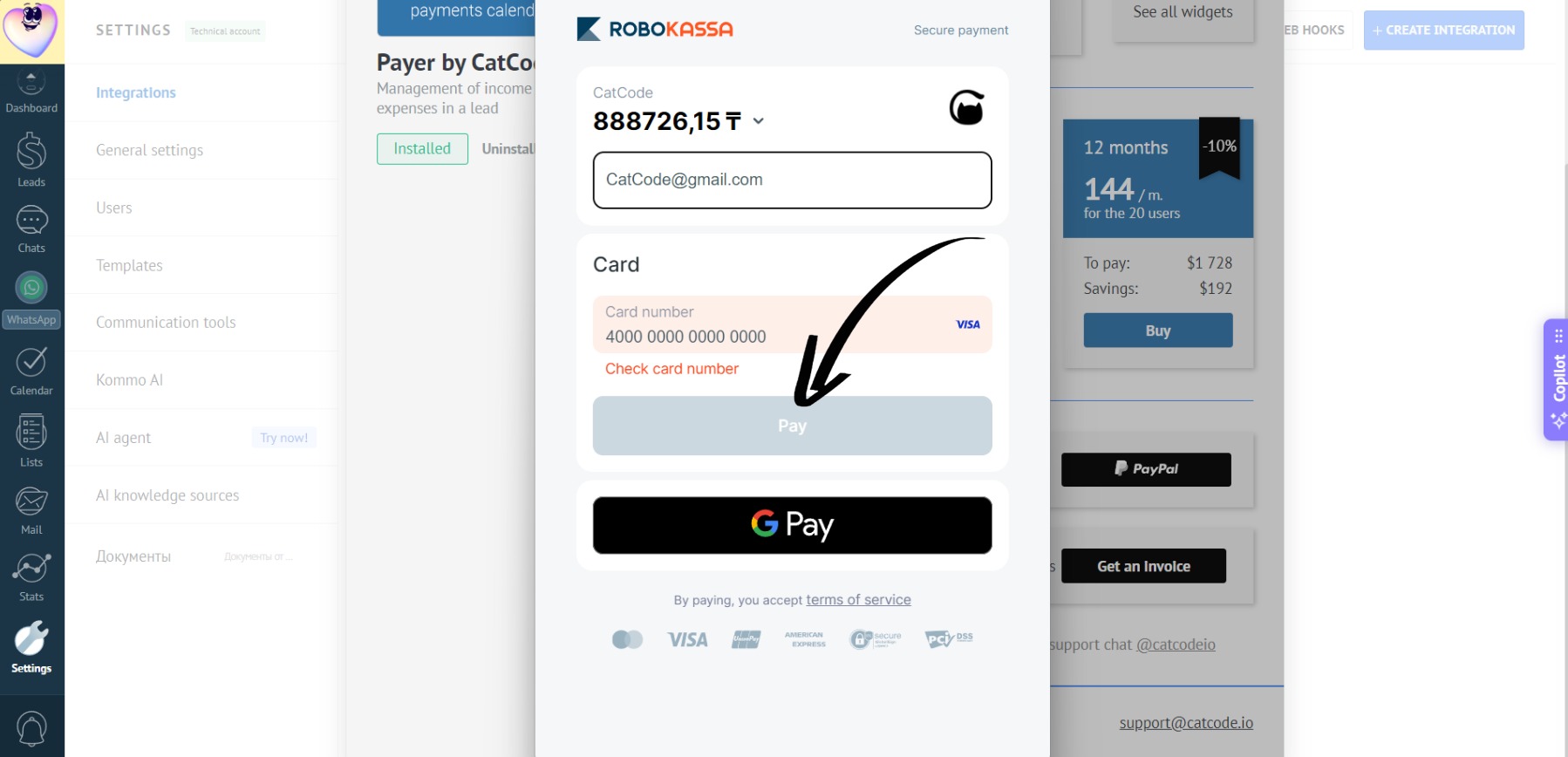
- Finally, click the “Pay” button:
- After payment, the app will automatically renew for the selected period.
Via invoice
- In the app settings, go to the “Payment” section:
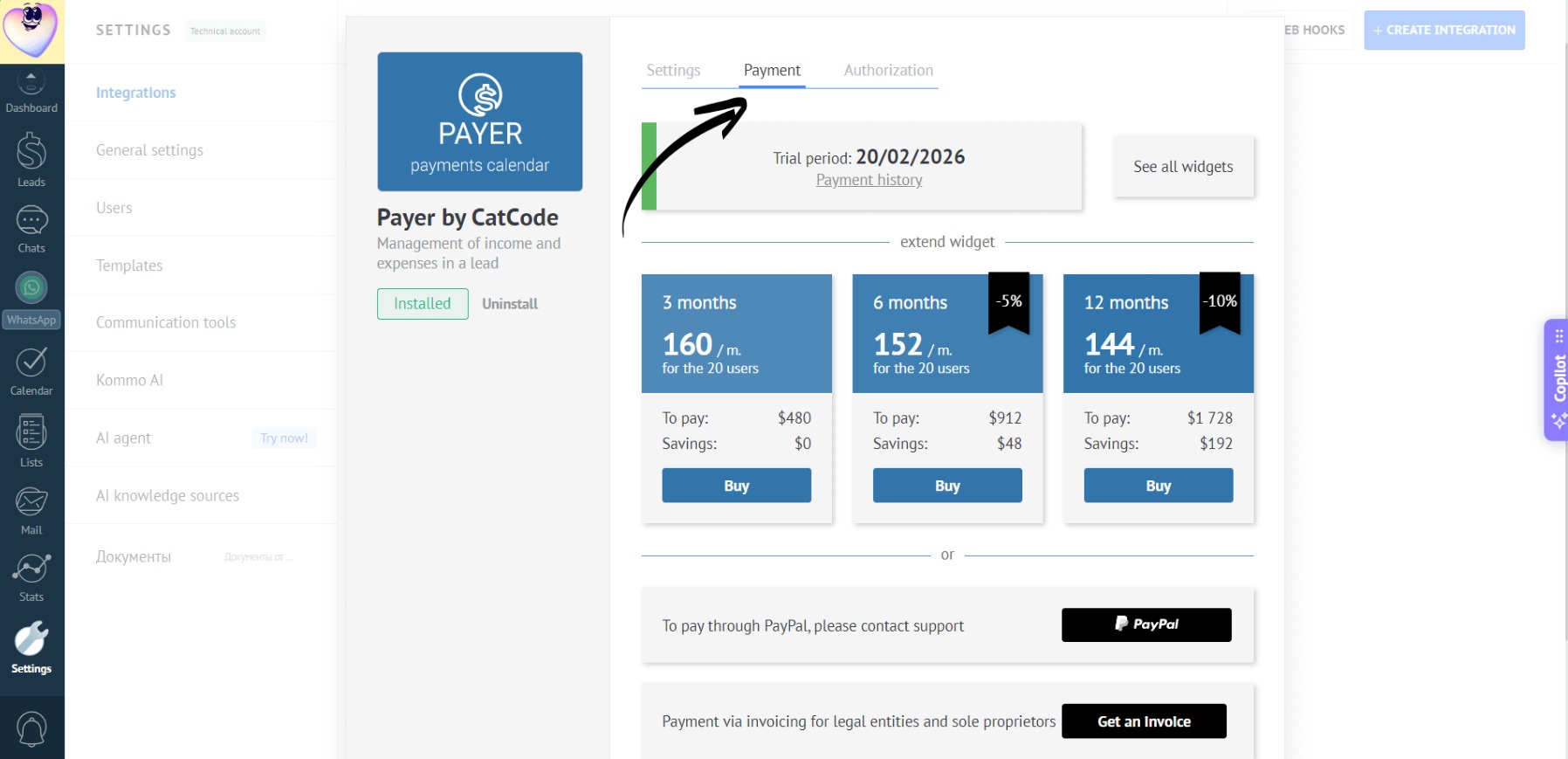
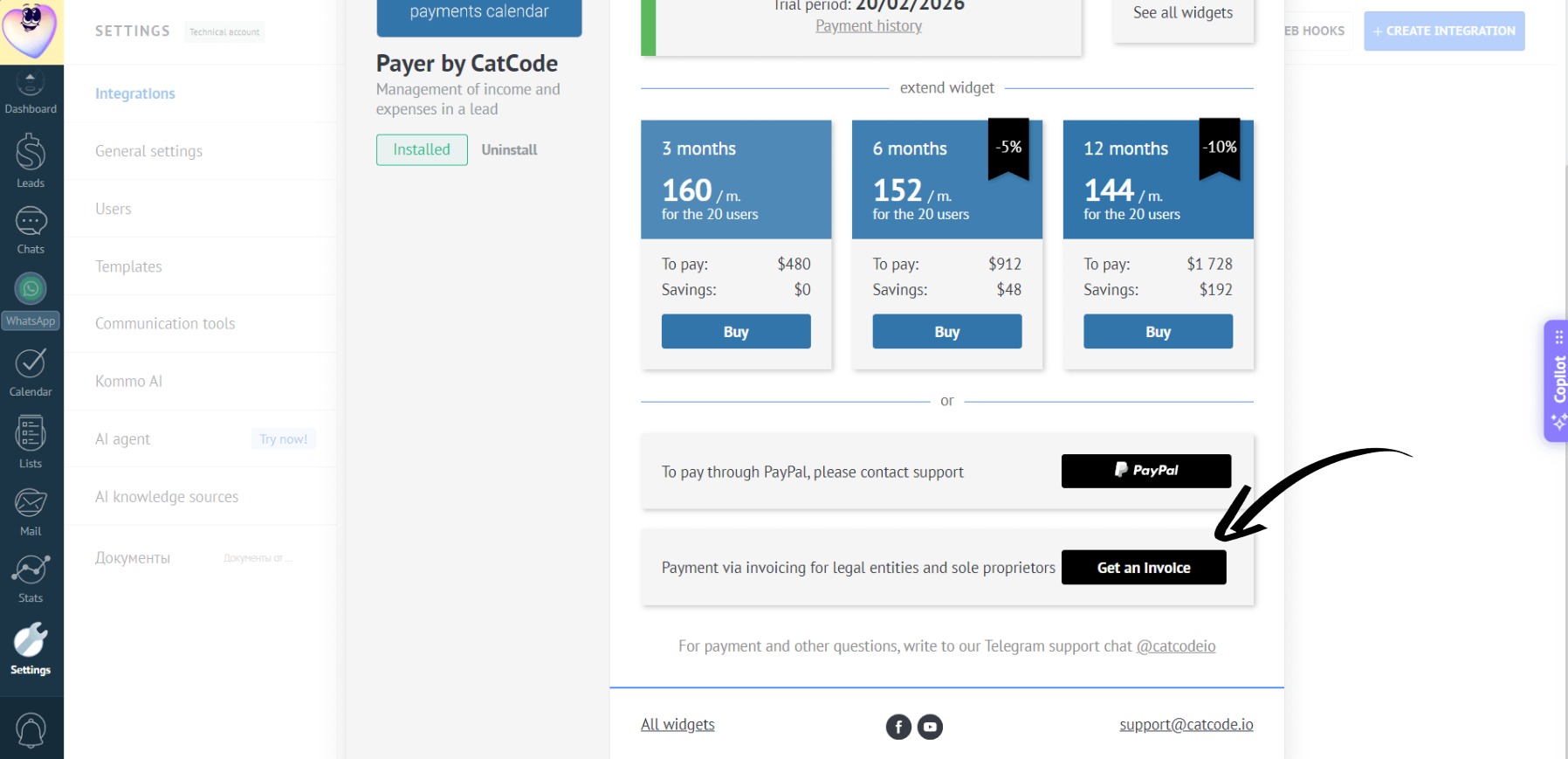
- Click the “Get Invoice” button:
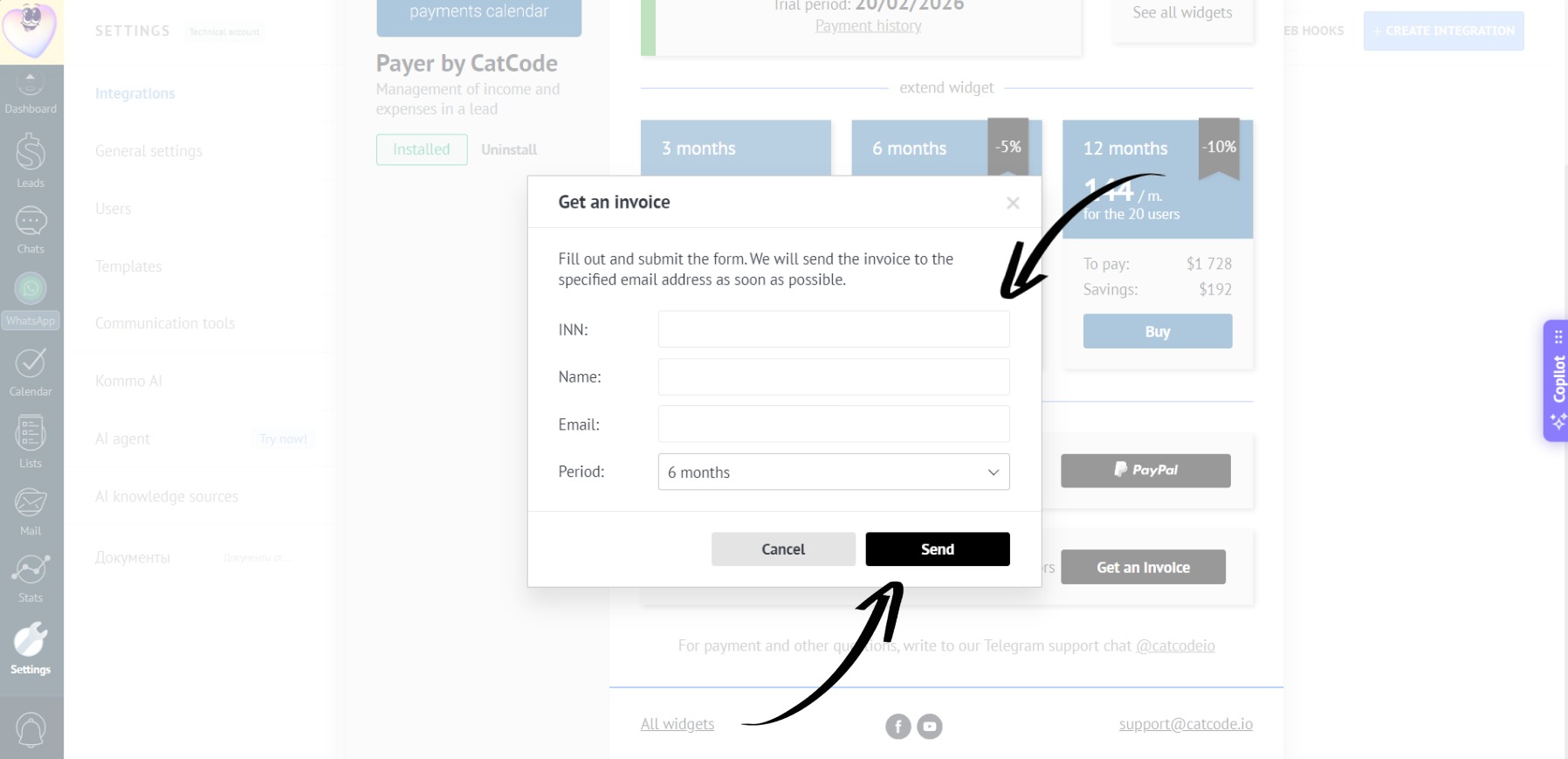
- Fill in all required fields and click the “Send” button:
- We will email the invoice to the address you provided soon.
Via PayPal
- In the app settings, go to the “Payment” section:
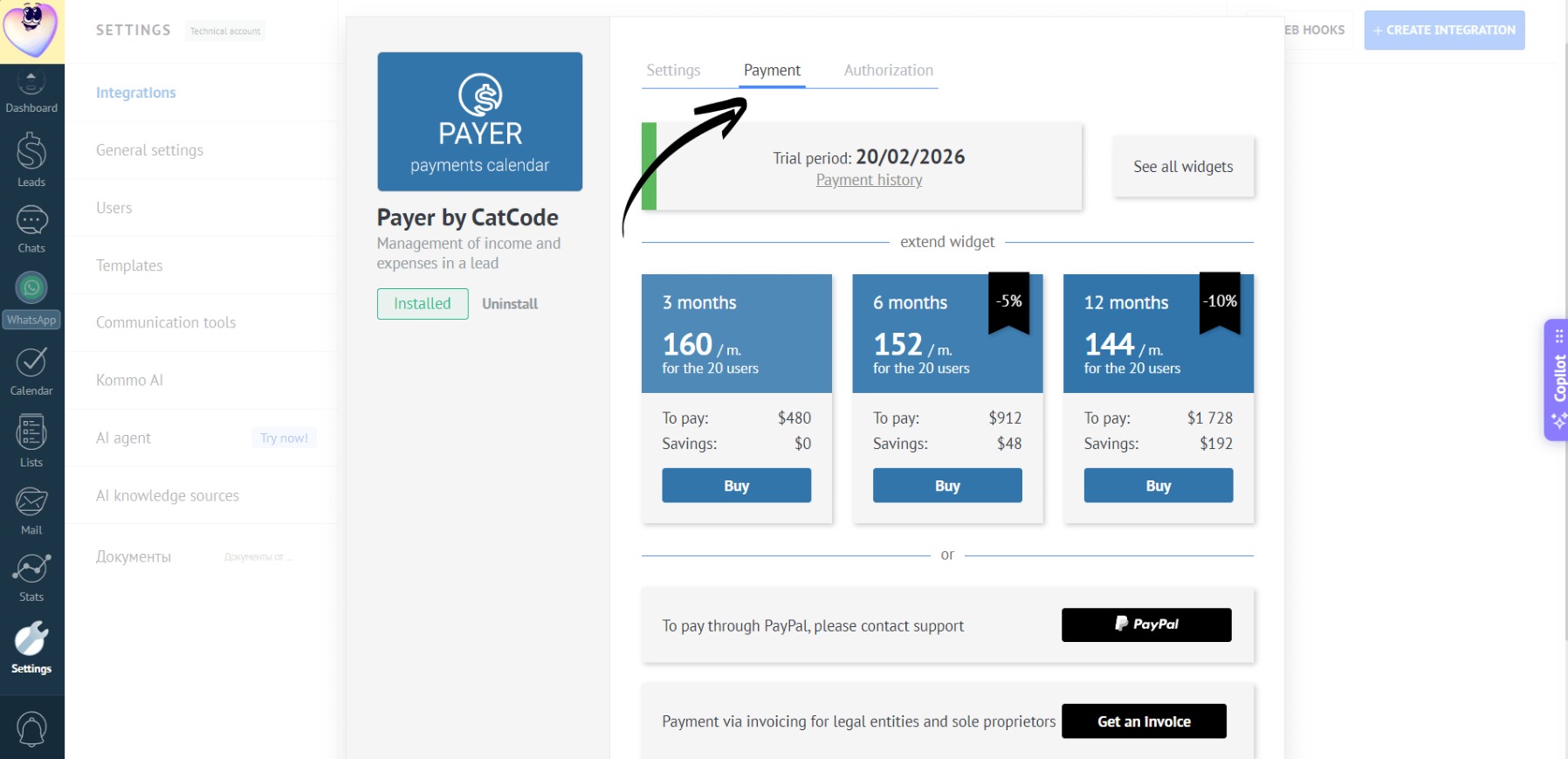
- Click “PayPal” to complete your payment using your account balance or a linked card. For payments via PayPal, please contact our support: