Placeholders
Placeholders are like magnets for information from a lead. For example, you can use them to automatically pull a client’s name into a document. See the detailed instructions below.
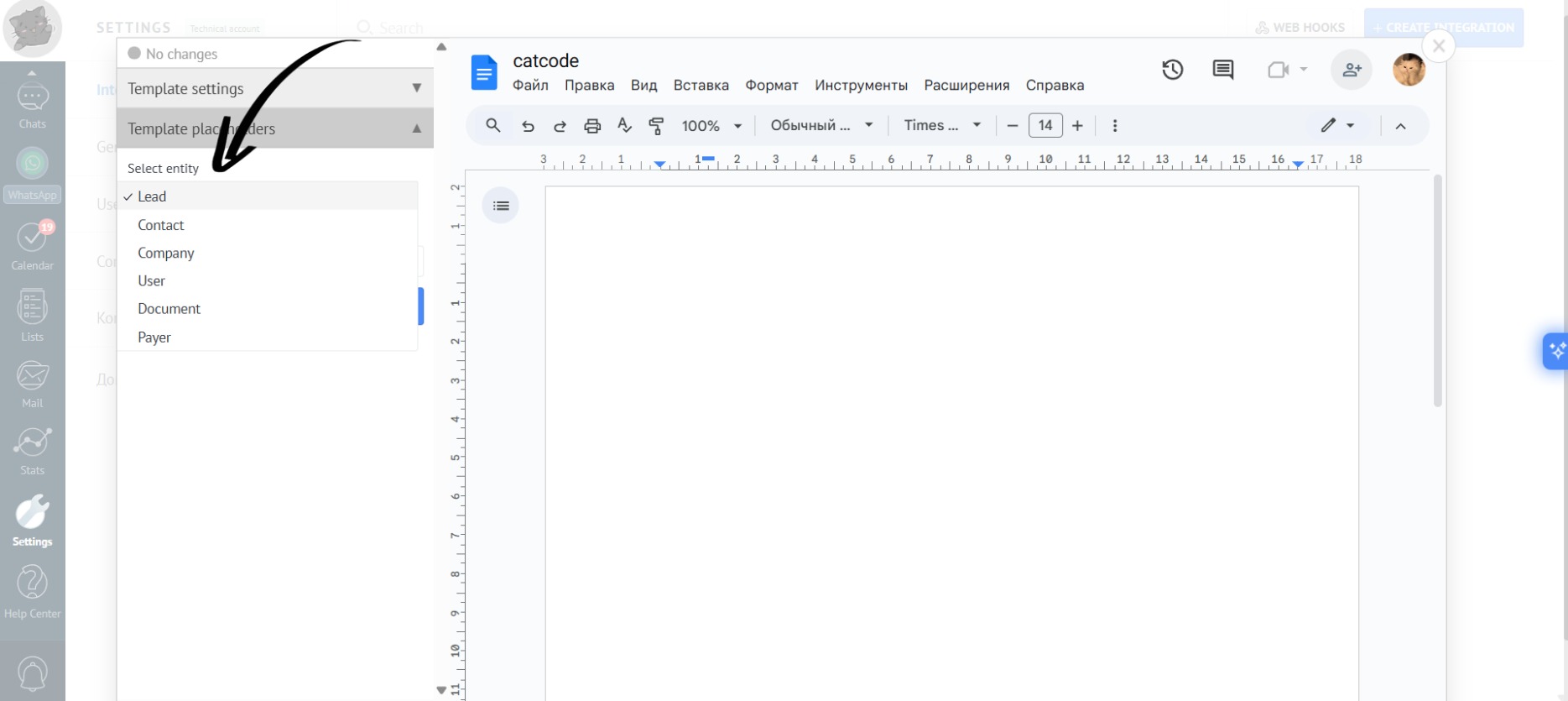
- To create a placeholder, select “Entity” from the dropdown list while editing the template:
- Now, for the selected “Entity”, choose the desired “Field”:
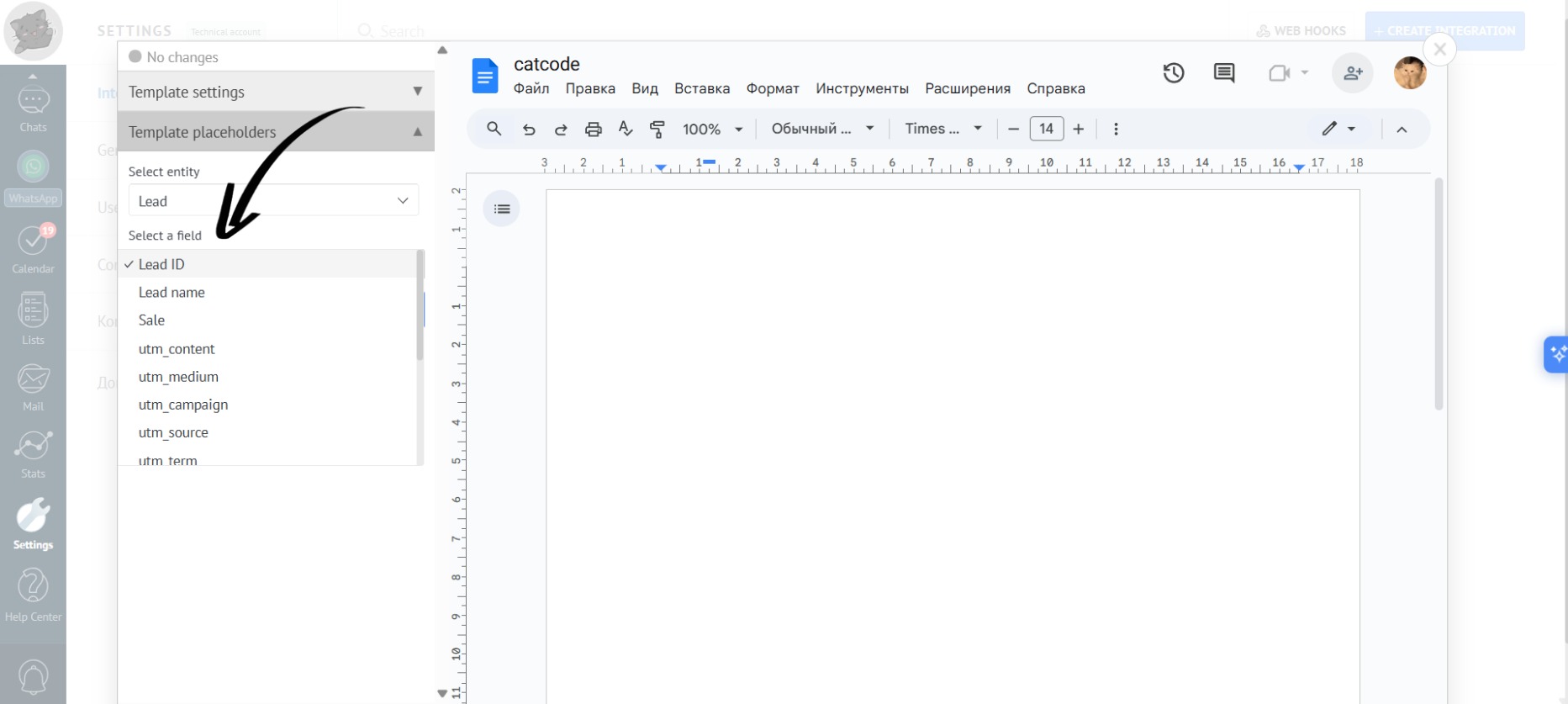
Different “Fields” will be available for each “Entity”.
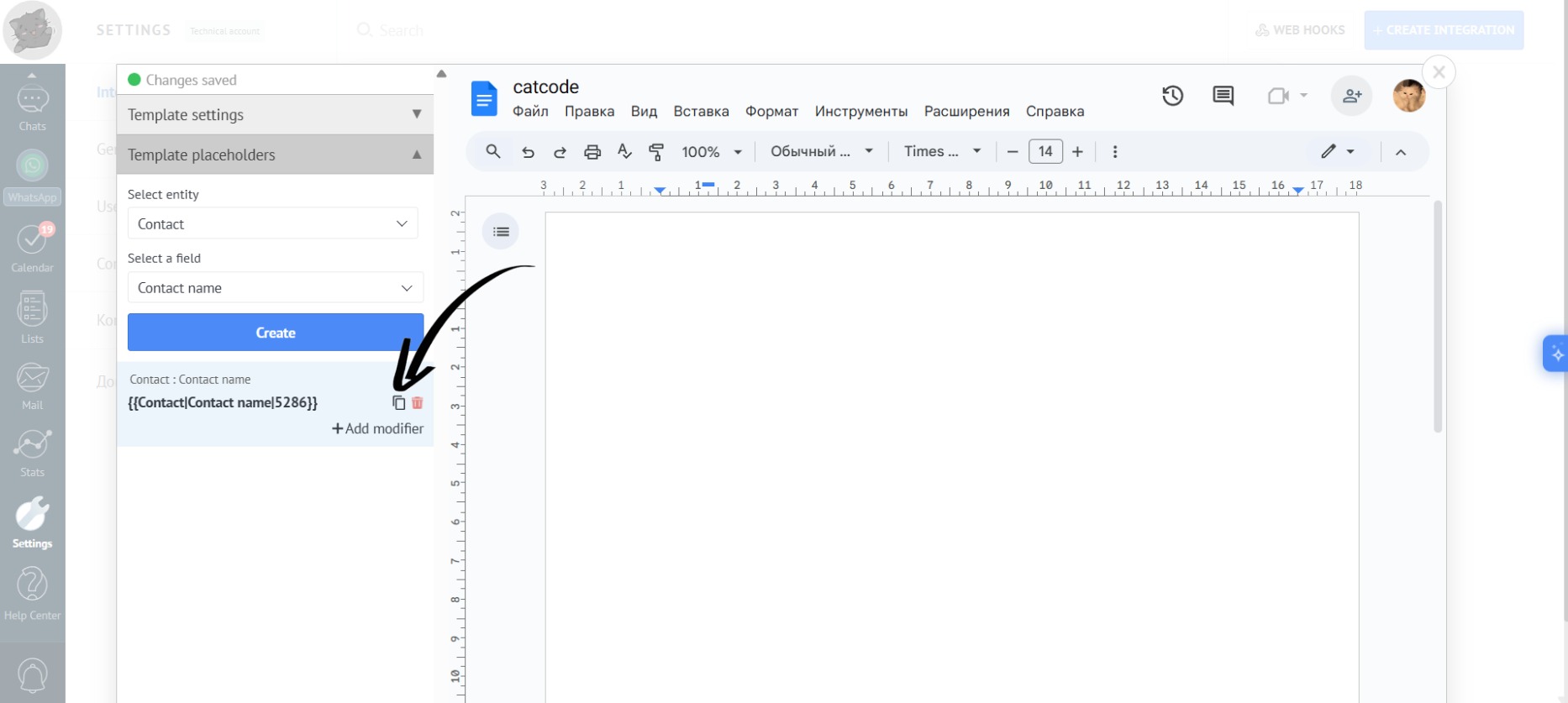
- For example, select “Entity” — “Contact”, and “Field” — “Contact Name”. Then, click the “Create” button:
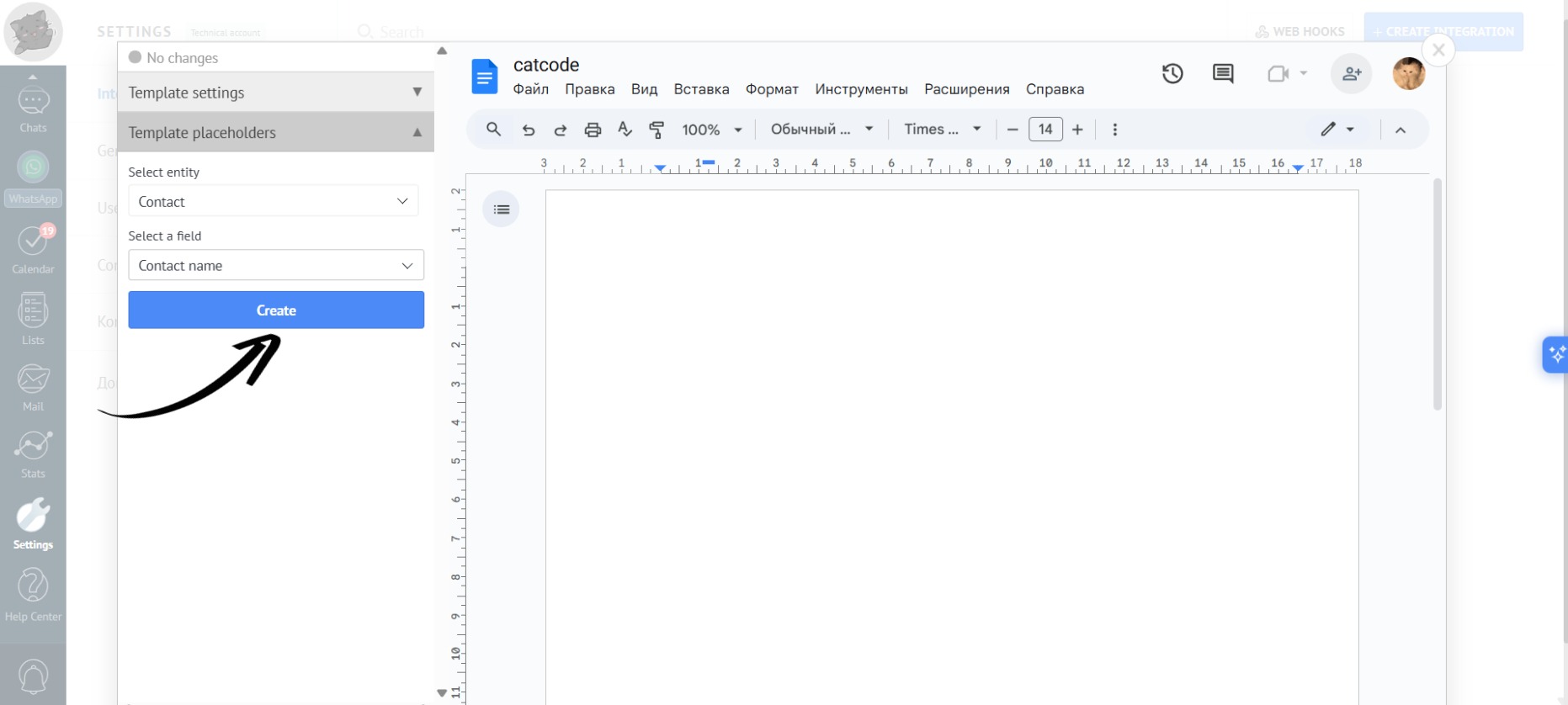
- The app has generated a placeholder, which you can copy by highlighting the text or simply clicking the copy icon:
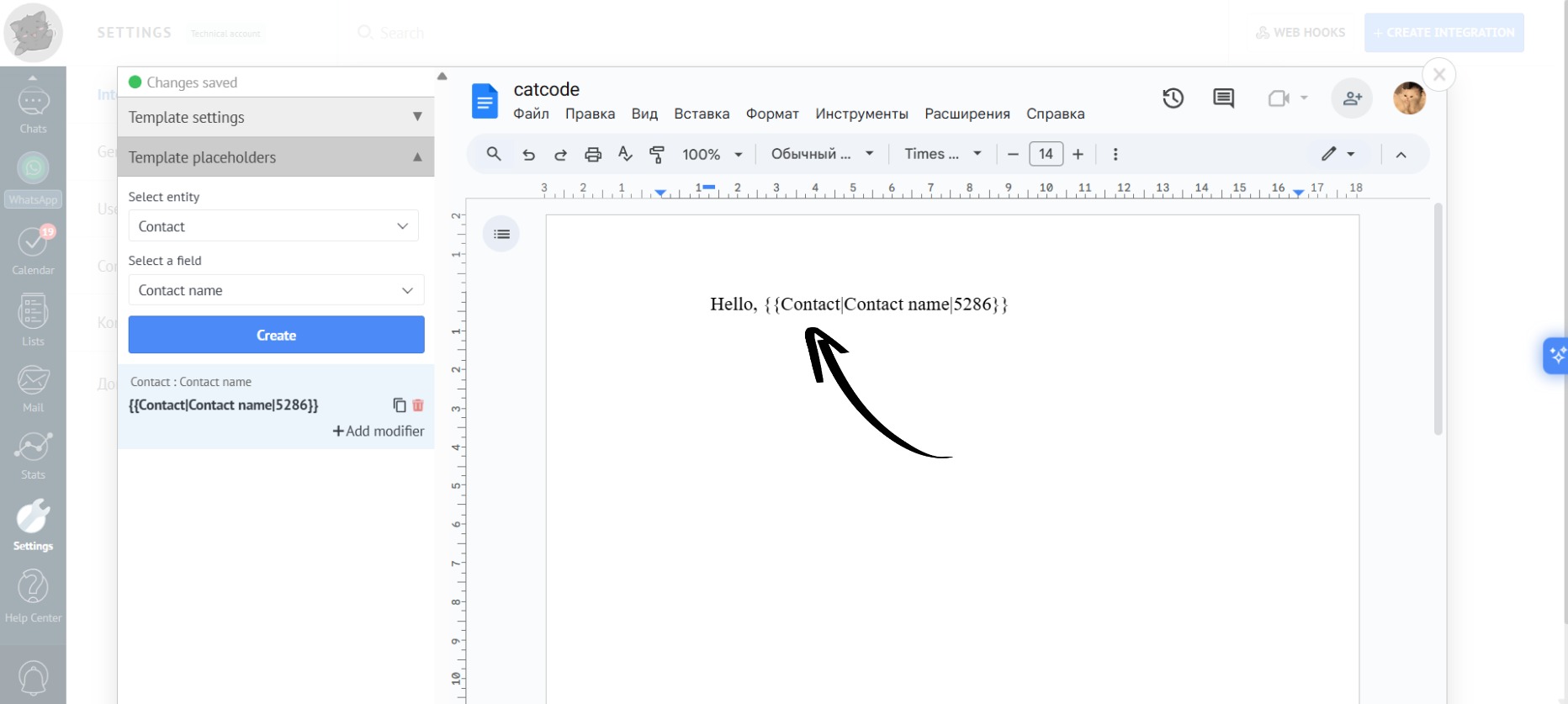
- Paste the copied placeholder into your document:
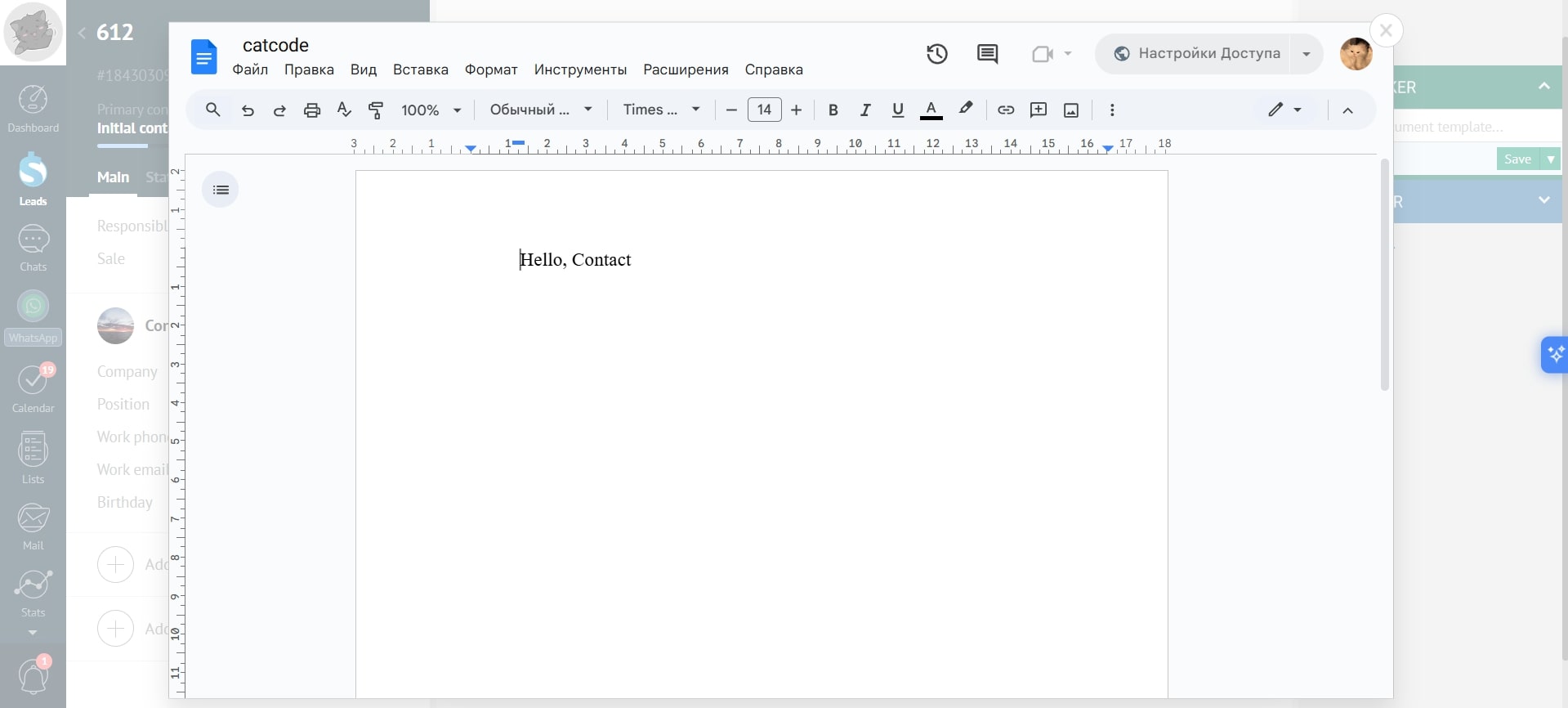
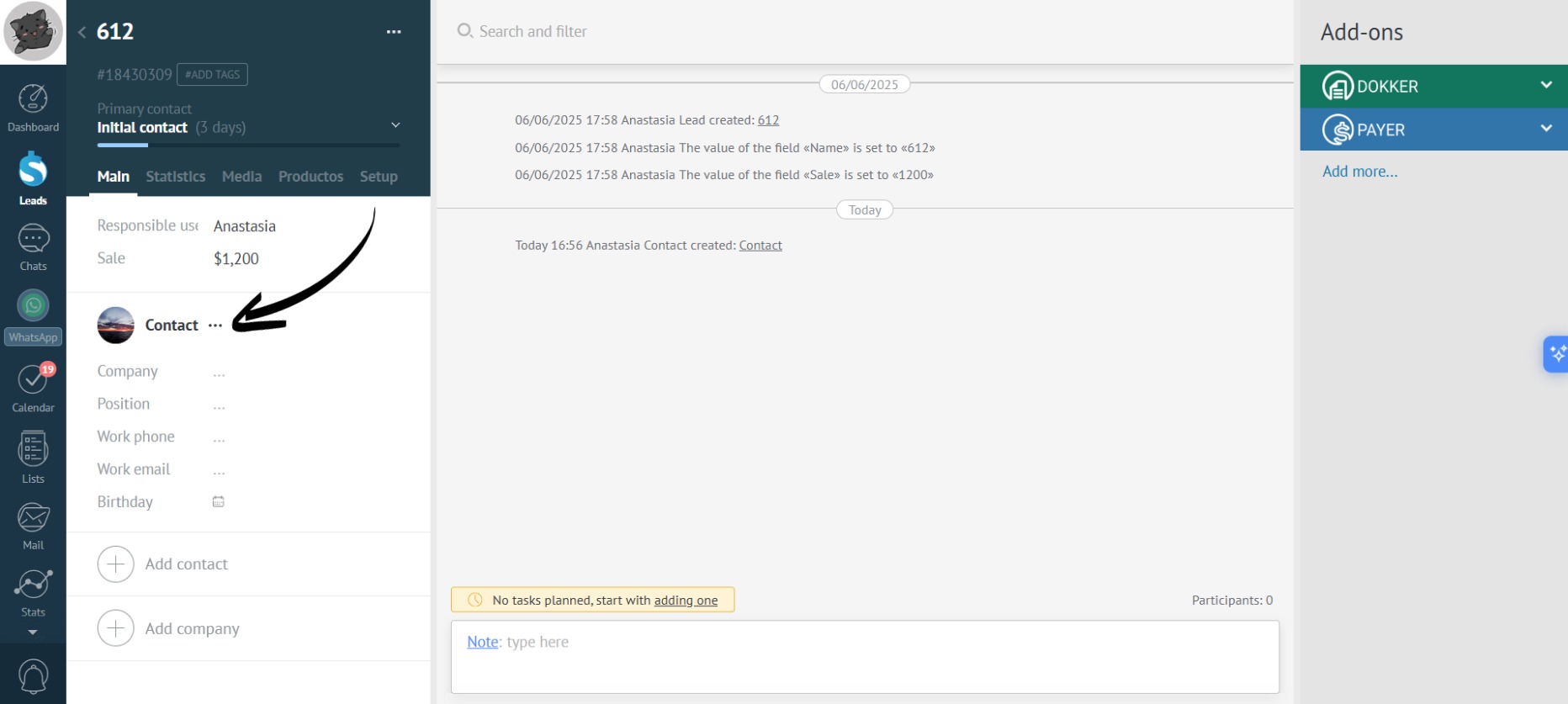
- Now, the contact name will be added in place of the placeholder. For example, go to a lead with the contact name “Contact”:
- When generating the document, the name of the contact will be automatically inserted in place of the placeholder: