Editing the Template
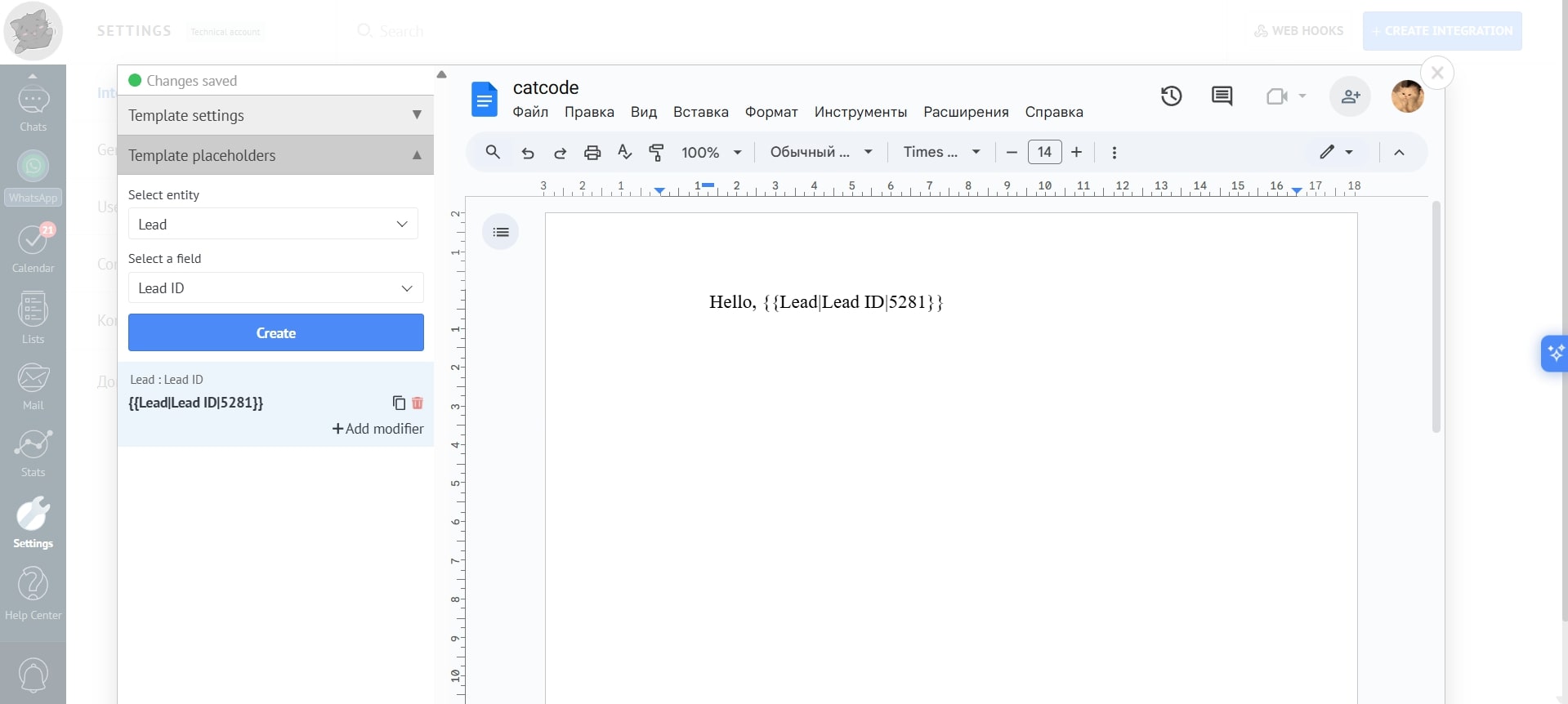
When editing, you can customize the template to suit your needs from the date converted into a specific format to the automatic insertion of the lead’s name. The following three sections provide detailed instructions on customizing the template to generate the documents you need.
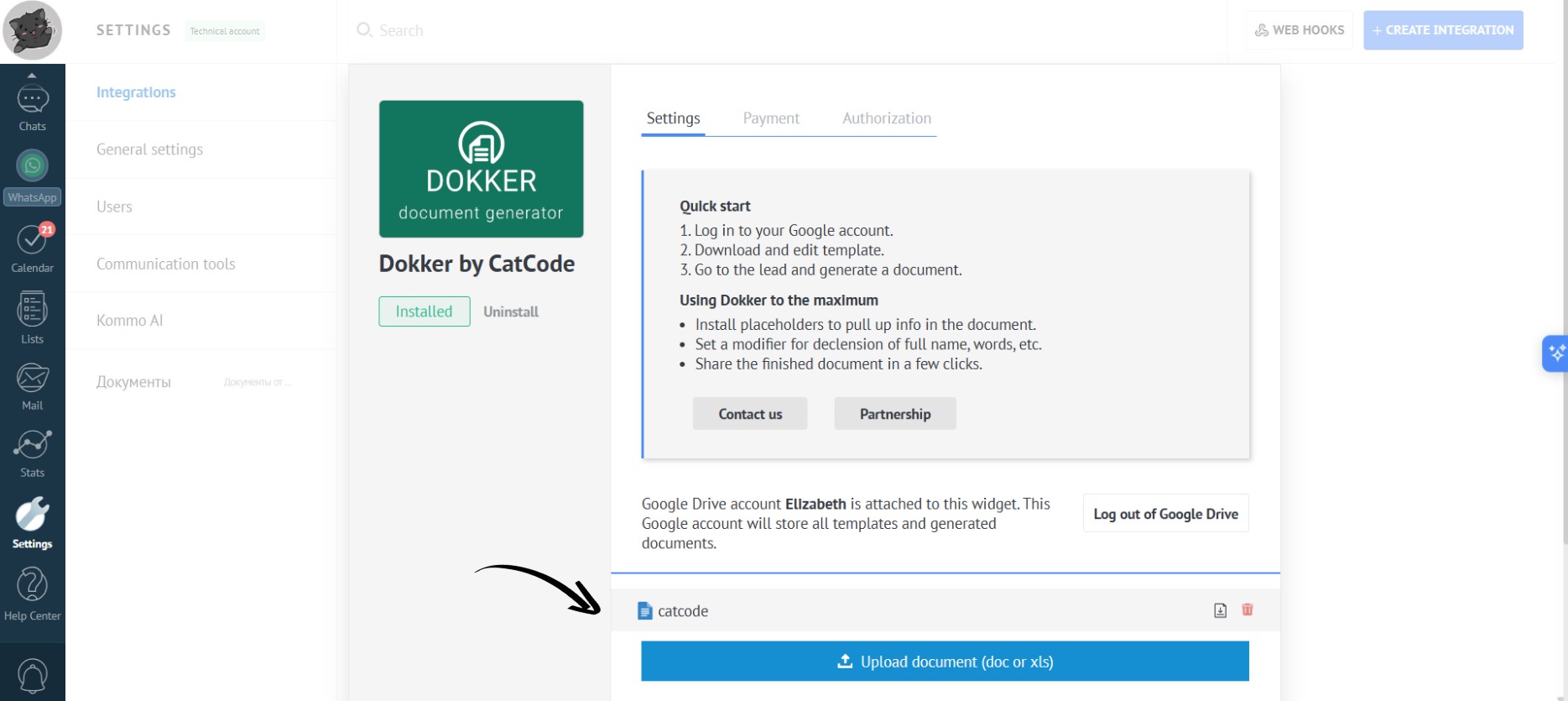
- In the app settings, click on the document to begin editing it directly within the Kommo window:
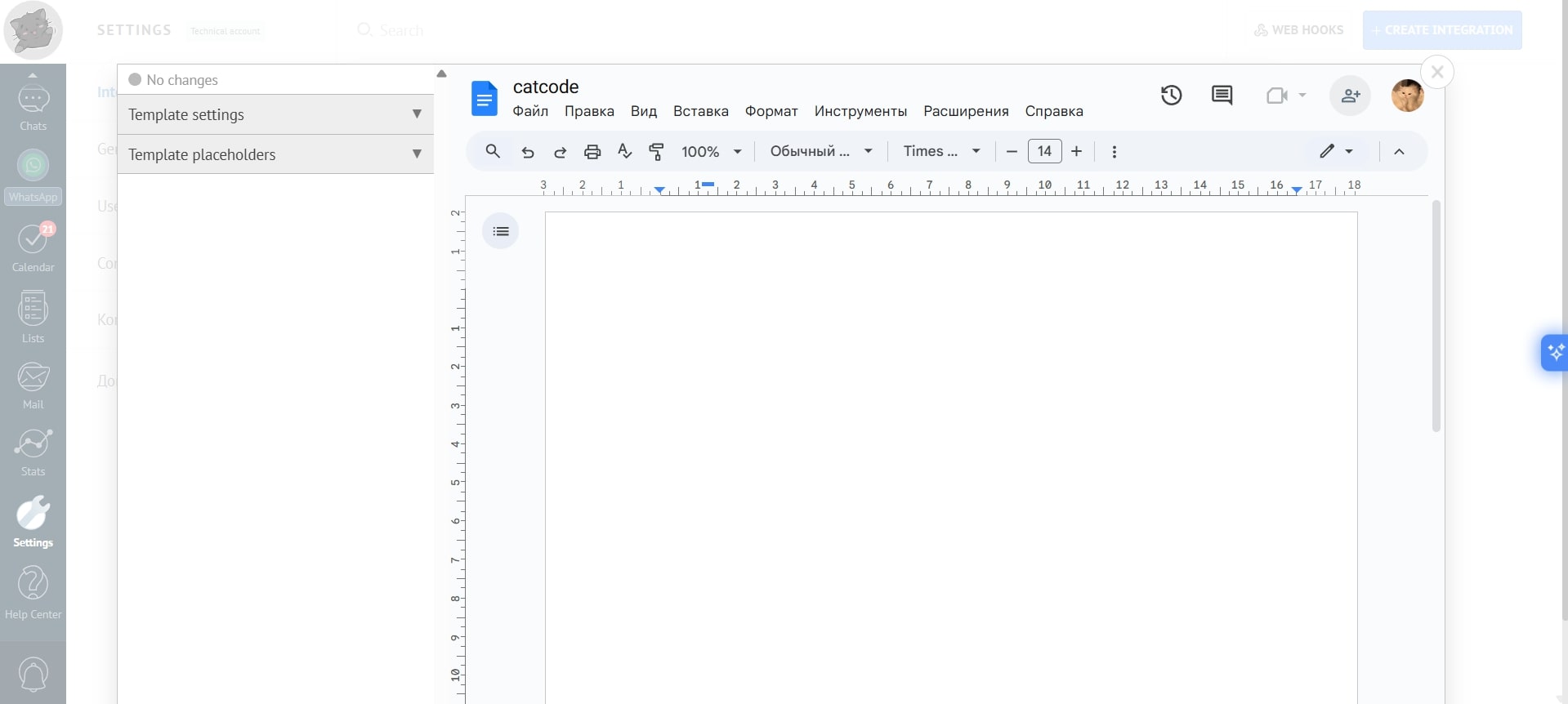
- The document will open in edit mode:
- All changes to the template are saved automatically. You’ll see a green “Changes saved” dot on the left of the document: