Add Template
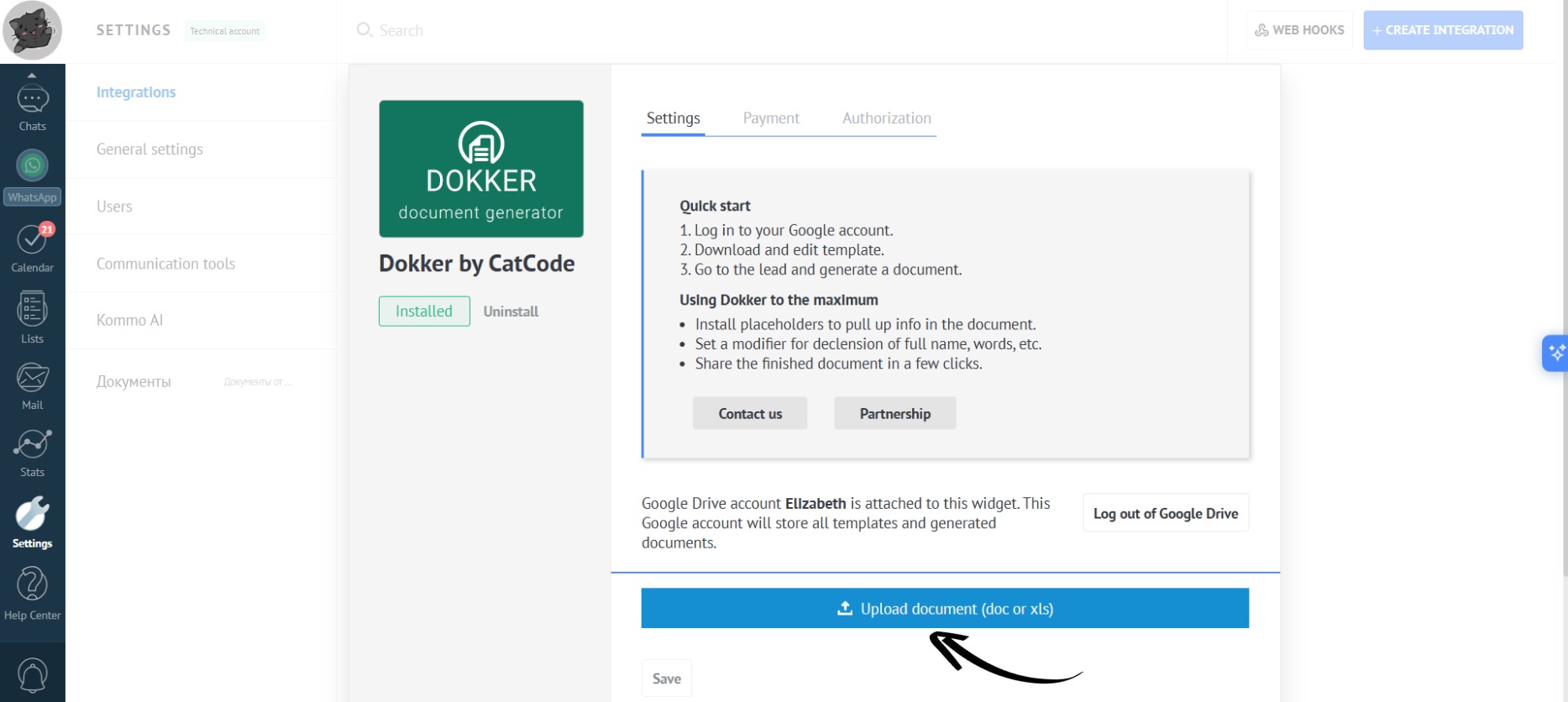
- In the app settings, click the “Upload document” button:
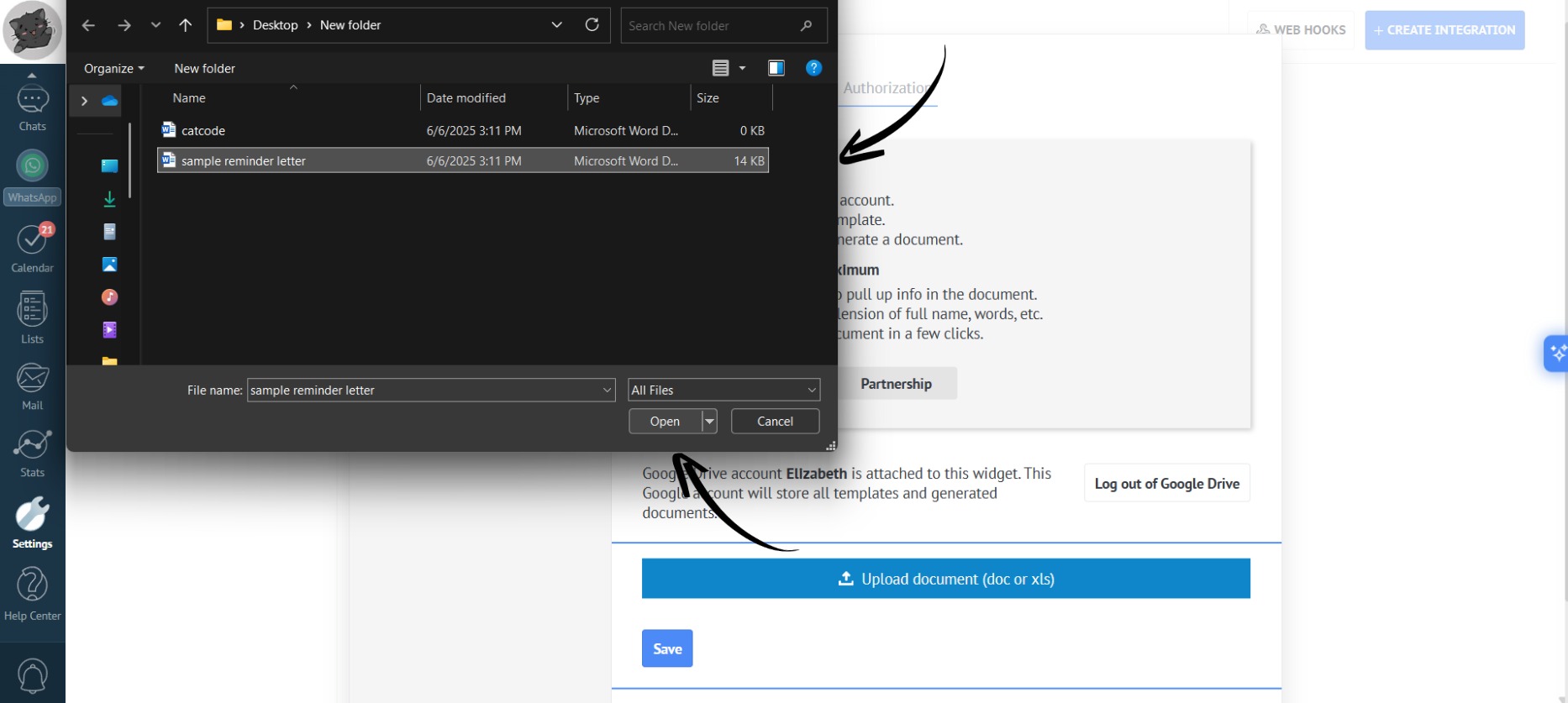
- Select the desired document from your computer’s files and click the “Open” button:
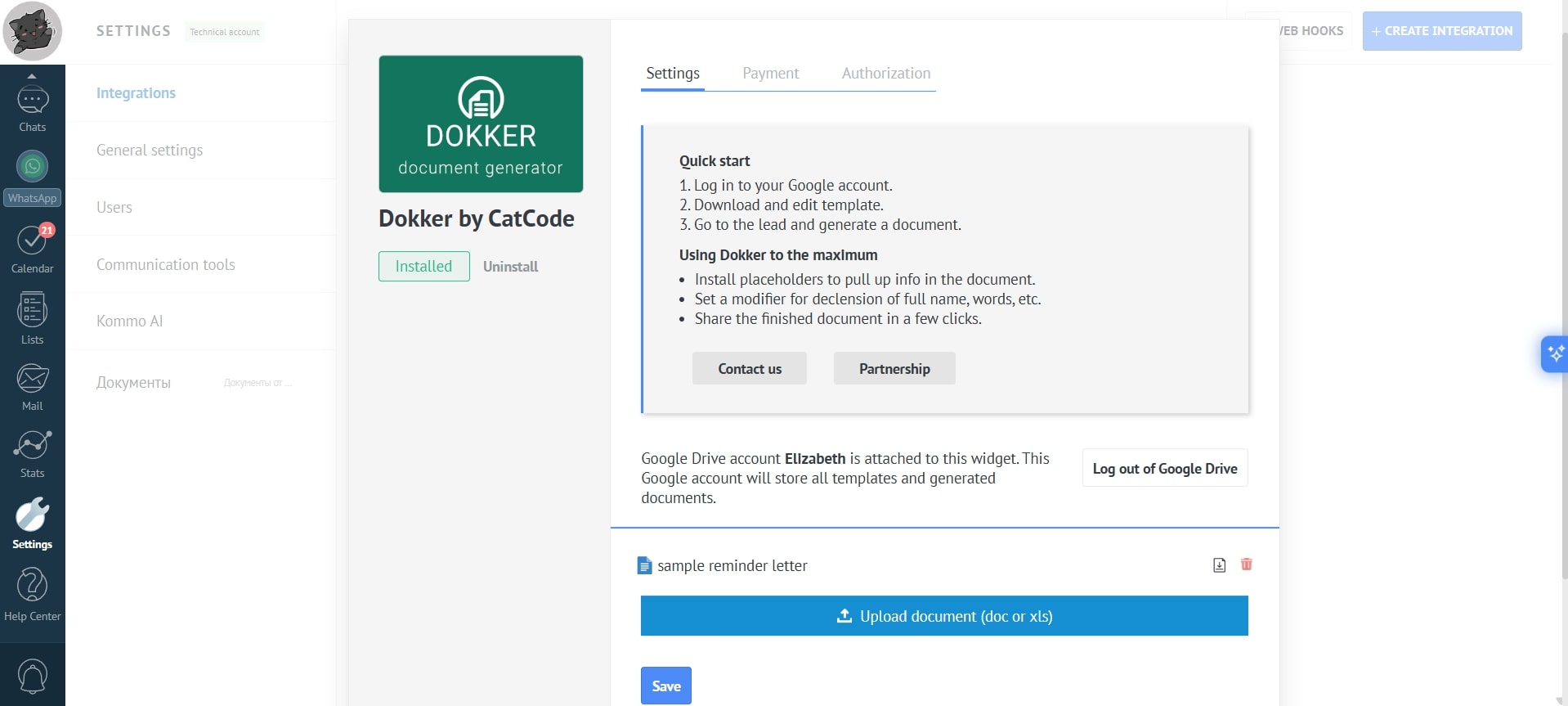
- Done! The document has been uploaded to the app:
You can upload blank documents to edit them directly in the app.
- To upload multiple documents, click the “Upload document” button again. In this way, you can add any number of documents to the app.