Downloading a Payment Schedule
Teamwork between Dokker and Payer. In just one minute, you can transform the figures from a lead into a ready-to-send payment schedule document for the client/accounting department.
- To create a payment schedule document from a lead, you’ll need the Payer app. f both apps are installed in your account, you can select Payer placeholders in the document template:
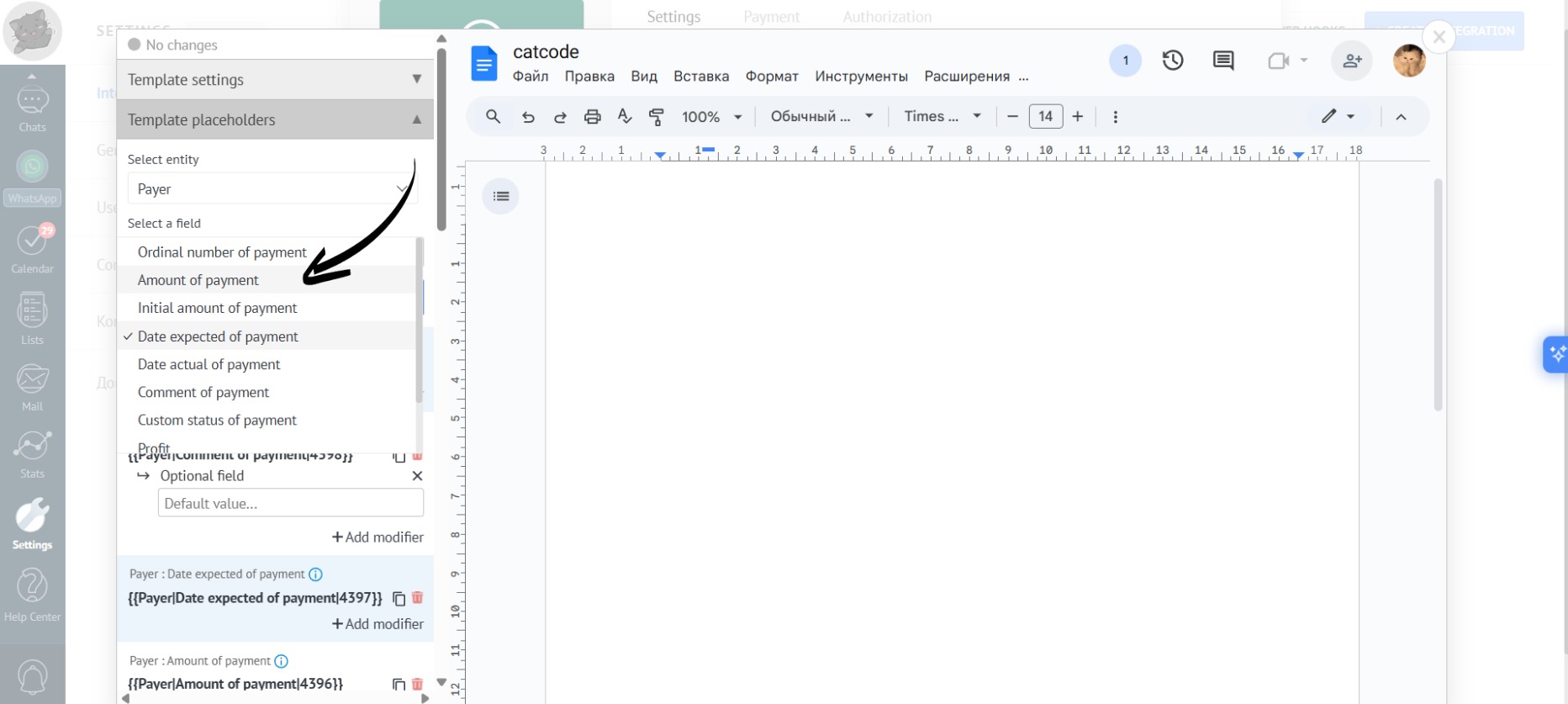
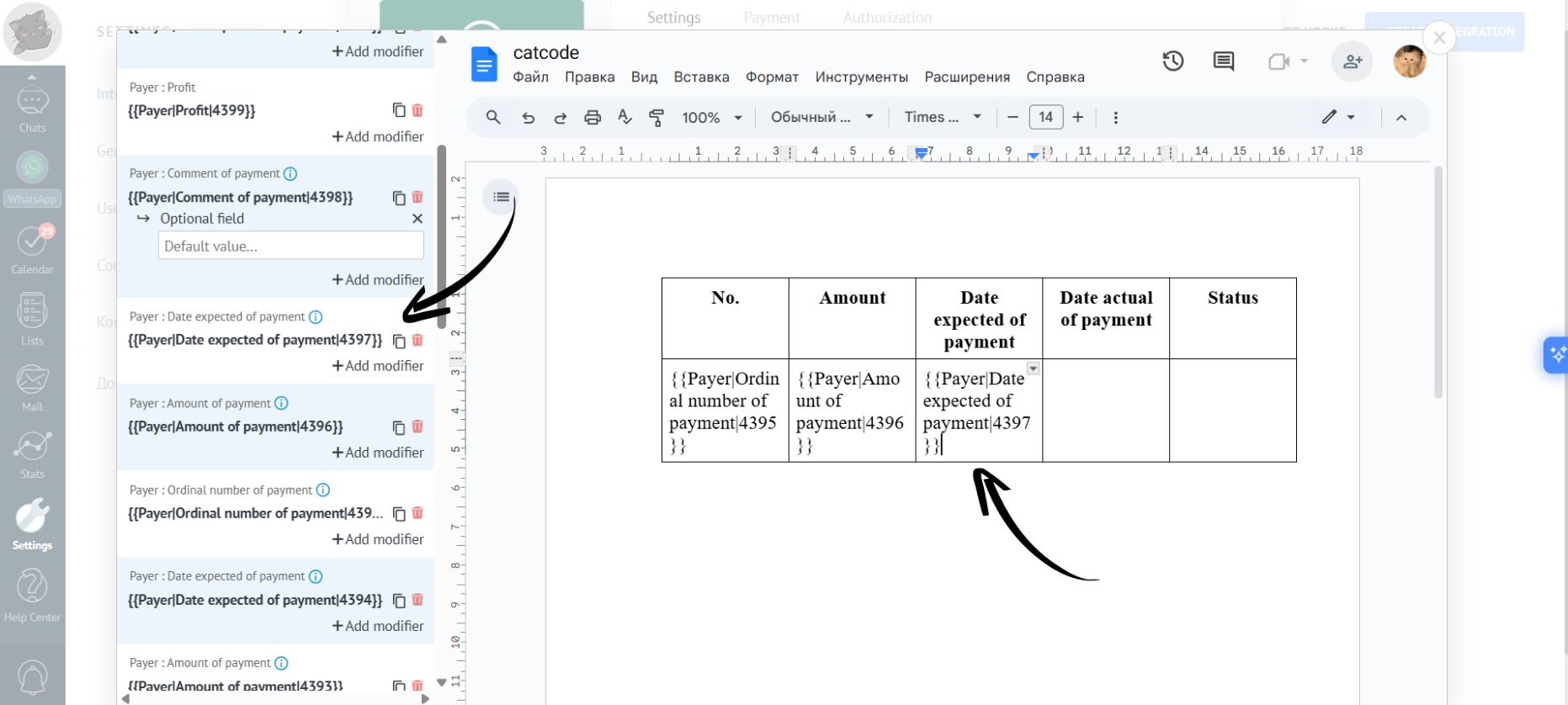
- Fields in Payer only work in a tabular format, meaning you need to create a single-row table where you can then add placeholders. From this single row, the app will fill in the entire table according to the specified parameters:
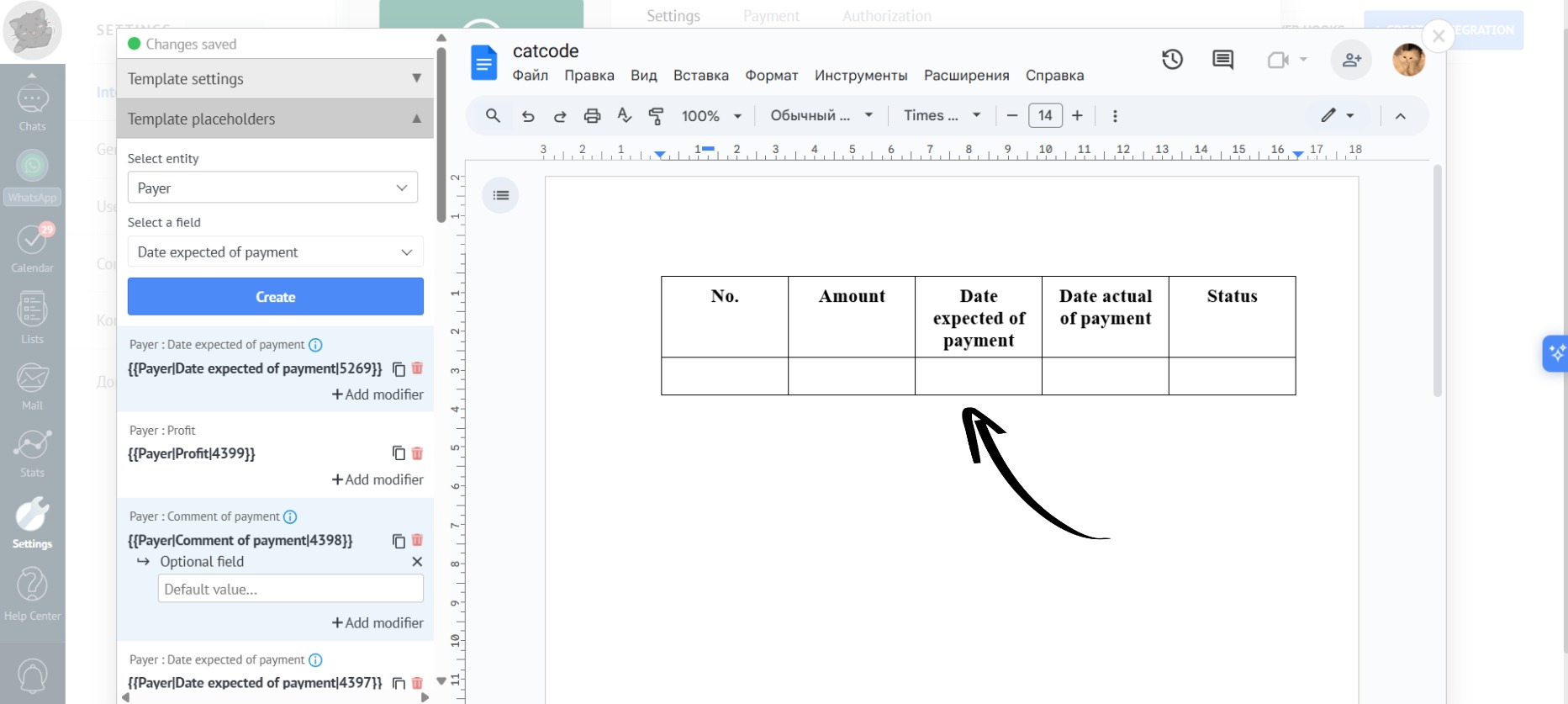
- The created placeholders must be added to a table row. In this case, the generated document will have as many rows as there are payments in the lead:
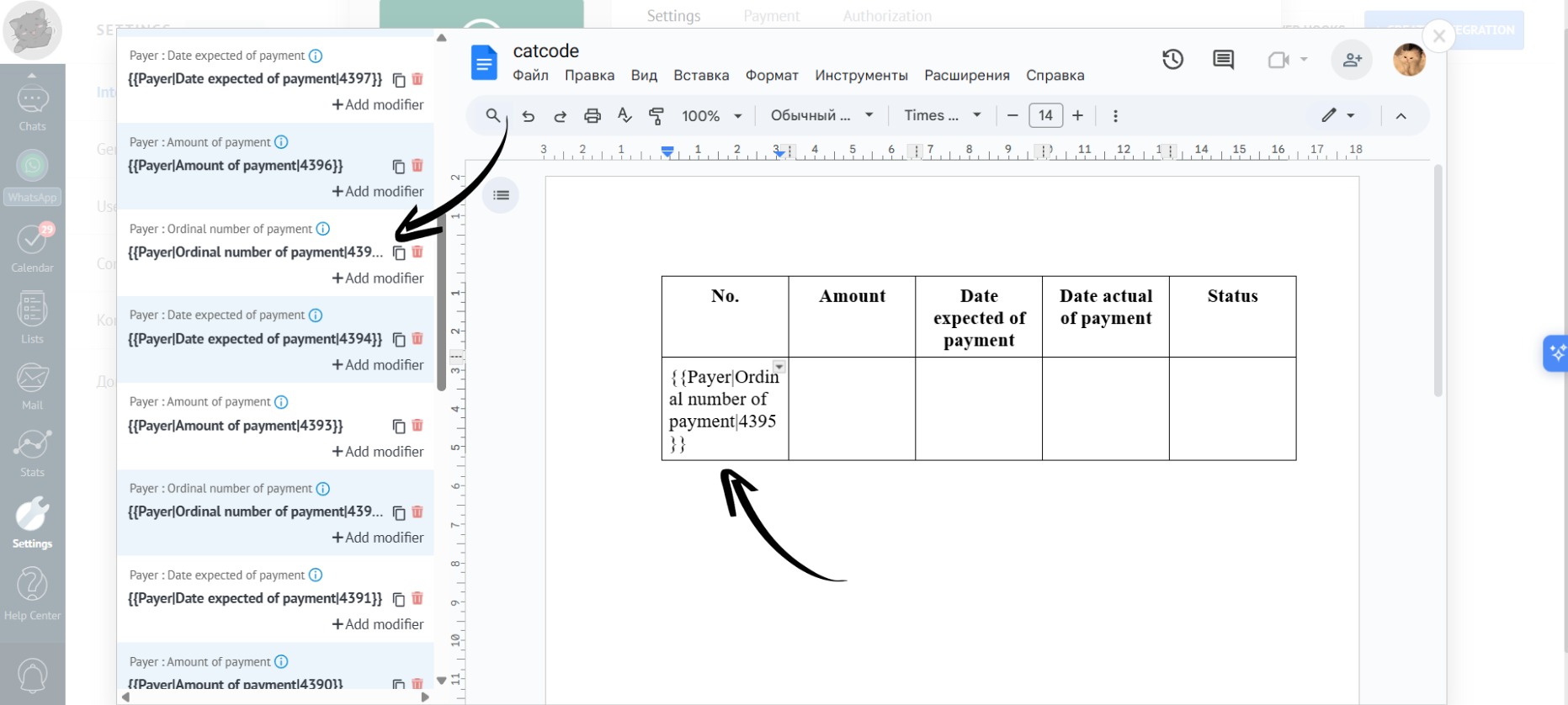
- You can also add desired modifiers to the placeholders, such as “Date Format” for the “Date Expected of Payment”:
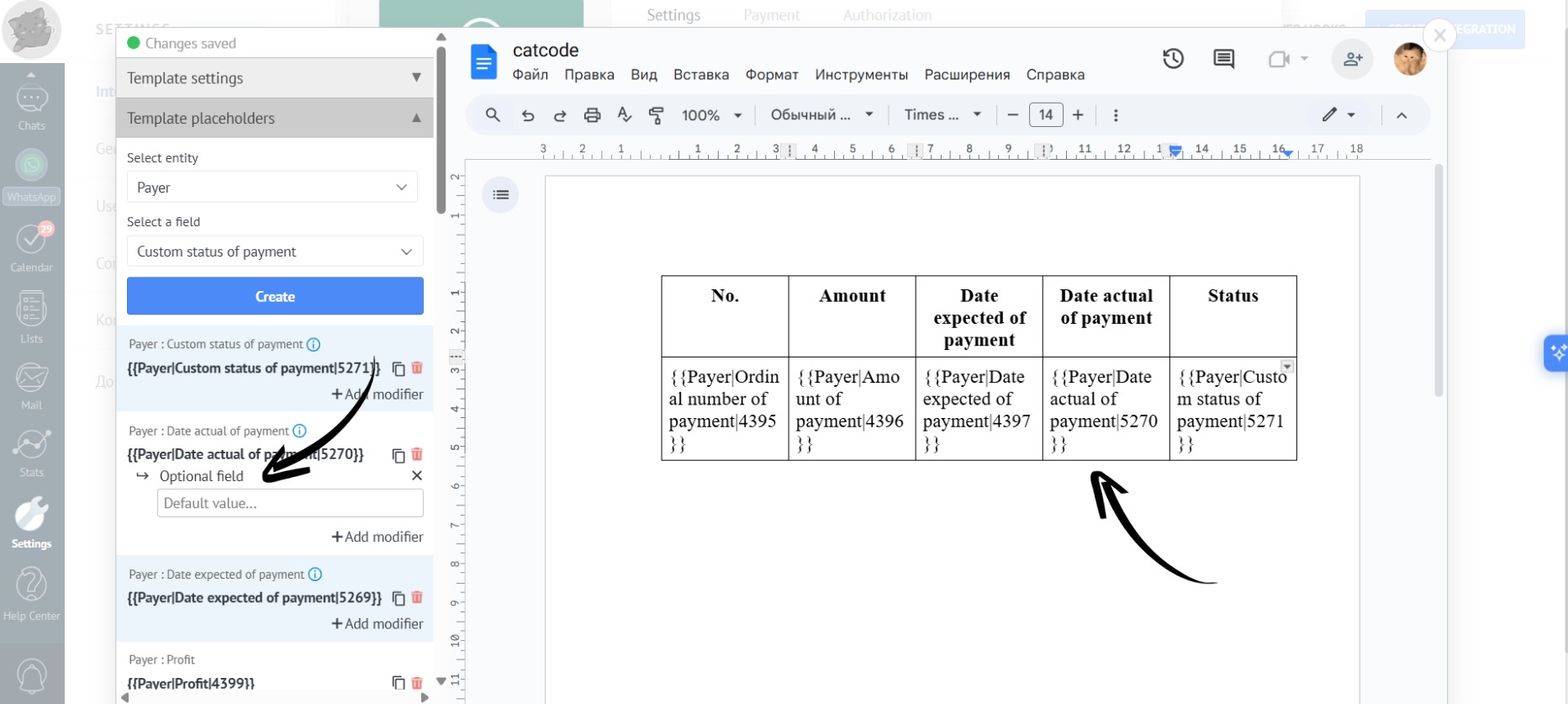
- You can add the “Optional Field” modifier to some placeholders so that the app allows you to generate a document even if data is missing in the lead. For example, not all payments are always paid in a lead, so you can add the “Optional Field” modifier to the “Payment Date” placeholder to ensure the app still allows document generation:
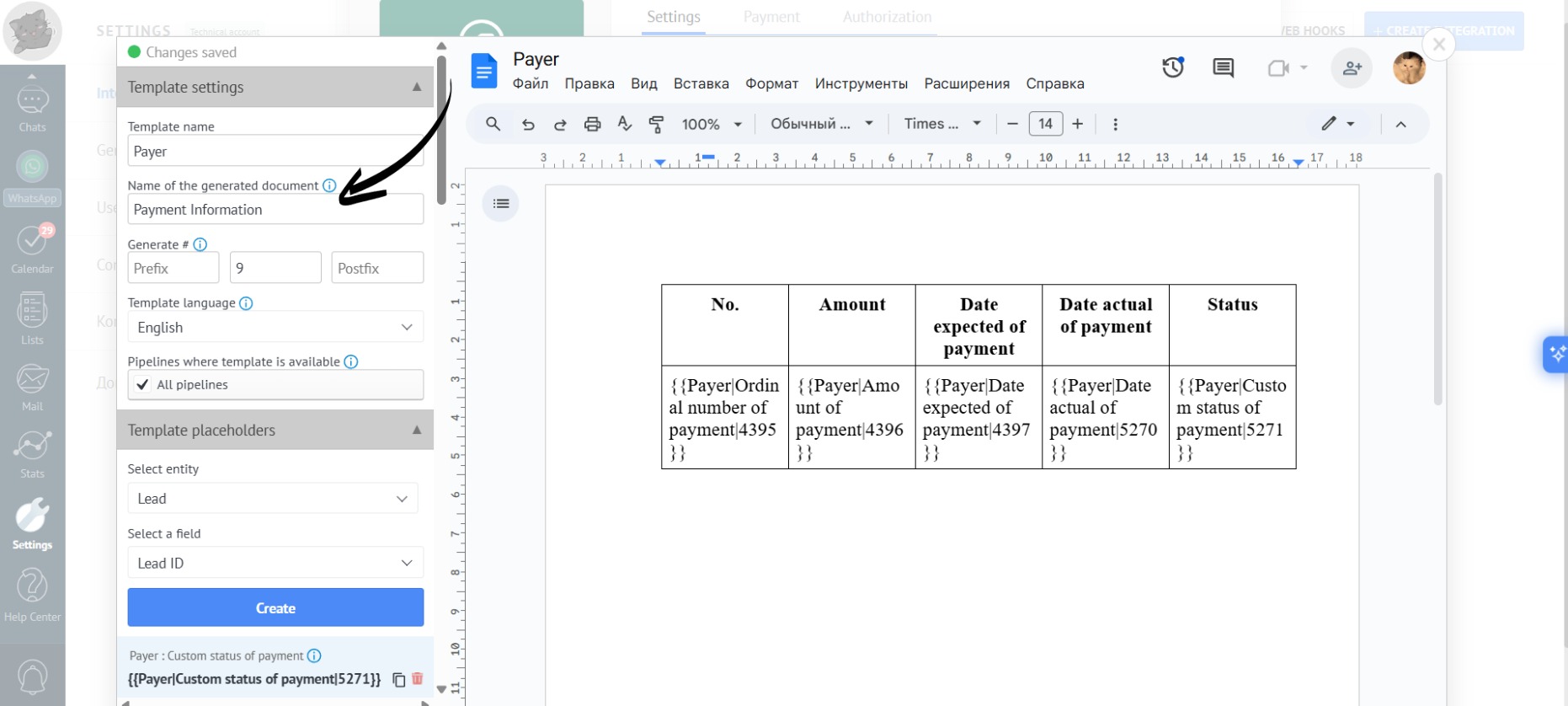
- You can also give the template the desired names by filling in the corresponding fields:
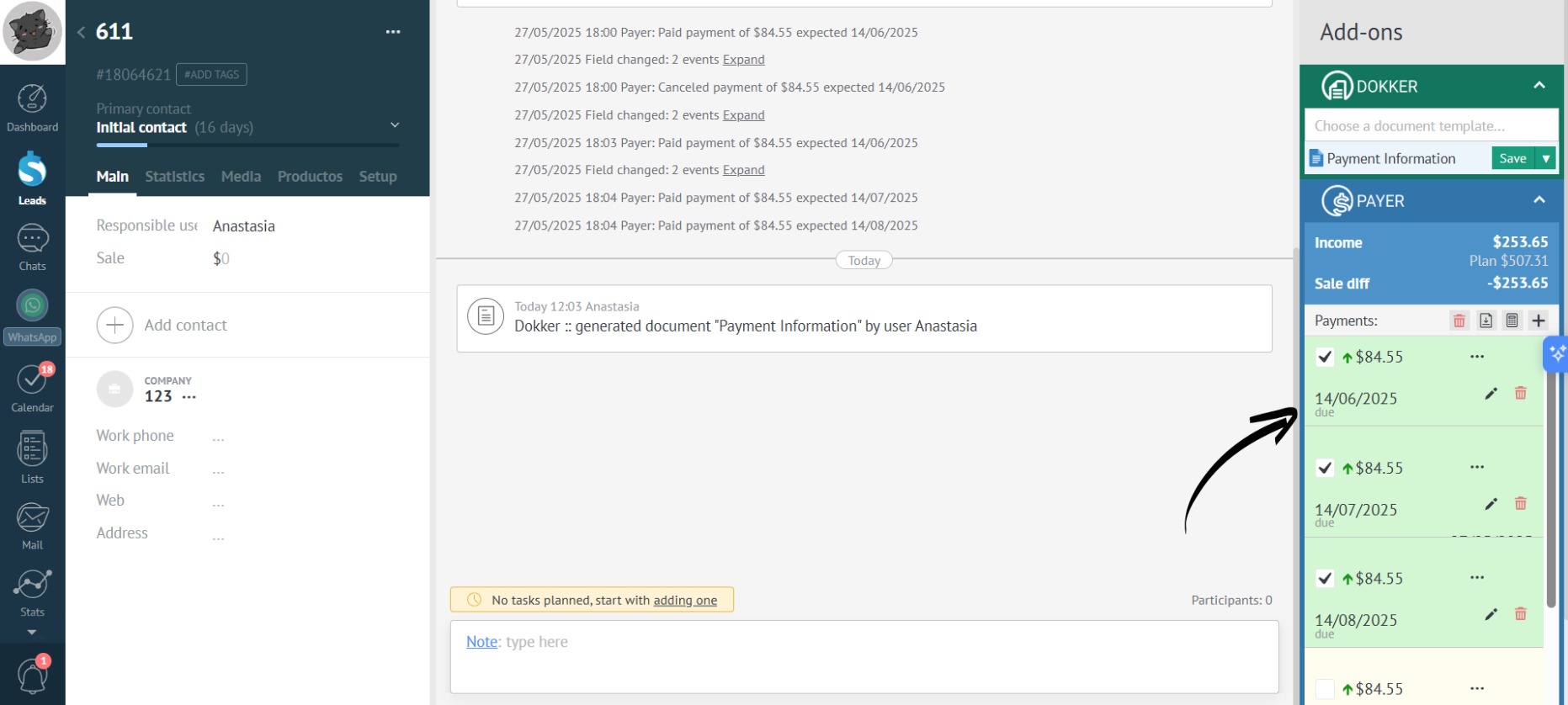
- Go to the relevant lead:
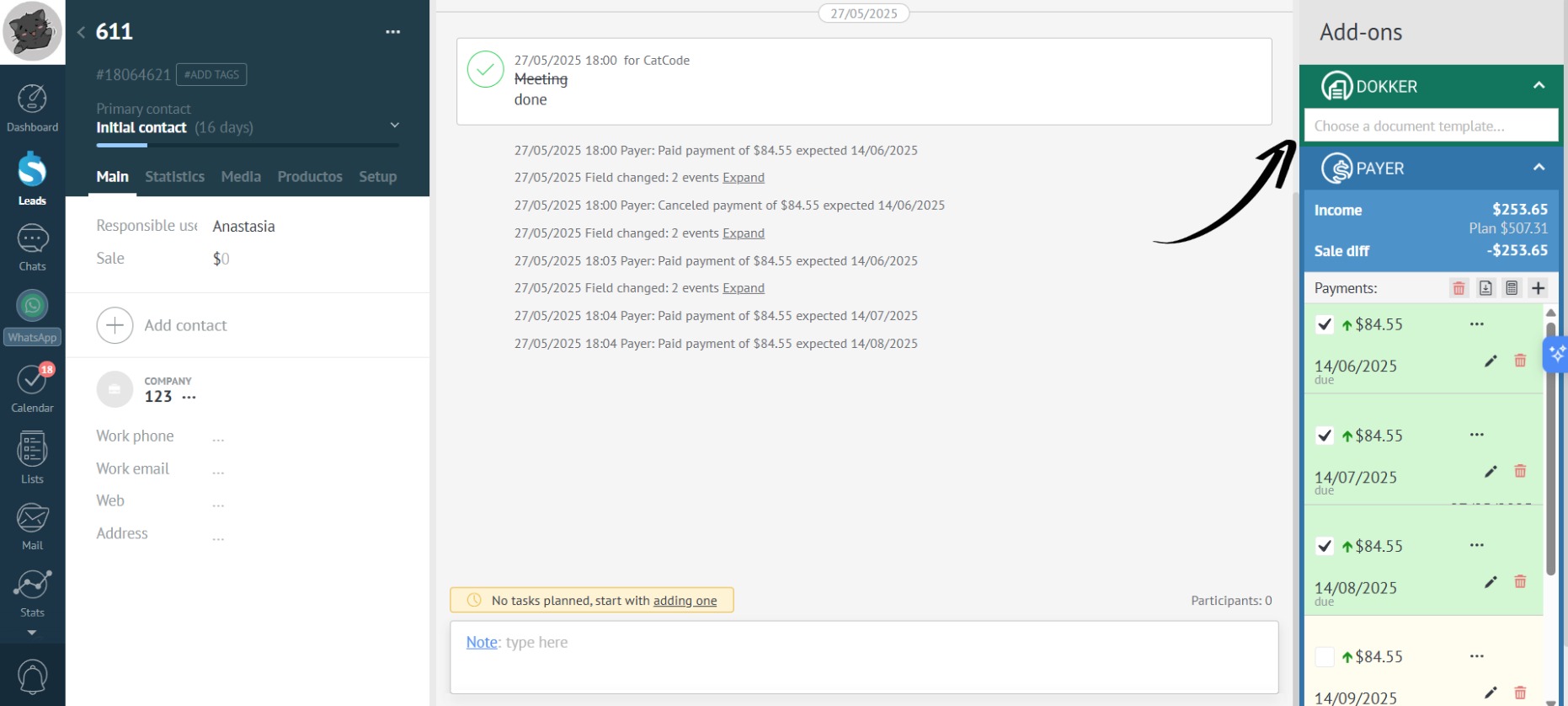
- Select the desired template for generation in the Dokker widget:
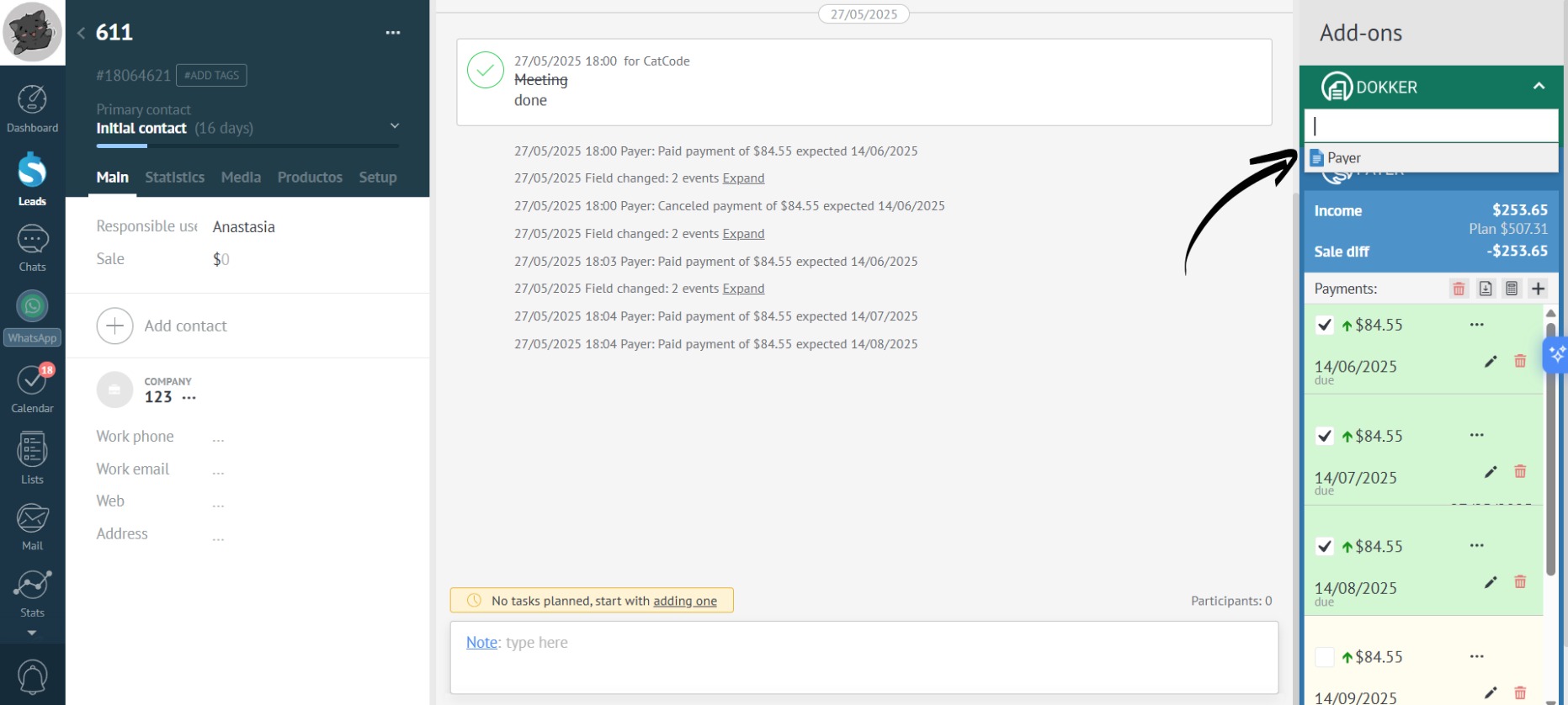
- Done! The document has been generated according to the created template:
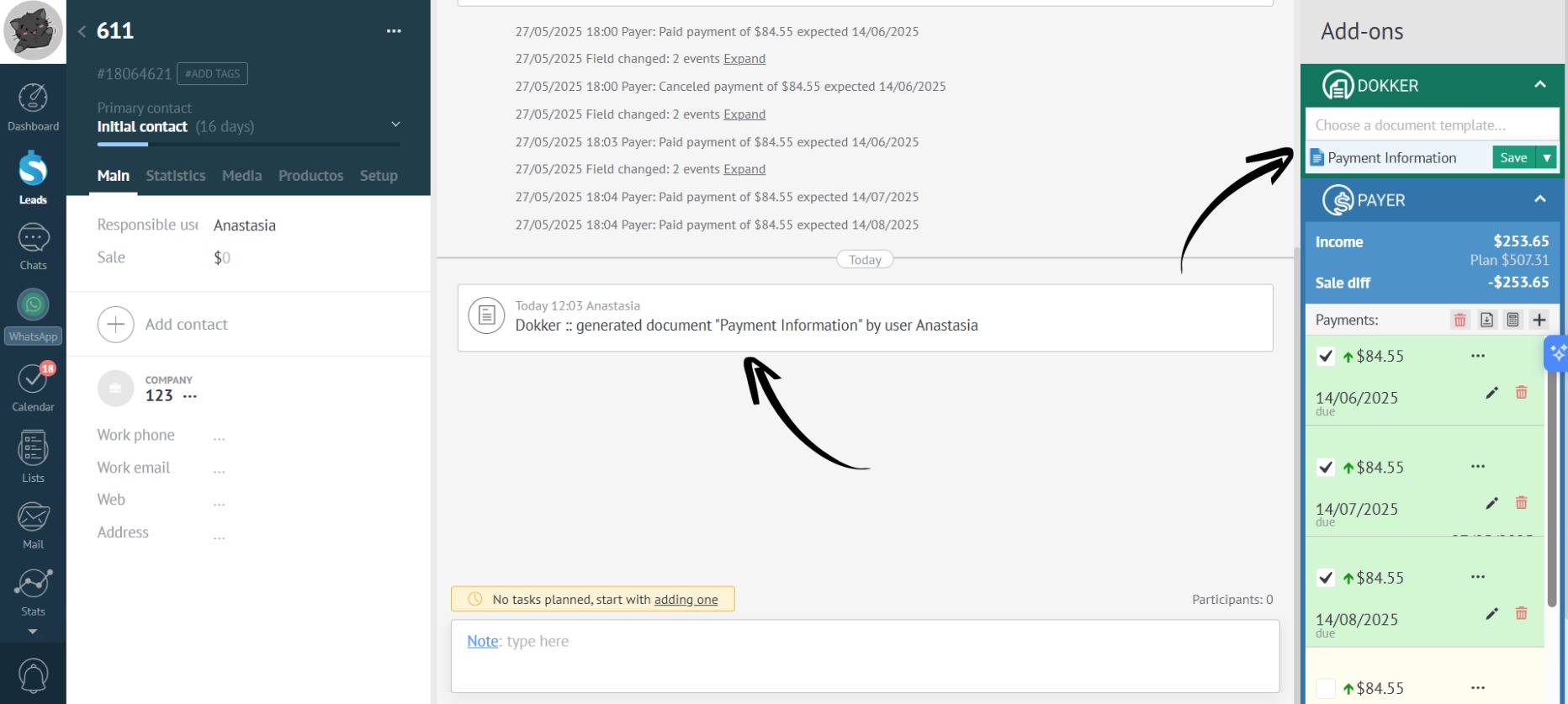
- Download the document – the data has been populated according to the created template:
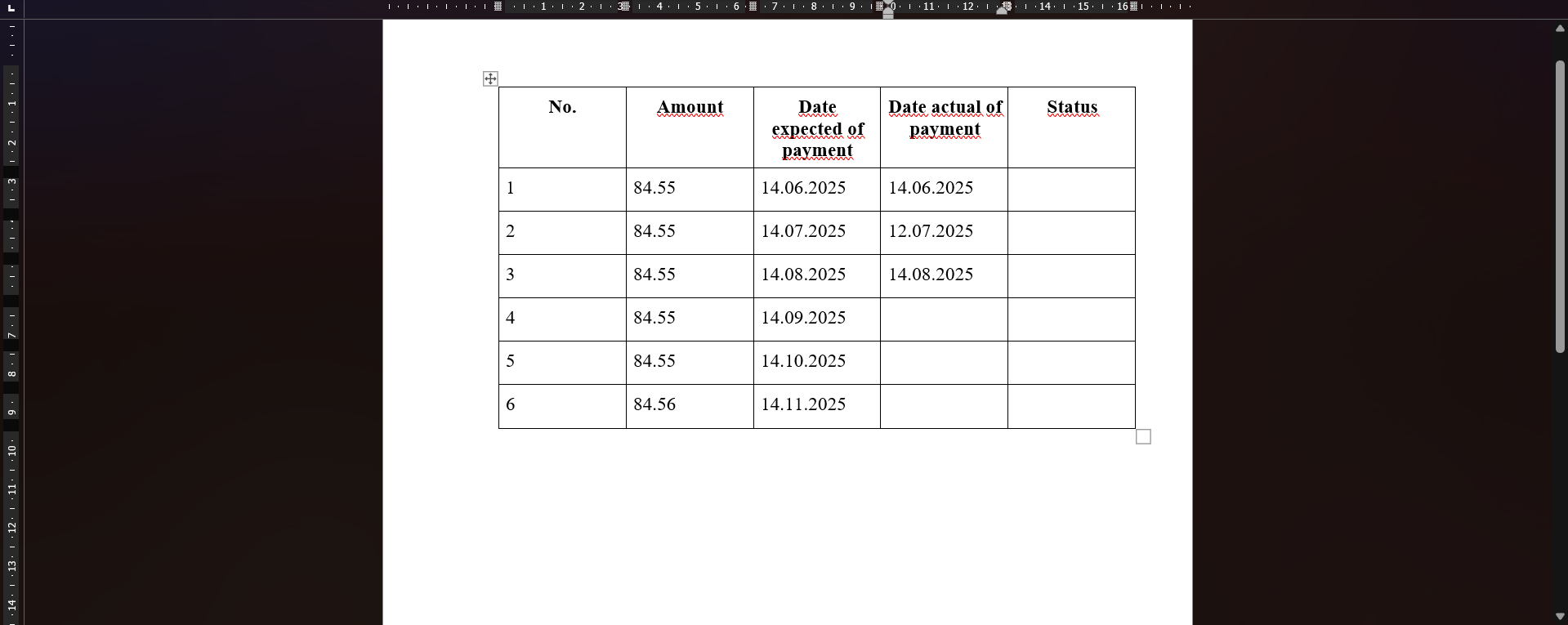
and the payment information in the lead: