App Field Synchronization to Custom Fields
The Creditor app’s synchronization feature allows you to automatically transfer installment payment data from the app to custom fields within the Kommo lead card. This means you will always see the latest payment information directly in the lead, without manual data entry. Managers won’t have to worry about keeping the data current, as it will all sync automatically from Creditor.
Synchronizable Fields List
The following fields can be synchronized to automatically update lead data:
| Field | Description |
|---|---|
| Last paid payment :: Amount | The amount of the last fully paid installment payment. This field updates when the client completely settles an installment payment. |
| Last paid payment :: Date | The date of the last fully paid installment payment. |
| Next unpaid payment :: Amount | The amount of the next payment due from the client. This is the scheduled amount according to the installment plan, without accounting for any partial payments. The field updates when the system advances to the next installment payment. |
| Next unpaid payment :: Remainder | This field is similar to the “Next unpaid payment :: Amount” field, but it displays the remaining balance after deducting any partial payments already made for this specific installment. It updates whenever the client pays in parts instead of the full amount. |
| Next unpaid payment :: Date | The due date for the client’s next installment payment. This is the scheduled date from the payment schedule. It helps managers remind the client about the upcoming payment. |
| Last payment :: Amount | The actual amount of the last payment received from the client. This may differ from the scheduled payment amount if the client made a partial payment or overpaid. |
| Last payment :: Date | The date of the last actual payment, regardless of its amount. This may differ from the scheduled date in the installment plan. |
| Loan :: Paid payments | The total sum of all payments already made within the installment plan. It updates automatically with each new client payment. This helps to track the overall progress in closing the loan. |
| Loan :: Unpaid payments | The sum of all unpaid payments, including overdue ones. This field reflects the client’s current outstanding balance. |
| Loan :: Overdue payments | The total amount of all installment payments that were due but have not yet been received. This helps track overdue payments and remind the client about their loan. |
You can enable automatic reminders for clients using Salesbot - it will send clients messages, for example, with their loan amount. Read here how to set up the bot.
How to set up field synchronization?
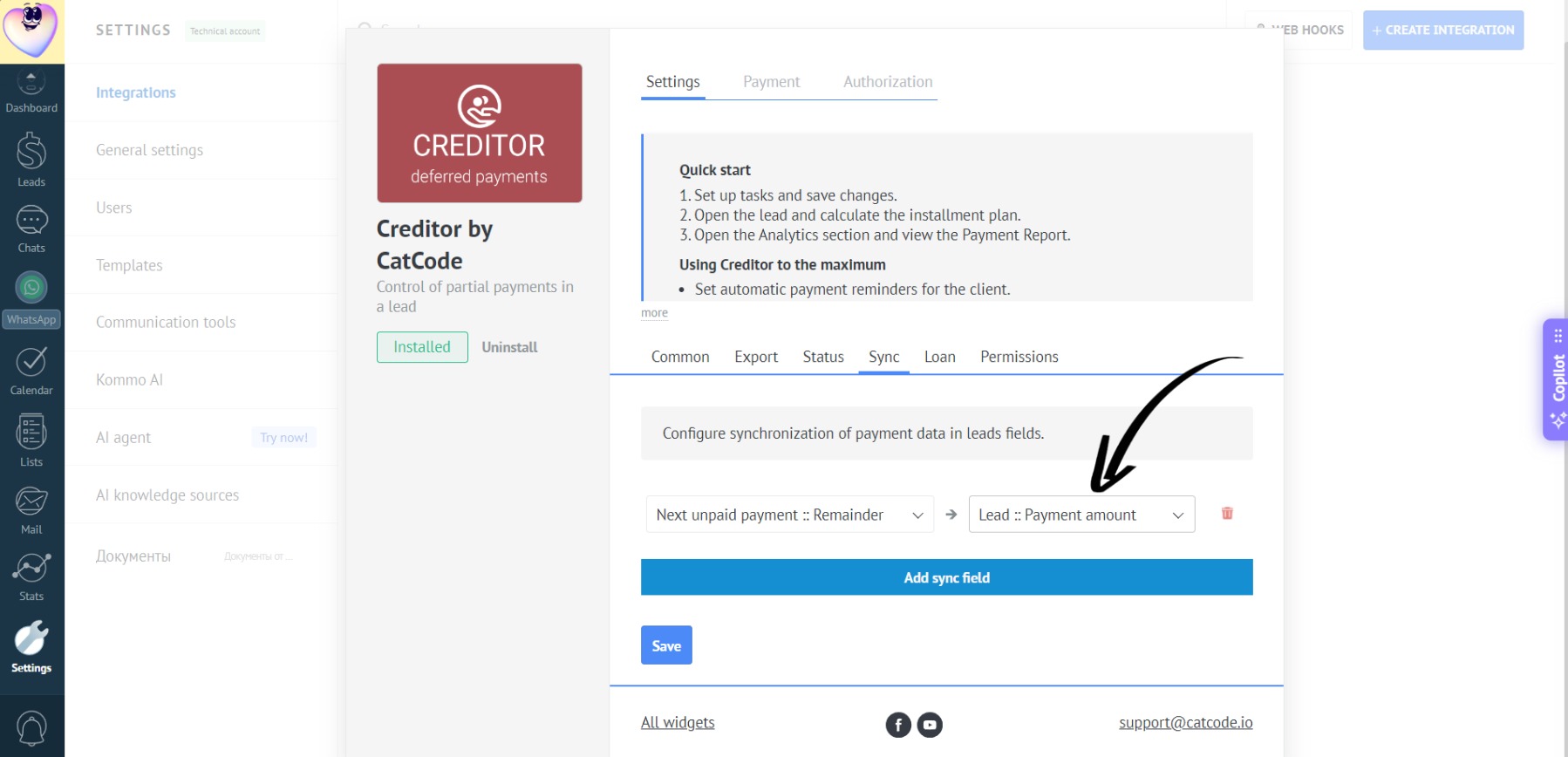
- Open the “Sync” tab in the app settings, select a field from the app and a corresponding lead custom field:
- Click the “Save” button:
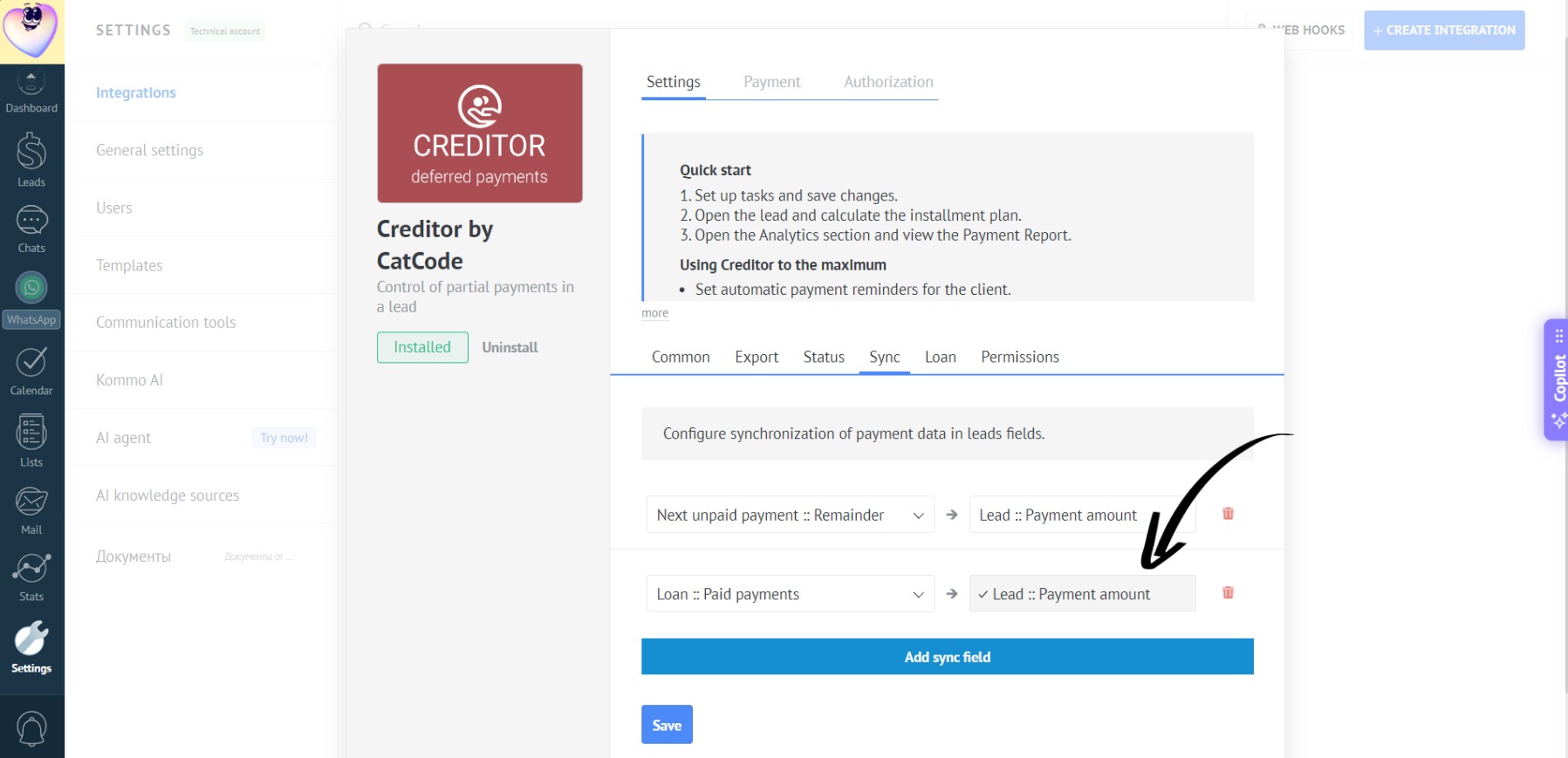
The “Next unpaid payment” custom field in the lead will store the amount of the next unpaid payment from the app.
- Once you record a payment in the app, it automatically recalculates the payments and syncs these fields in the lead:
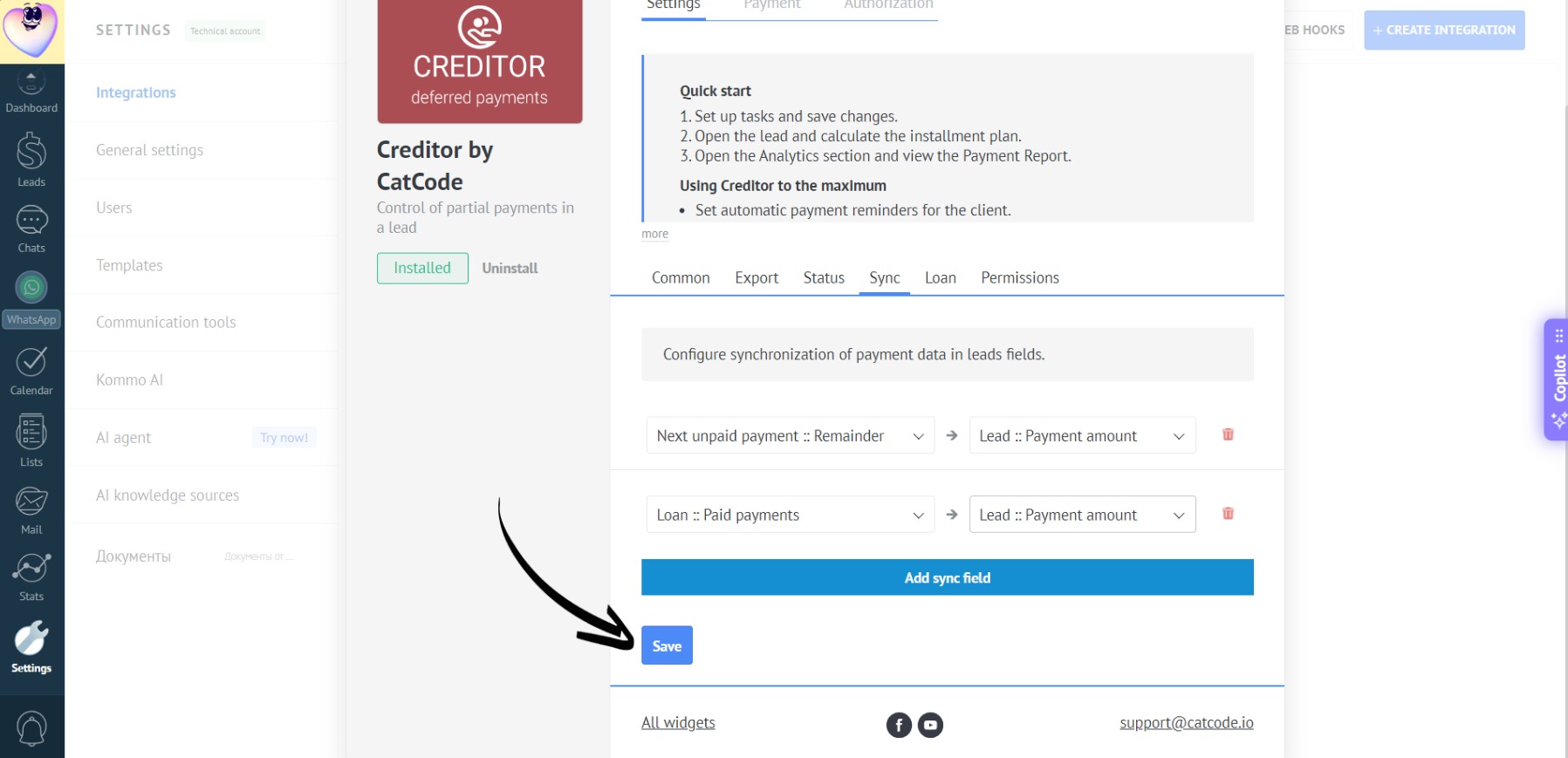
The “Next unpaid payment :: Remainder” field will show the current amount and update with every new payment.