Automatic Payment Rounding
- In the settings open the “Common” section. Find the “Rounding up payments” option:
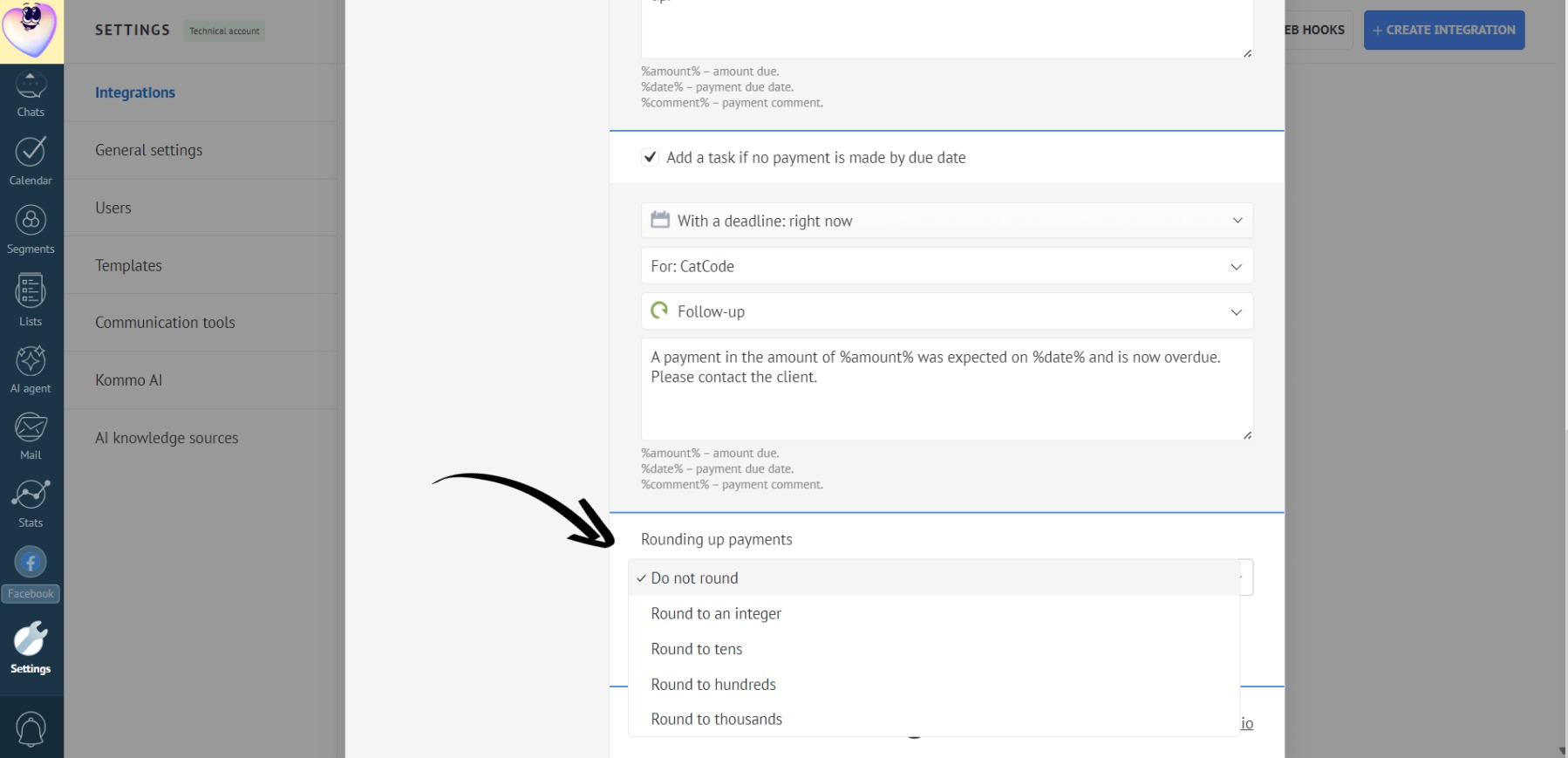
The following payment rounding options are available:
- Do not round (default)
- To an integer
- To tens
- To hundreds
- To thousands
- Select the desired rounding option and click “Save”:
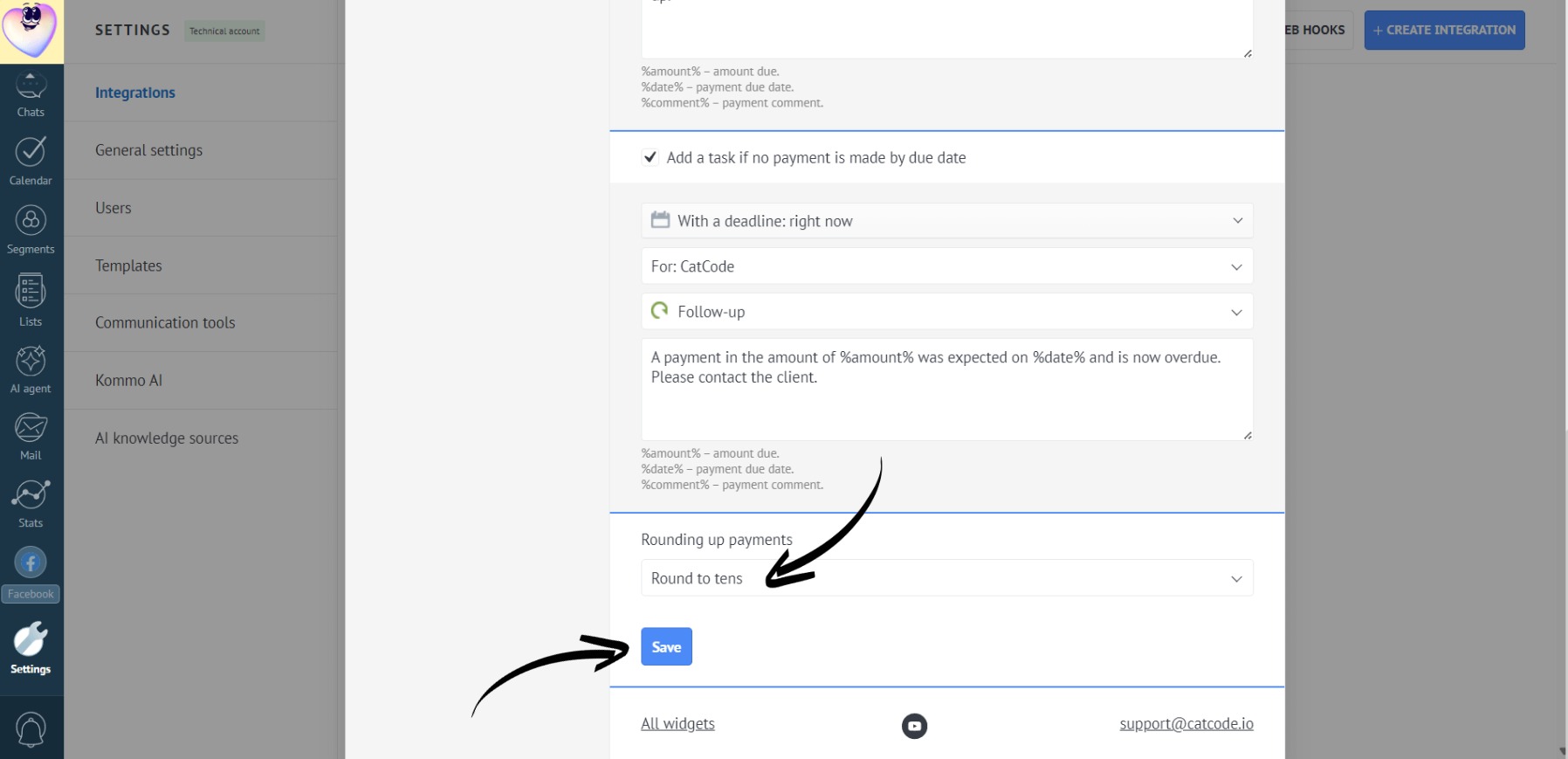
This setting applies to all users in the account.
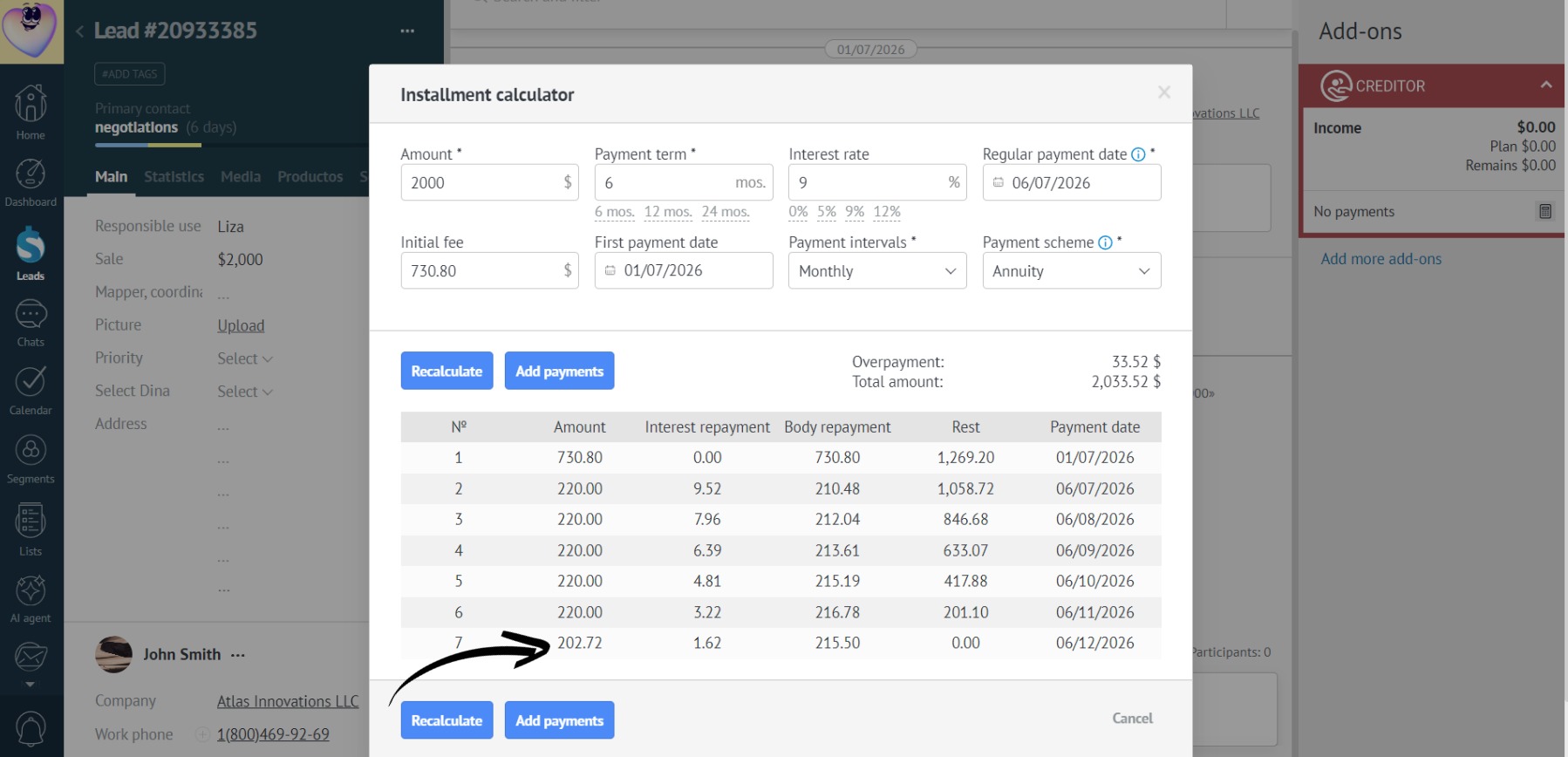
- For example, if you choose to round to tens, the payments in the installment calculator will be rounded to the nearest multiple of 10:
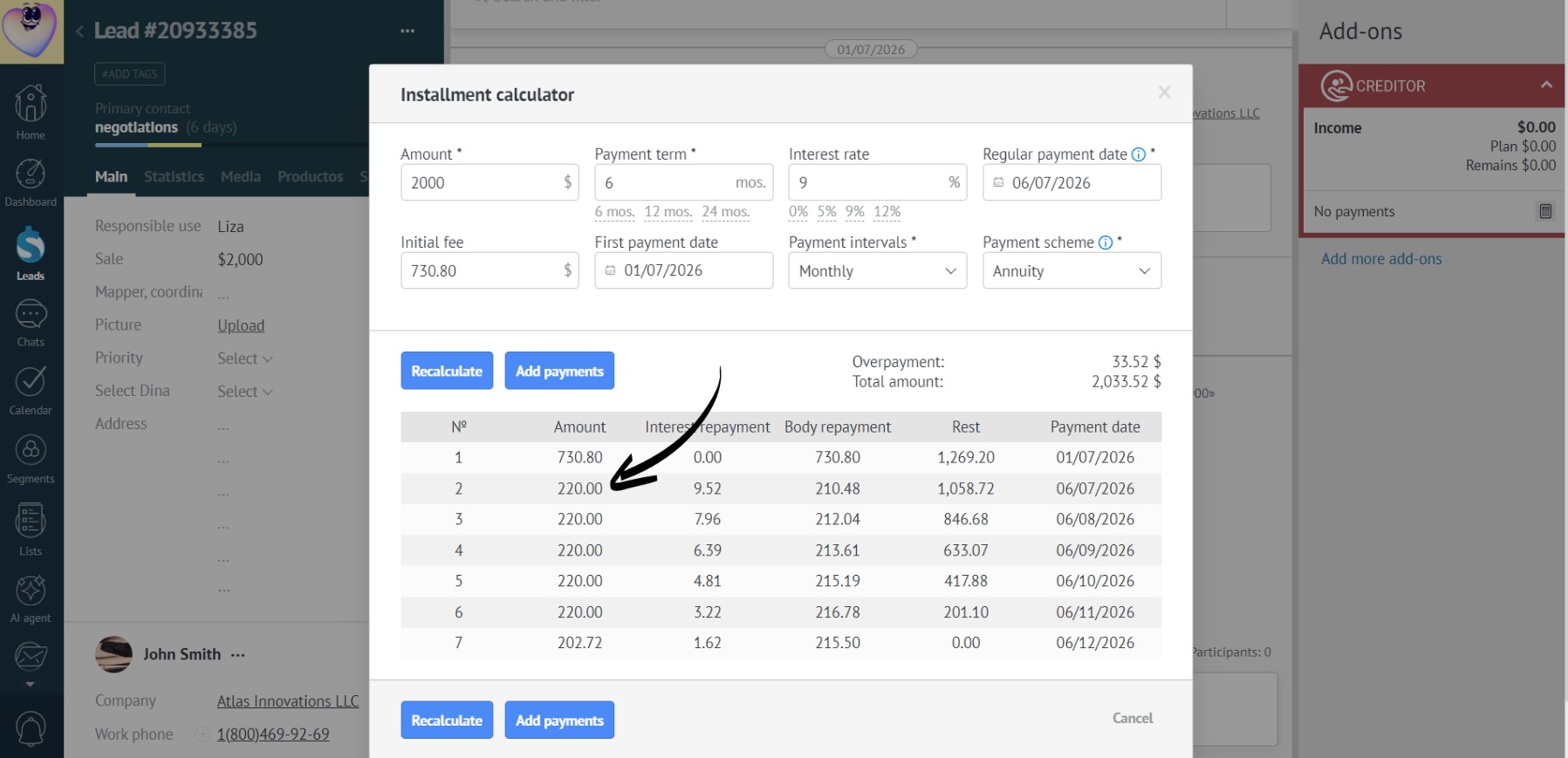
- The rounding difference is always added to the last payment:
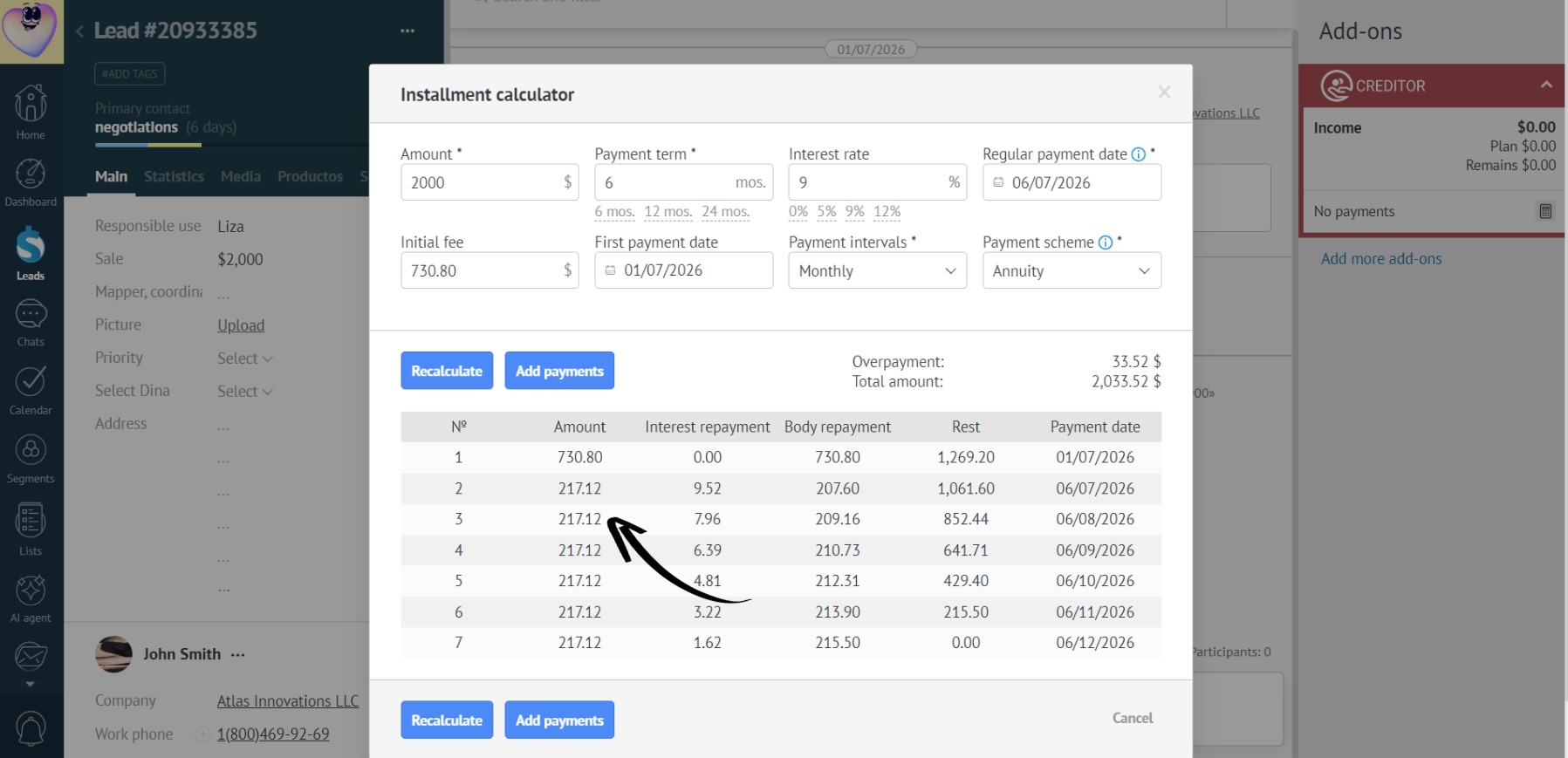
- If it is impossible to round an amount to the selected value, rounding will not be applied. For example, if you enable rounding to thousands but the installment payments are only $217, rounding is not applied:
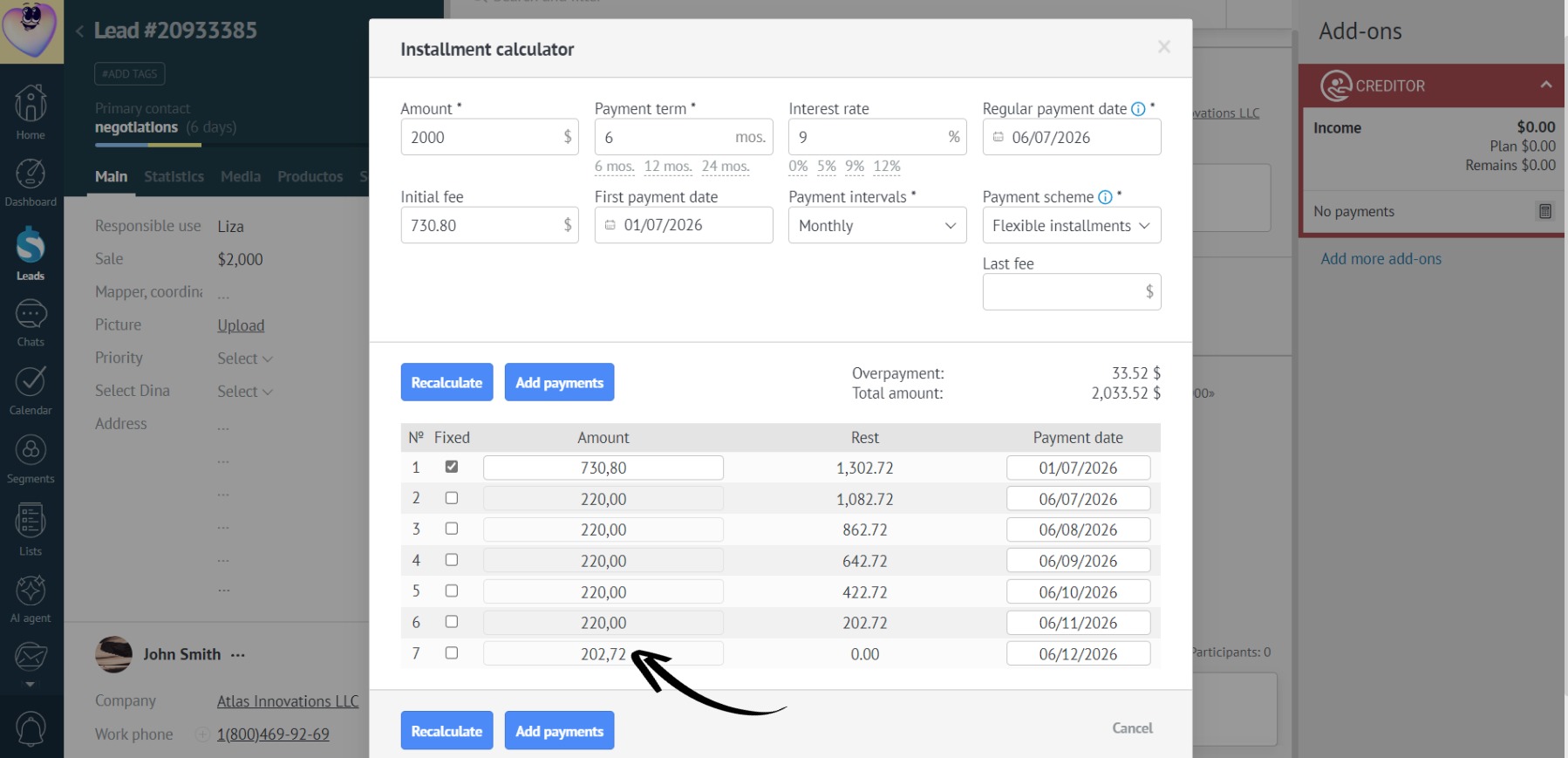
- In a flexible installment plan, fixed payments are not rounded:
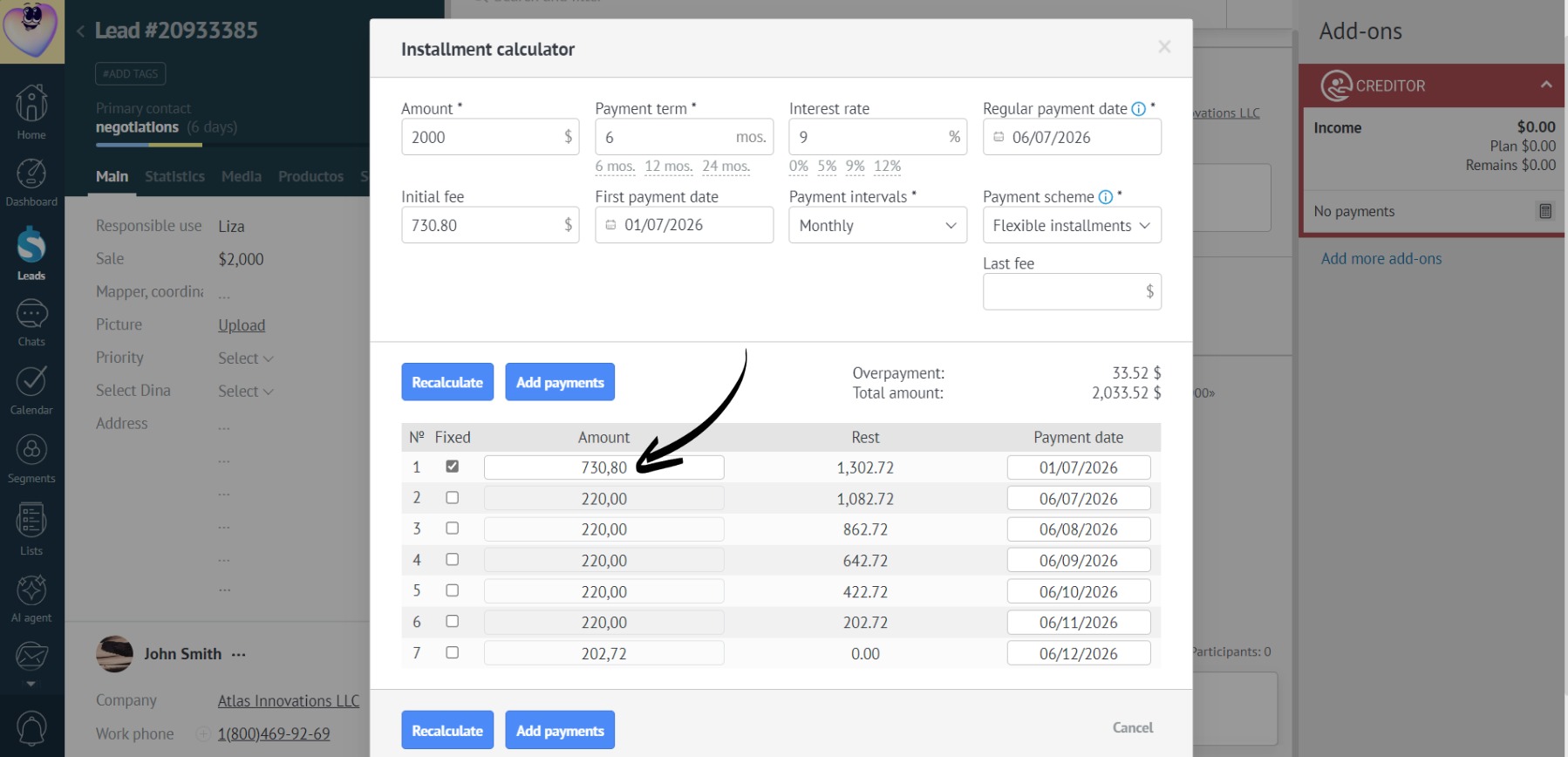
- And the difference is added to the last non-fixed payment: