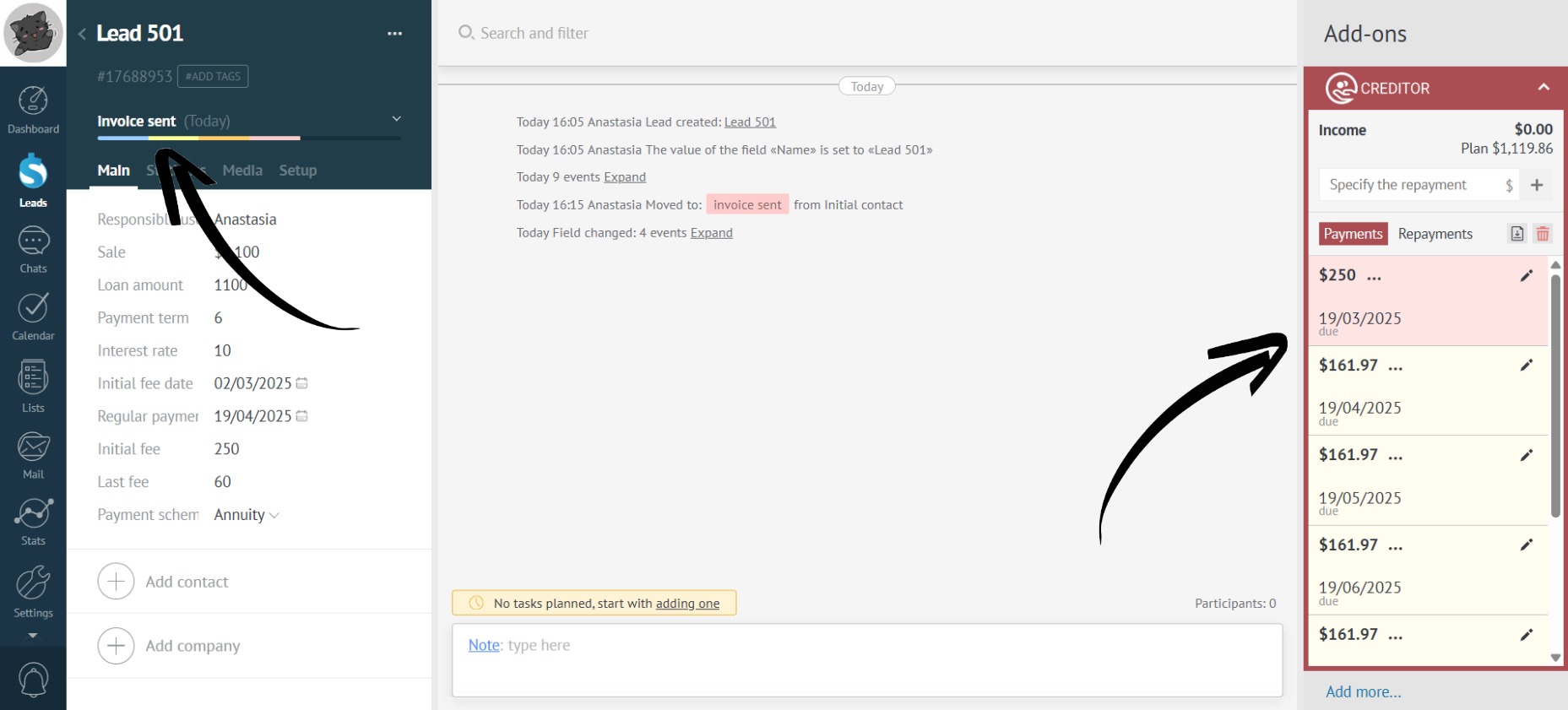
Automatic Installment Creation
Are clients slow to provide all the details needed for installment plans? Are managers forgetting to set them up on time? Auto-creation allows you to gradually enter the necessary data, and when the lead reaches the required stage, the app automatically calculates all payments.
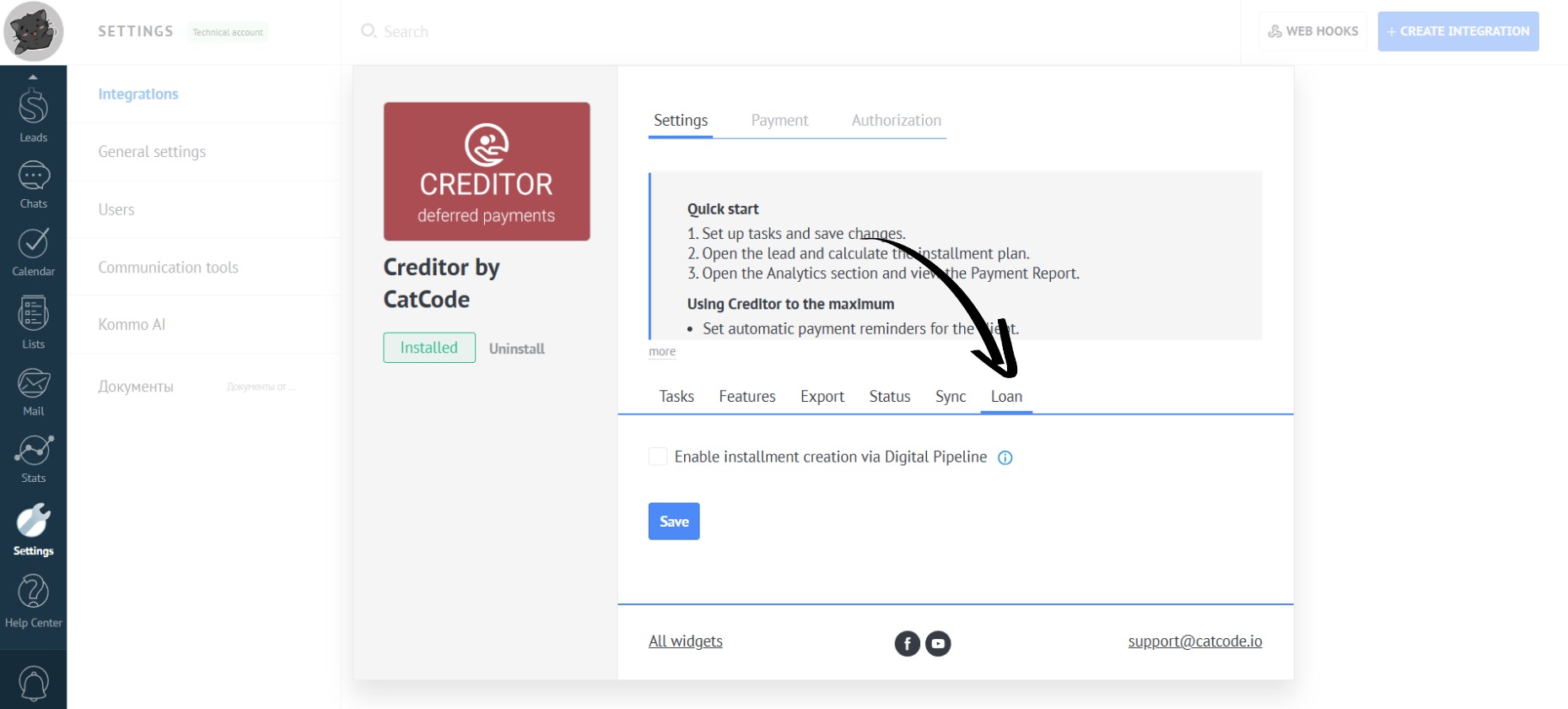
- Open the “Loan” tab in the app settings:
- Check the box “Enable installment creation via Digital Pipeline”:
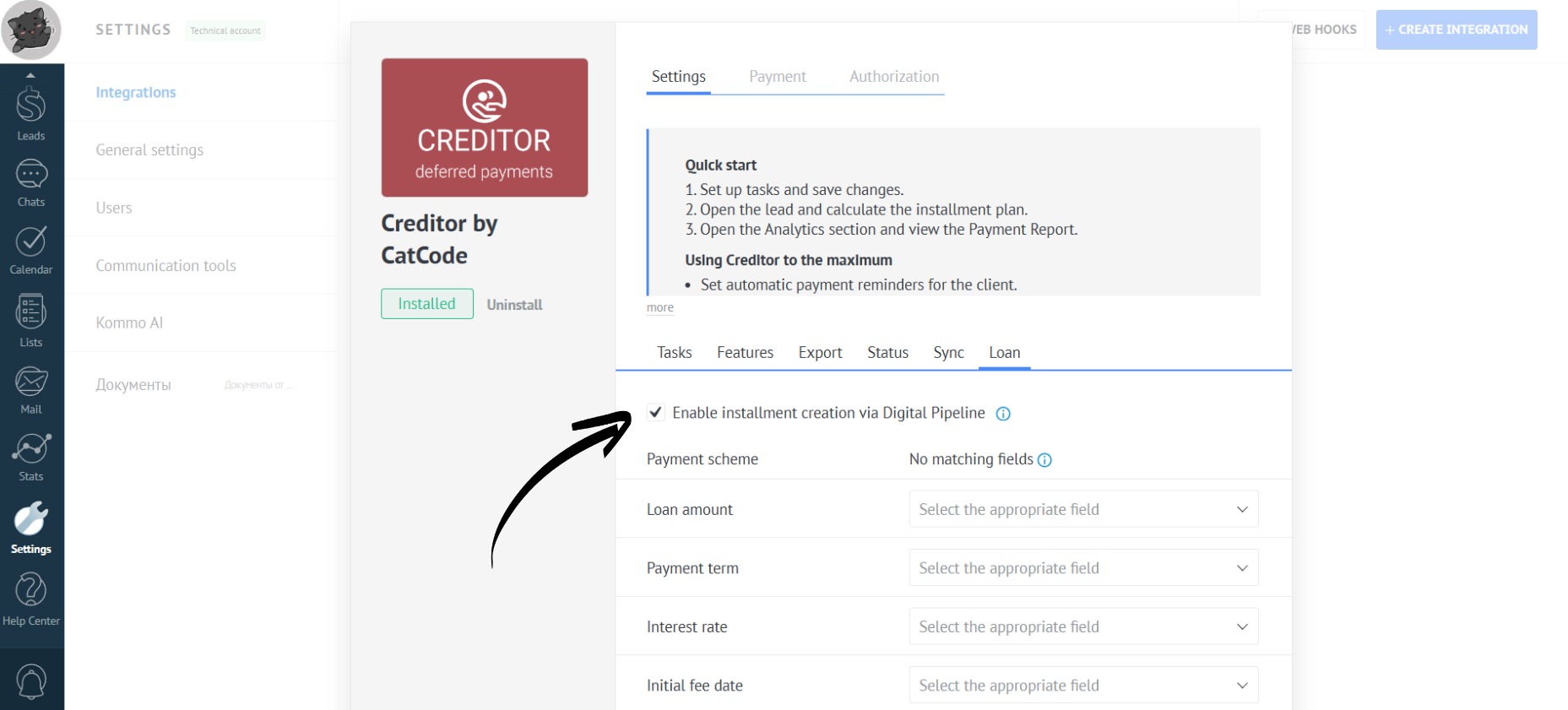
- Now you need to create lead fields (in lead setup) that correspond to the fields in the installment calculator:
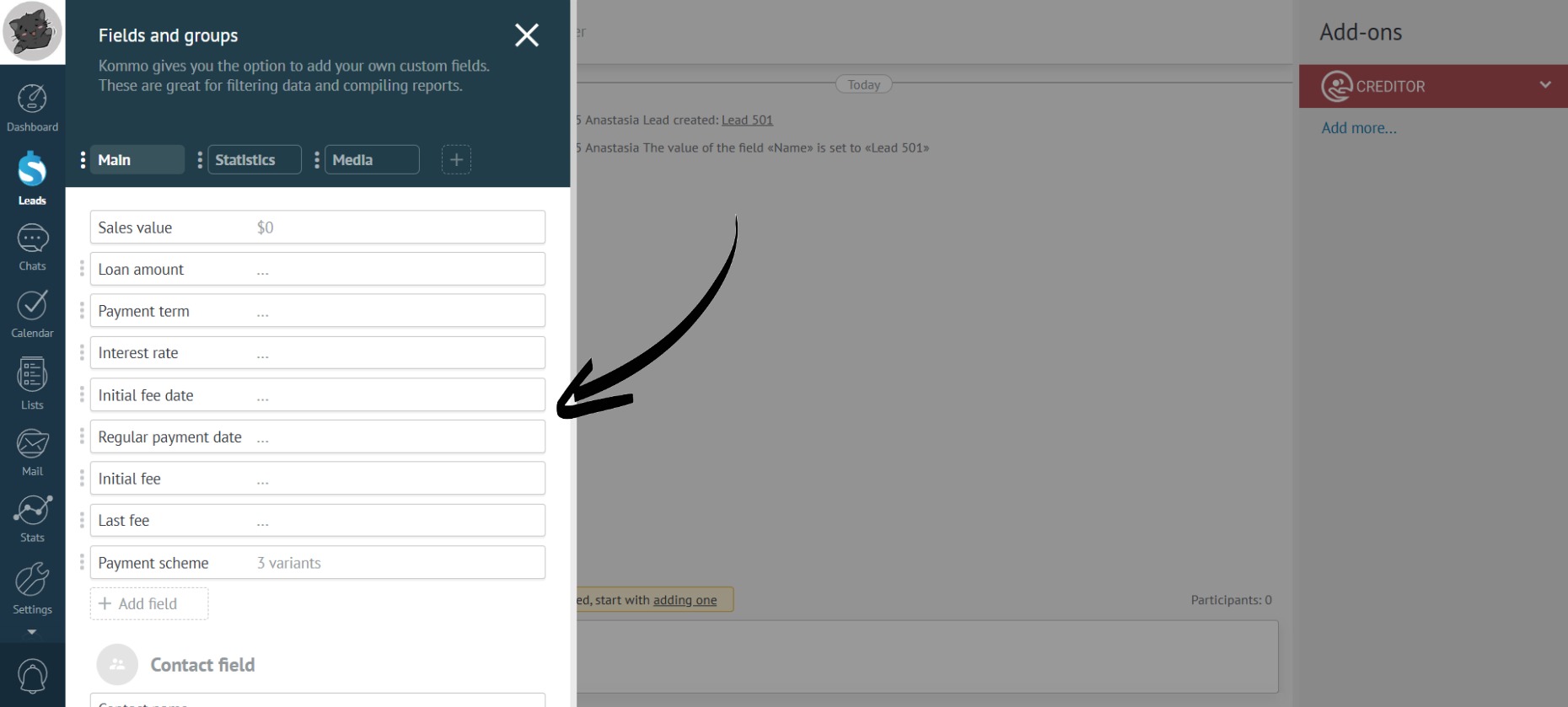
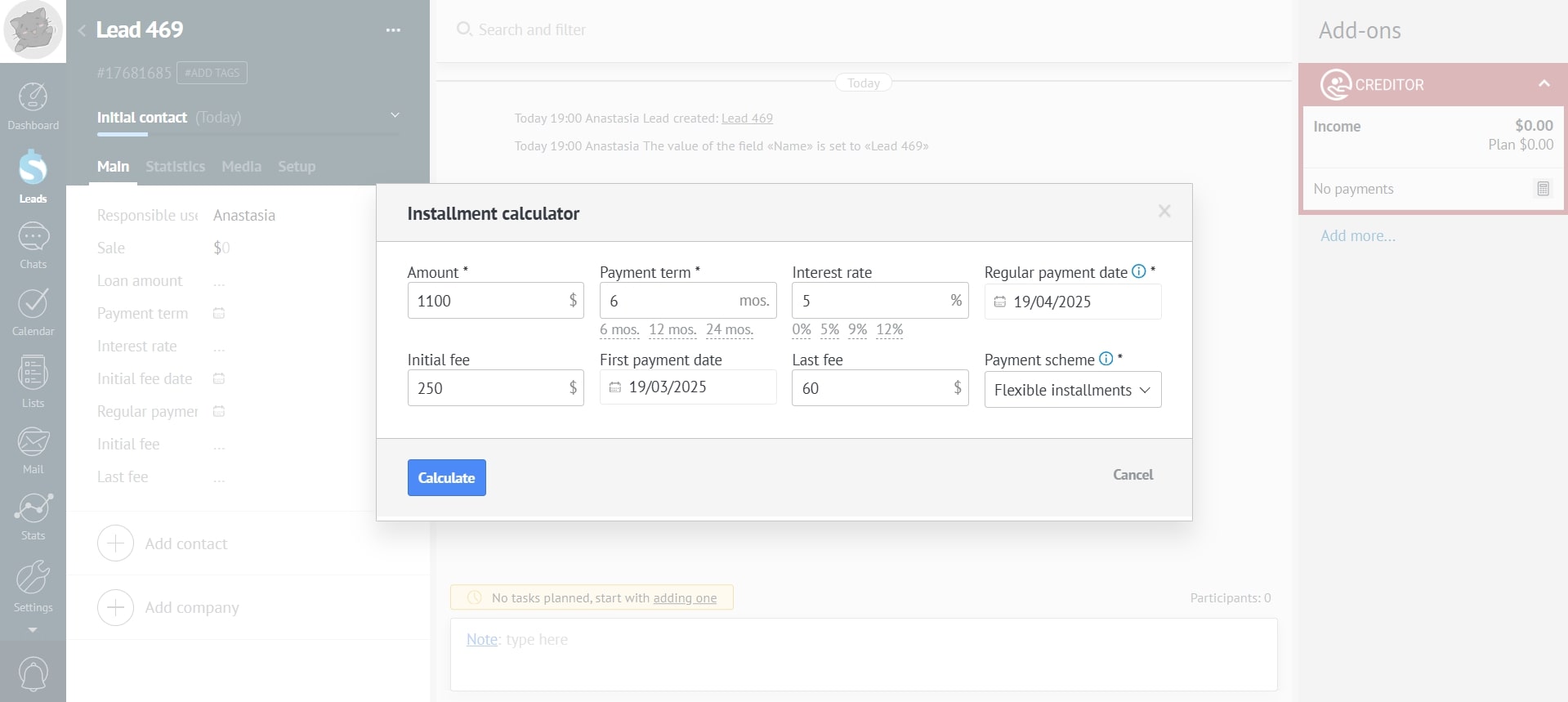
- After creating these fields in the lead, the manager can gradually fill them in:
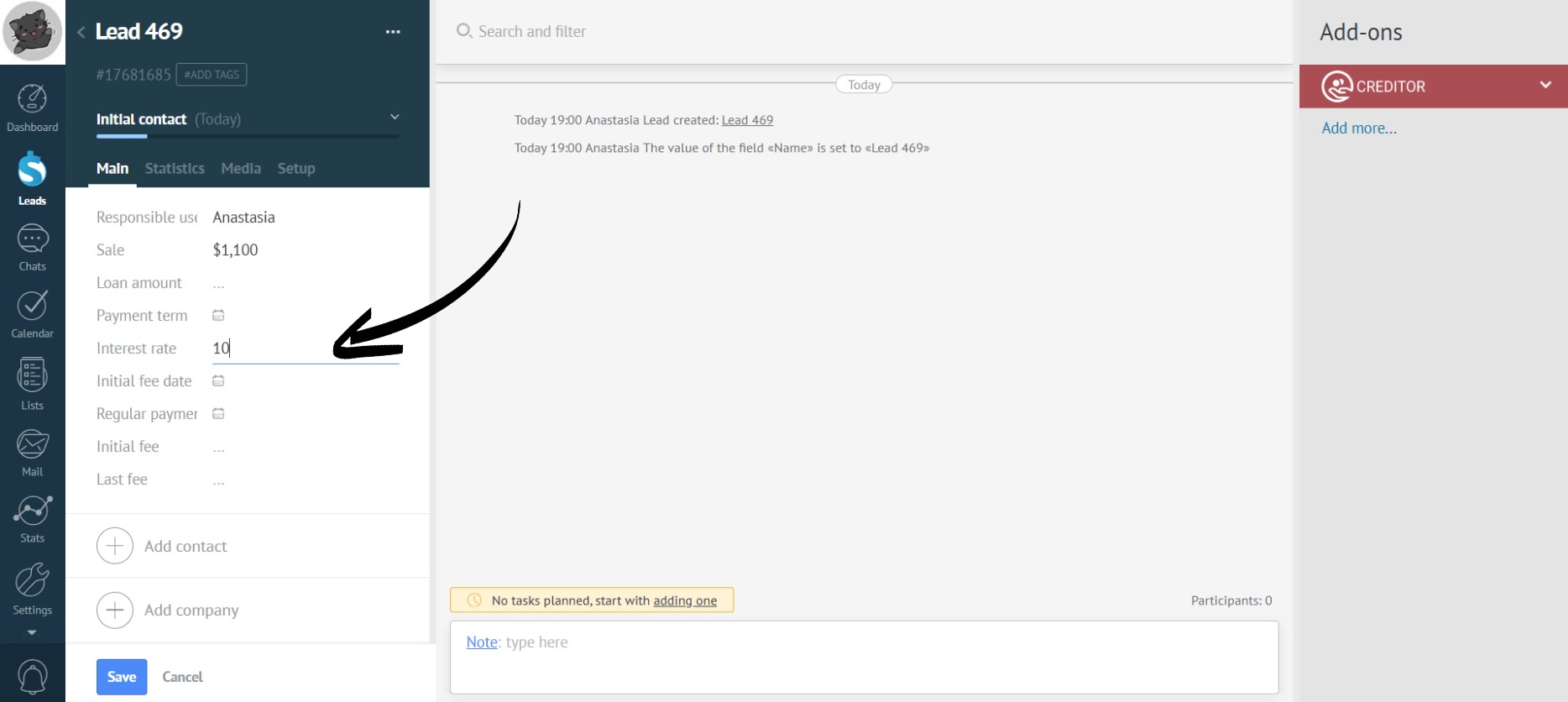
Gathering information about the installment can happen through chats, bots, etc.
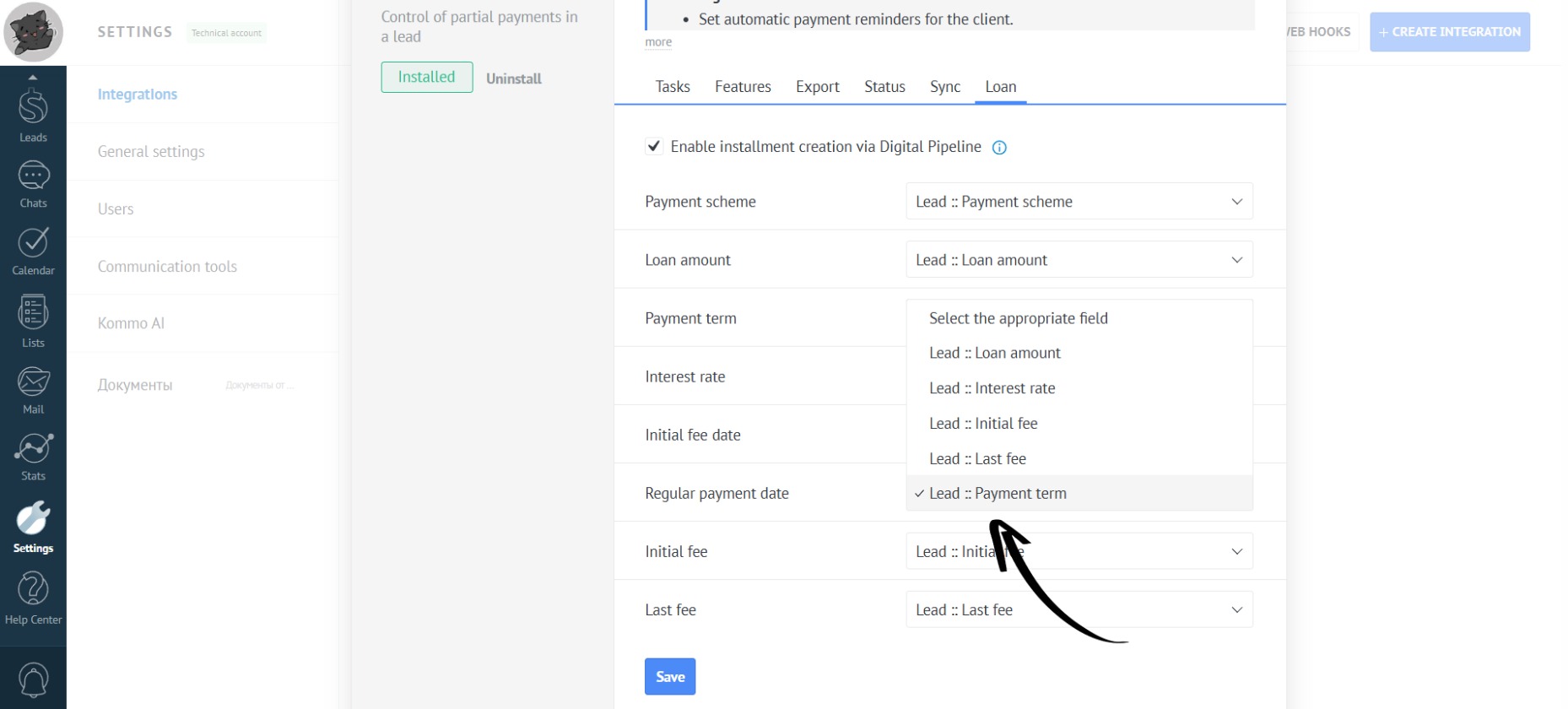
- Fill in the “Loan” section, specifying the corresponding fields from the leads (created above):
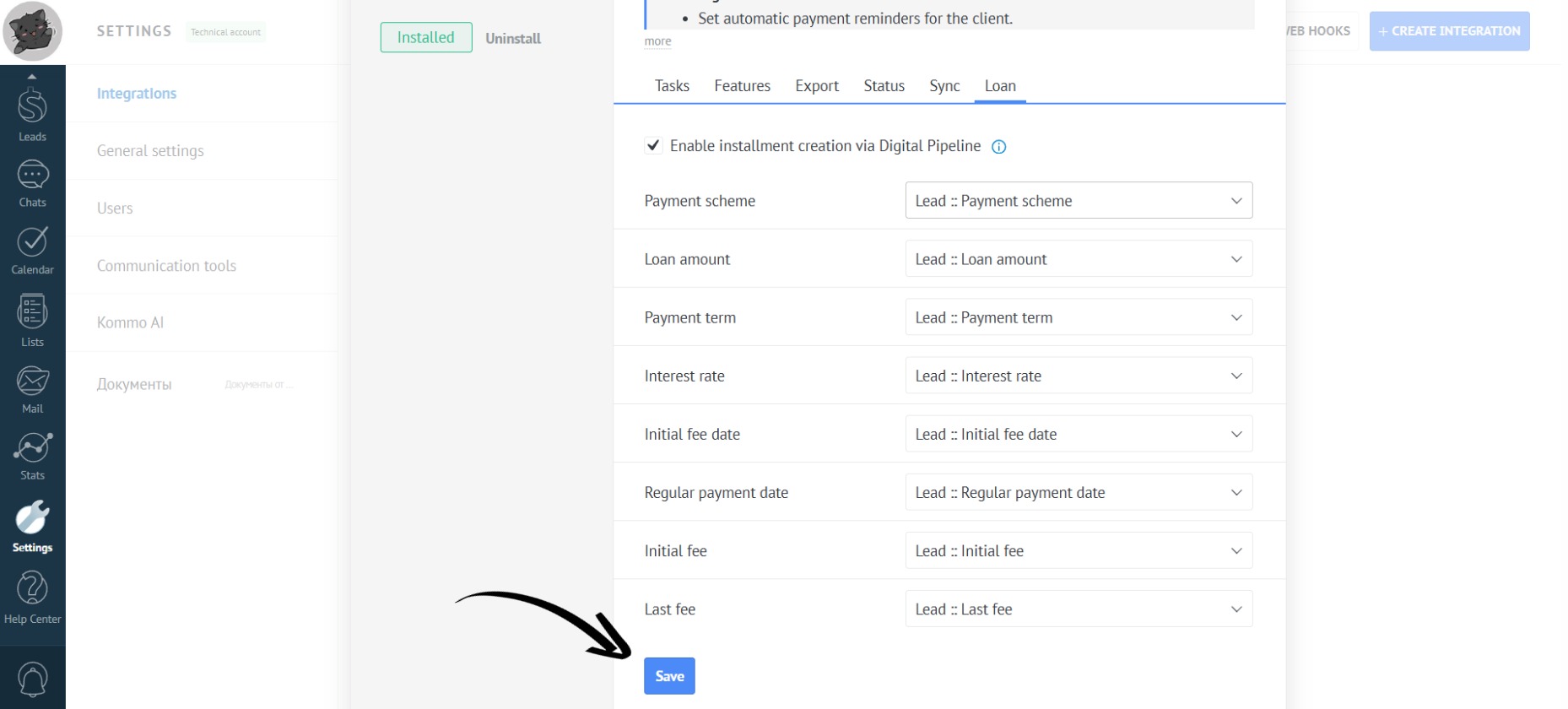
- Now click the “Save” button:
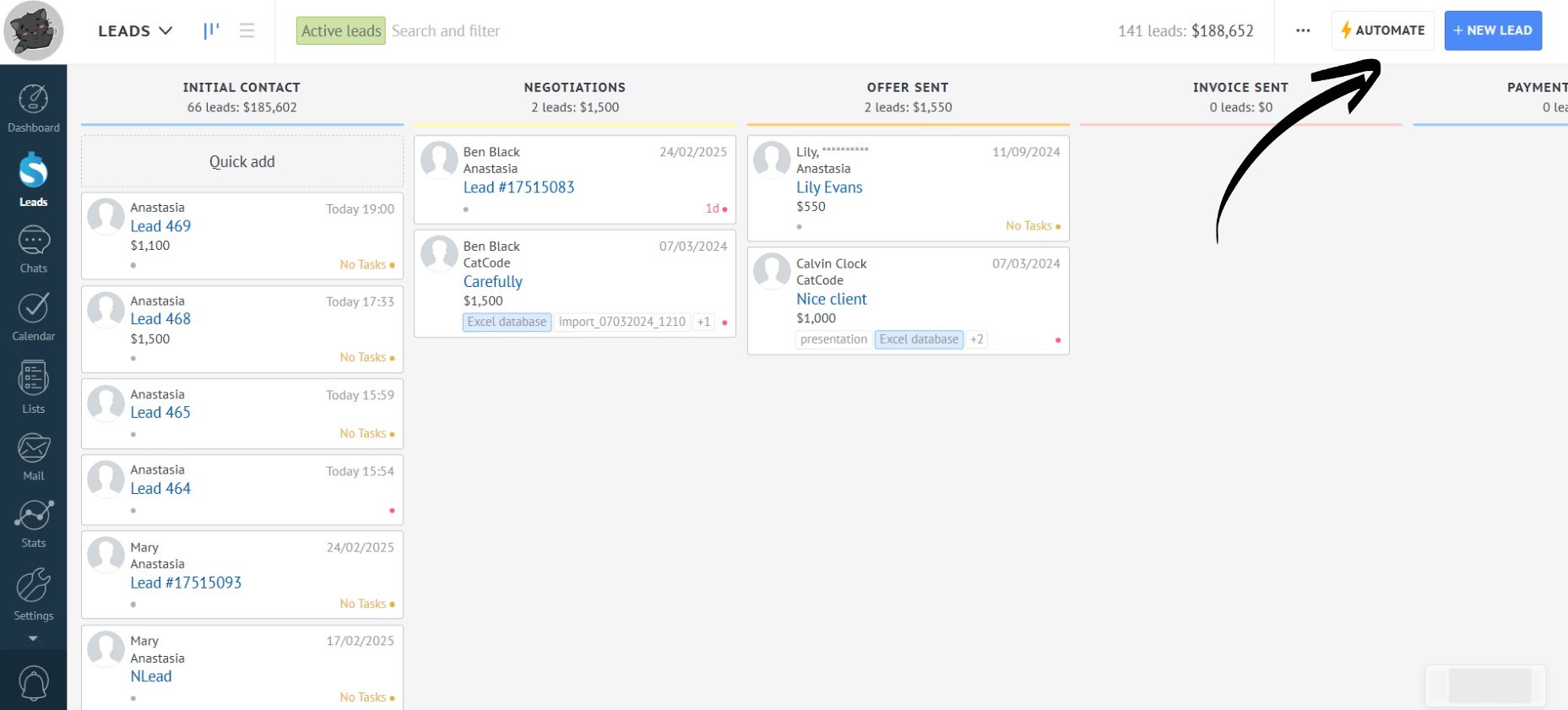
- Next, in order for an installment to be created automatically when a lead is moved to the desired stage, it is necessary to create a sales pipeline. To do this, in the “Leads” section, click the “Automate” button:
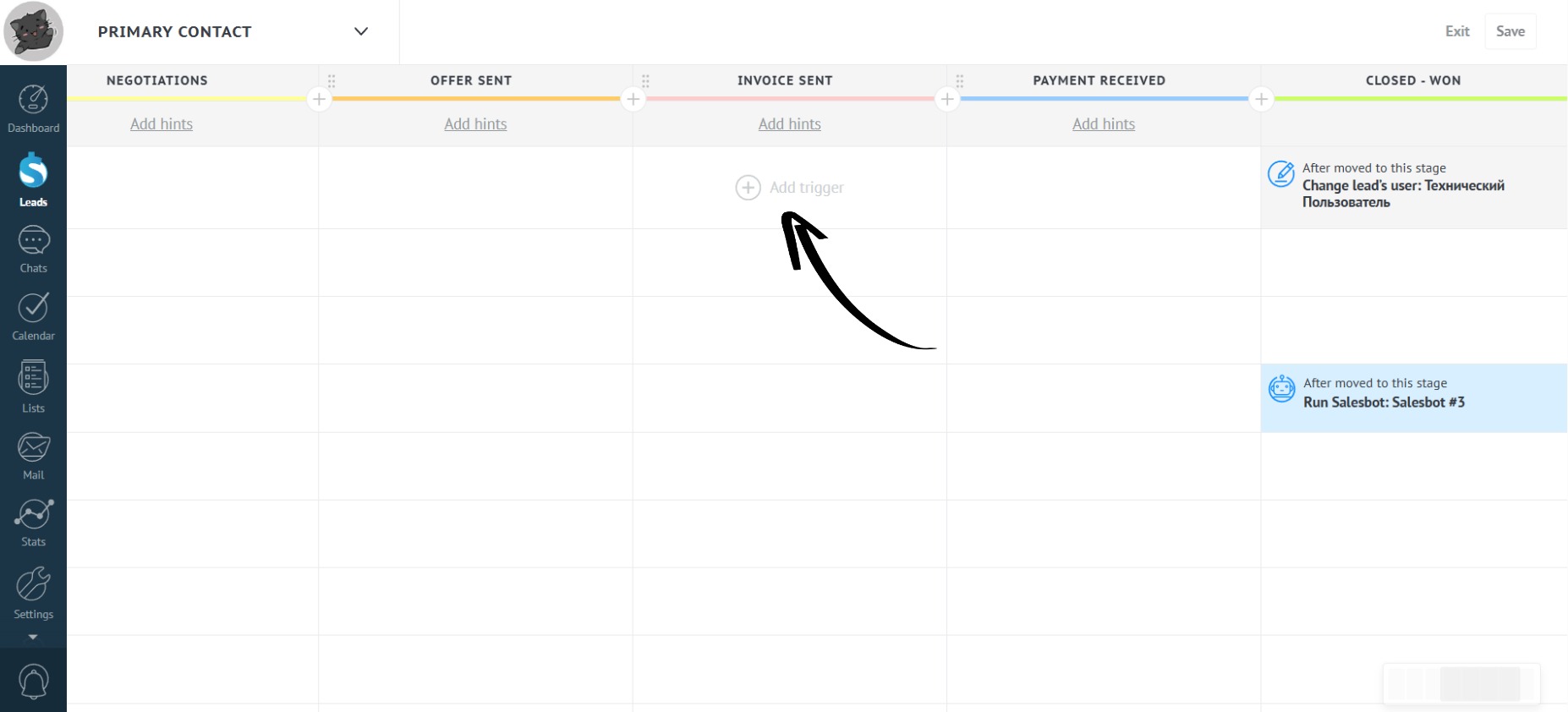
- Select the desired pipeline stage, click “Add Trigger”:
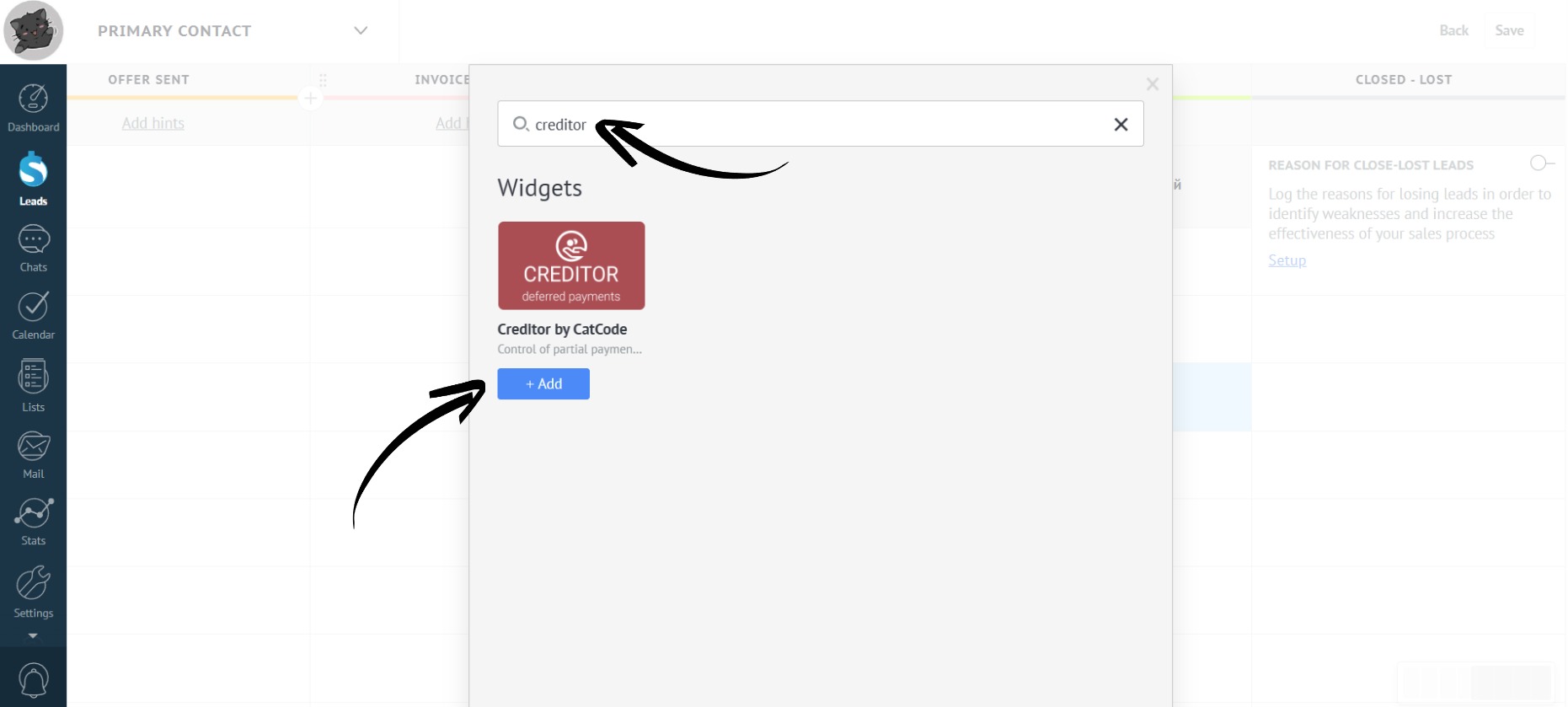
- In the search bar, type “Creditor” and click the “Add” button:
- Select the desired pipeline triggers:
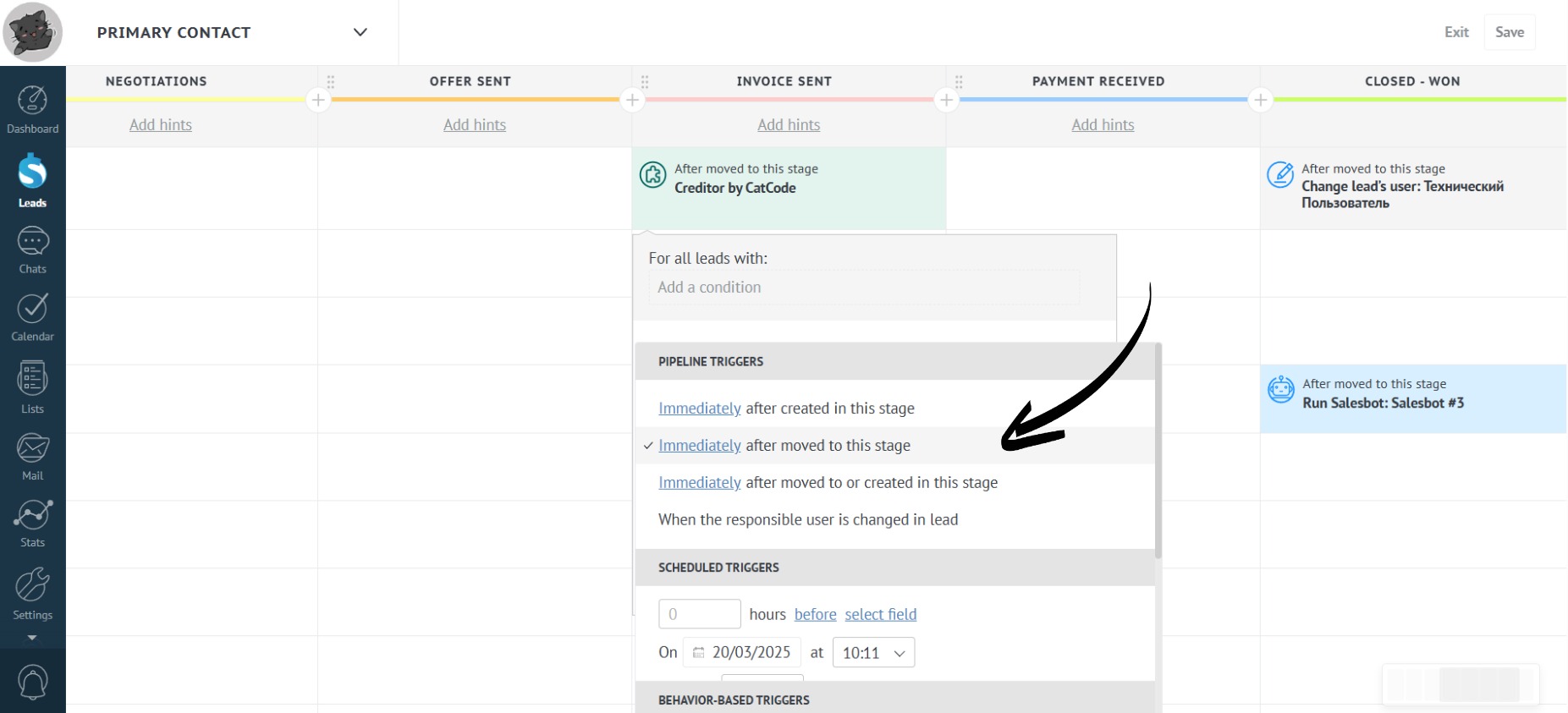
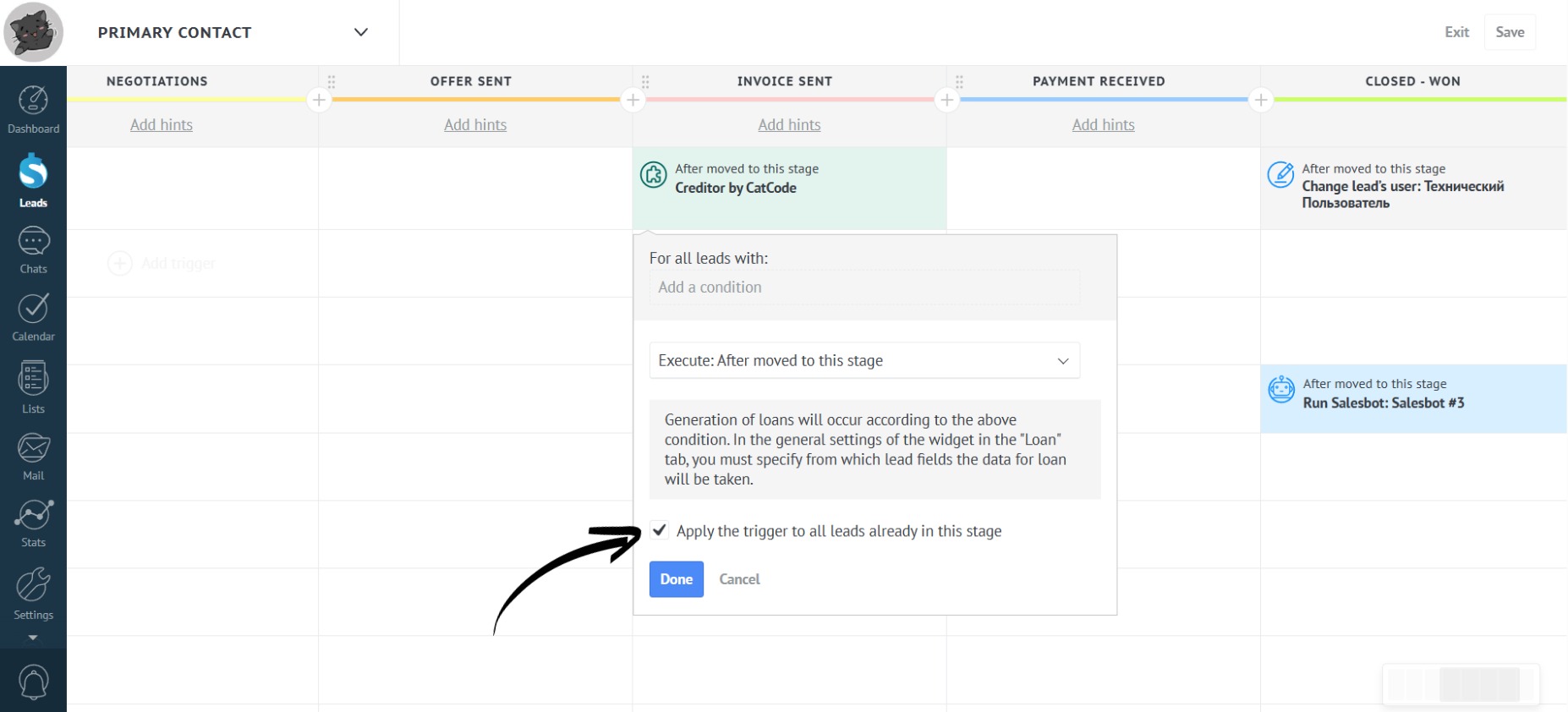
- You can also check the box to apply the trigger to existing leads:
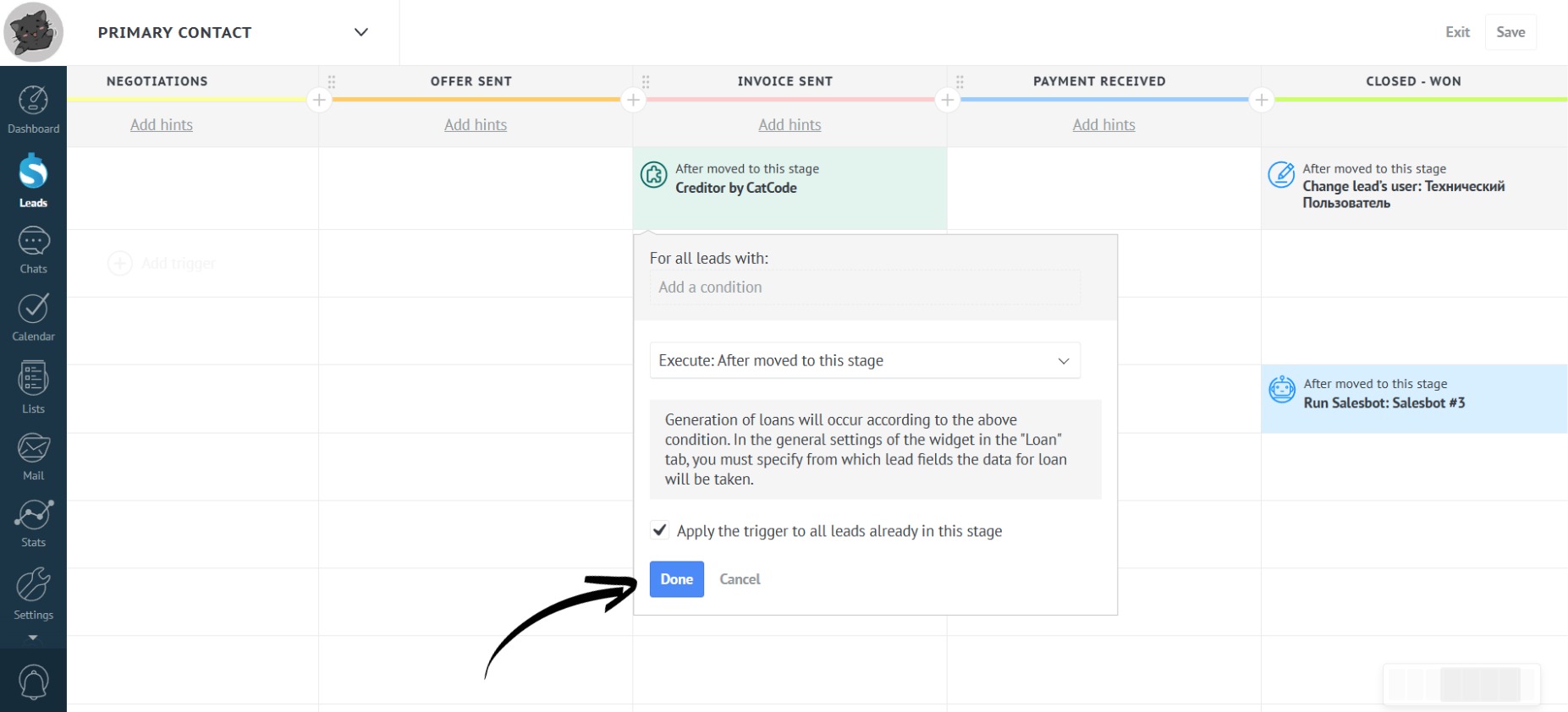
- Click the “Done” button:
- If all the necessary fields in the lead are filled in, the setup is complete:
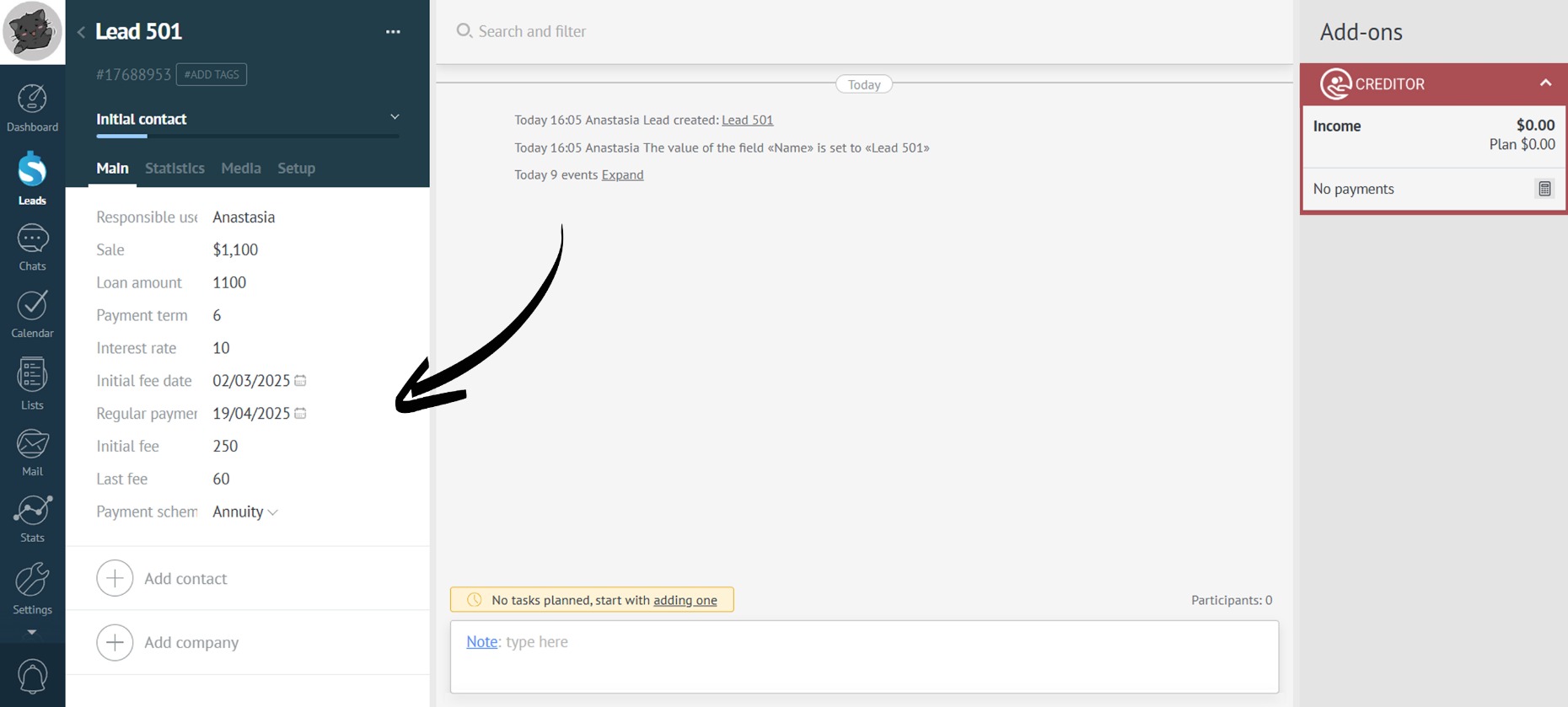
In the settings of additional fields, you can specify that they must be filled in when transitioning to this stage.
- After the lead moves to the stage with the trigger (in this case, “Invoice sent”), the installment will be created automatically: