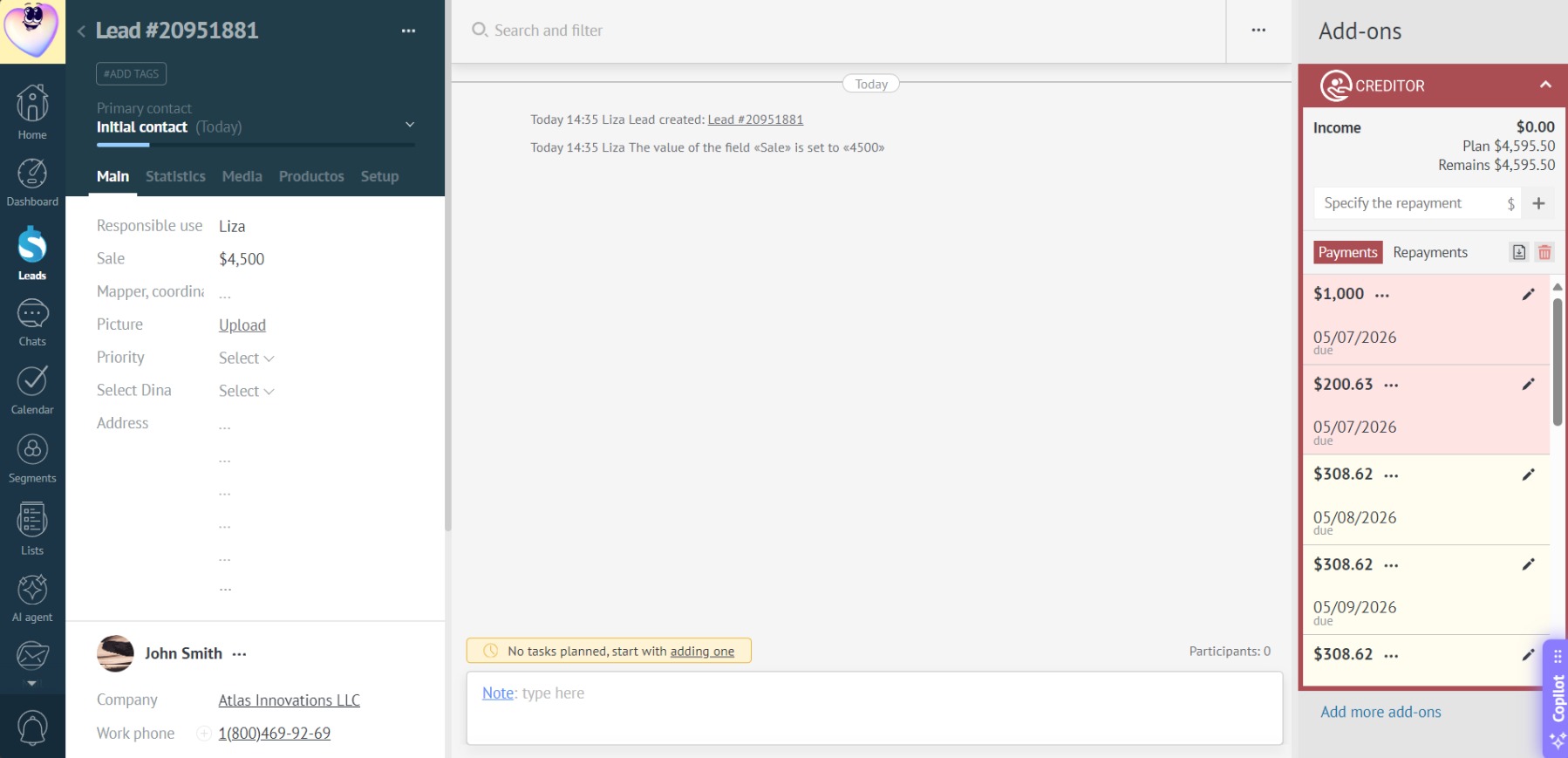
Flexible Installment
You can customize all payments manually.
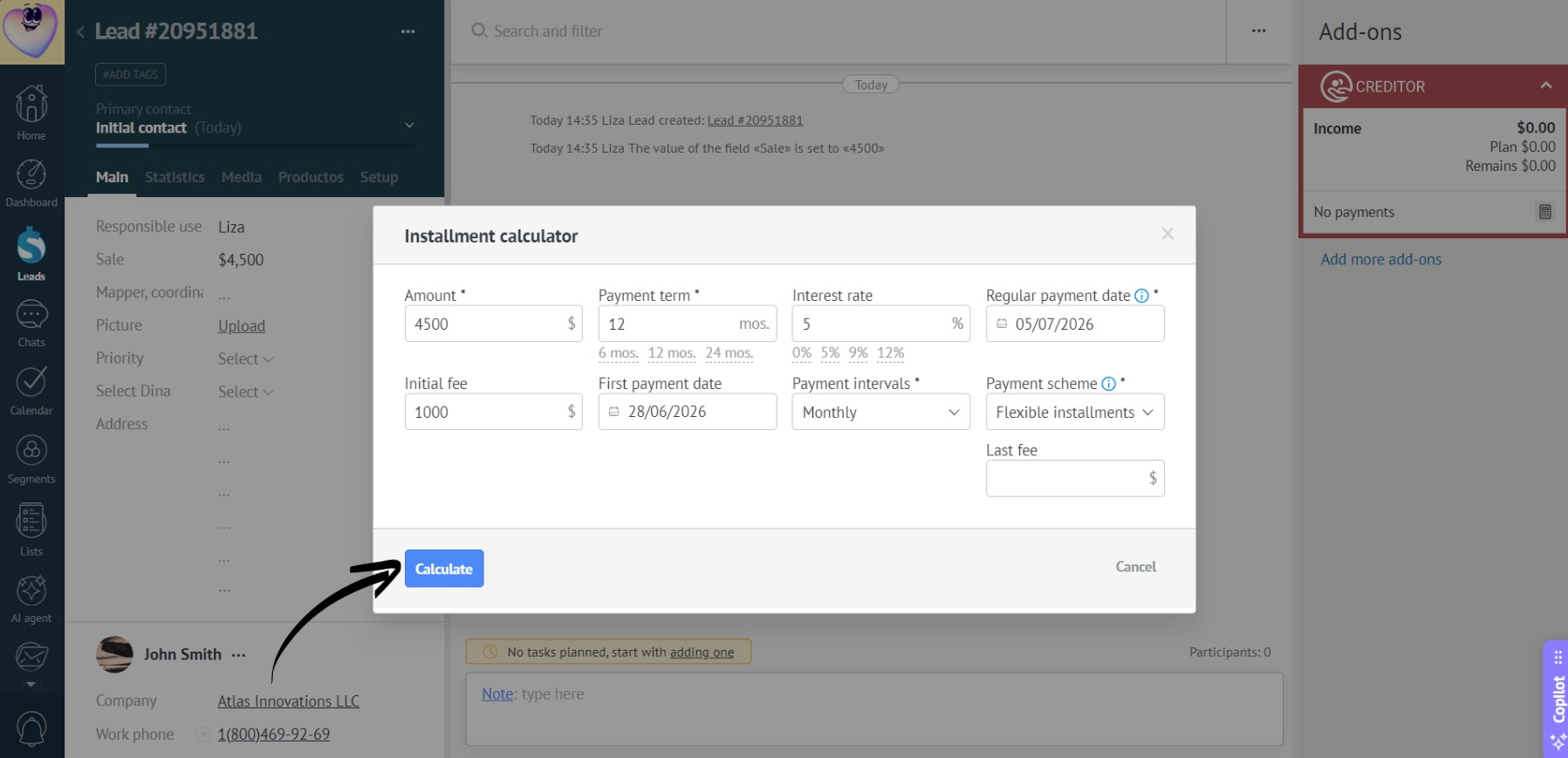
- When adding installments, select the “Flexible installments” scheme. Click “Calculate” to generate default payments:
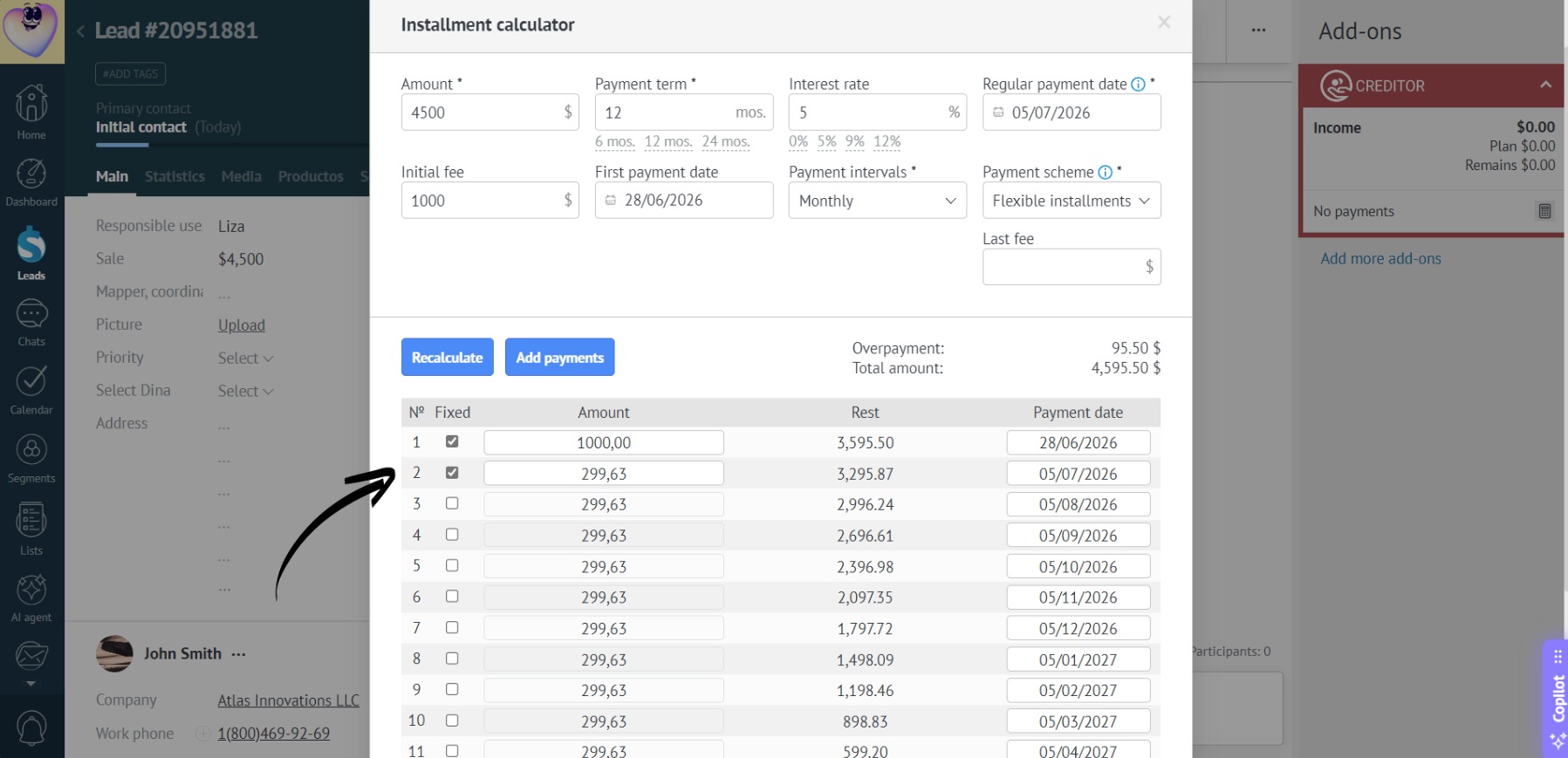
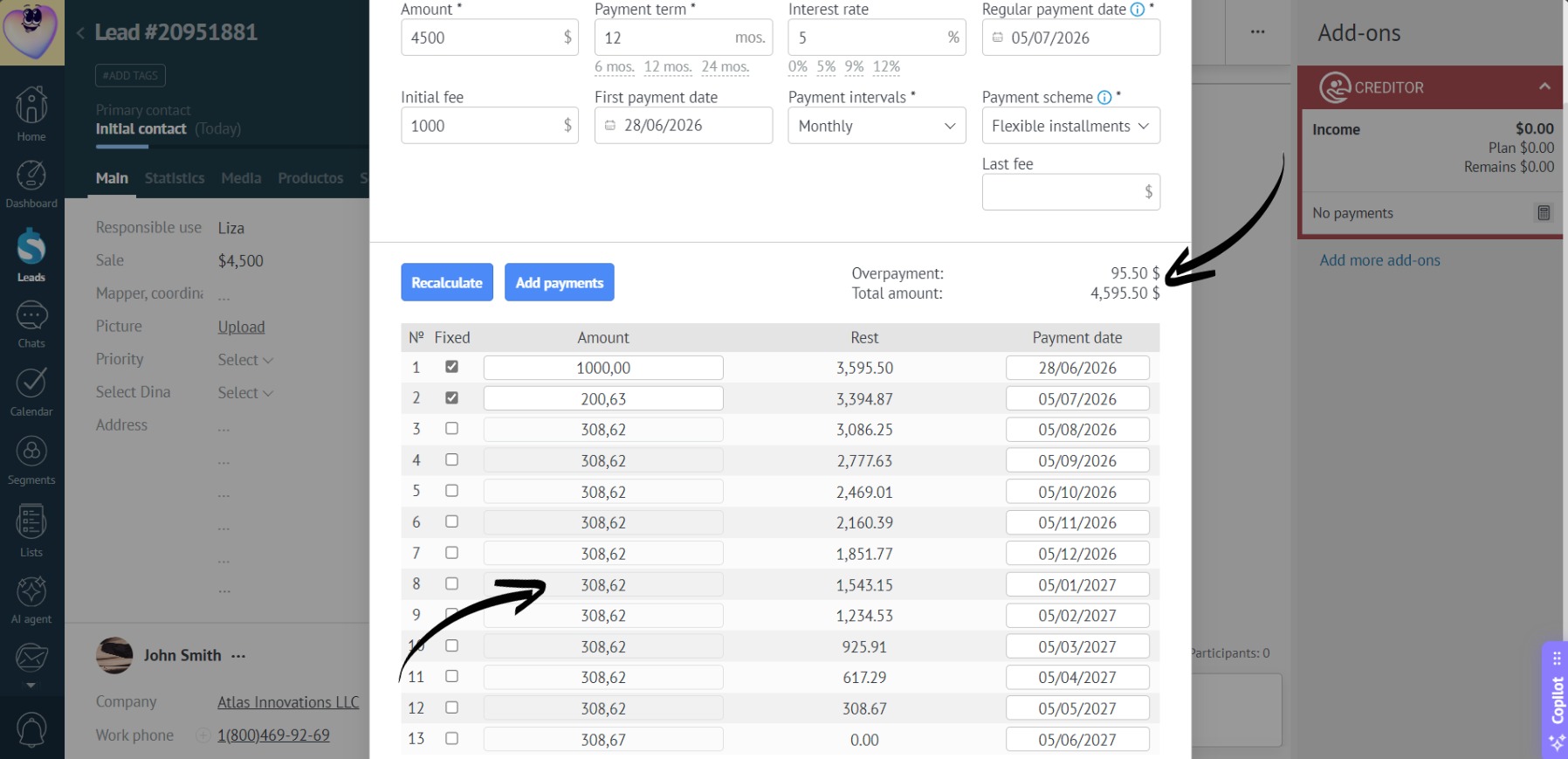
- Then, check the box next to a payment in the list. Once checked, the payment becomes fixed and can be edited manually:
- Enter the desired amount in the selected payment field:
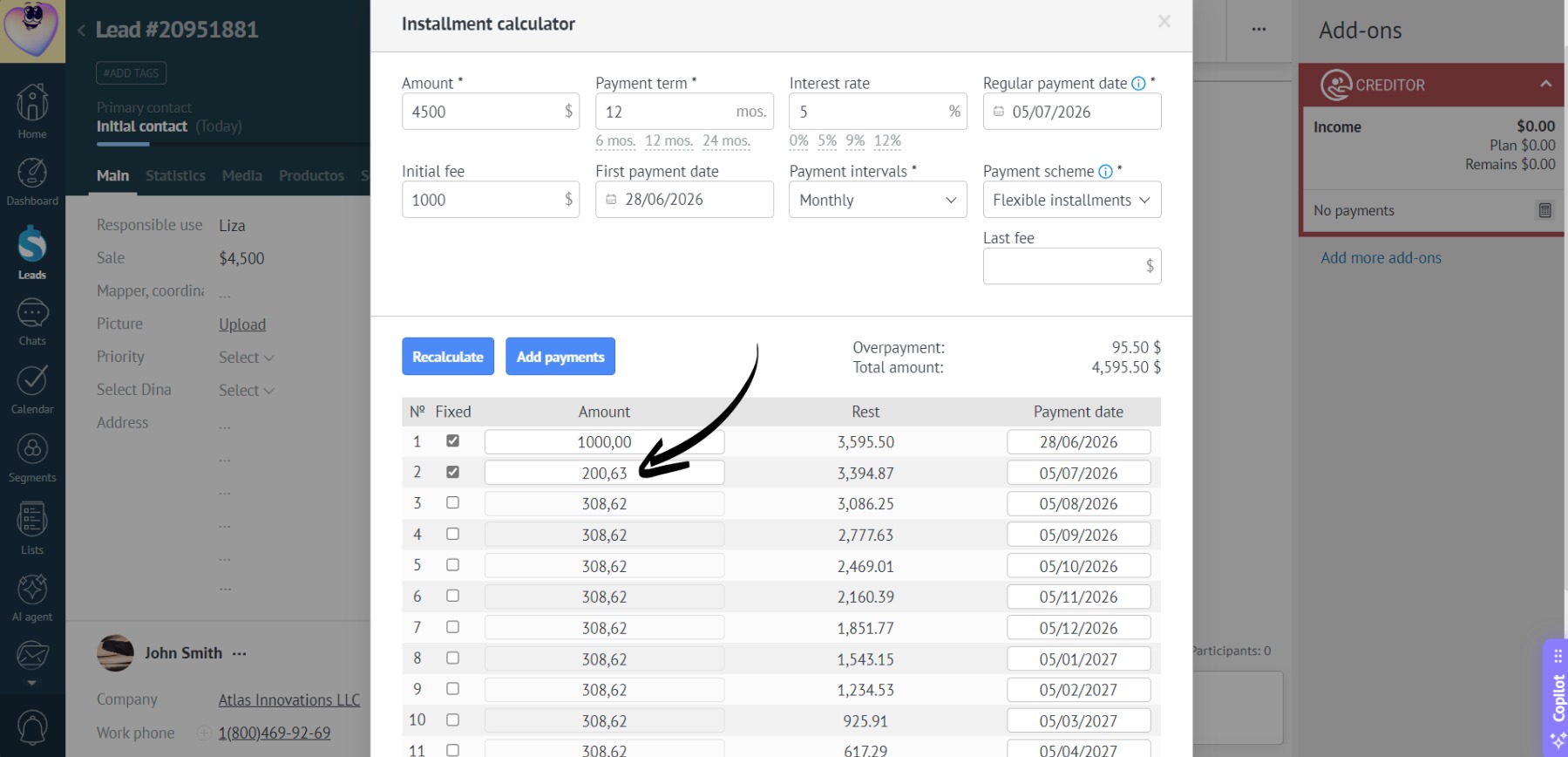
- The remaining non-fixed payments will be automatically recalculated to keep the total sum equal to the original amount:
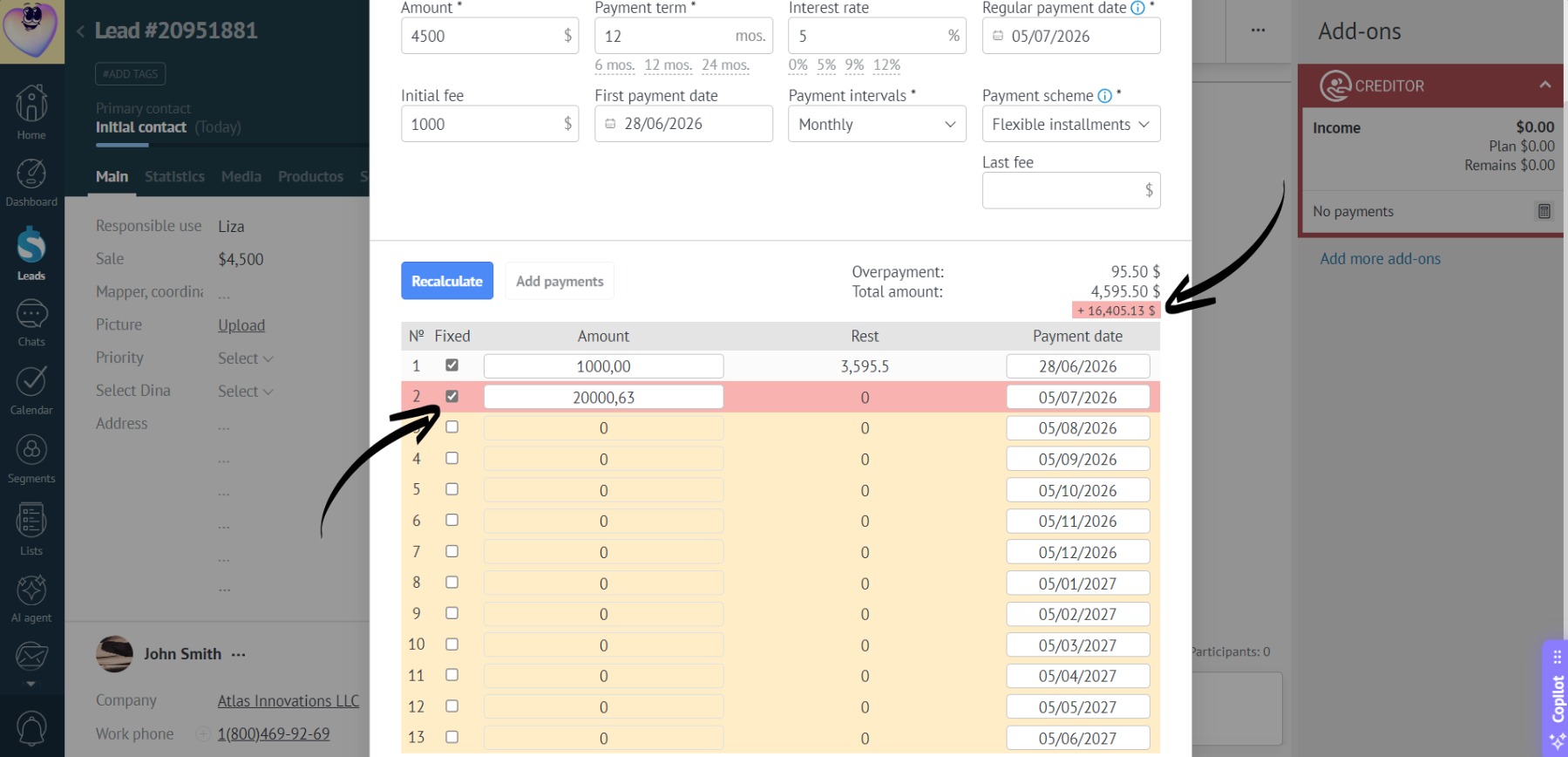
- If the total sum of payments doesn’t match the original total amount, the payment row will be highlighted in red, and the difference will display under the “Total amount” block to help you make correct changes:
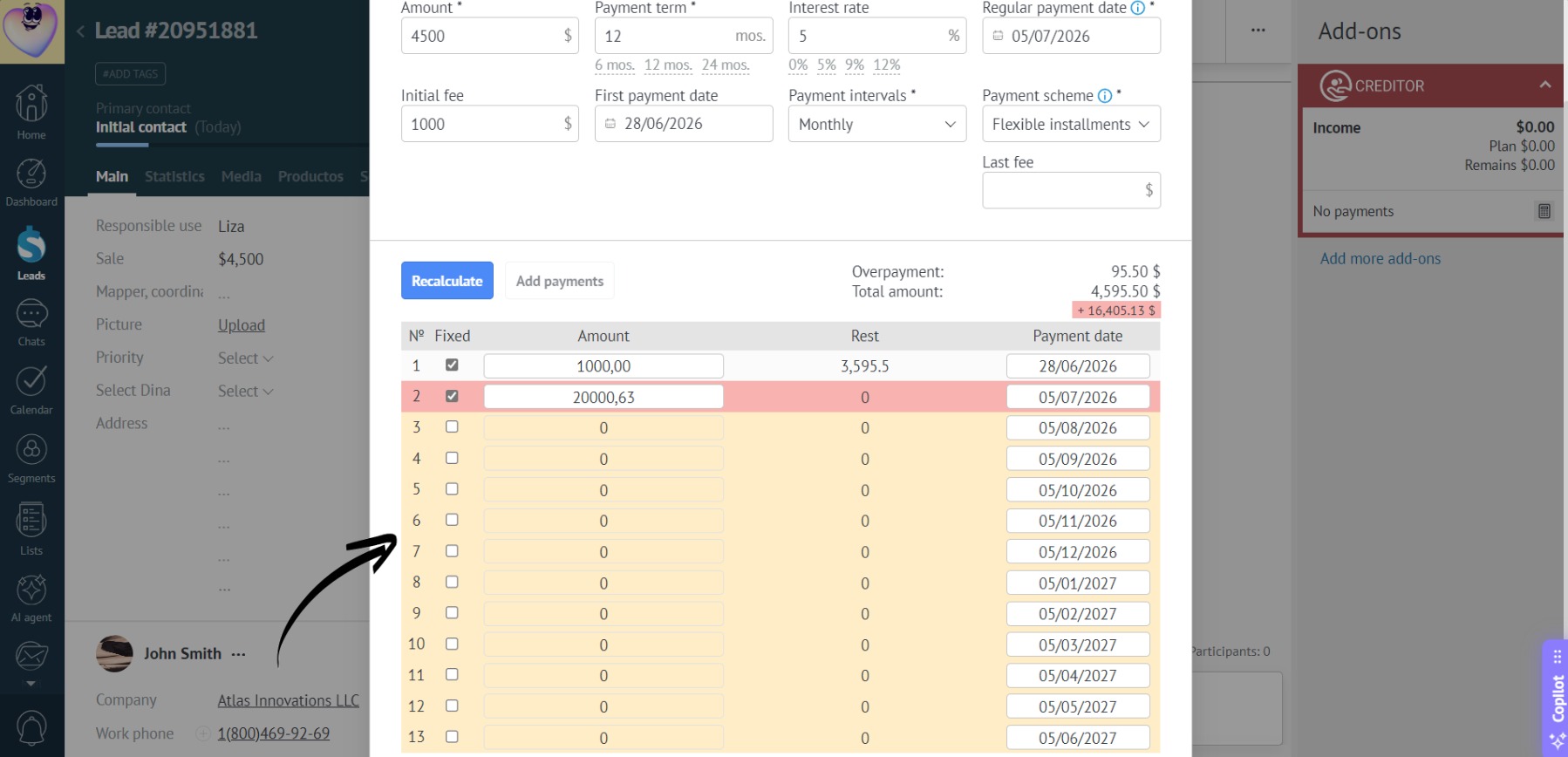
- If a payment becomes zero as a result of recalculations, the row will be highlighted. These payments won’t be included when adding the installment:
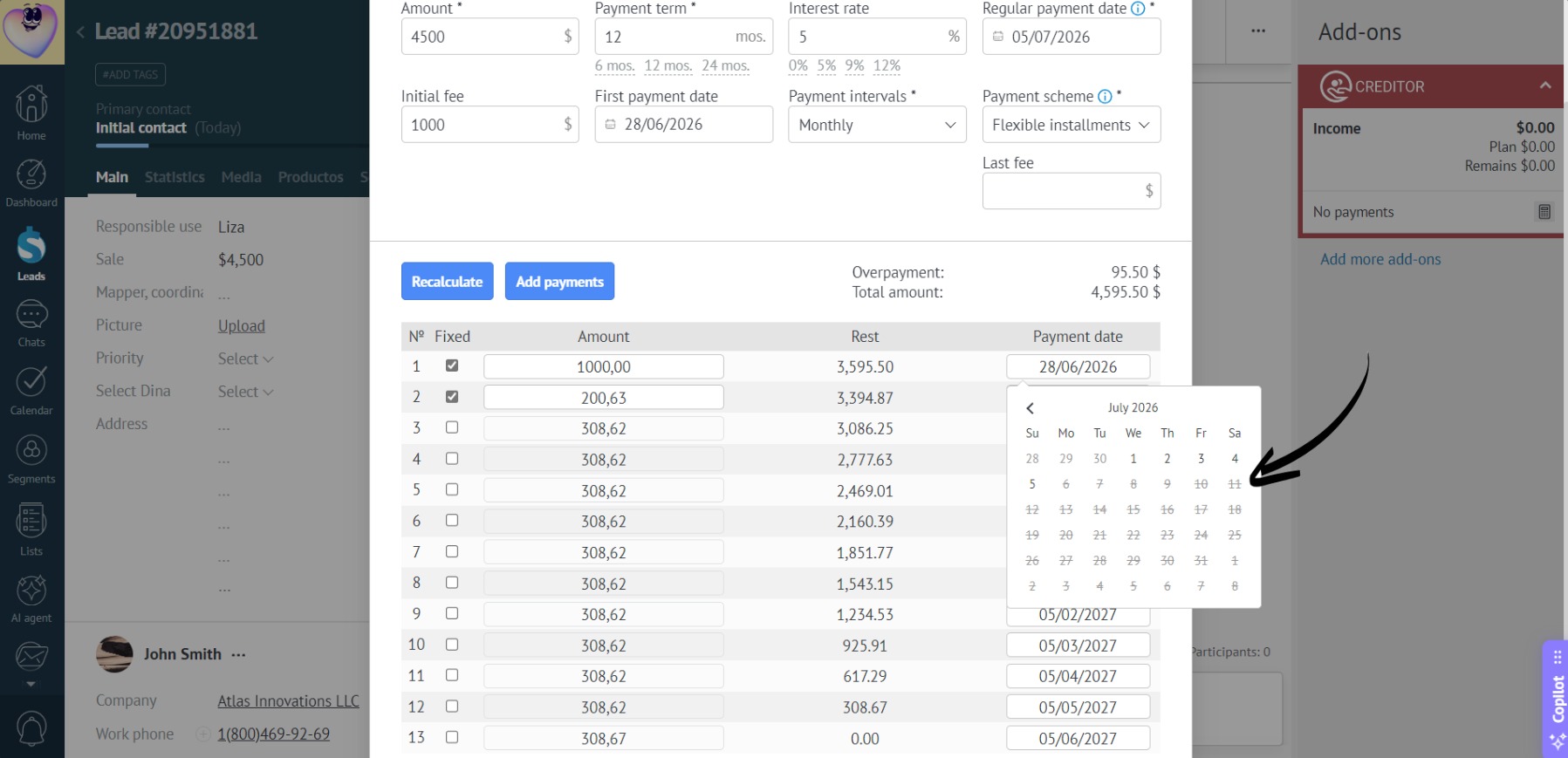
- To set payment dates manually, click the date field of the specific payment:
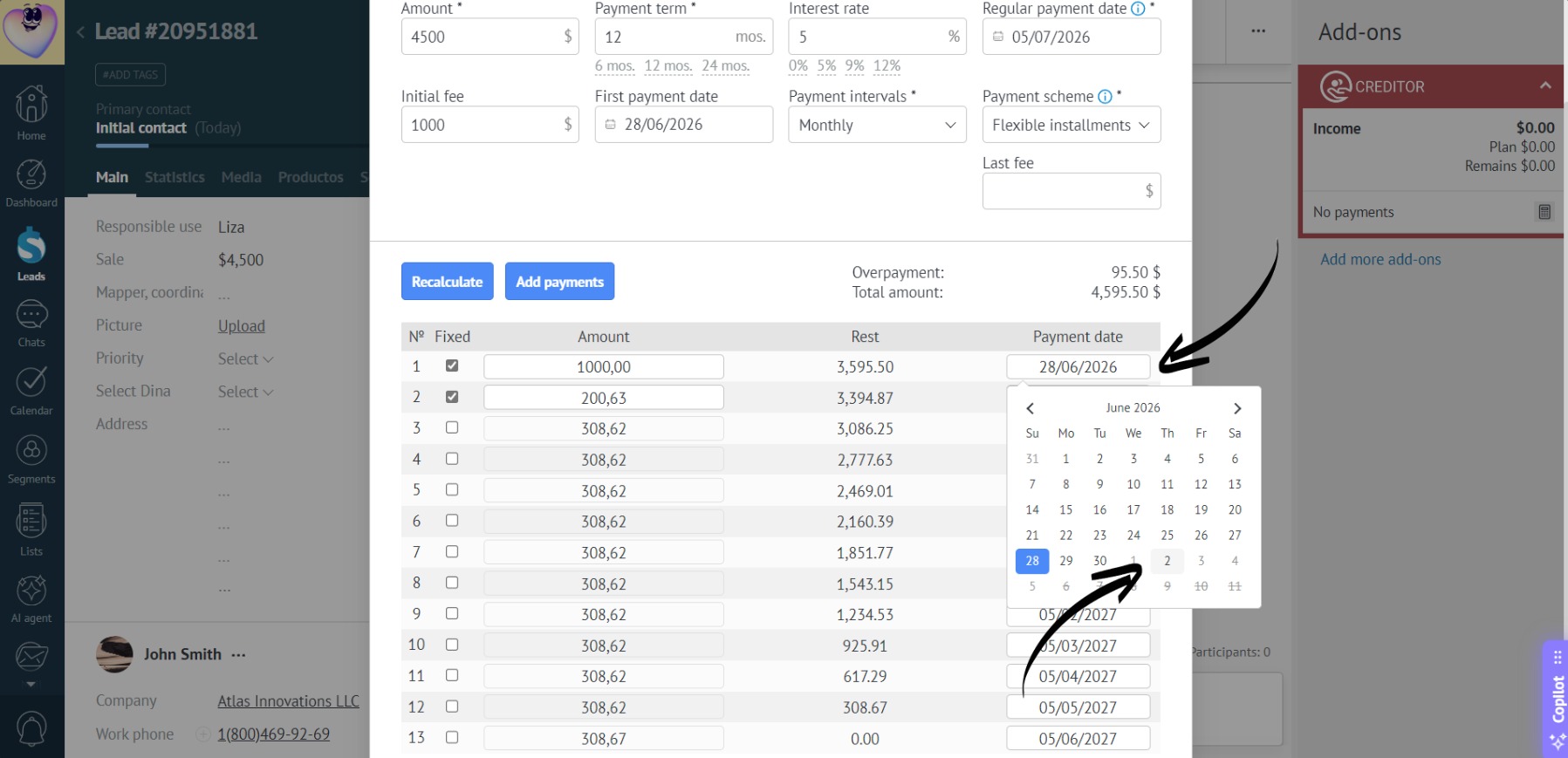
- When choosing a date, the calendar blocks unavailable dates to prevent errors (the date must be no earlier than the previous payment date and no later than the next payment date):
- After editing the amounts and dates, make sure all payments are correct. Click “Add payments” to apply the changes to the lead:
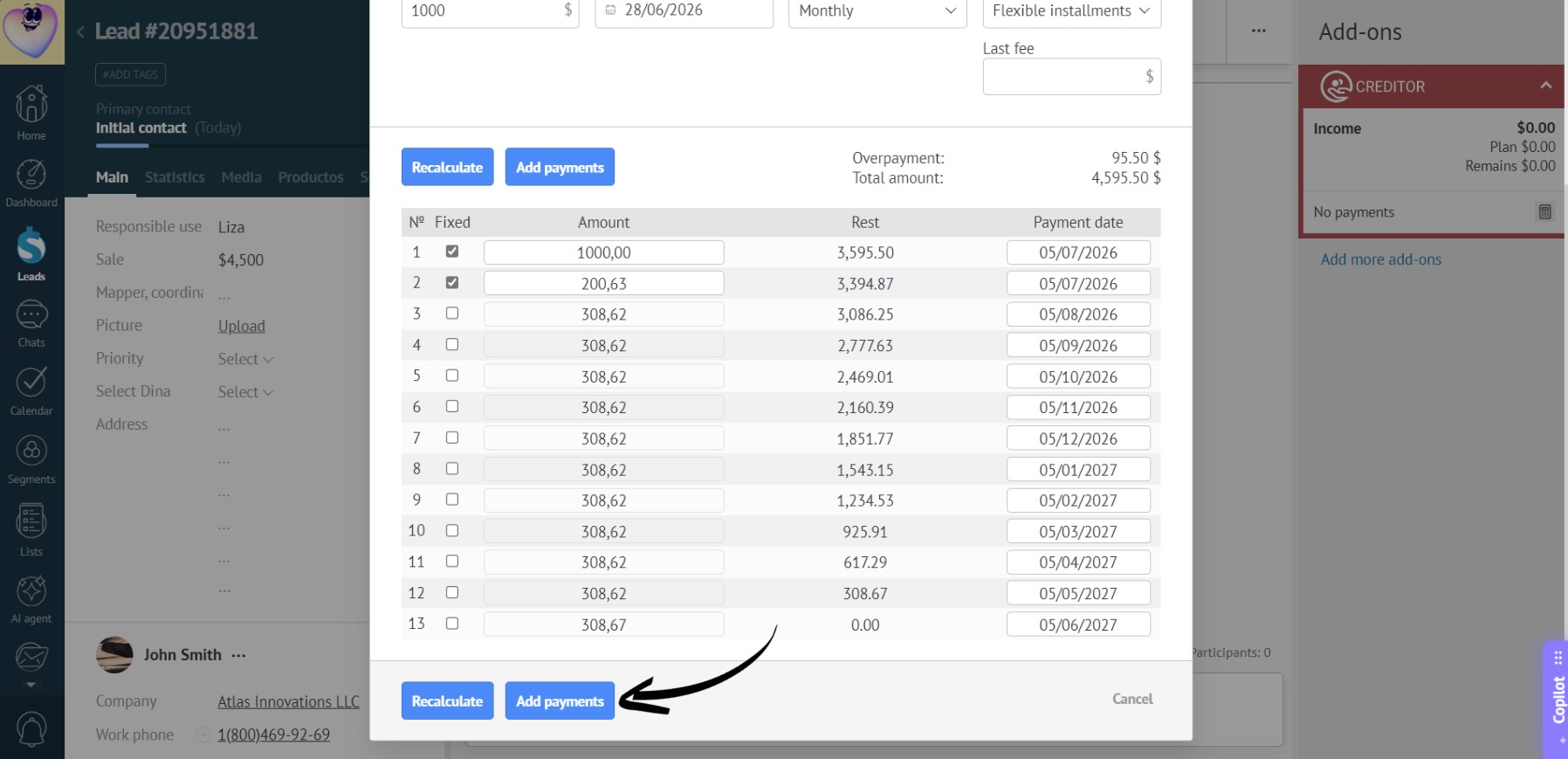
- Done!