Add Repayment
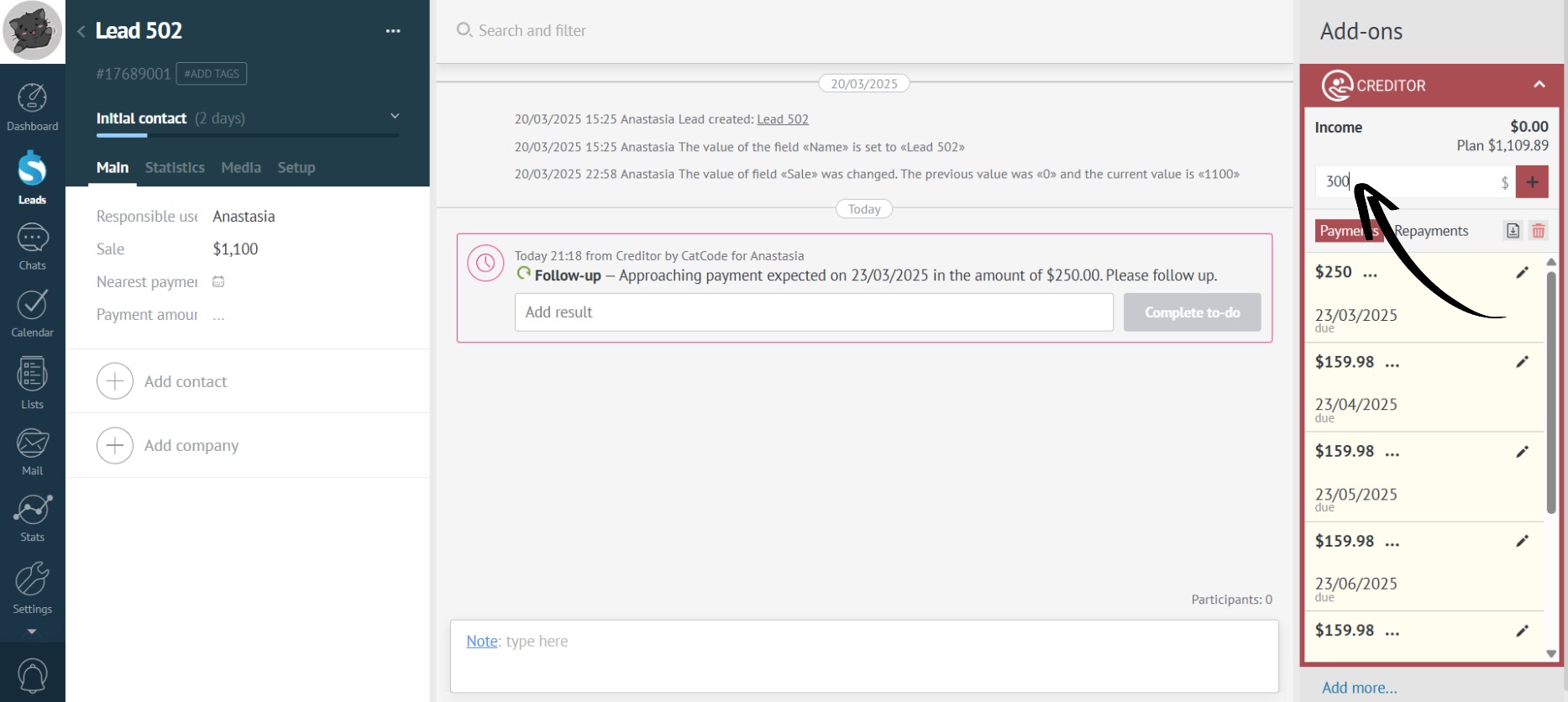
- You can only add repayments after you have created the installment plan. Enter the amount paid by the customer in the highlighted box:
- Now click on the plus sign to add the installment repayment to the app:
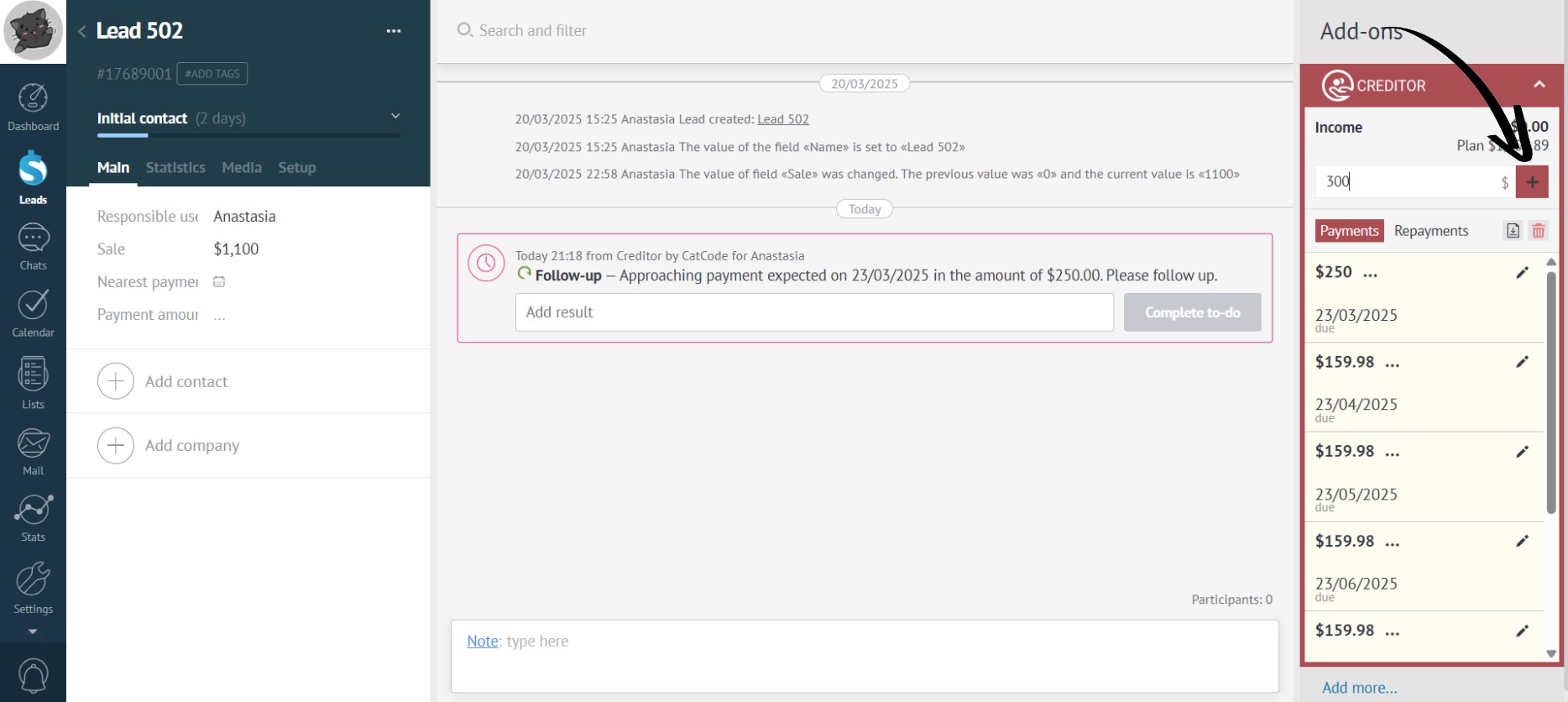
You can enter the payment amount with cents.
- The app automatically recalculated the installment payments taking into account the repayment made:
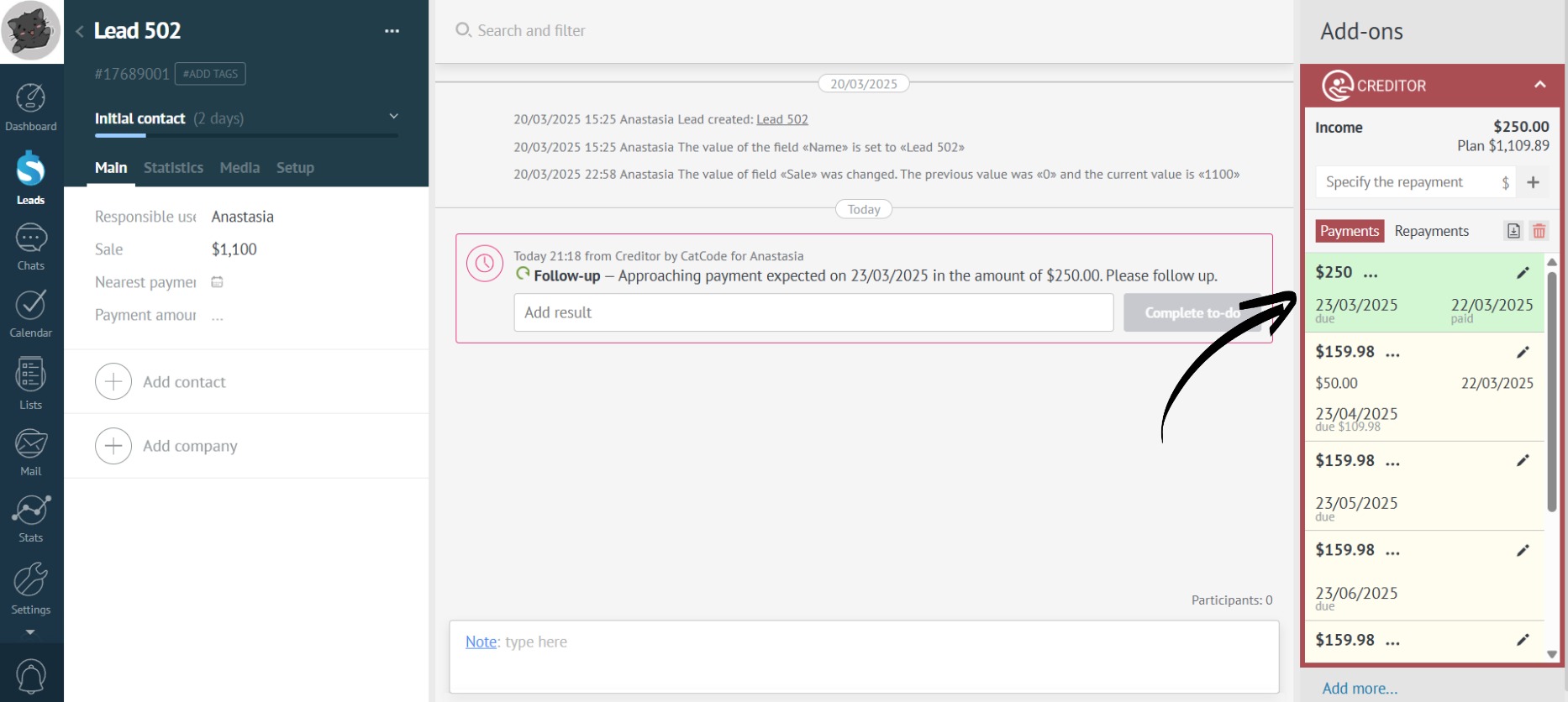
In this example, instead of 250 (the initial installment payment), the customer decided to pay a slightly larger amount - 300. The app automatically recalculated the overpayment and included it in the repayment of the next installment. Thus, the customer can pay off the installment plan early, and you don’t need to recalculate anything manually.