Add Installment
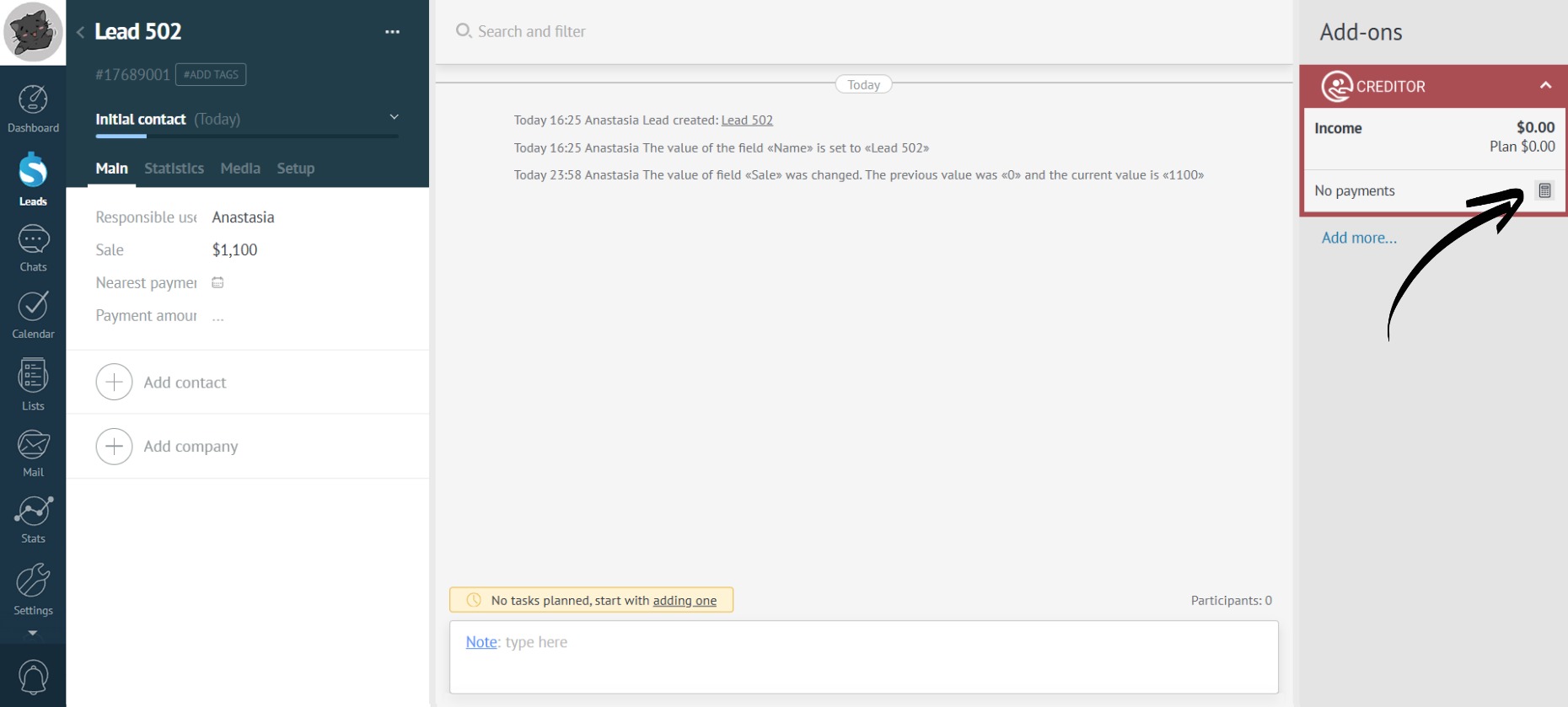
- Click the calculator icon in the app:
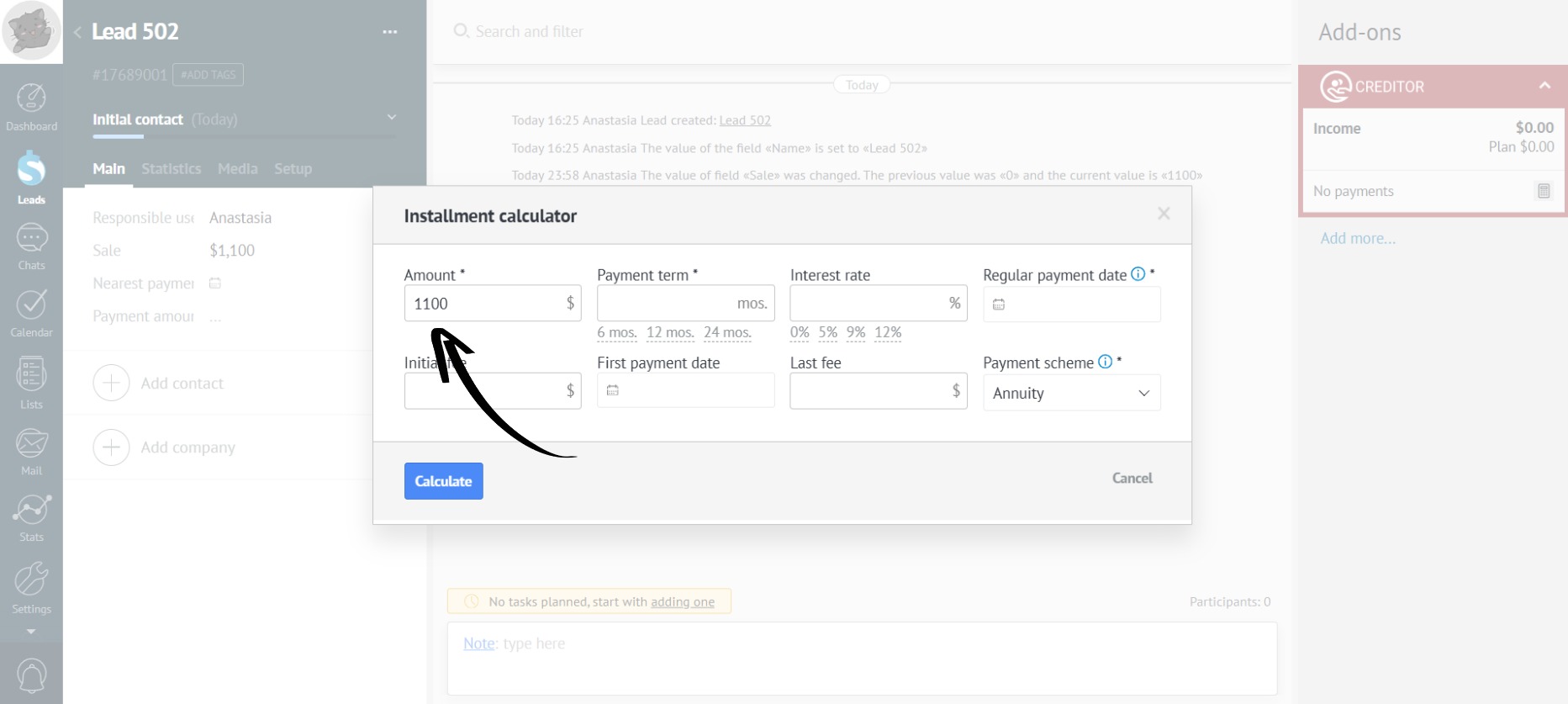
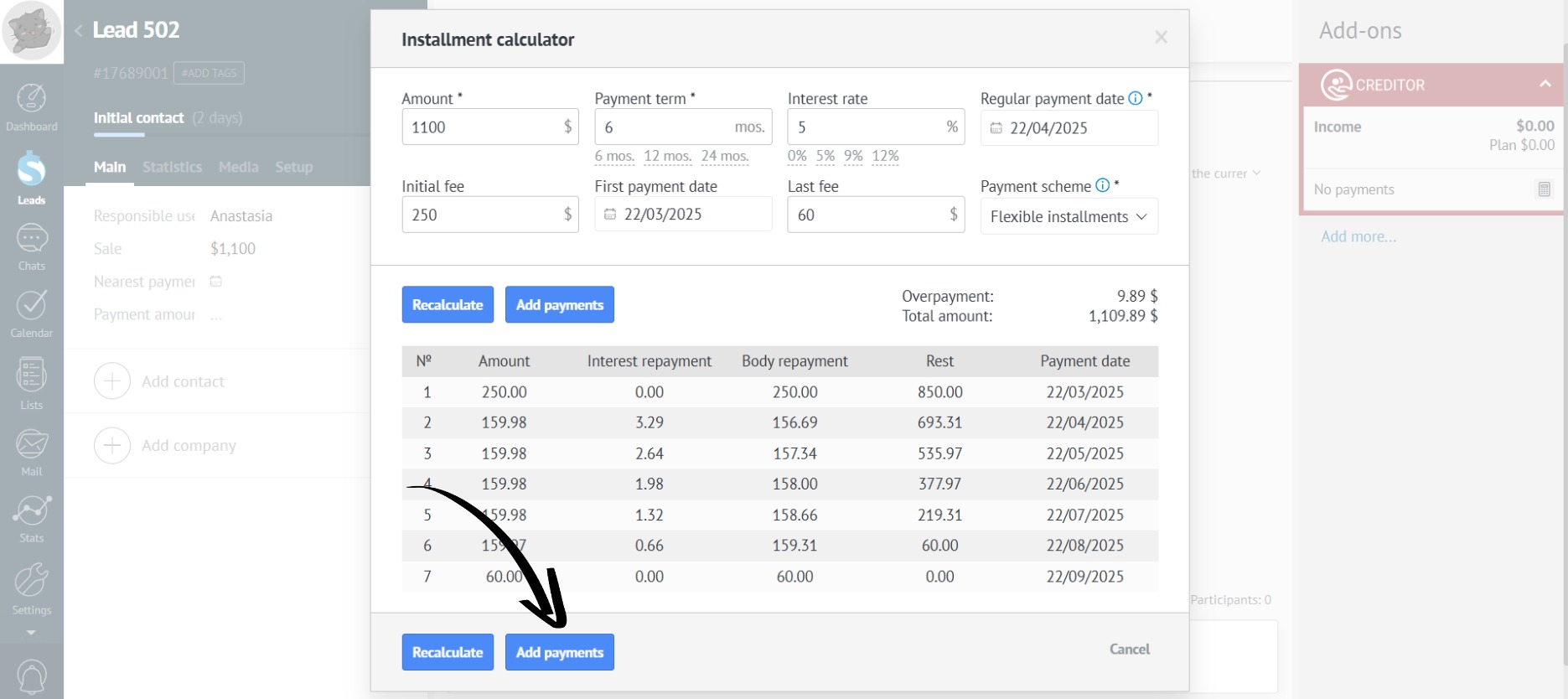
- If the budget amount is specified in the lead, it will automatically populate the “Amount” field in the calculator. If this data is missing, you can fill the field in manually:
- Mandatory fields are marked with an asterisk, the remaining fields should be completed as needed:
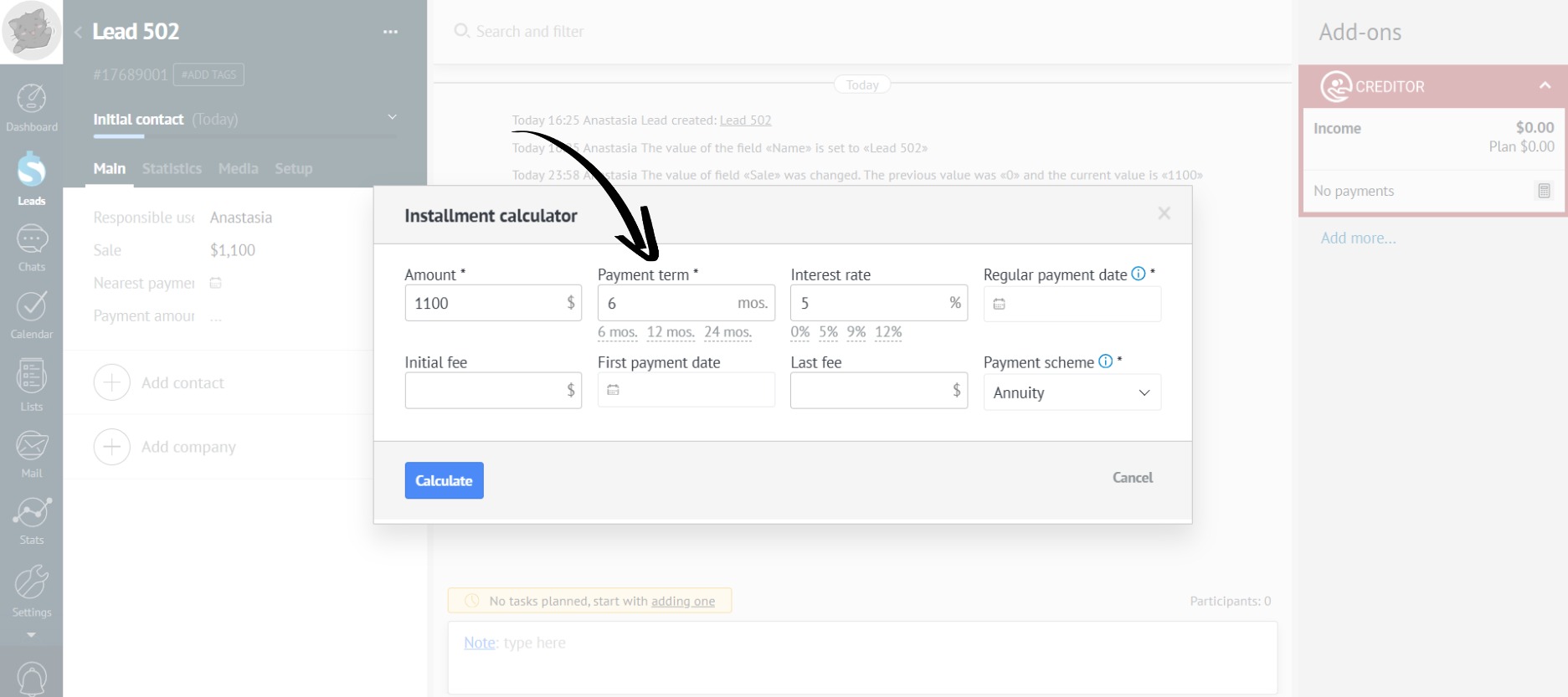
You can select the “Payment Term” and “Interest Rate” from the options suggested in the calculator, or manually enter the desired data.
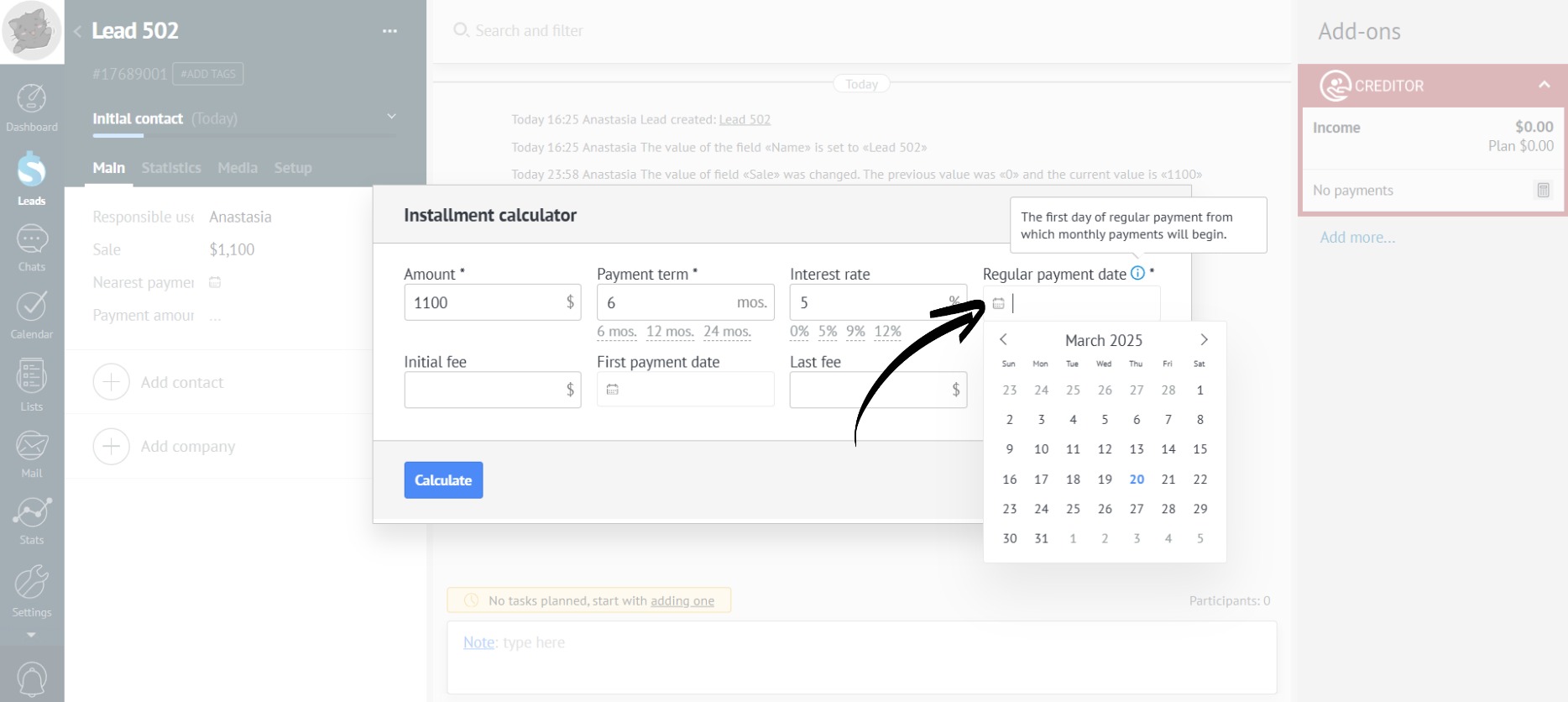
- Fill in the mandatory “Regular payment date” field. Monthly payments will be calculated starting from this date:
- If needed, fill in the “Initial fee”, “First payment date”, and/or “Last fee” fields (for flexible installment):
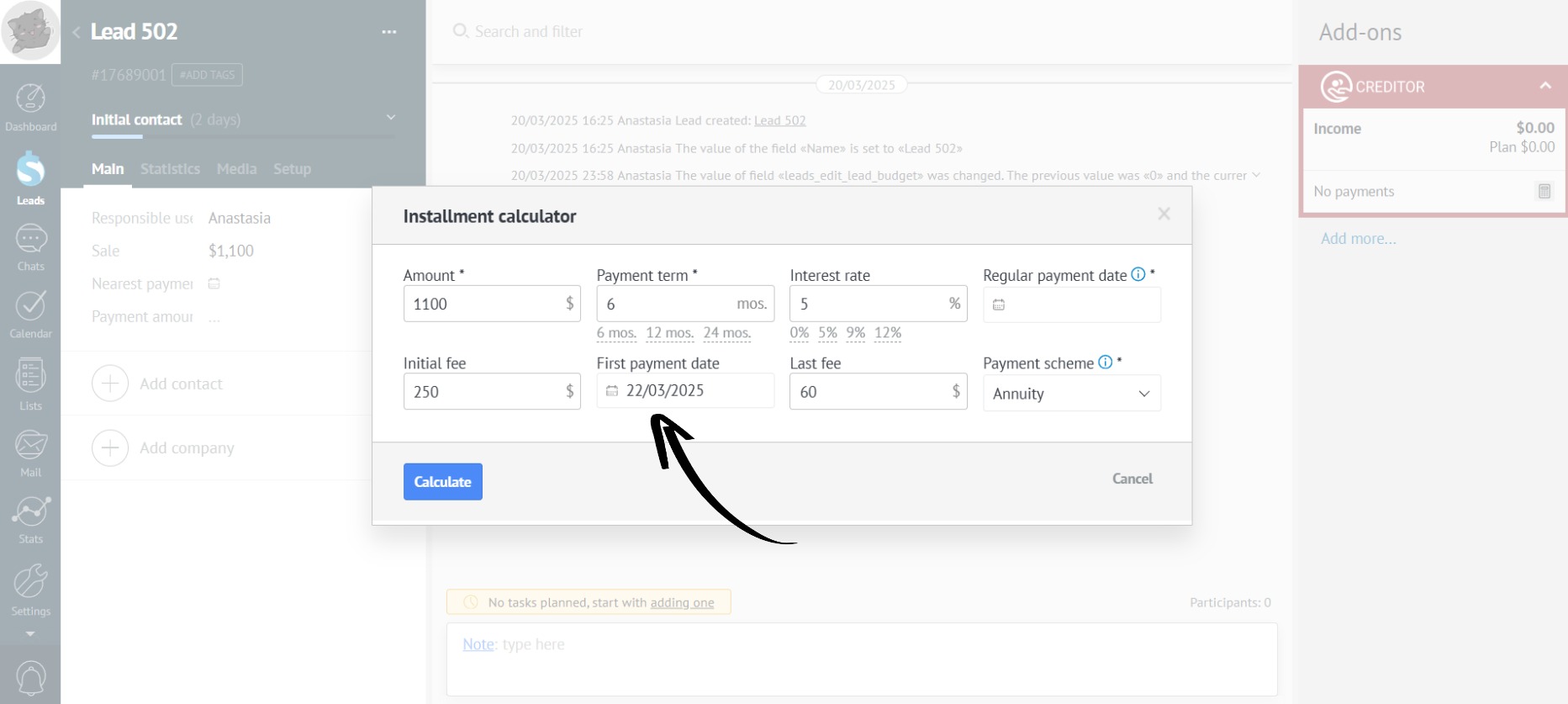
- The calculator offers three payment schemes to choose from: annuity, differentiated, and flexible installments:
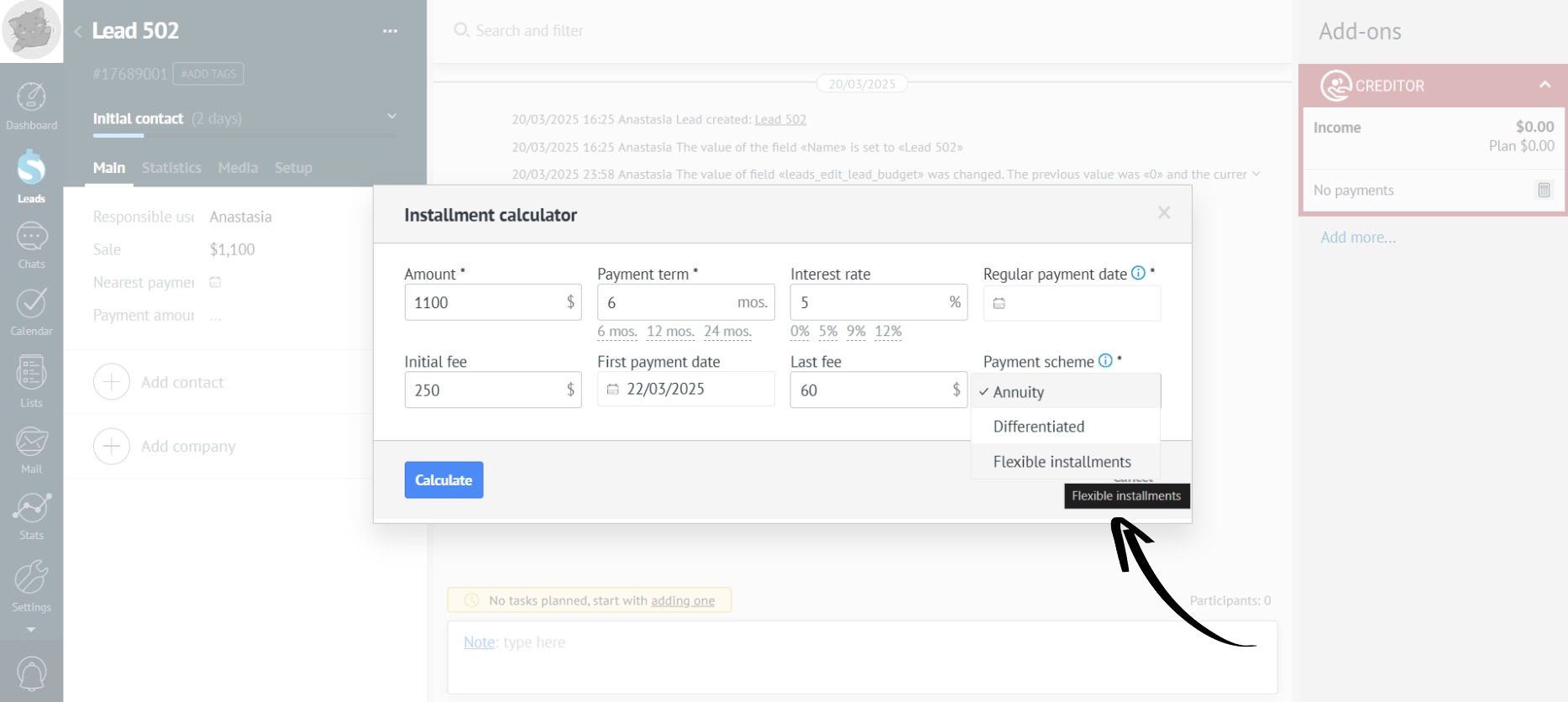
- Annuity – the monthly payment amount remains constant throughout the entire loan term.
- Differentiated – payments decrease towards the end of the loan term.
- Flexible installments – the amount of the final payment is specified, and the remaining balance is divided equally among the preceding months.
- Once you have filled in all the mandatory fields, click the “Calculate” button:
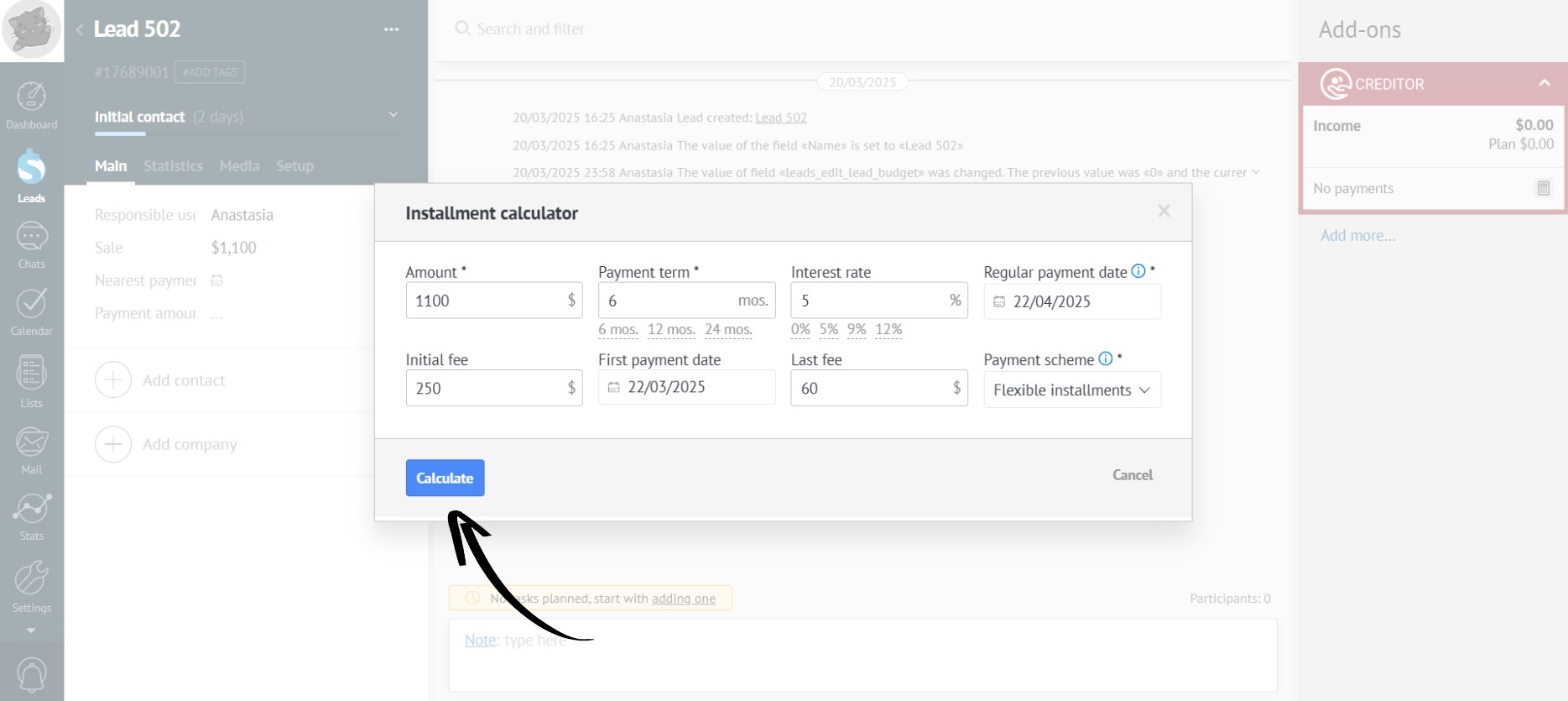
- If necessary, the installment plan can be easily recalculated after making changes to the fields in the “Installment calculator” and clicking the “Recalculate” button:
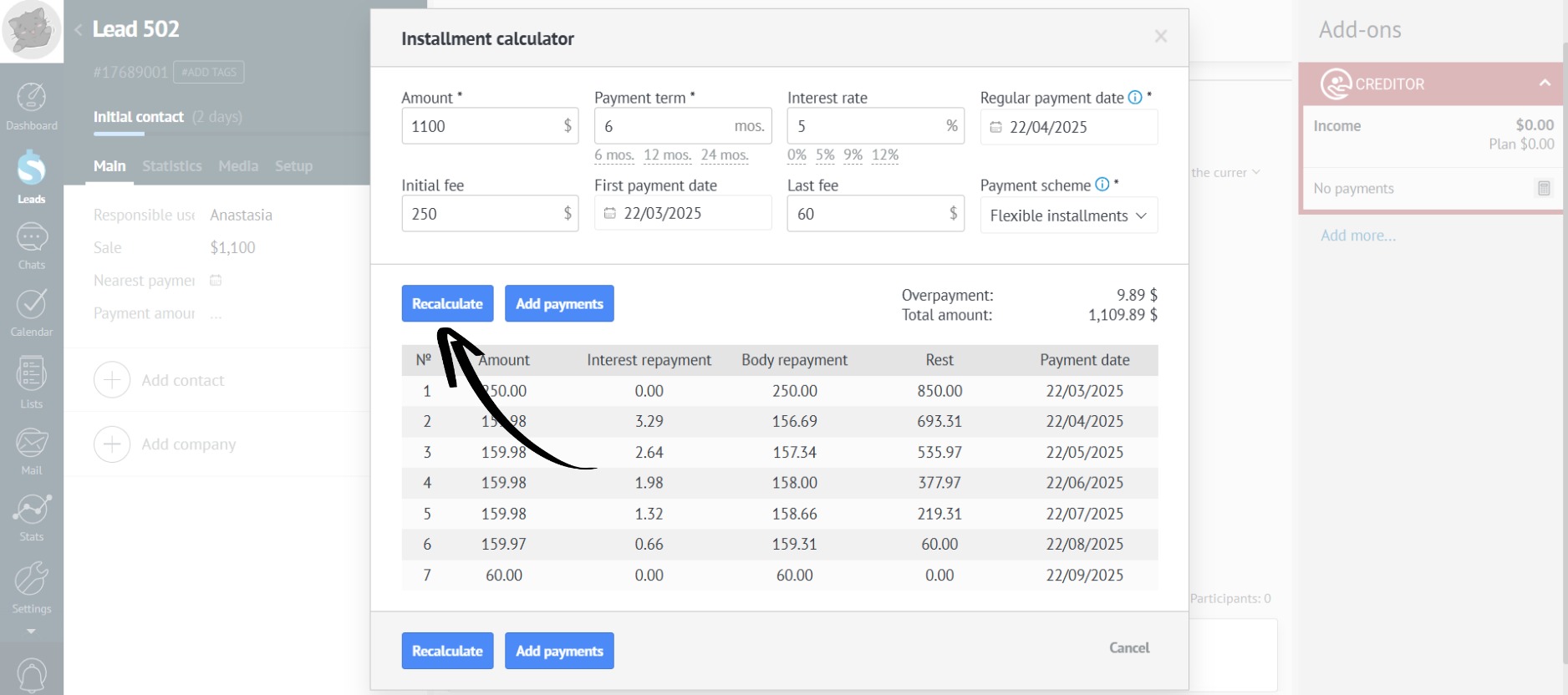
- If the customer confirms the installment plan, click the “Add payments” button:
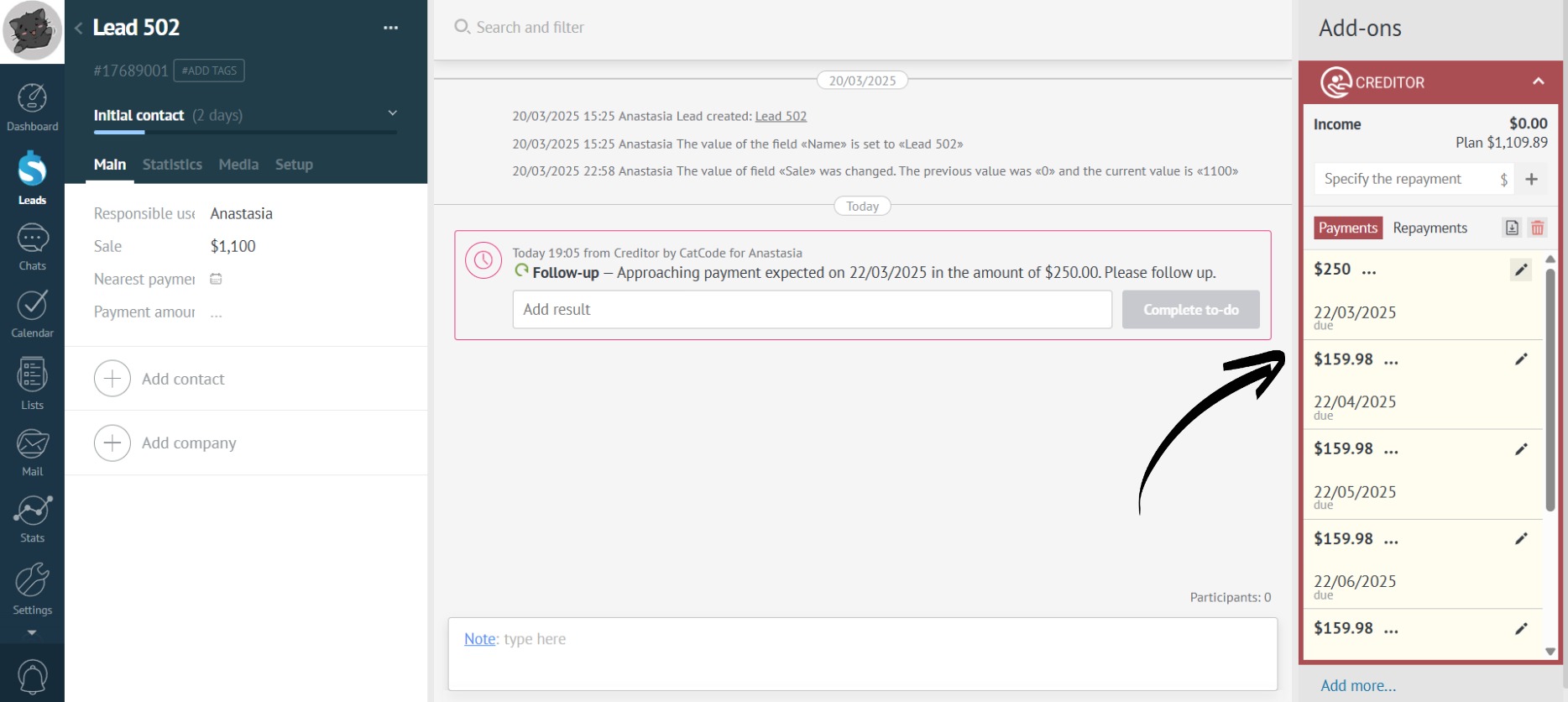
- After that, all installment payments will automatically appear in Creditor:
If the customer decides to pay installments for several months at once or pay off the installment ahead of schedule, the app will automatically recalculate the installment payments.