Import Payments
If you want to import external payments for installments from Excel, follow these steps:
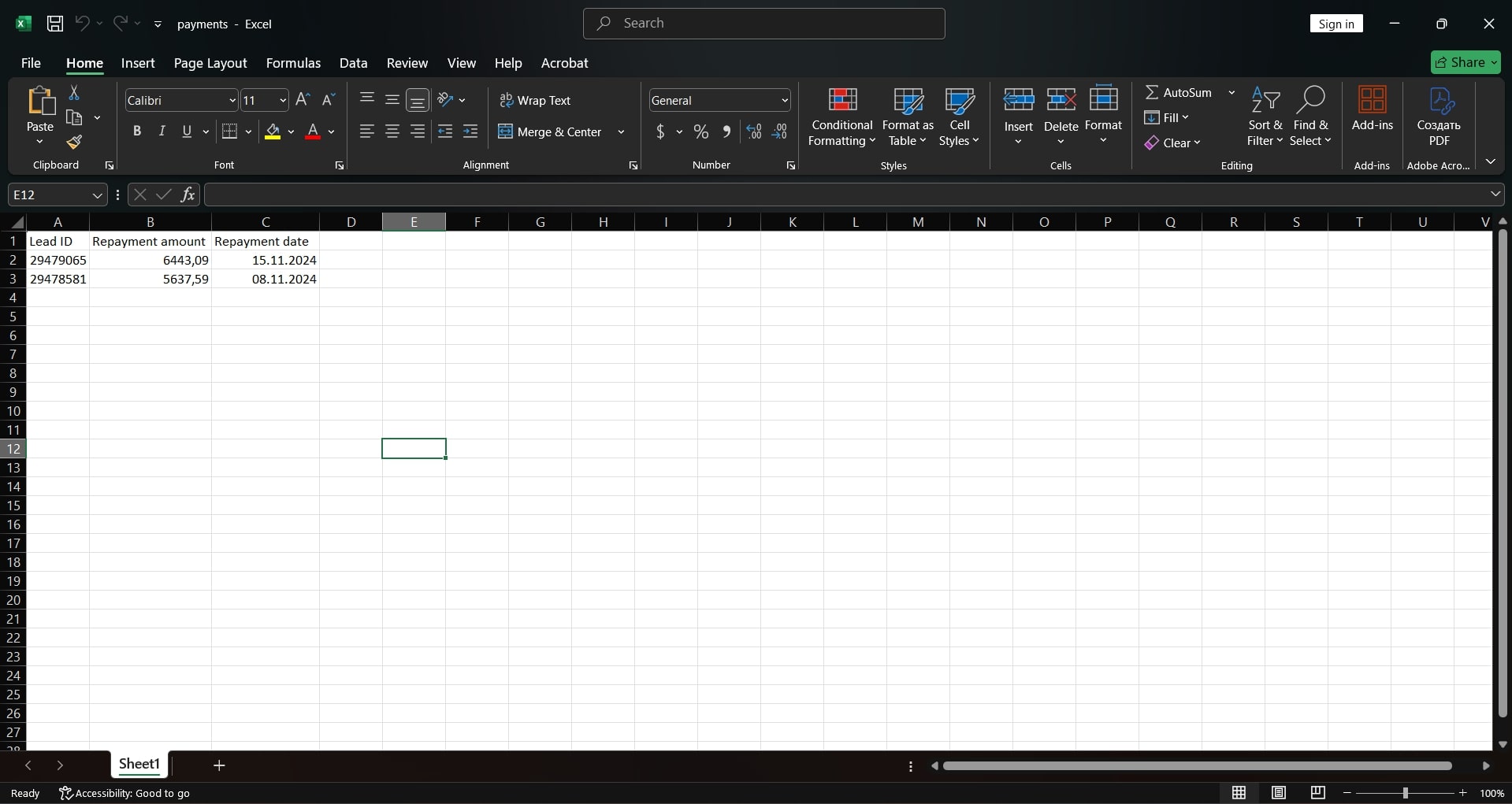
- Open Excel and fill in the table according to the following format:
- The first row is for headers.
- The first column is the lead ID from Kommo.
- The second column is the repayment amount (cents are indicated with a comma, for example, 100,50).
- The third column is the repayment date in dd.mm.YYYY format (when the payment was received or will be received).
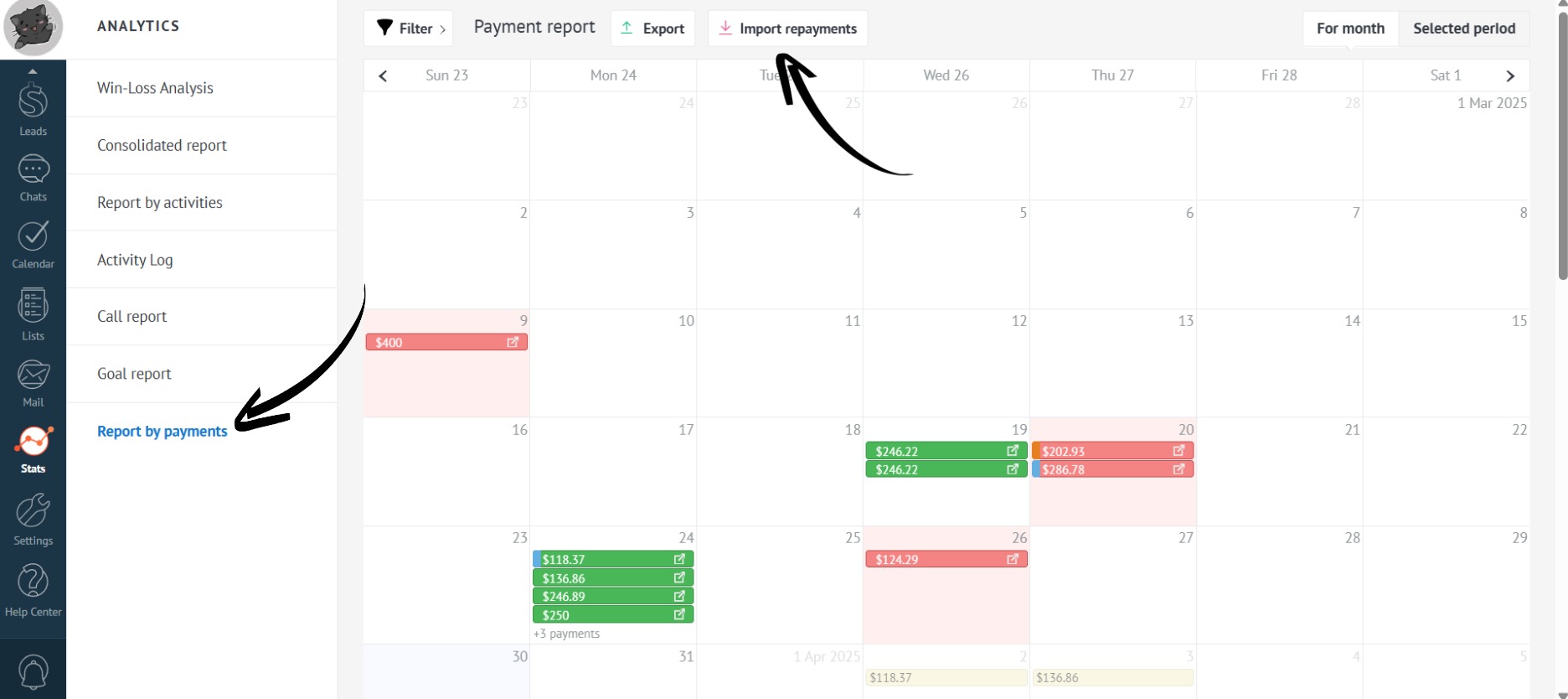
- After filling in the table, go to the “Stats” section, find the “Report by payments”, and click on “Import repayments”:
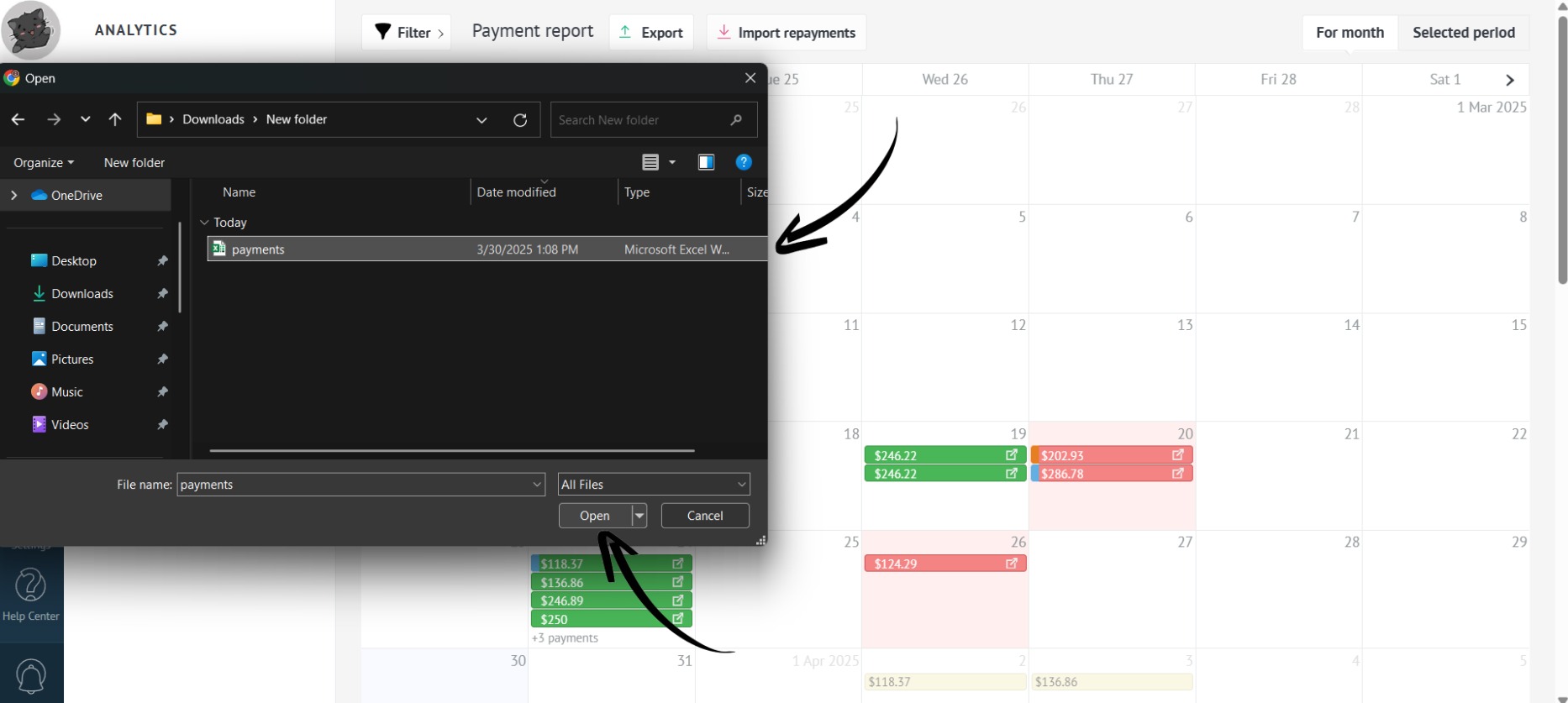
- Select the pre-filled file and click “Open”:
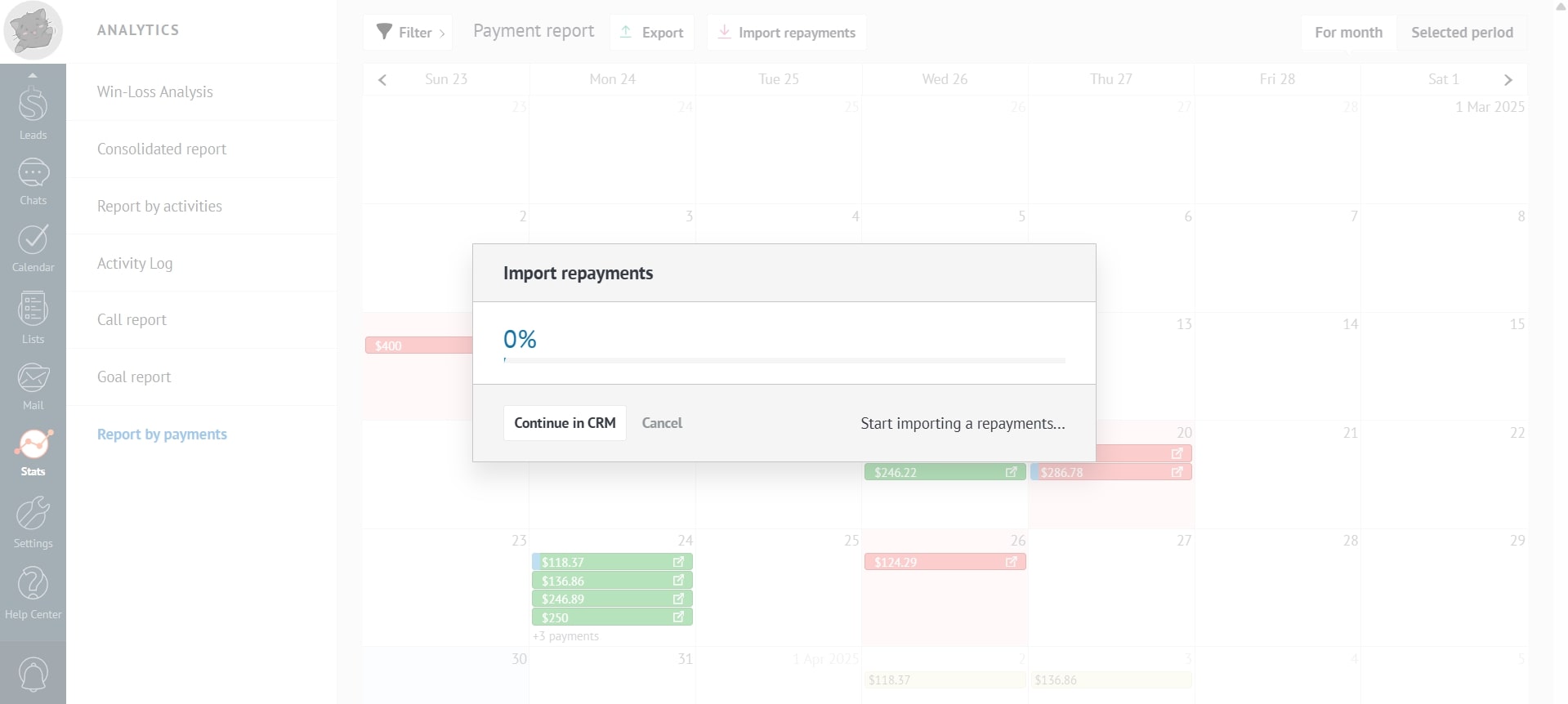
- Wait for the payments to load into the system:
- Ready! Payments are loaded.