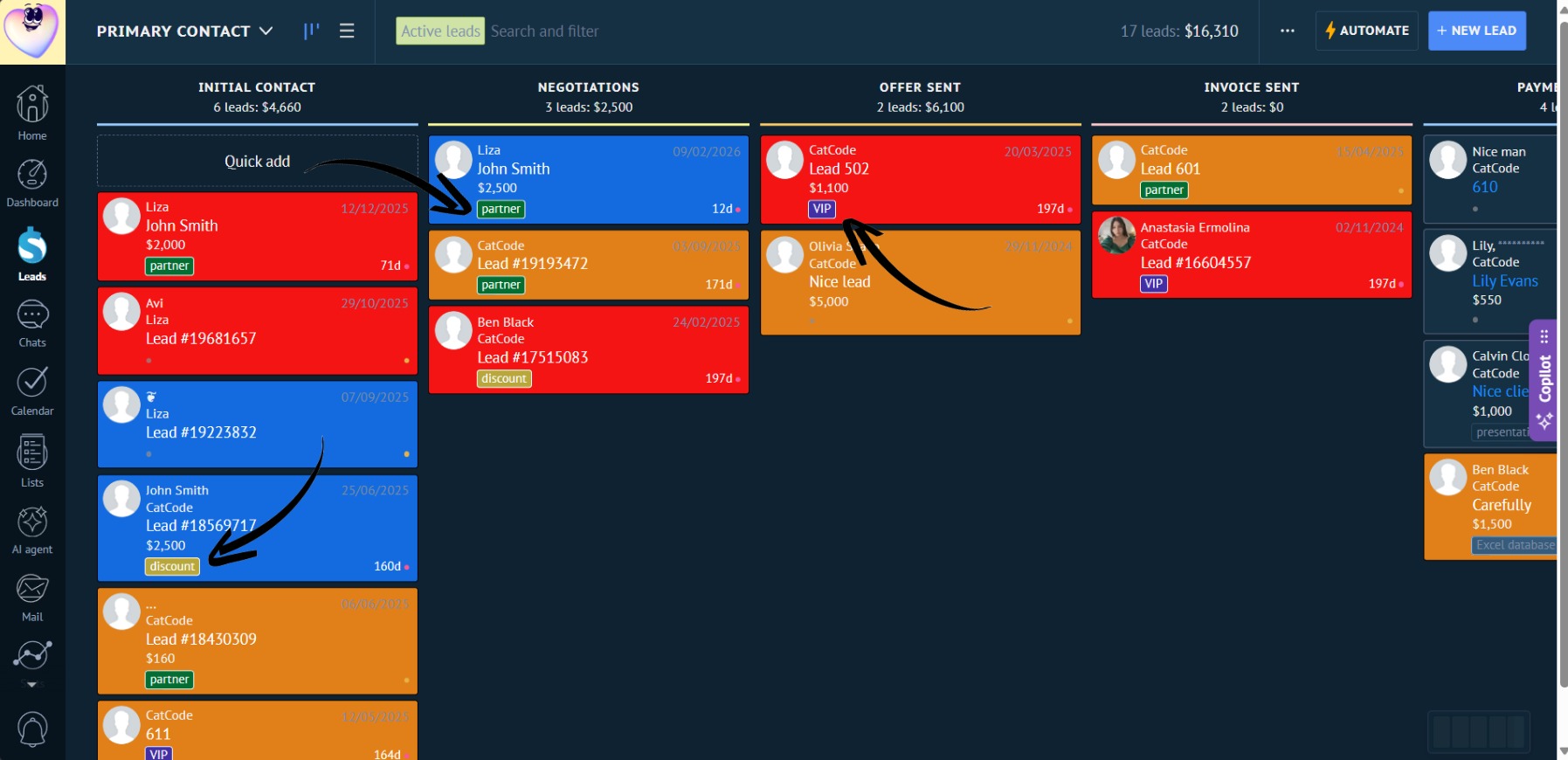
Tag Coloring
The “Urgent” tag can be made red, and “Repeat Customer” green. Leads from different regions can be highlighted with different colors for clear visual separation.
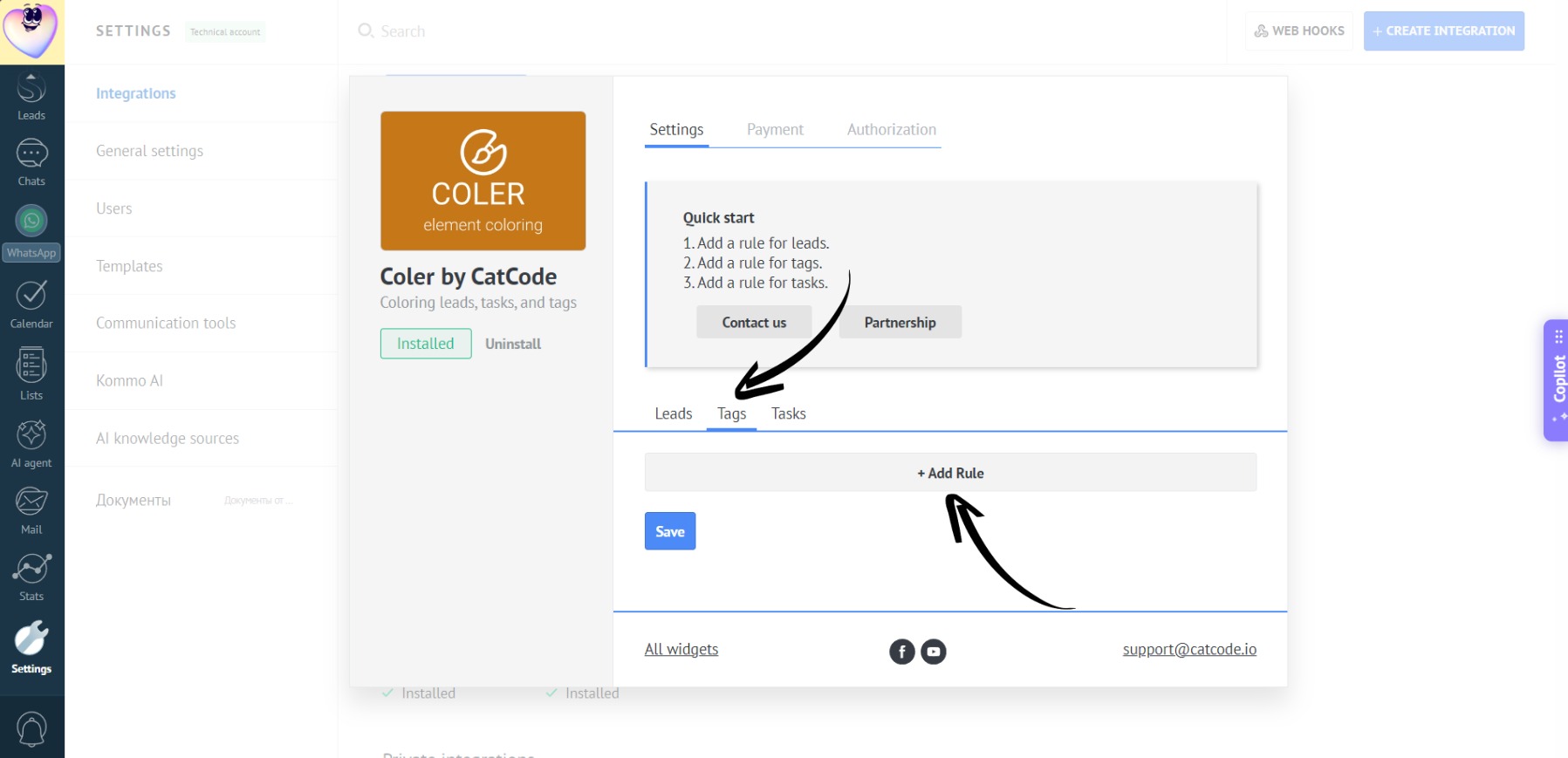
- In Coler’s settings, select “Tags” and click “Add Rule”:
- Enter the rule name and its priority:
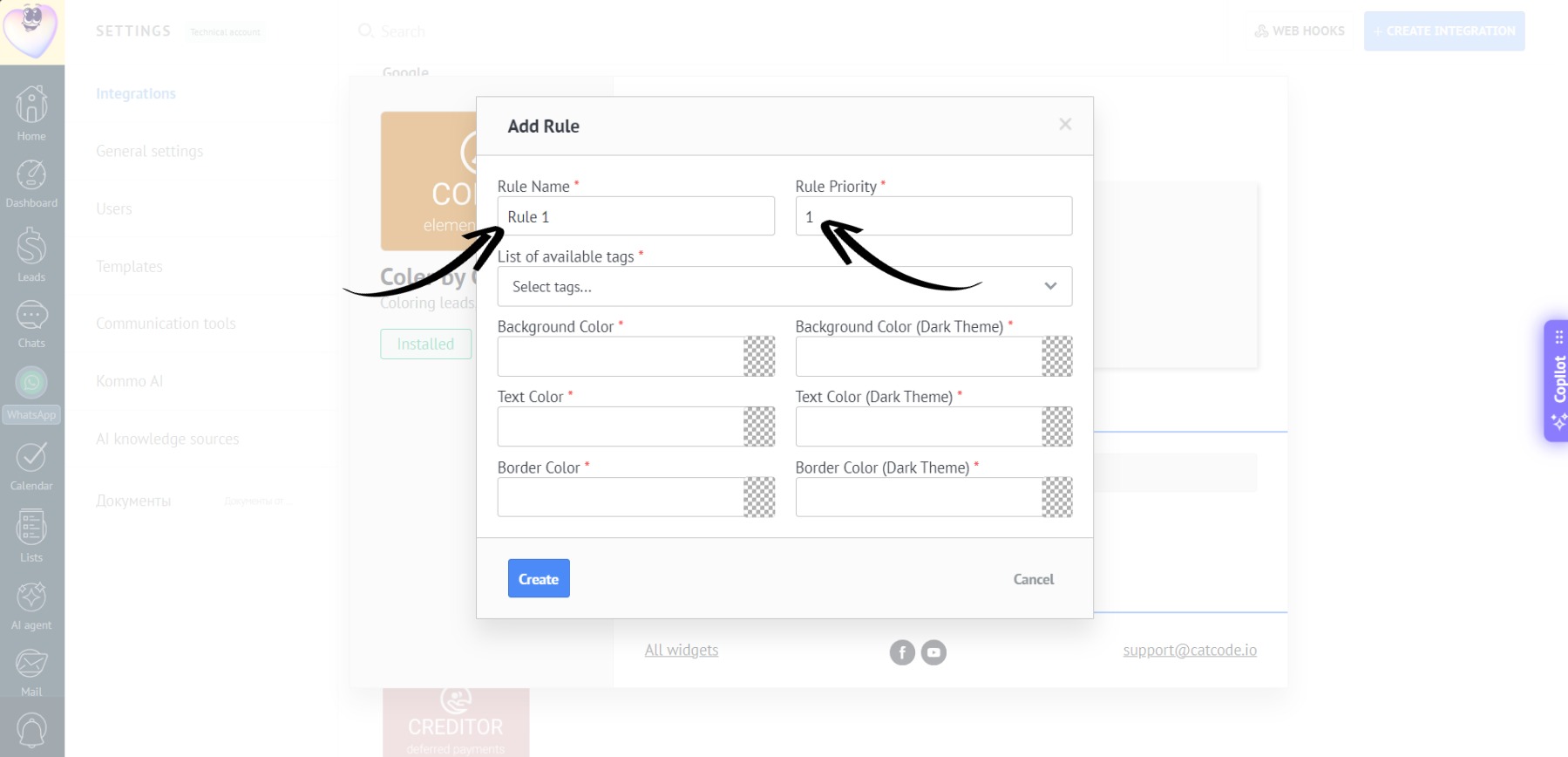
This name will be displayed in the list of rules, so you and your colleagues can easily understand the purpose of the rule.
If multiple rules match a lead, the one with the higher priority will be applied.
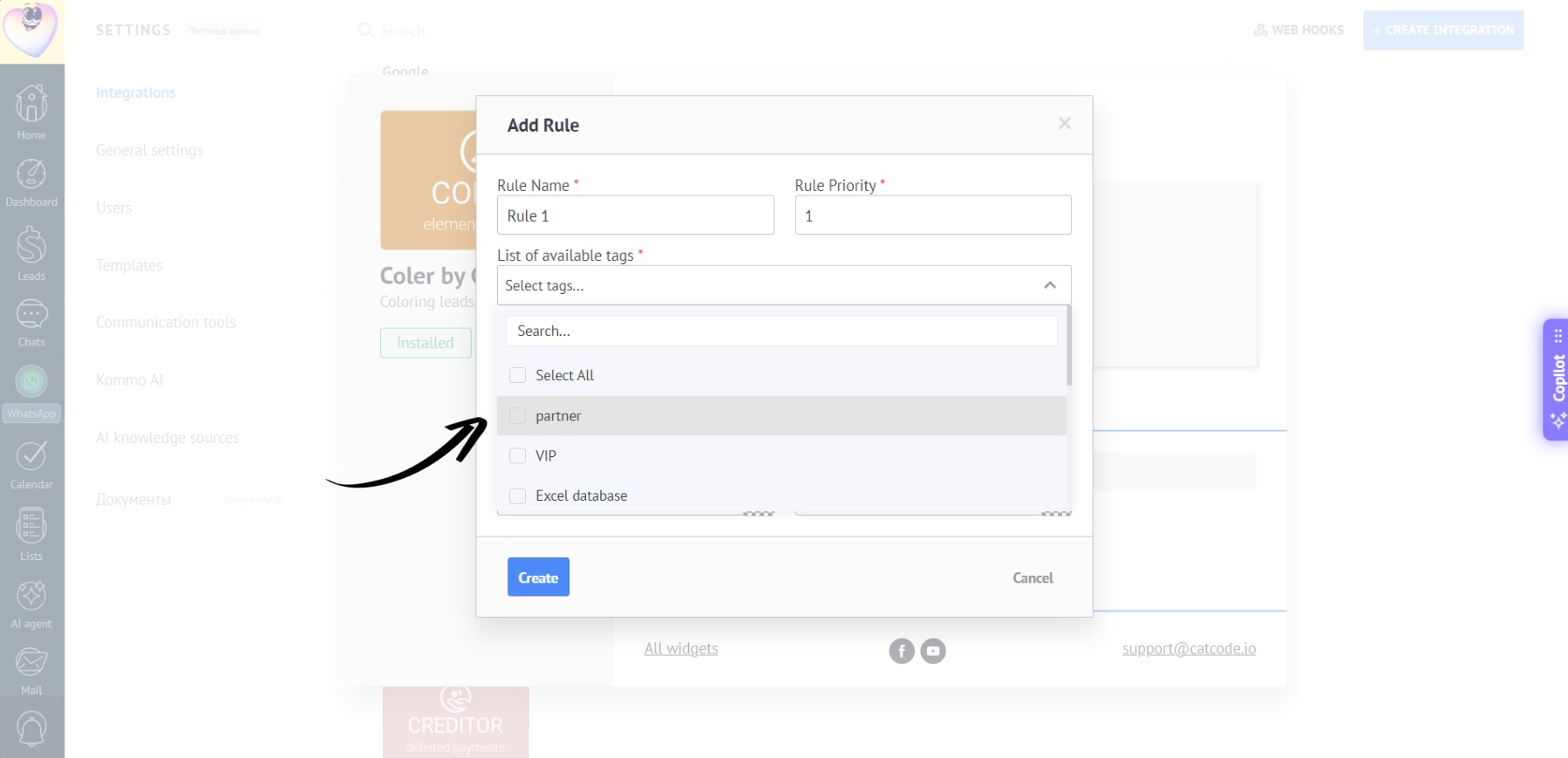
- Select the desired tag from the list - for example, “Partner”:
- Set up the colors and click “Create”:
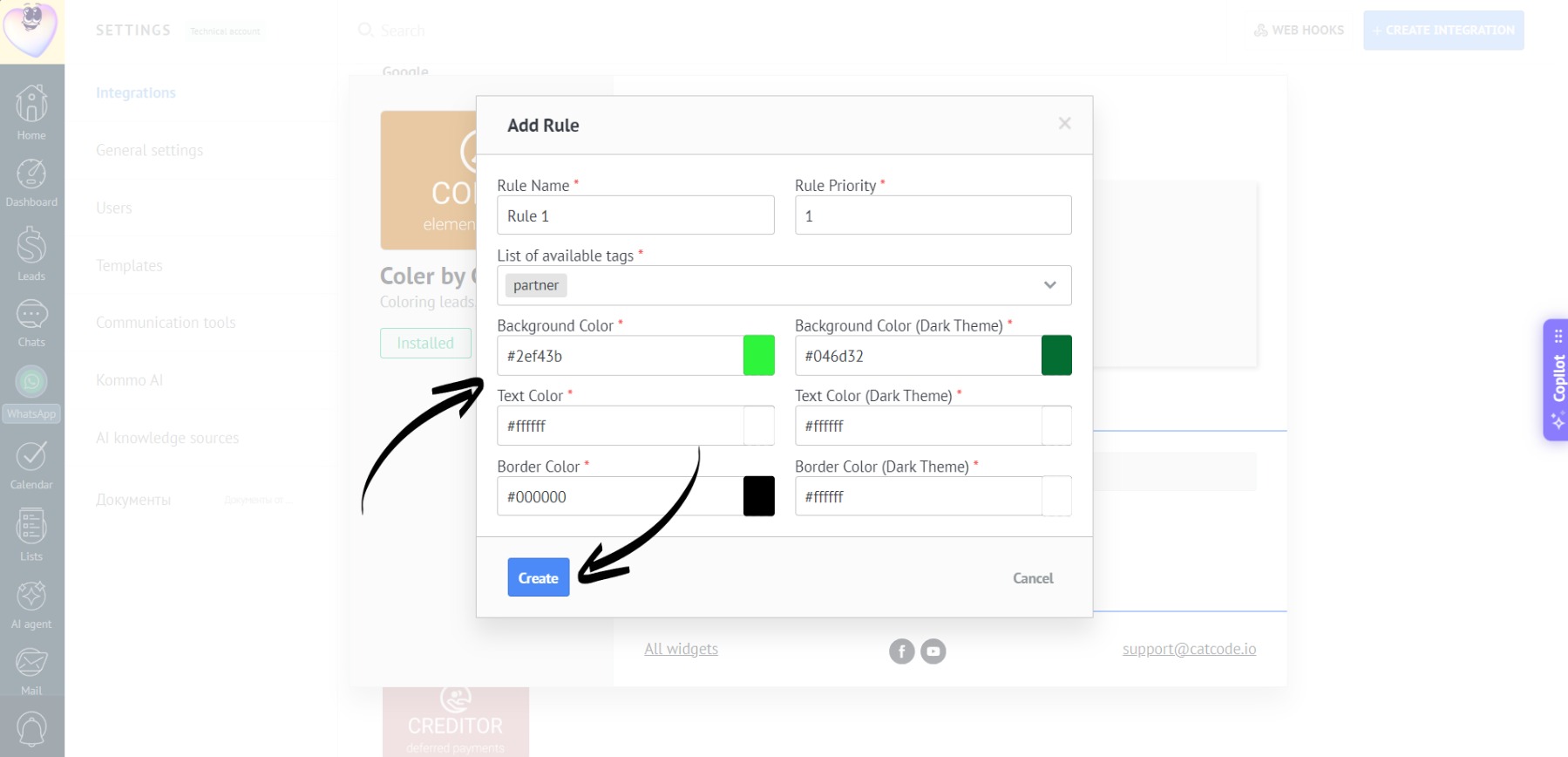
At this stage, colors can be set individually for Kommo’s light and dark modes.
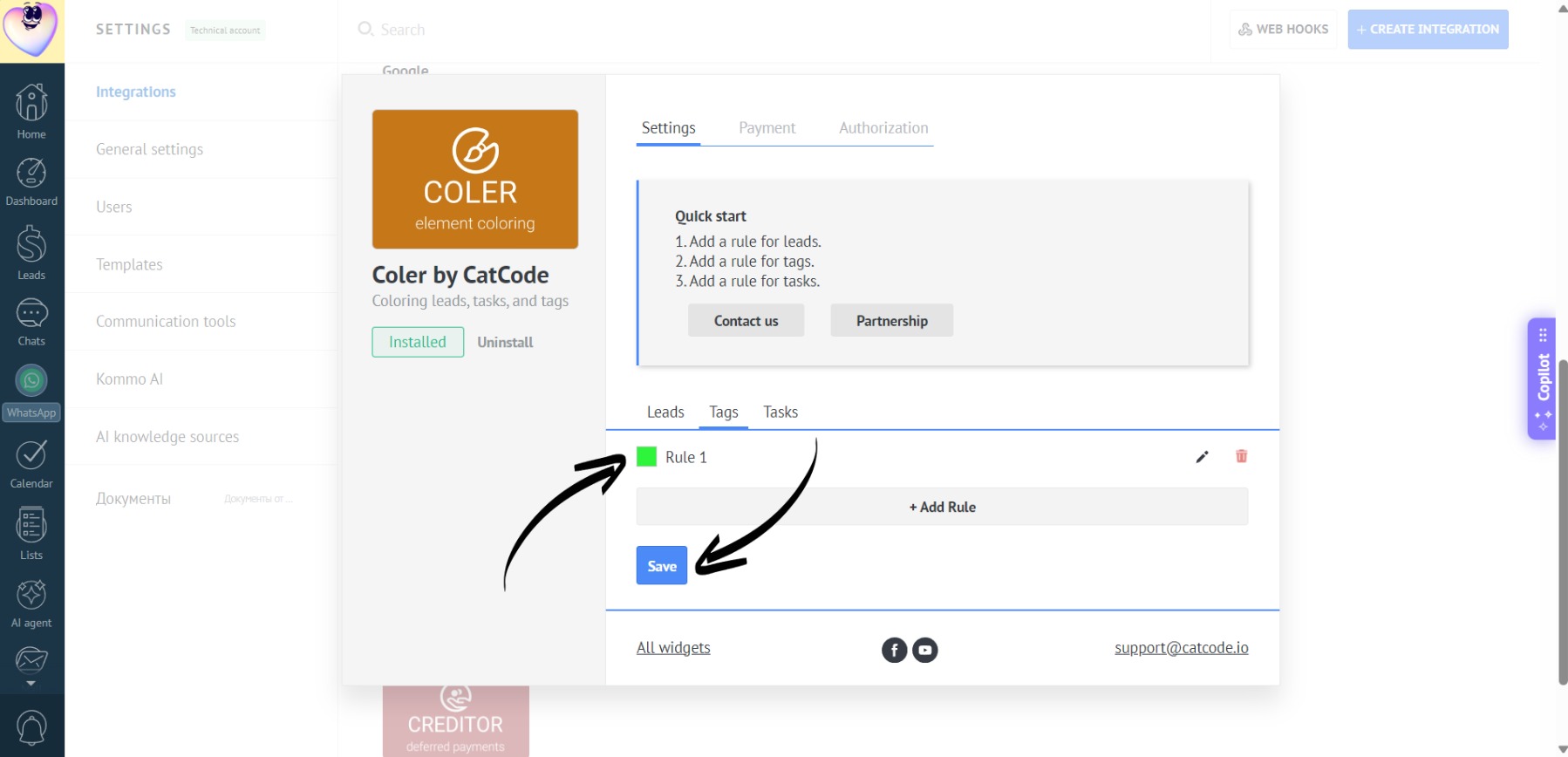
- Then click “Save”:
- Here’s how the color-coded leads will look in the light mode:
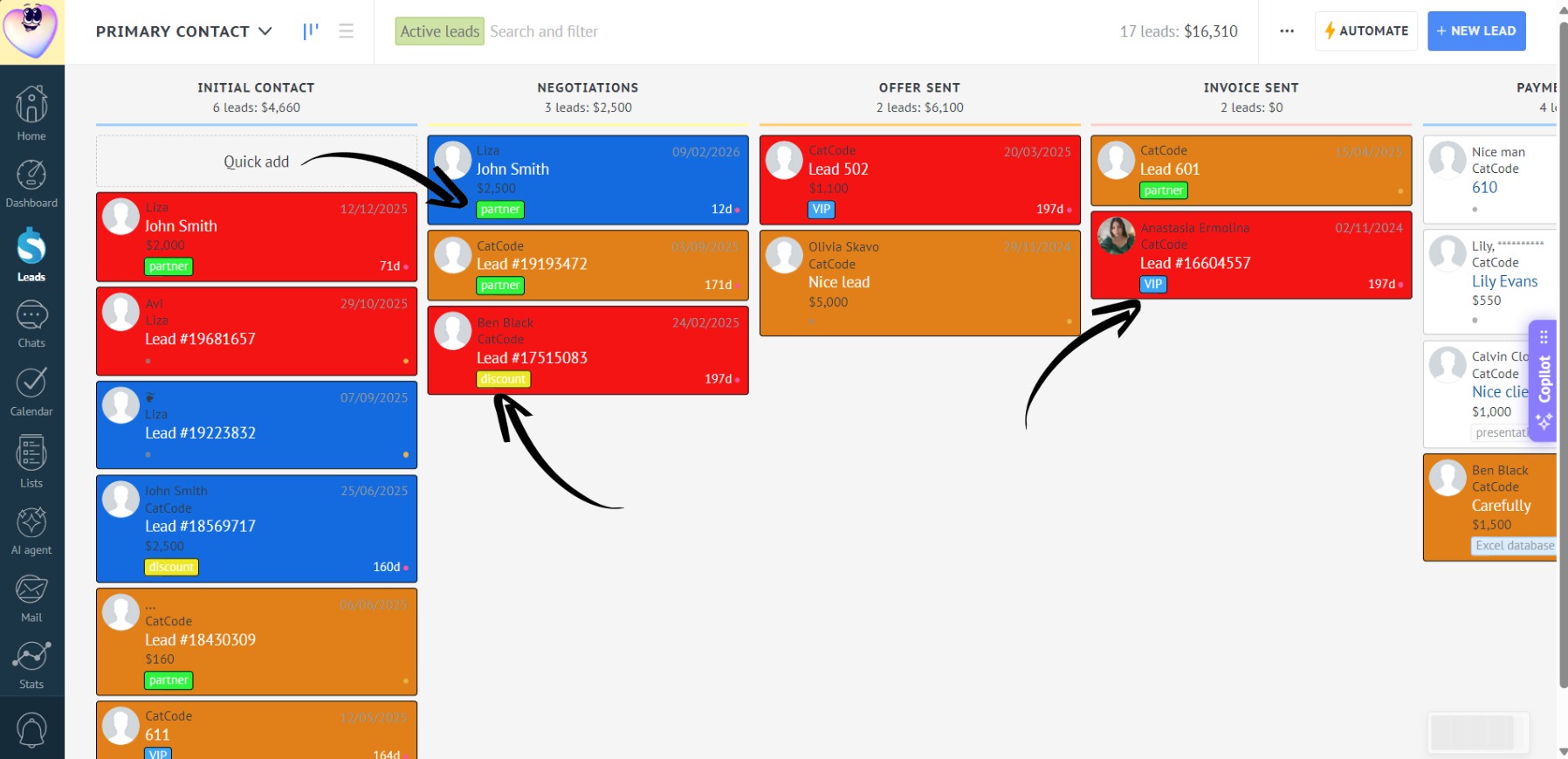
- And in dark mode: