App Configuration
How to open the app settings:
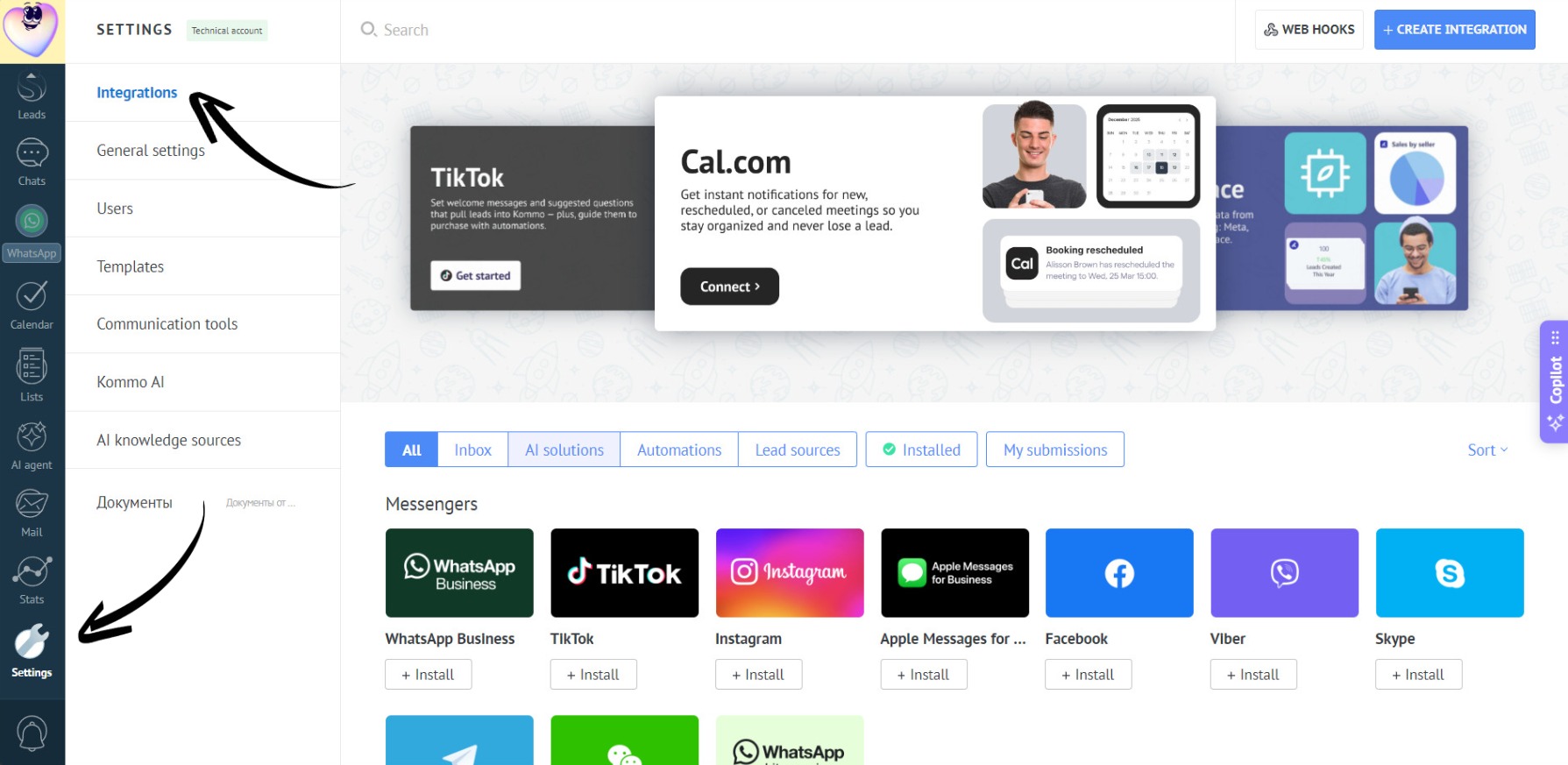
- Go to the “Settings” section. Open the “Integrations” tab:
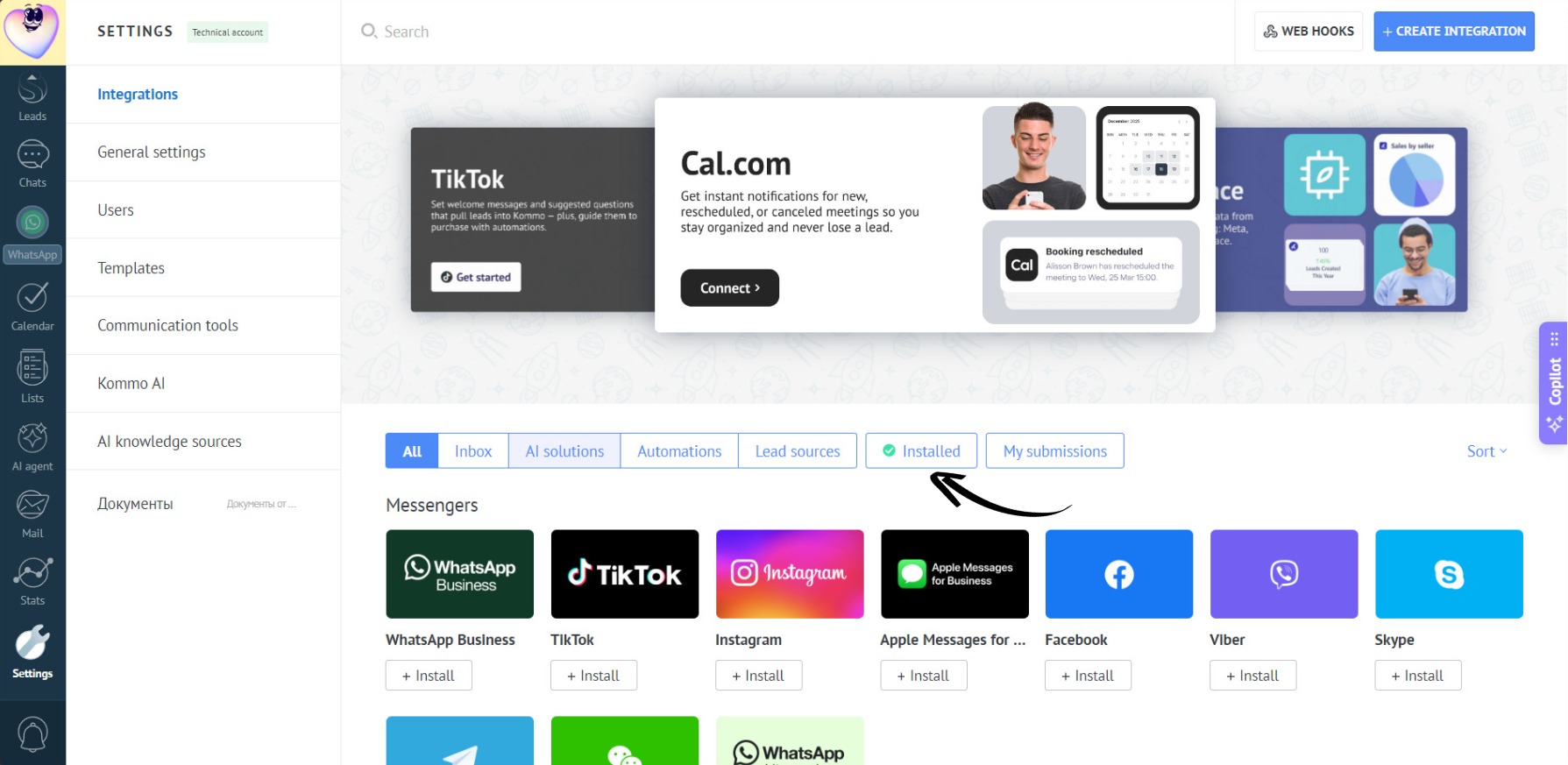
- Open the “Installed” section:
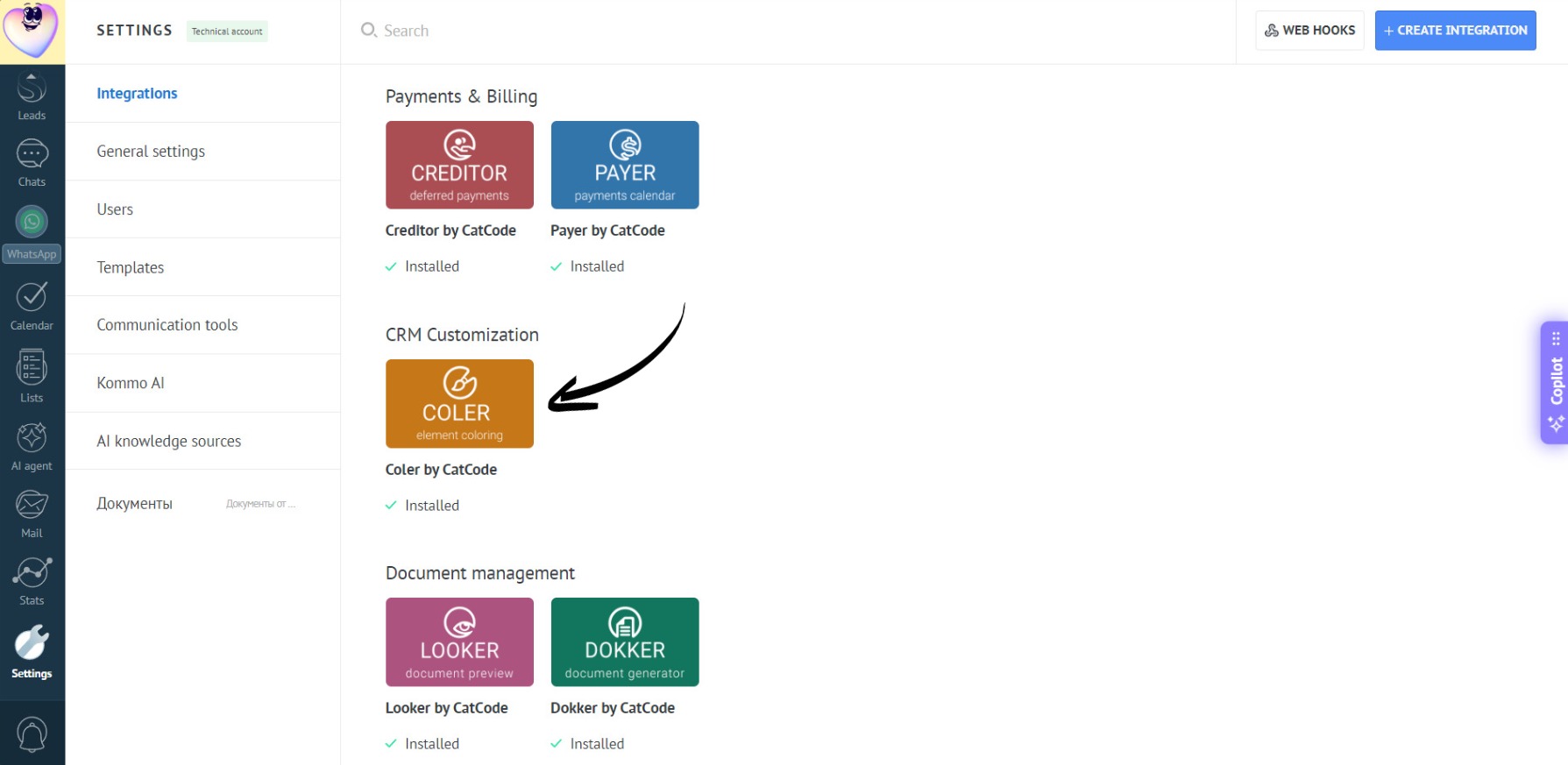
- Click on the app:
- Done! The settings are divided into three sections:
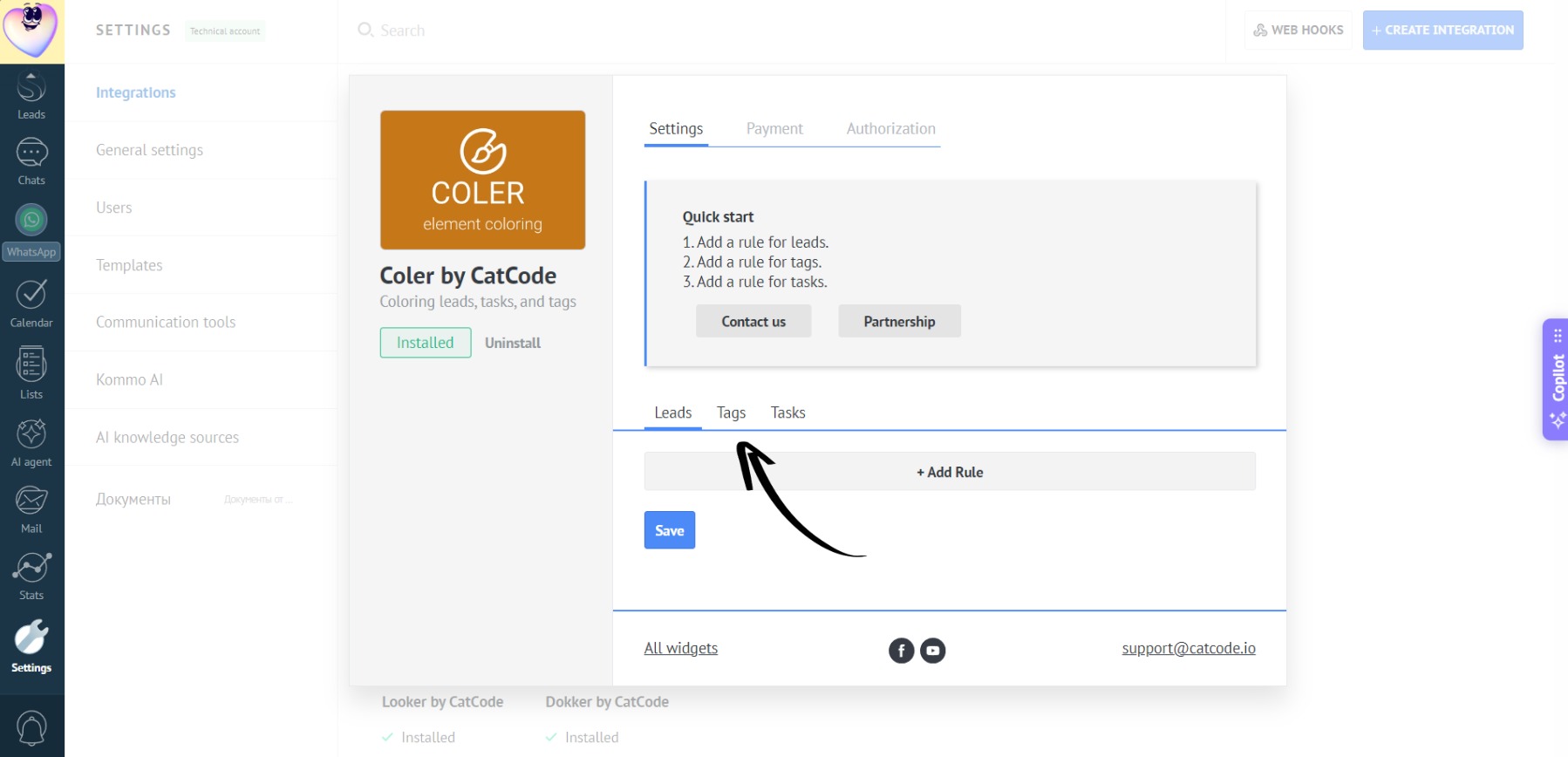
The settings are divided into three sections: